
自定义速度场
1.velocity field
1.基础
1.magnitude(规模,模值)
2.vector(direction)
3.scaler(乘数)
1.velocity 和 force的区别在于用法
同样是使用向量
force是施加的力,velocity是作为(下一帧)绝对的位置
但是velocity field (flow velocity 流场)在模拟中被视为一种force
2.向量相减得到指向性的向量,以向量场作为驱动模拟的force
advect by volume
3.trail节点计算velocity 使用上一帧与这一帧位置计算
同样可以在wrangle中计算,利用当前帧位置减去上一帧位置
注意计算乘上 fps(1/TimeInc)
4.将曲线上的velocity 转移到点云中,再rasterize为volume(velocity field)
2.环形速度场
1.使用circle的N,tangent,up向量,混合控制(lerp),再使用sweep曲线
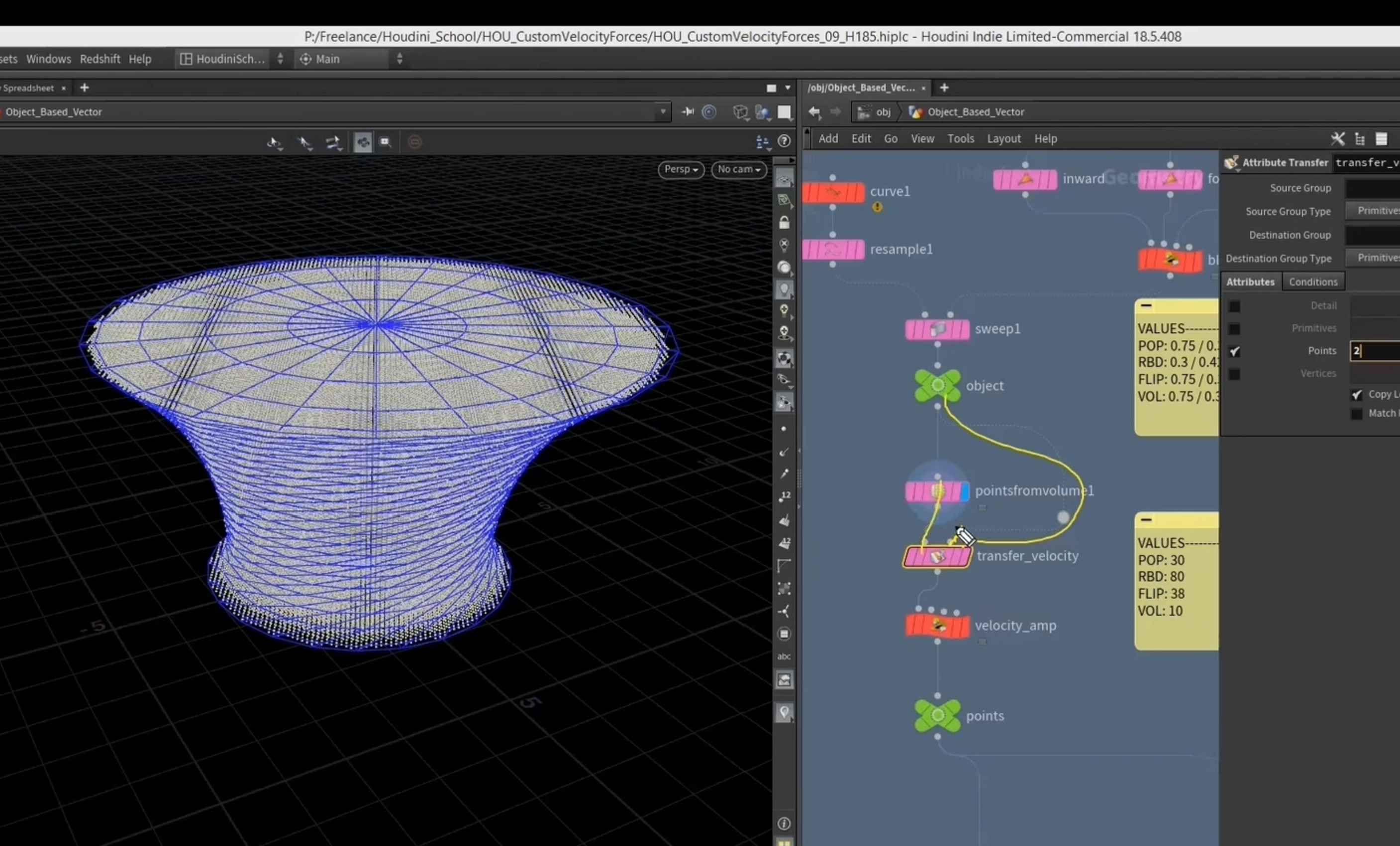
2.在circle上生成指向内部的向量,依据距离
1.使用[ getpointbbox_center() ]获取中心点
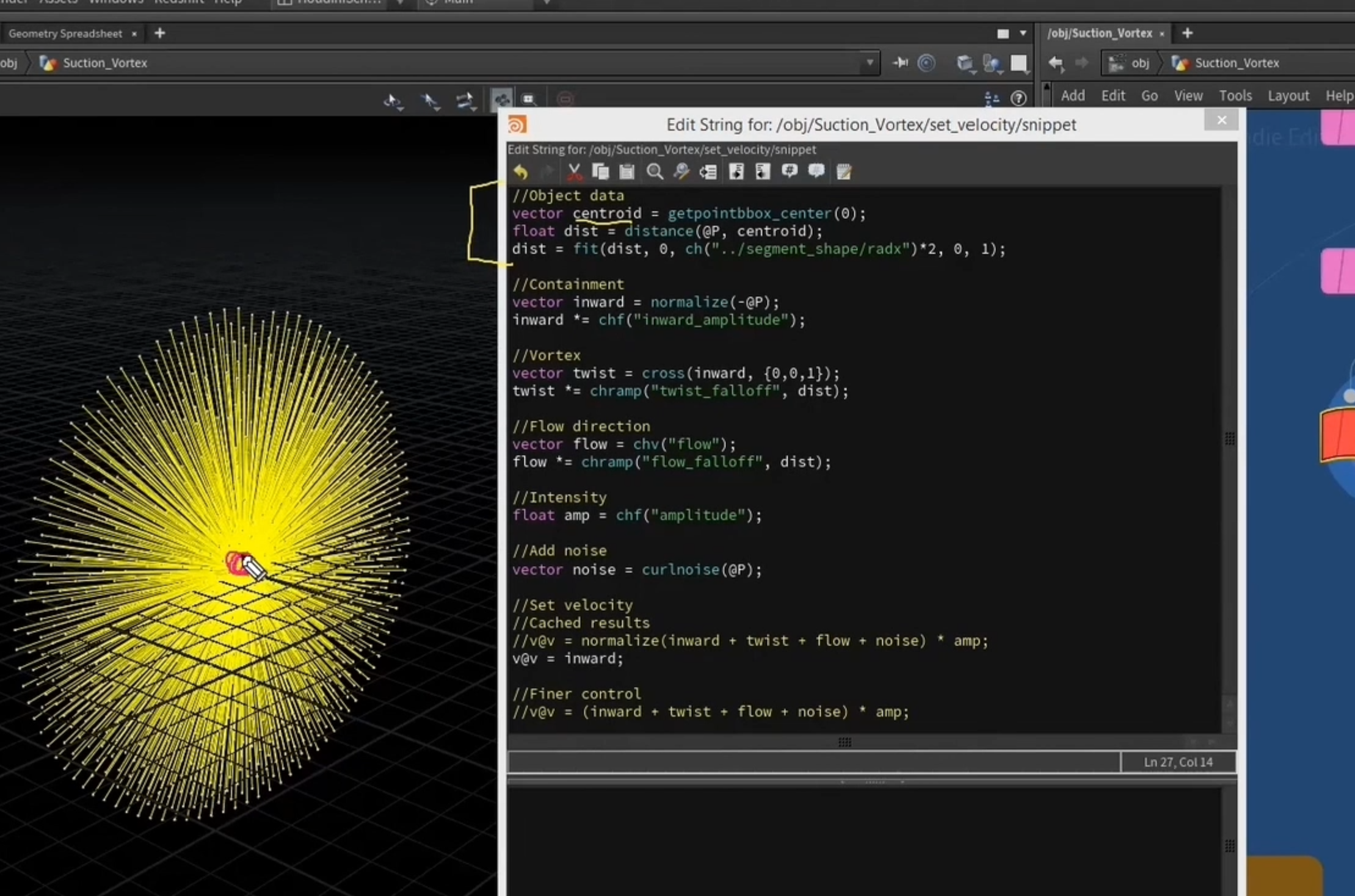
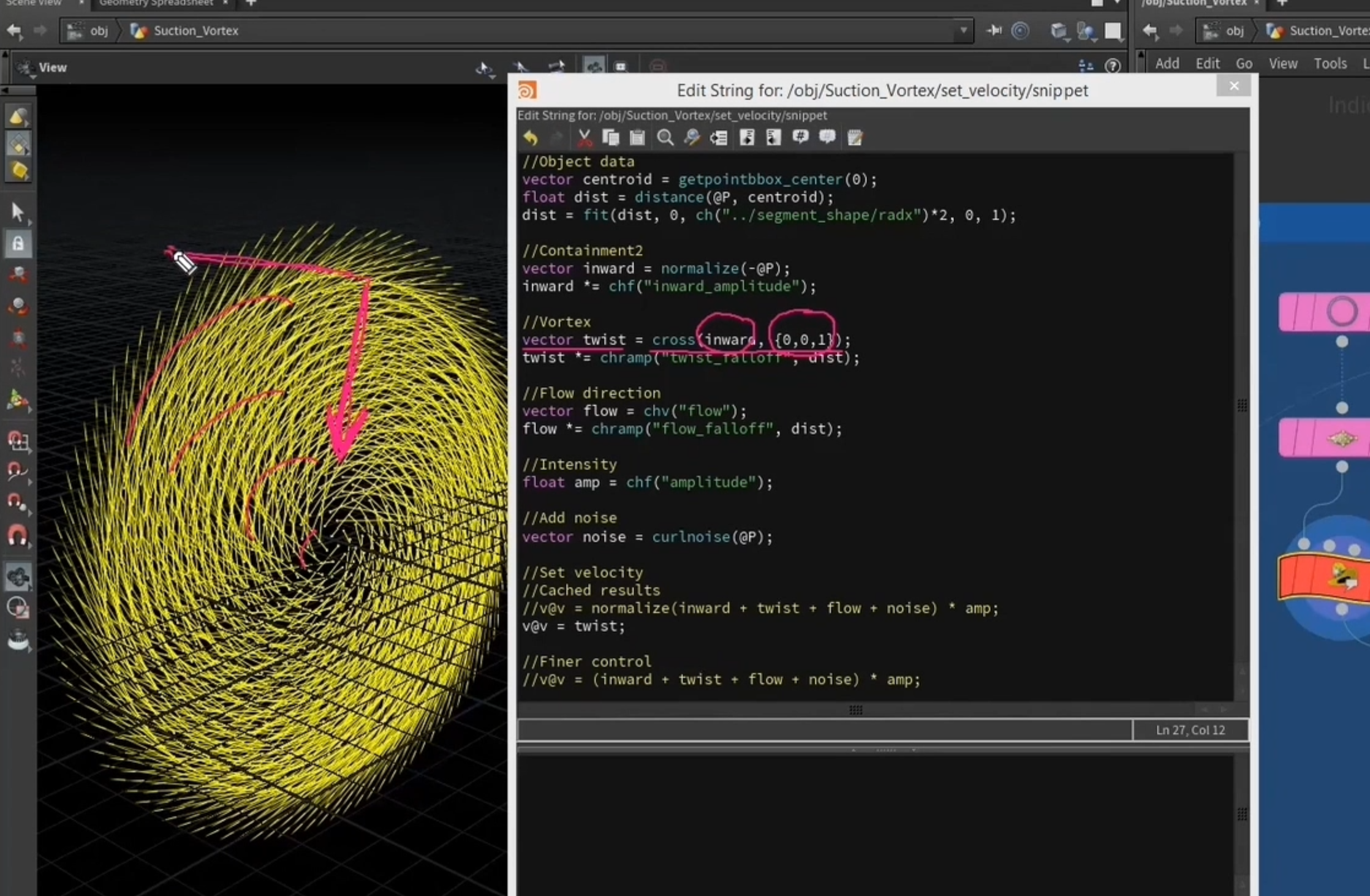
2.向内的向量与垂直于圆面的向量叉乘,得到扭曲的切向量
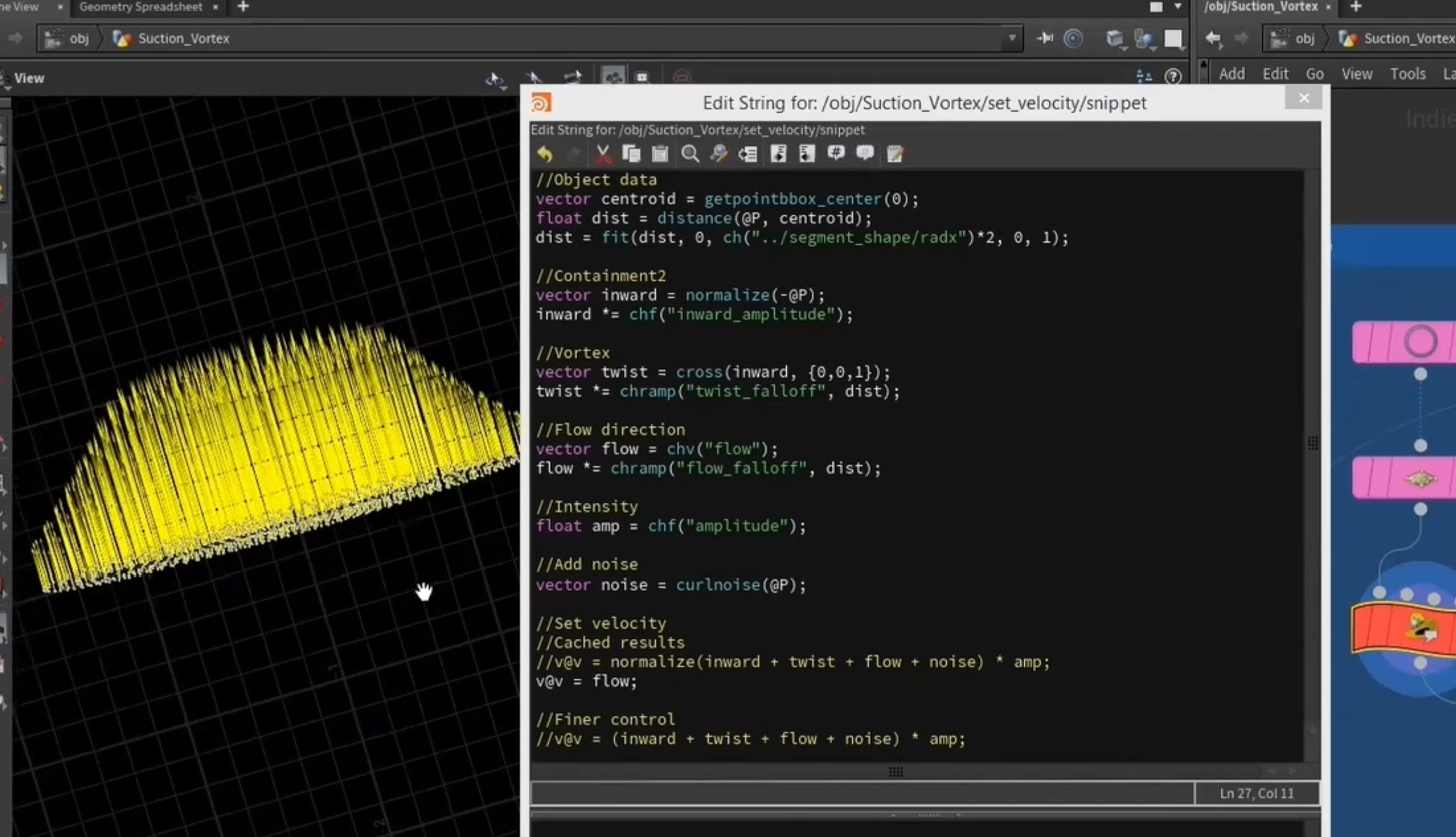
3.依据距离映射的自定义推力
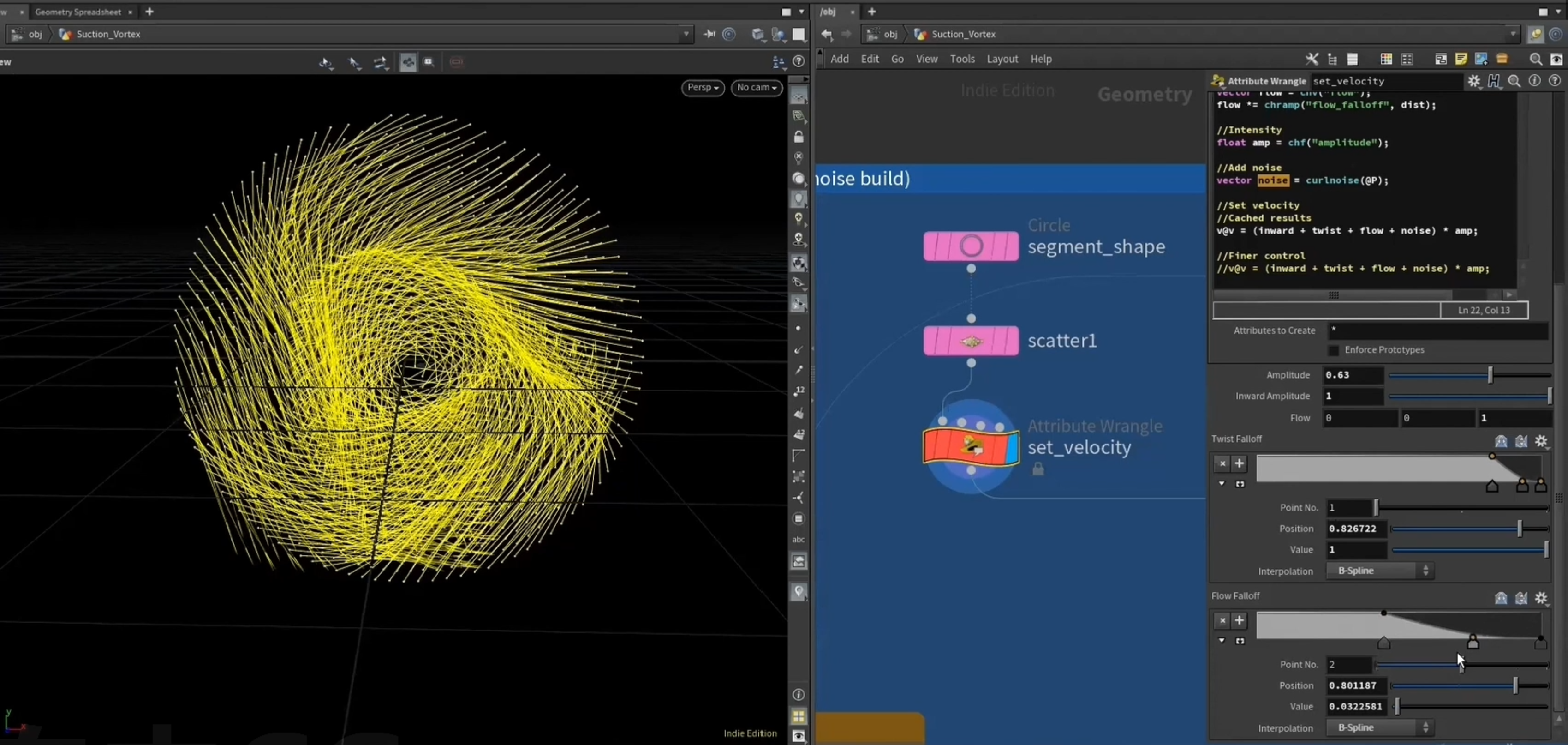
4.copy到圆环上
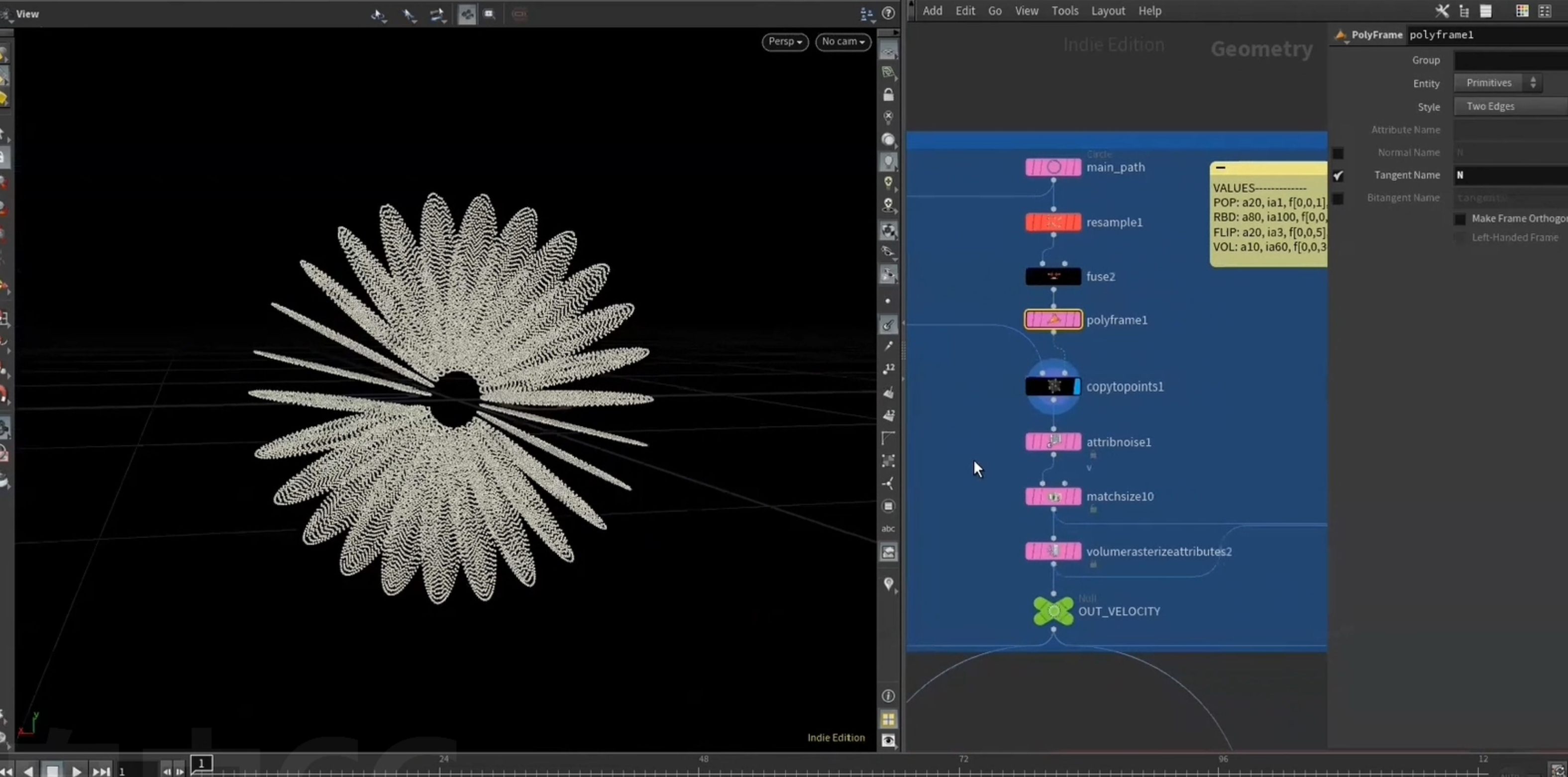
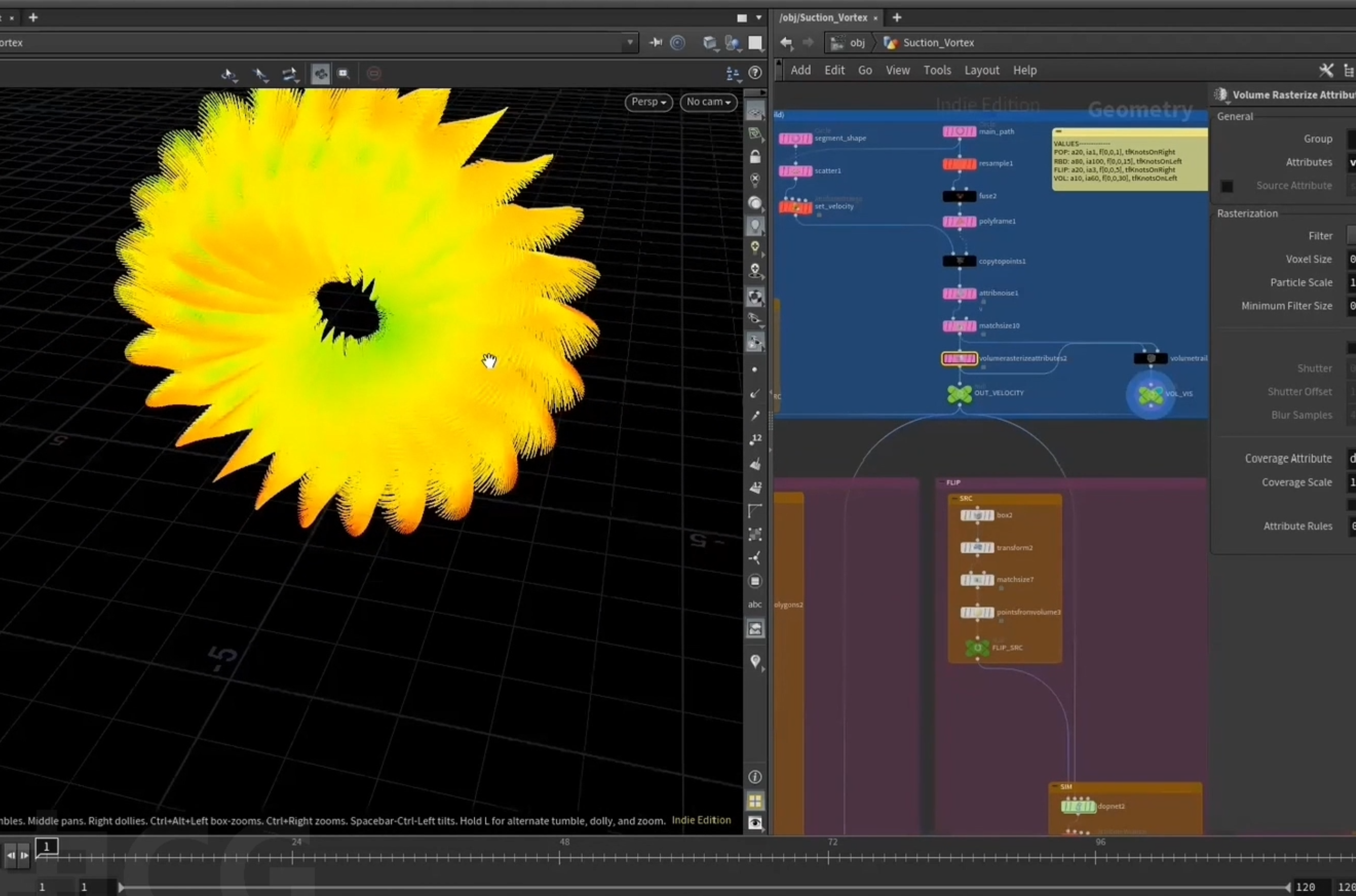
3.渐变力场
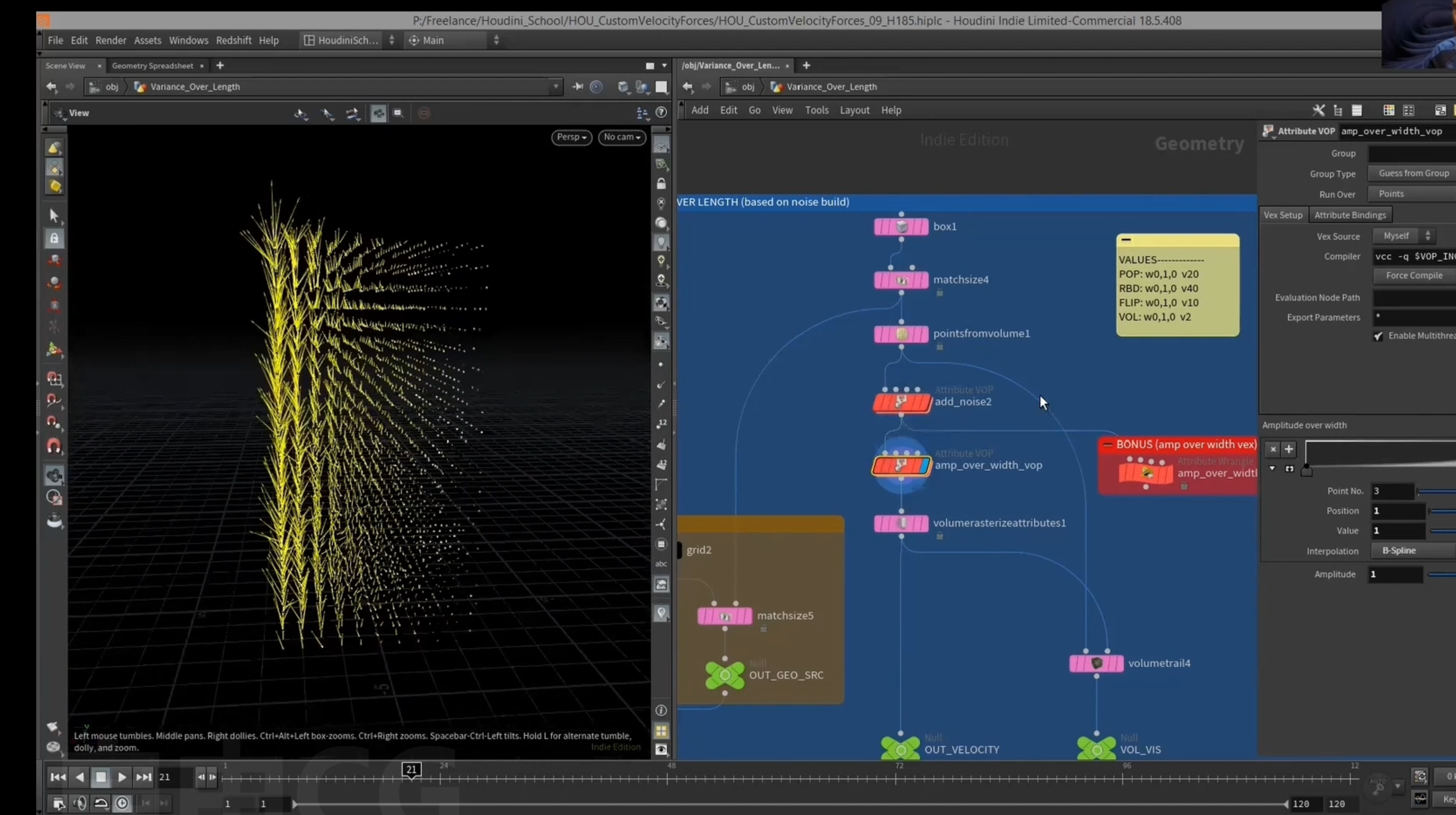
获取bbox的一个轴重映射
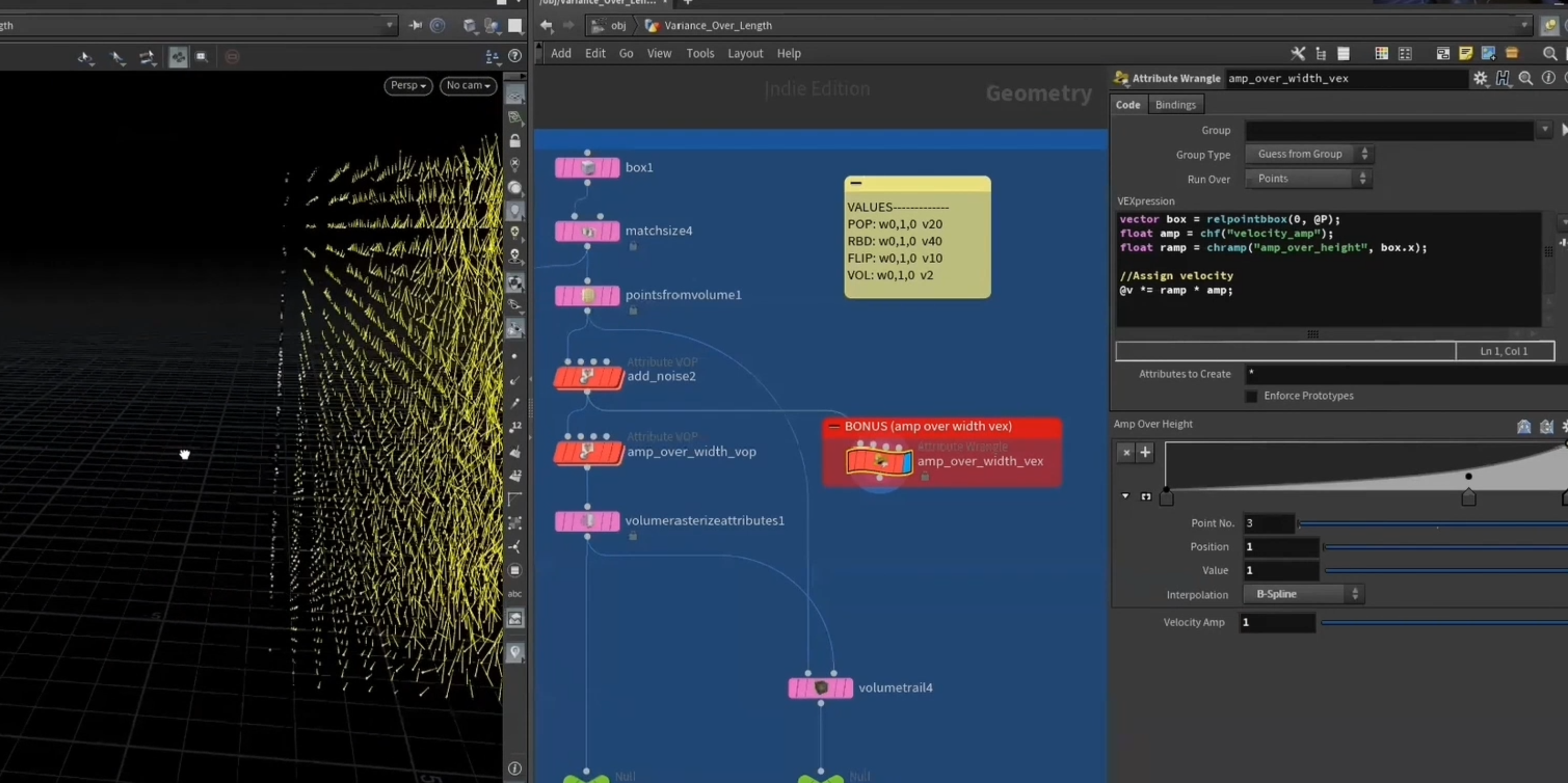
[ relpointbbox() ]函数 获取边界框
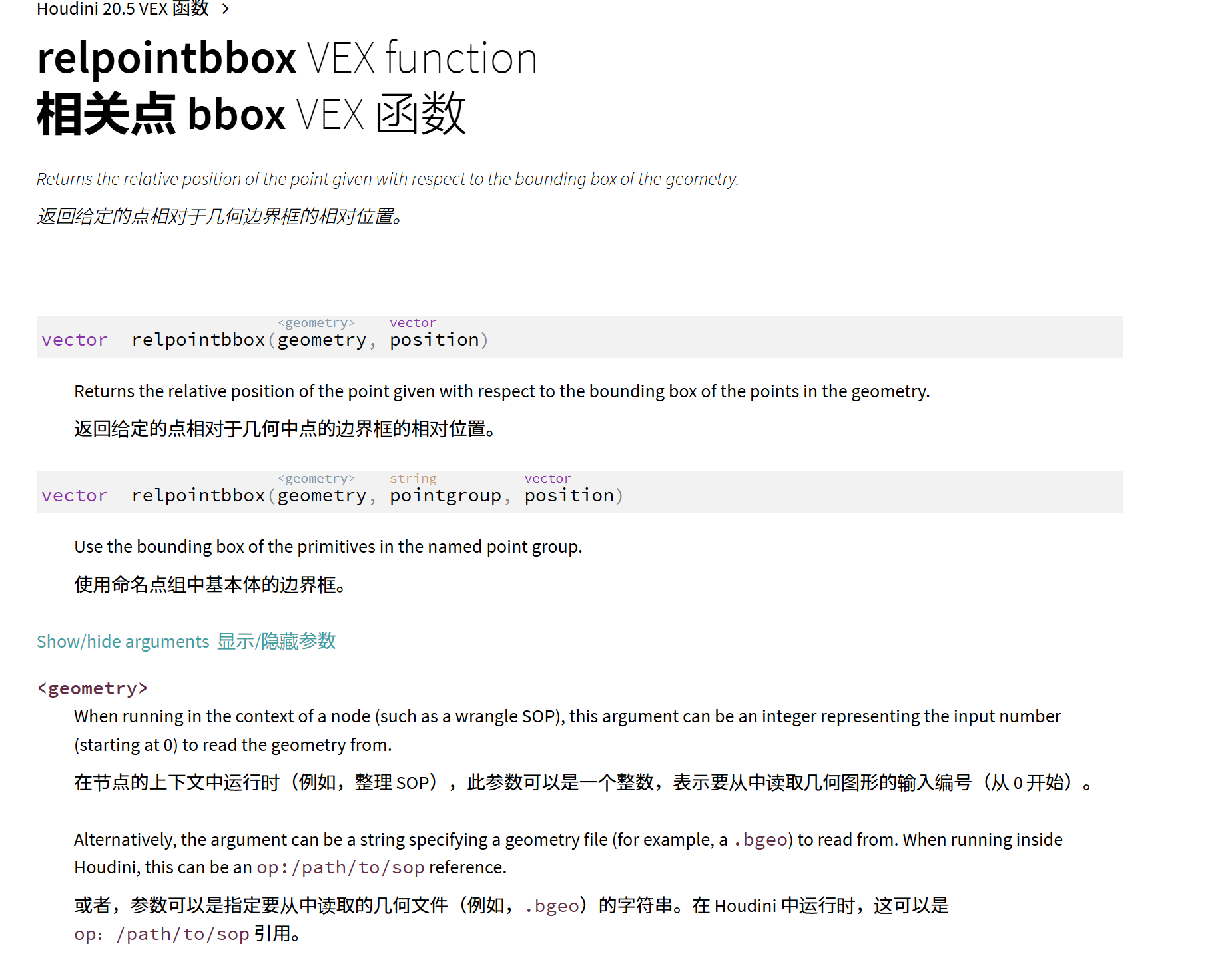
可以以点组为边界框,返回对应点的相对位置
[ relbbox() ]函数
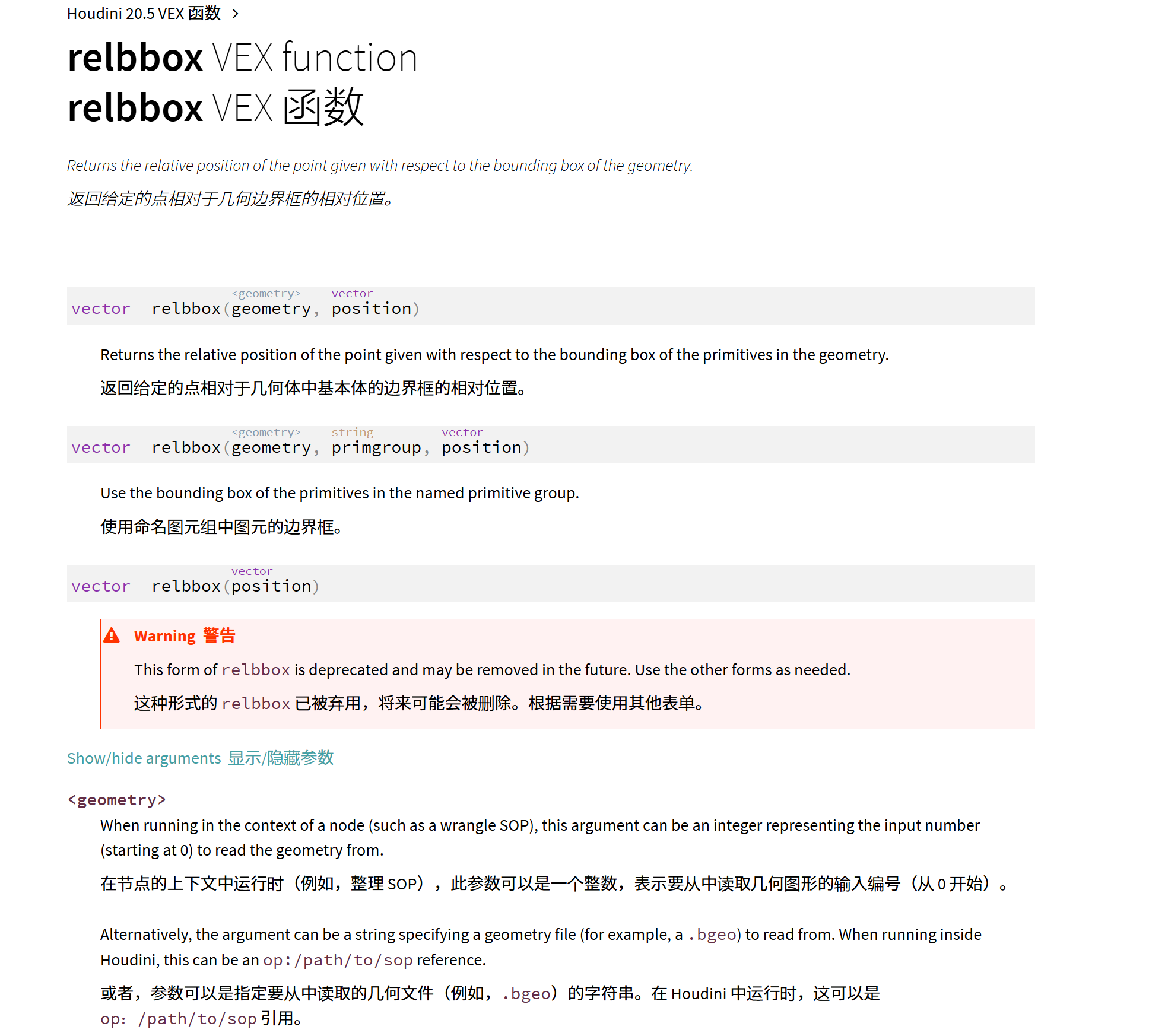
可以以prims为边界框,返回对应点的相对位置
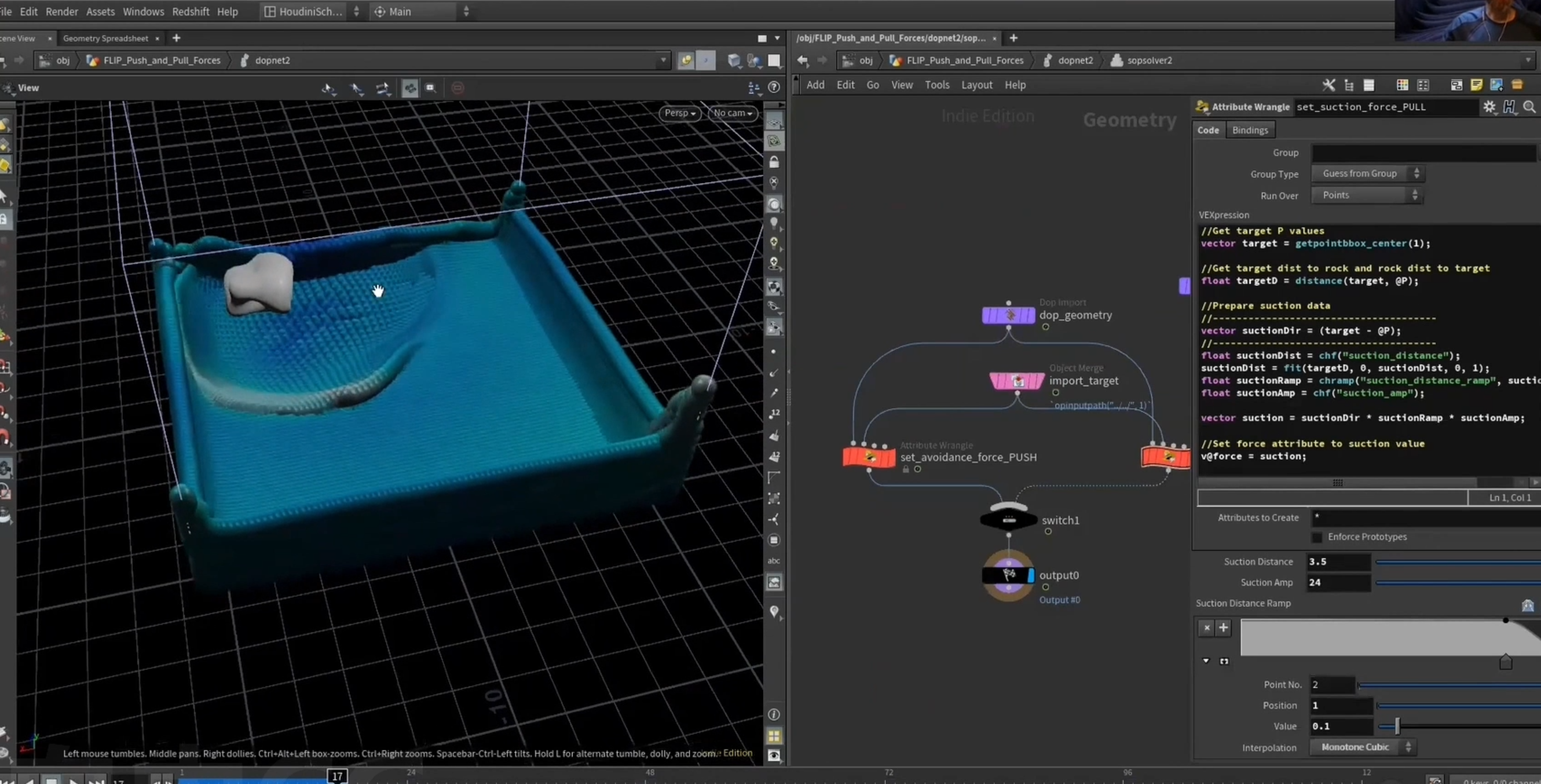
4. 模拟中物体上的推力(吸力)
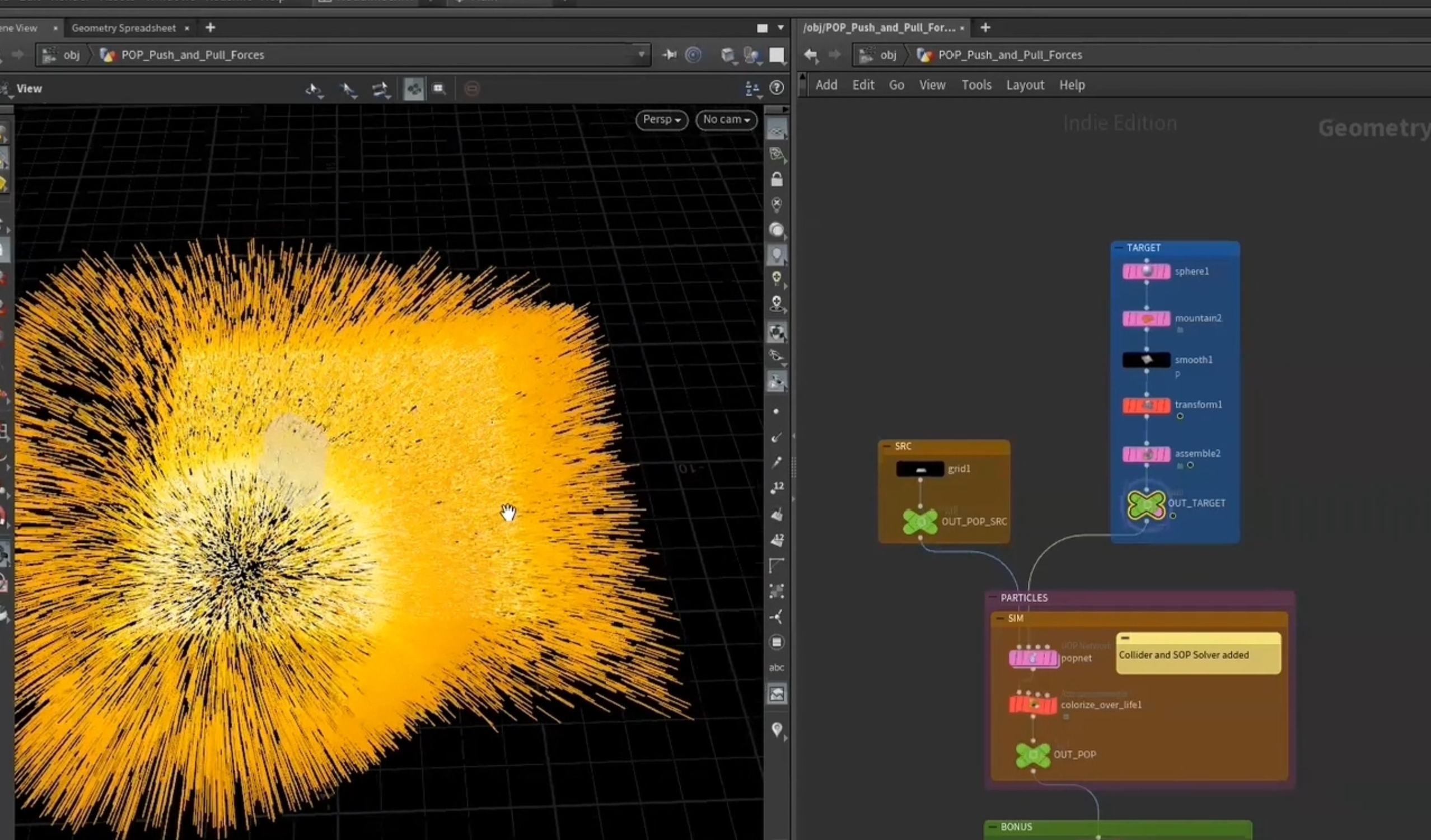
使用sop solver实时获取sop层的信息在模拟中
在模拟中实时获取物体的位置,计算相应的向量,并更新force
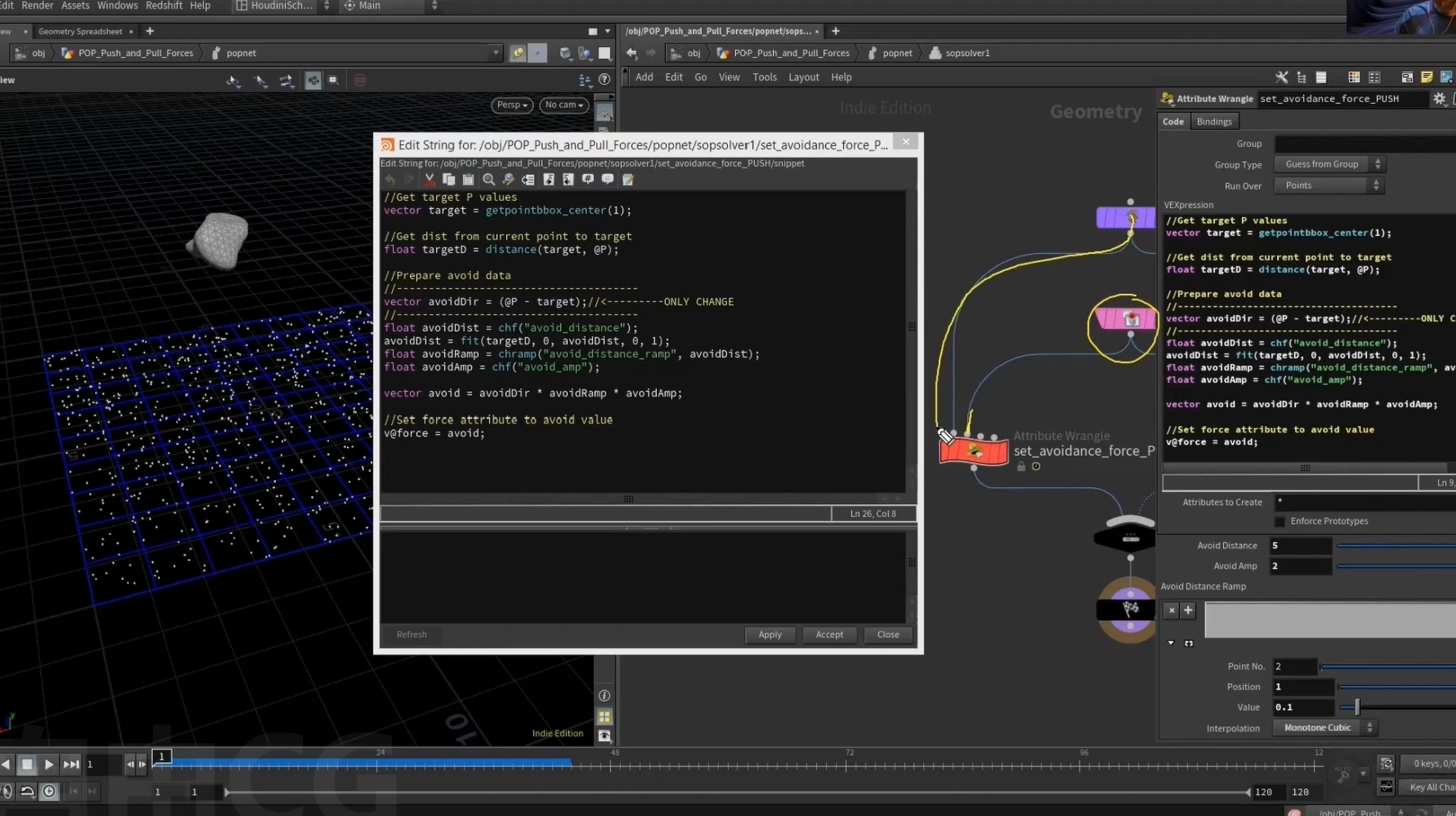
对于流体模拟,同样更新force
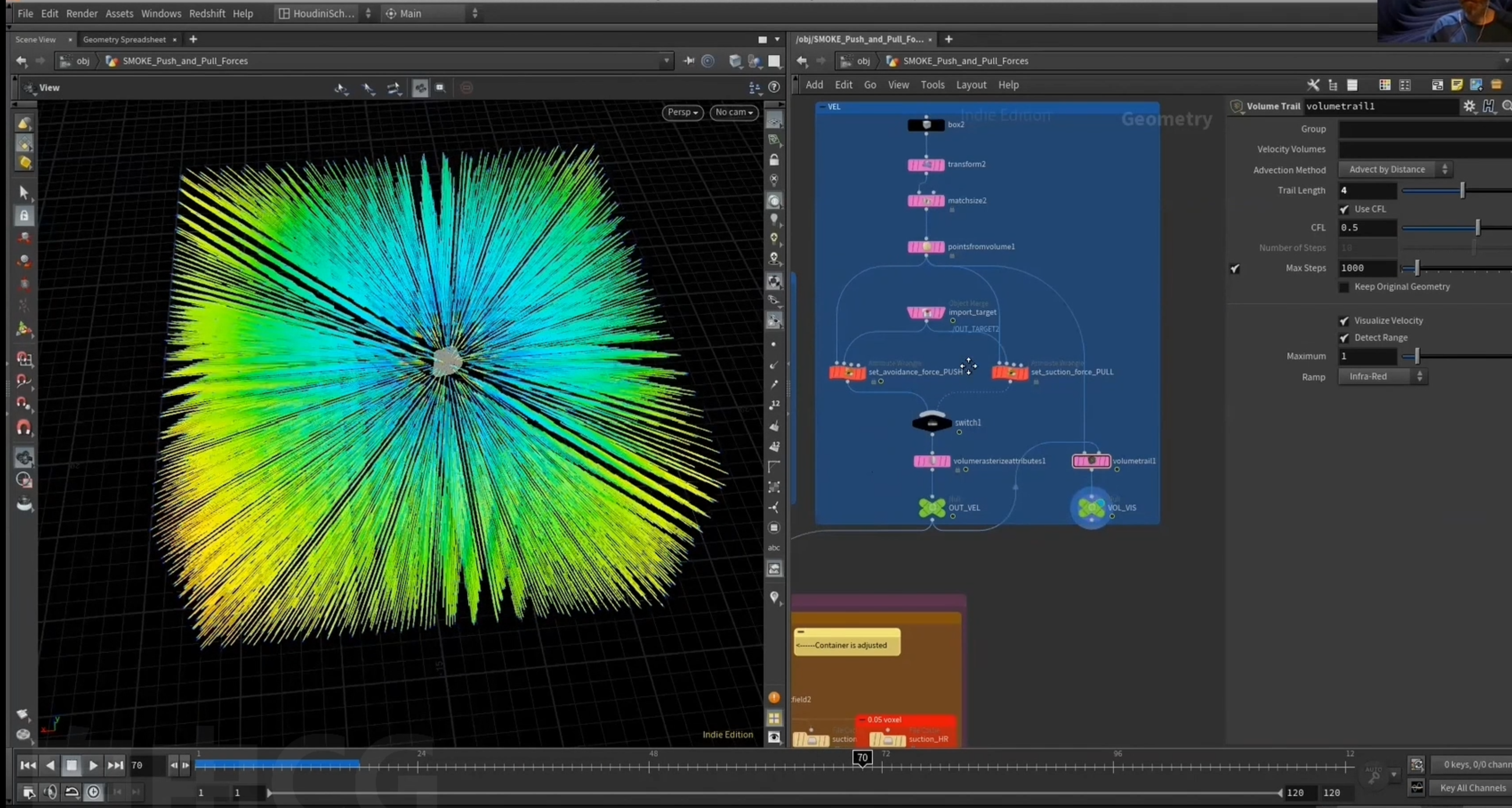
对于smoke,使用的是volume,不同于particles
对点设置v属性,转化为volume,作为velocity field,
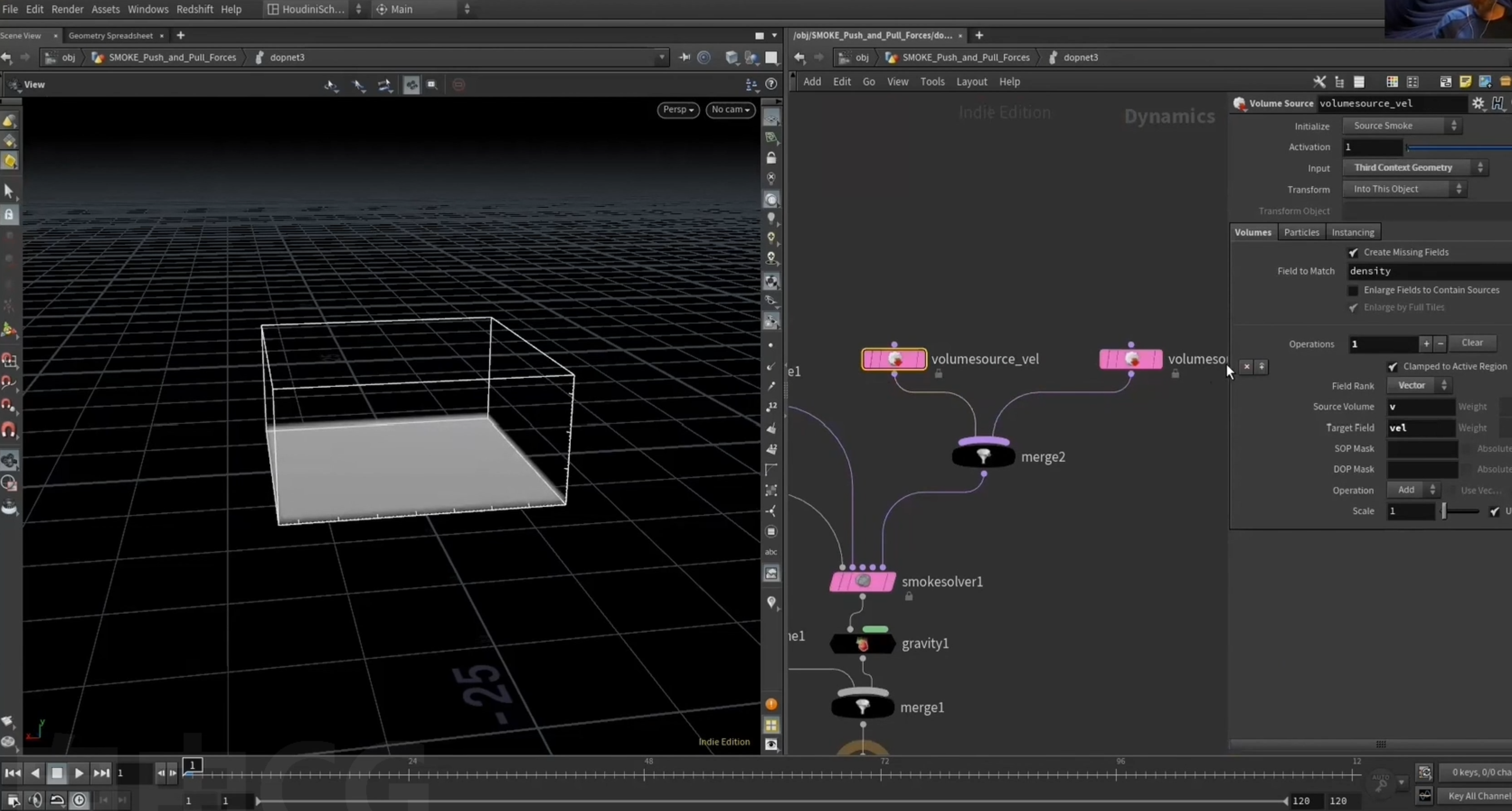
加入v volume作为模拟的source
2.
1.volume,voxel
VDB可以是向量,标准volume只有标量
isooffset 等同于 VDBfrompolygon
VDB
sparse(稀疏) VDB
standard(标准)volume
==实际上模拟中并不使用VDB==,内部将VDB转换为houdini标准volume,输出时为标准volume,或者可以选择输出VDB
先用isooffset转化为标准volume,在转化为VDB,相比于直接转化为VDB
==VDB的值,梯度下降更快==
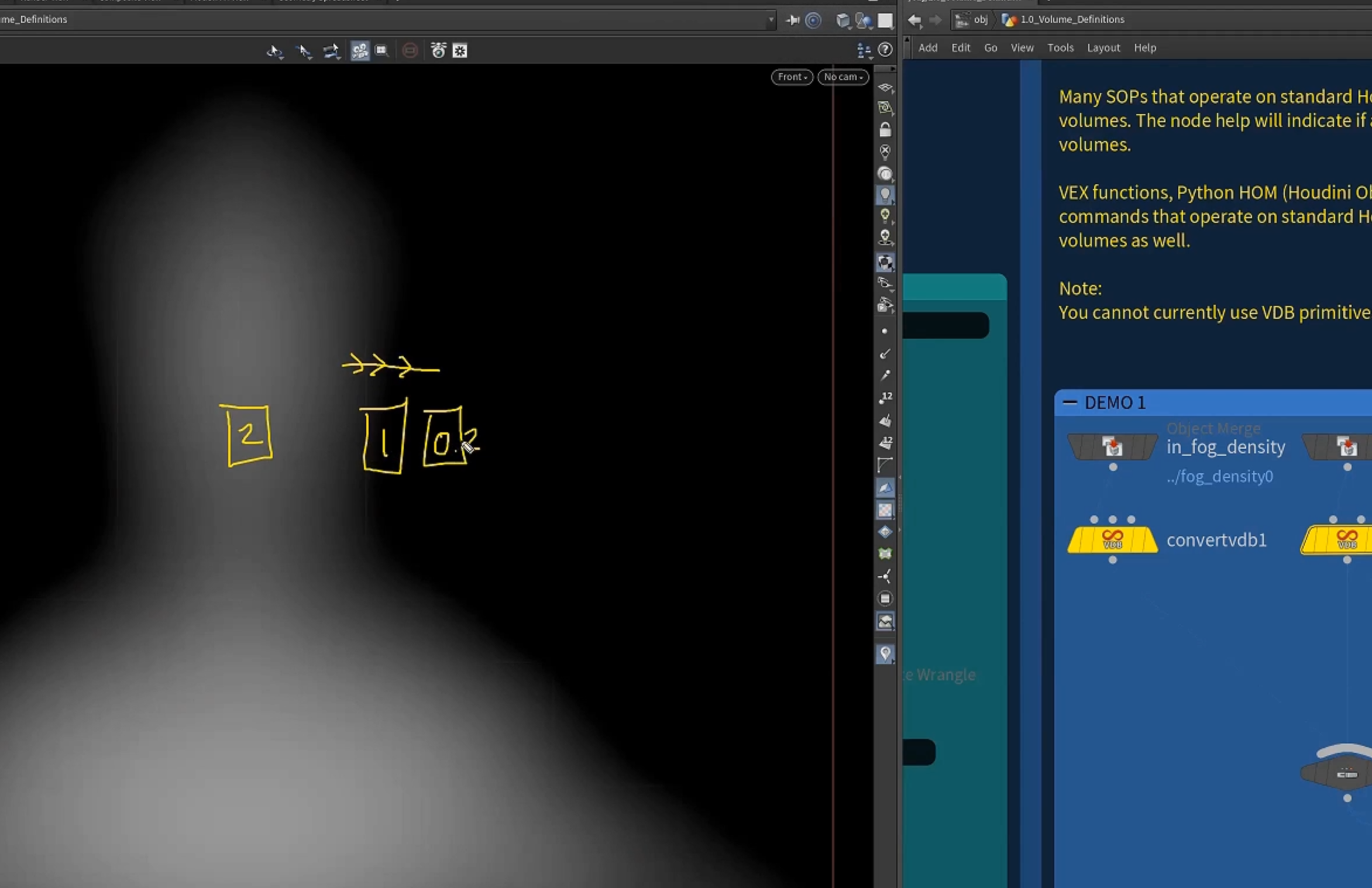
geometry -> isooffset ->VDB
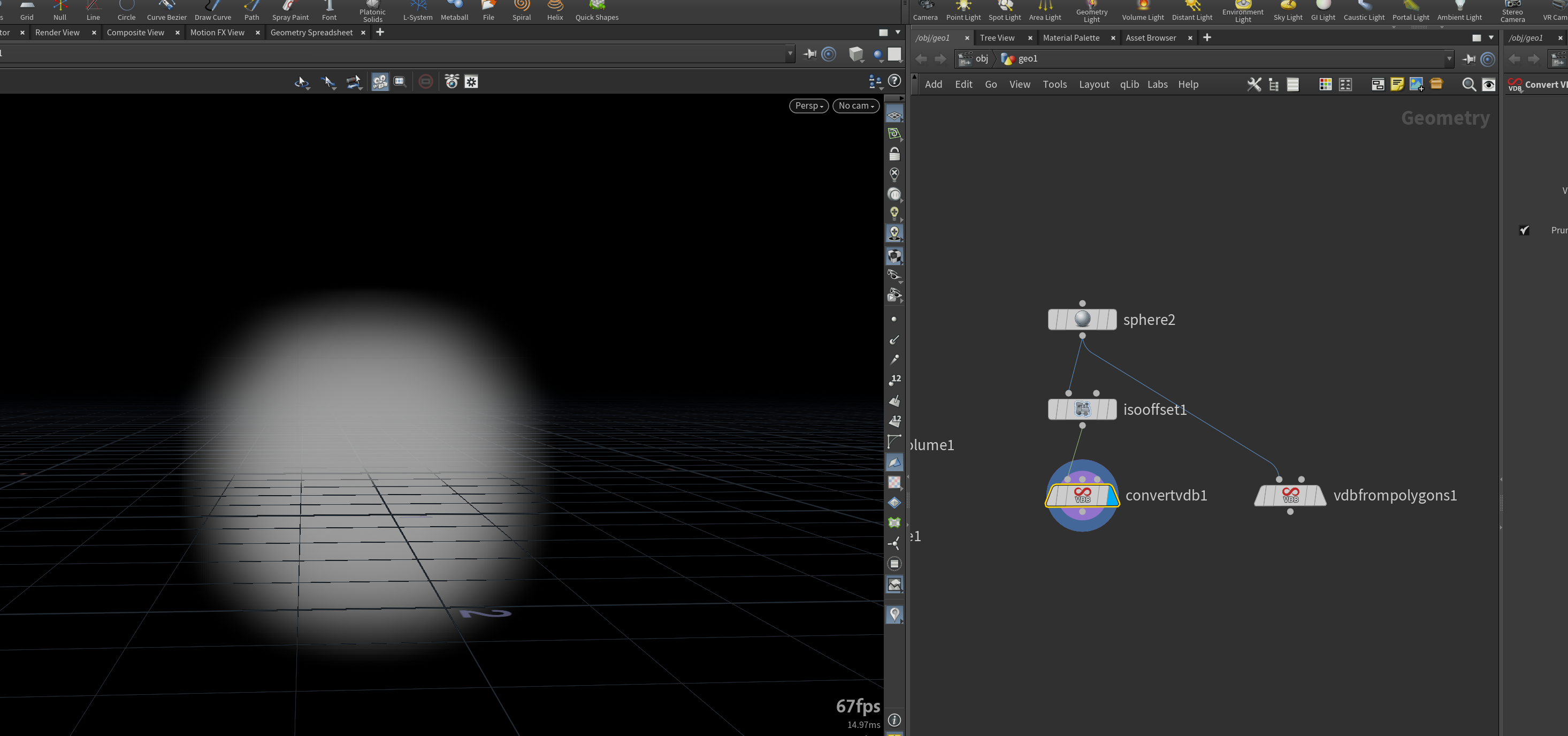
geometry ->VDB
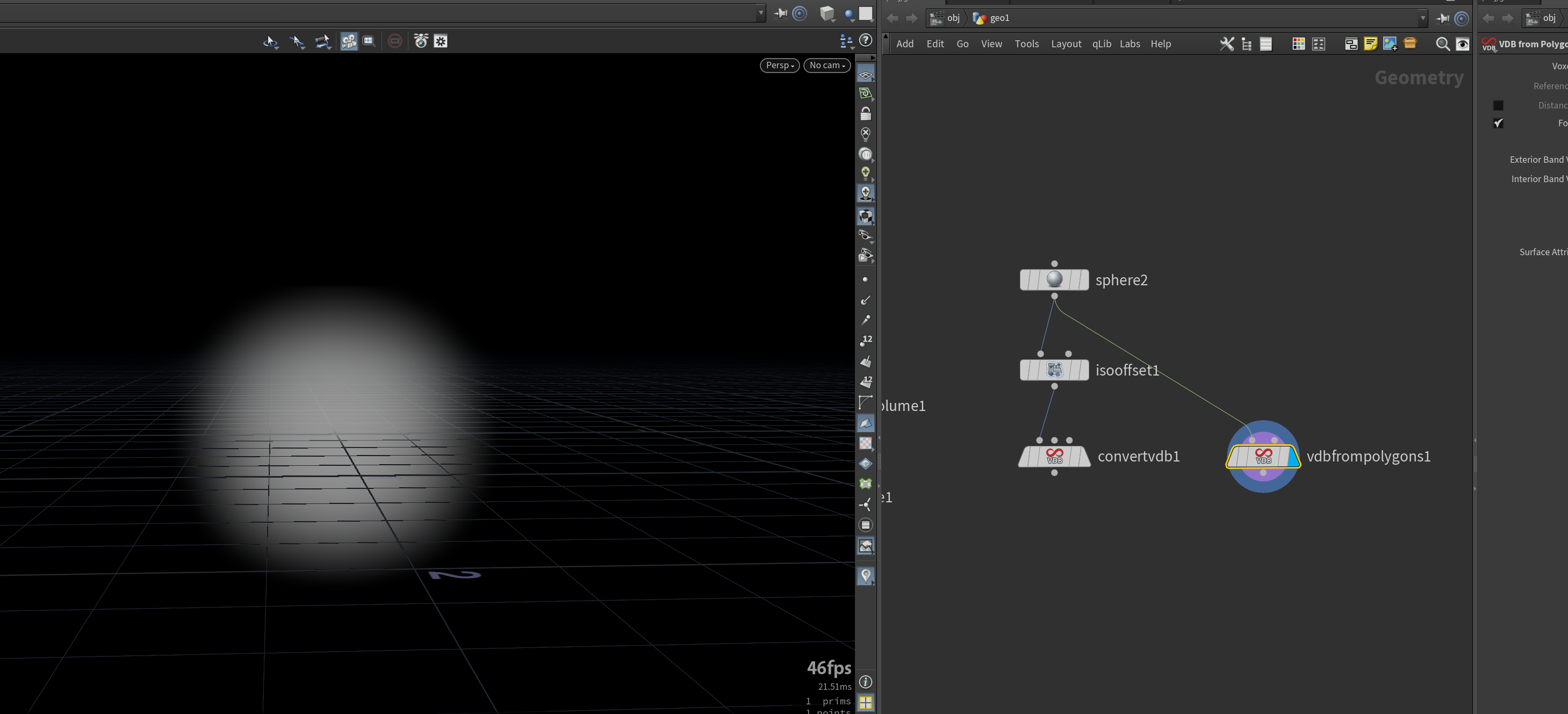
geometry ->VDB ->VDB 激活
直接使用VDB相当于创建一个占位符,使用VDBactivate激活,连接shape激活对应区域
将volume的值变得更均匀
2.VDB的结构
[VDBvisualization]节点
将激活的voxel分为不同象限
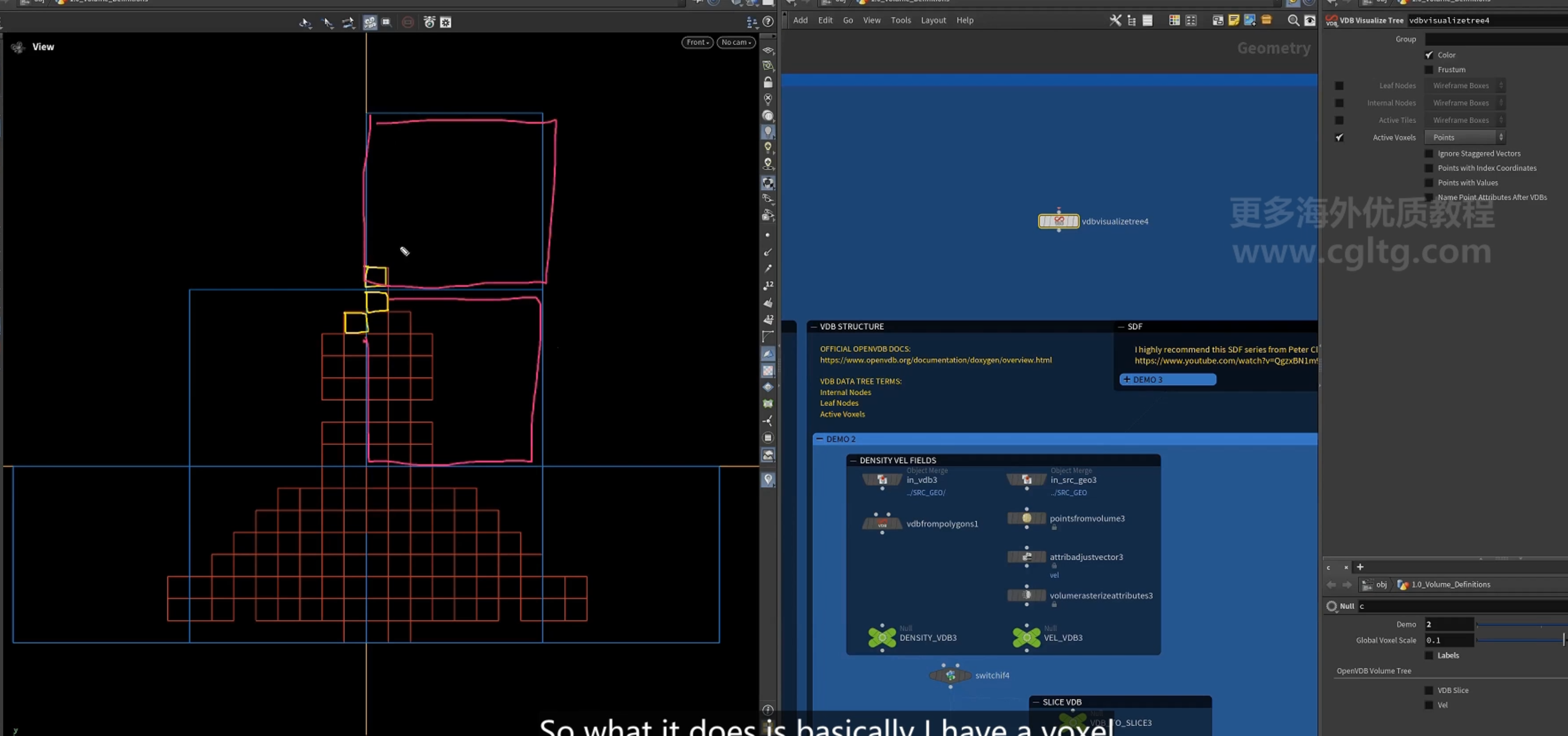
2.SDF
在碰撞检测时 ,往往需要扩展voxel,
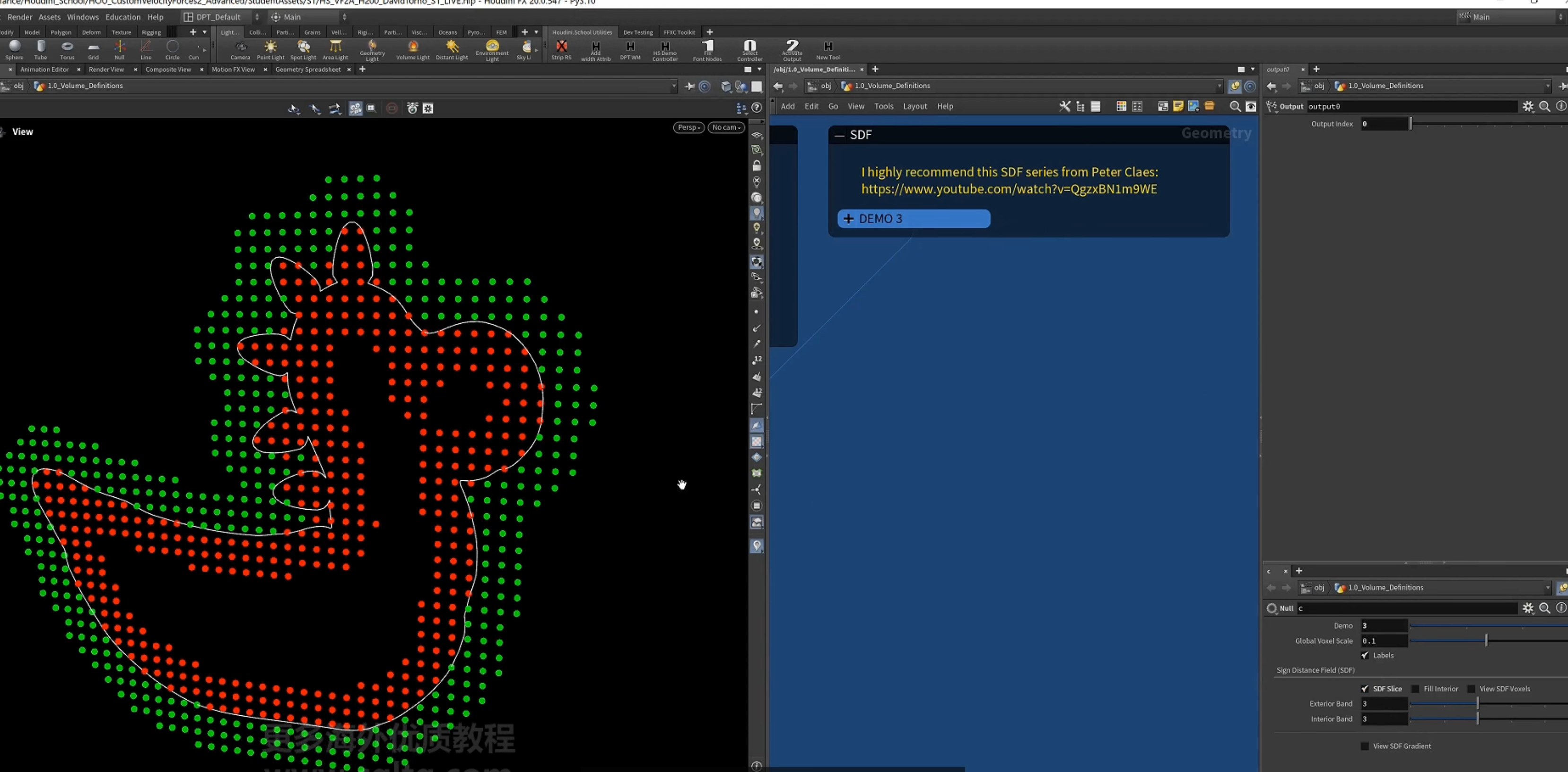
3.velocity field
1.基本的驱动方法 问题
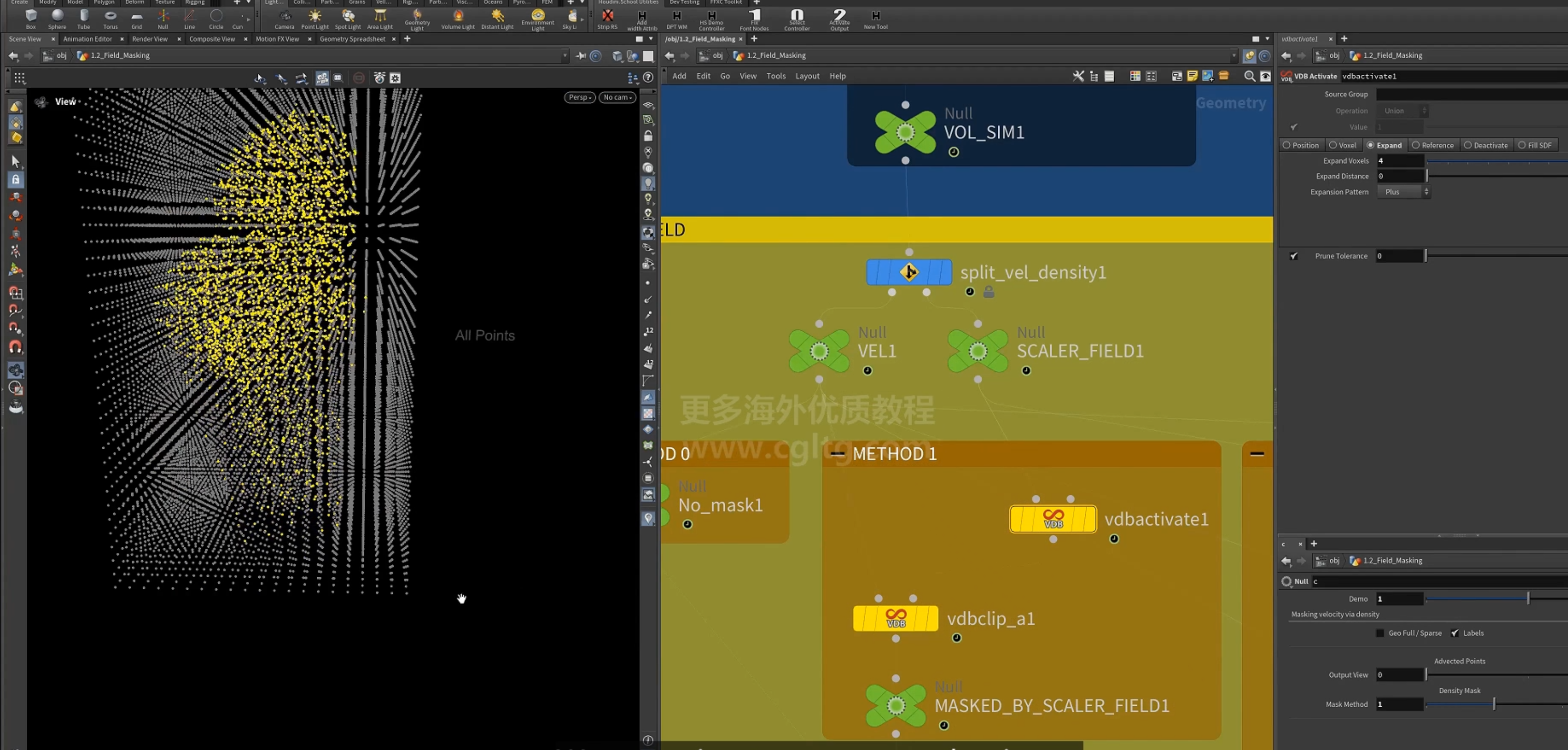
使用smoke模拟驱动粒子时,速度velocity是以团块的形式扩展,这可能与sparse模拟有关,当速度进入新的leaf node时,一整个象限块(leaf node)都被激活。
与velocity的输出方式有关
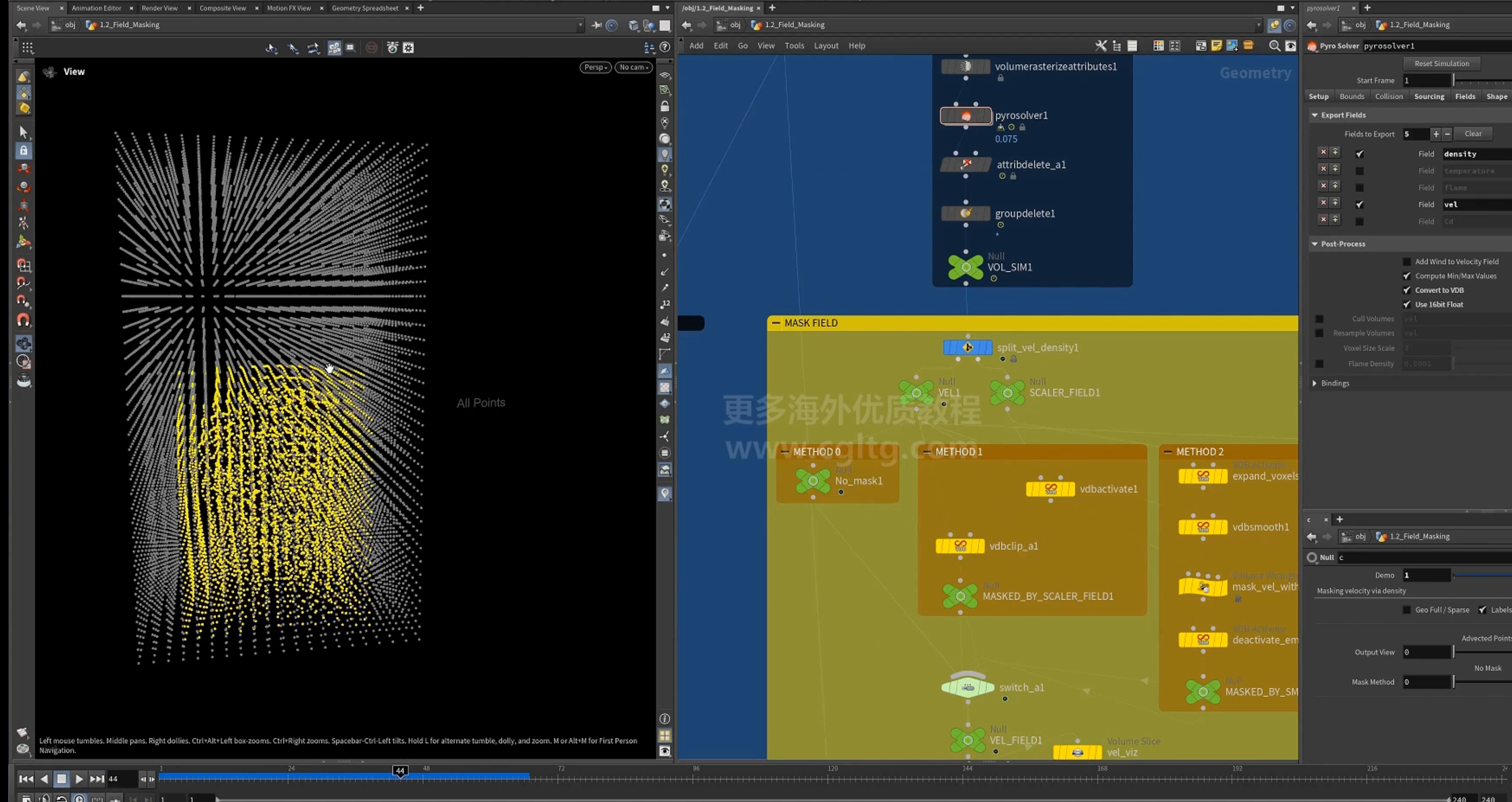
velocity被激活的可视化
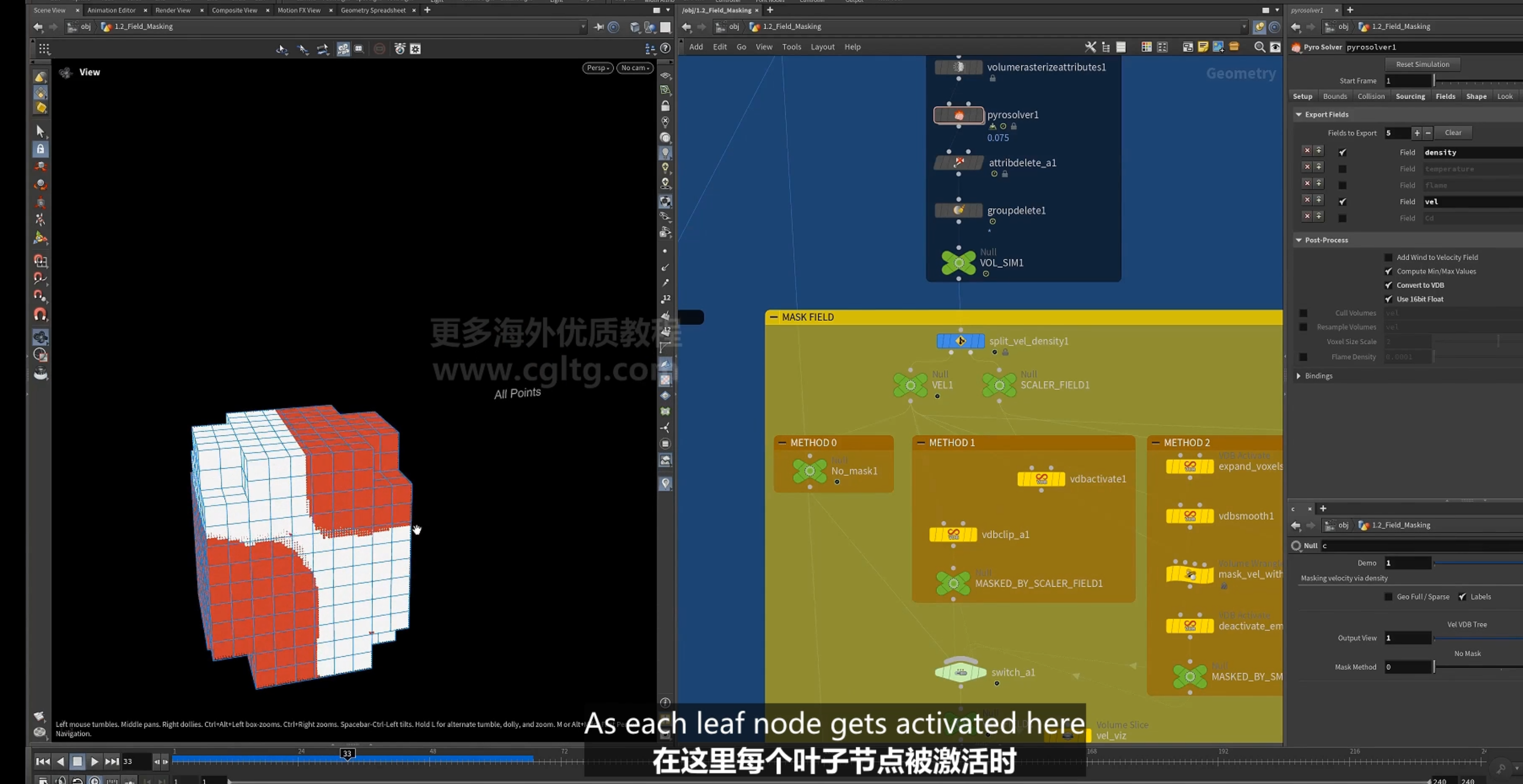
即使在速度很弱的地方也被激活
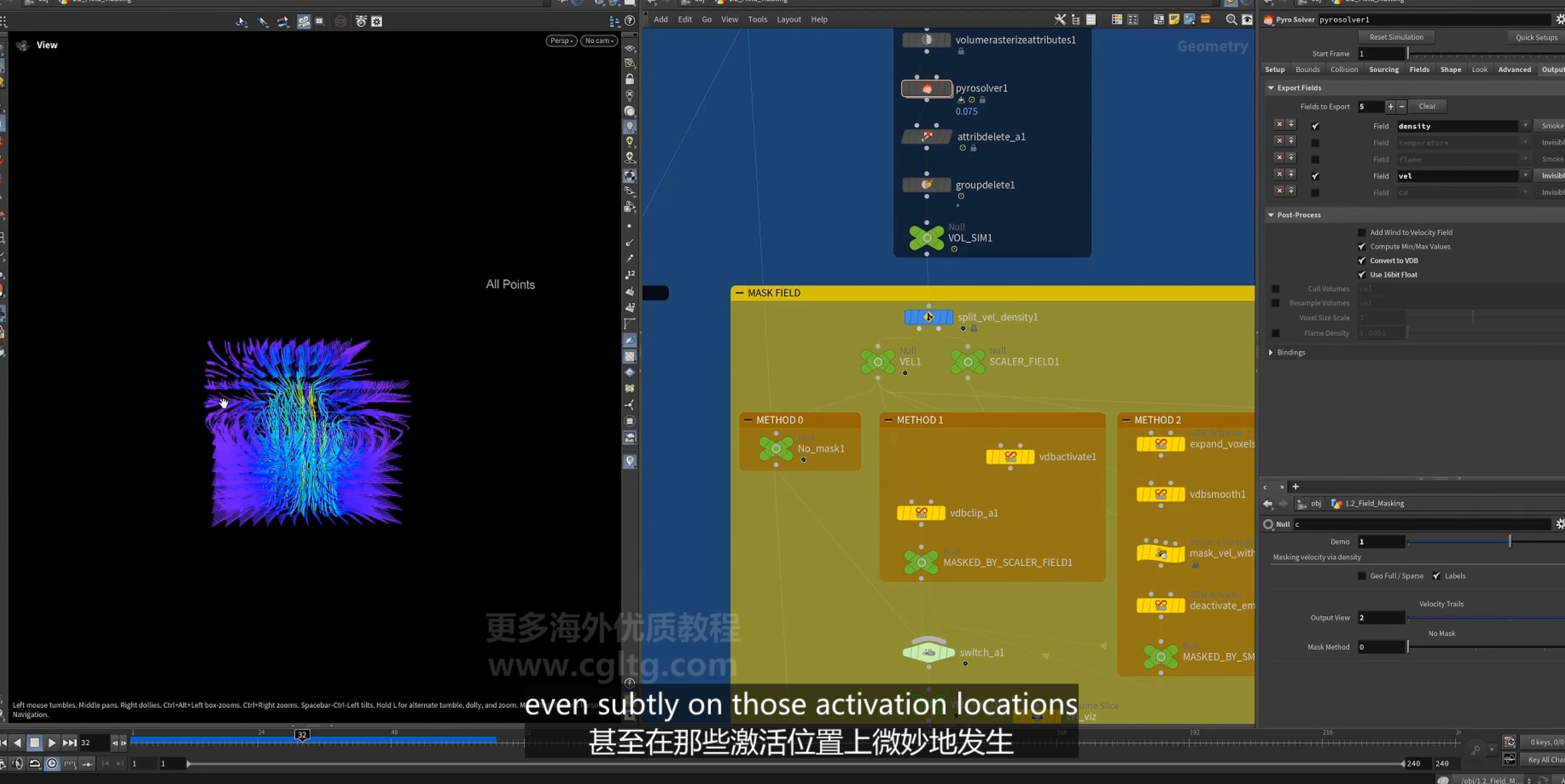
2.改善 方法一
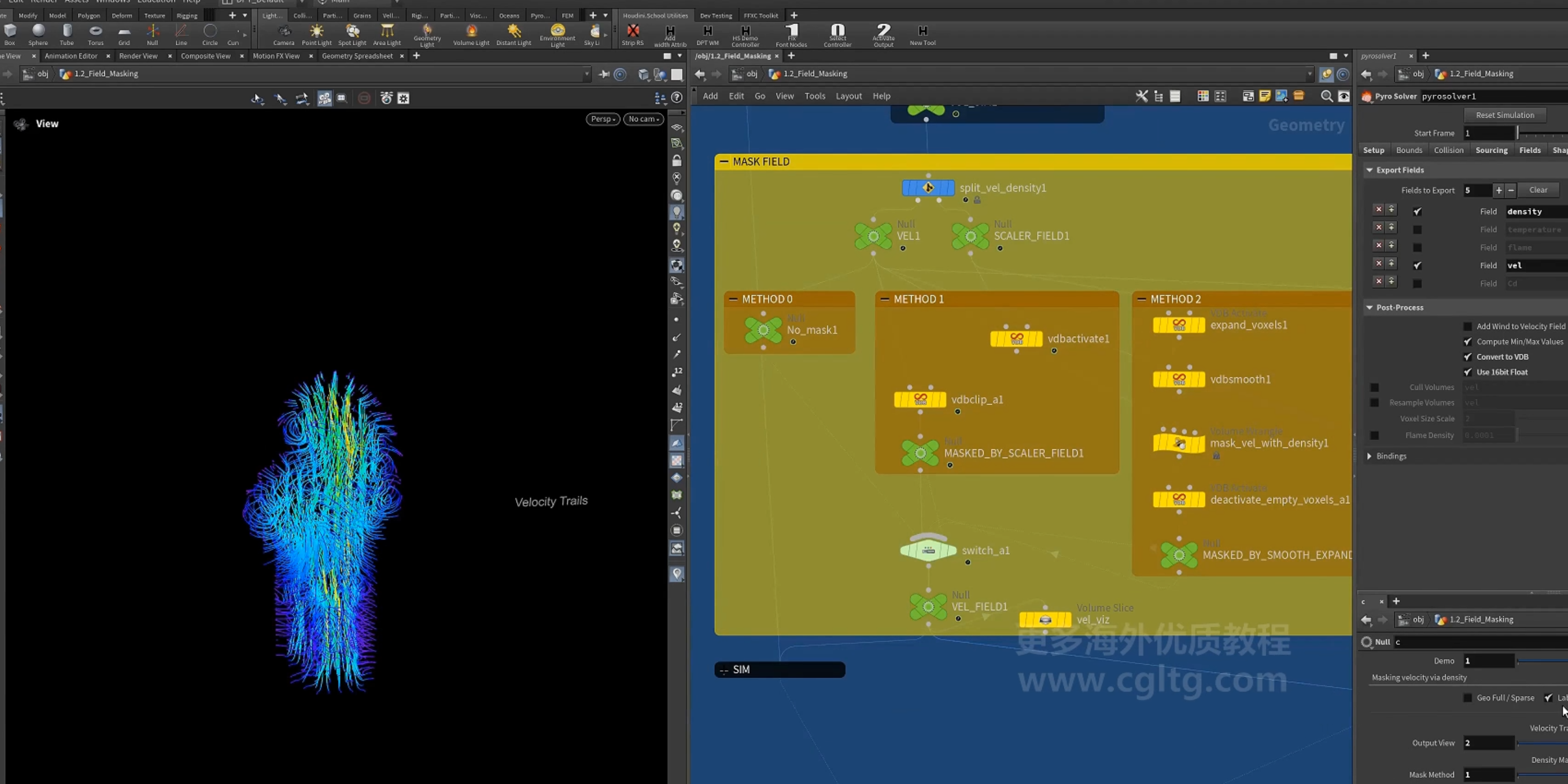
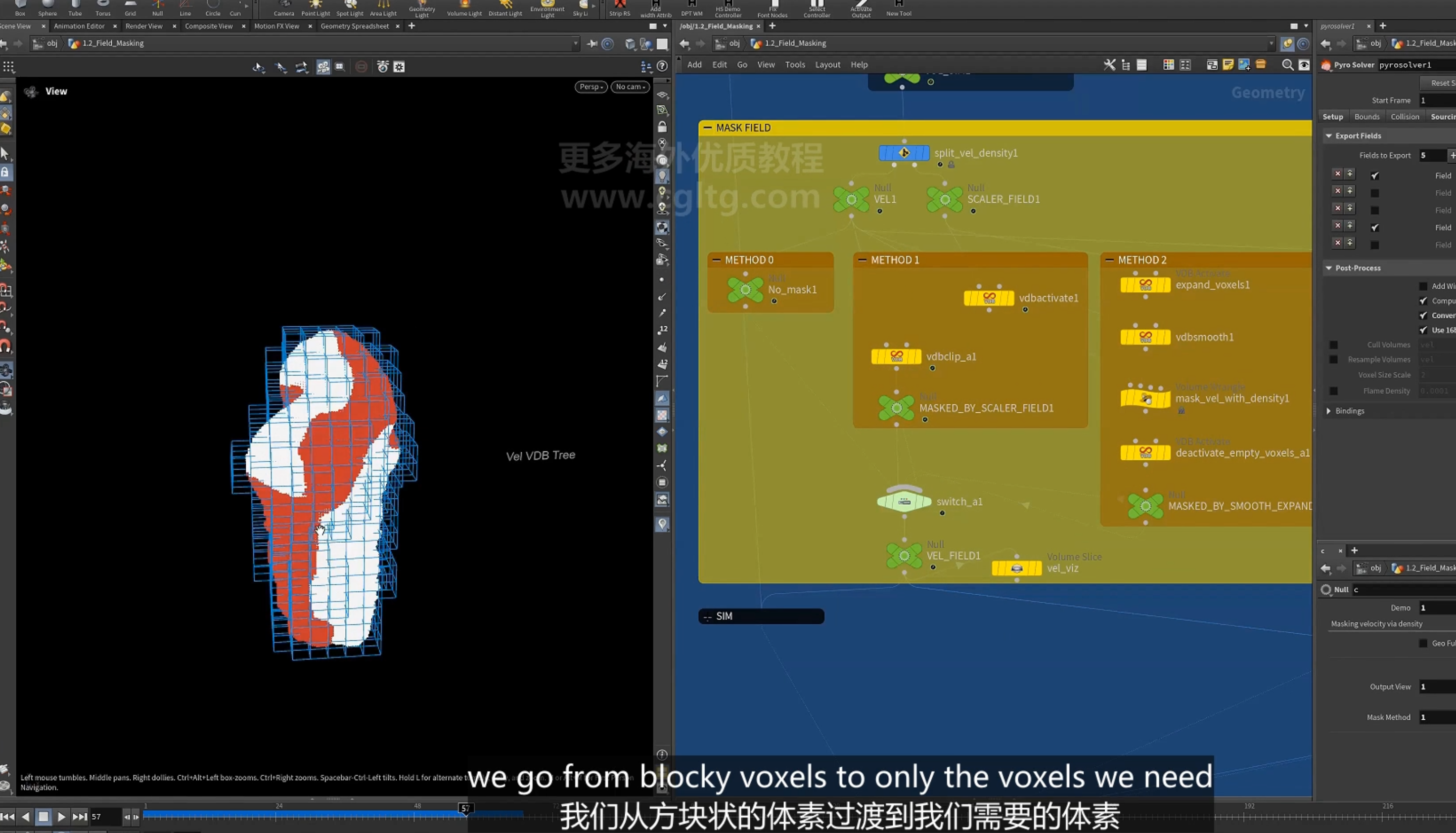
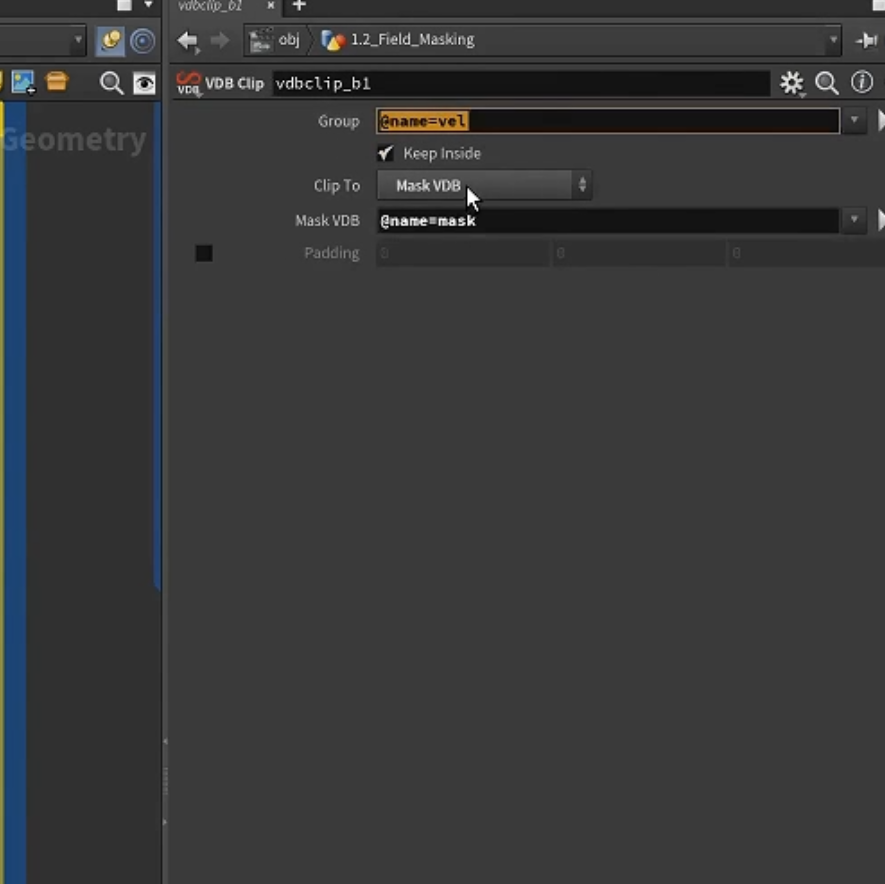
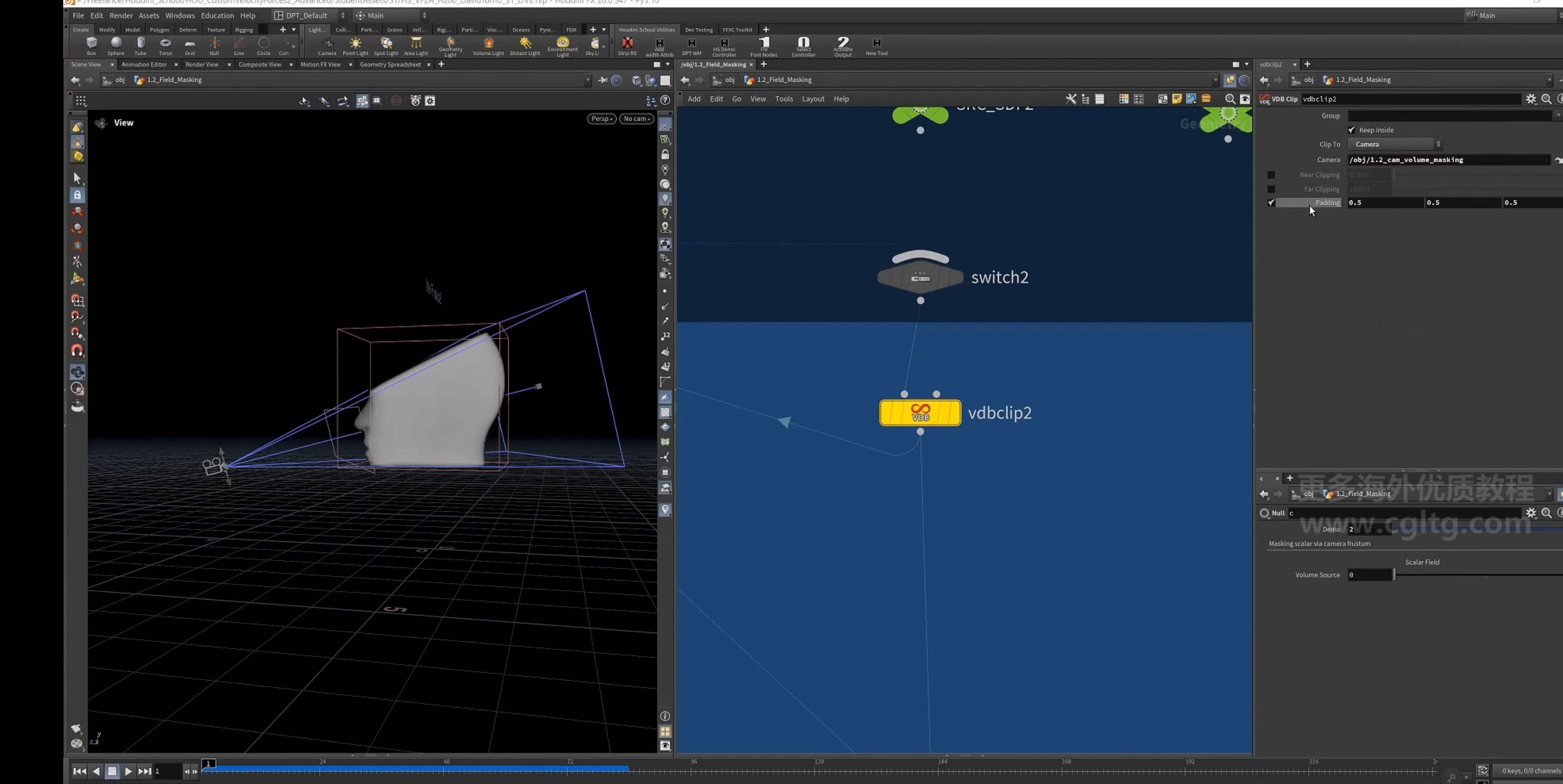
1.使用[VDB clip]节点(内置的VDB mask)
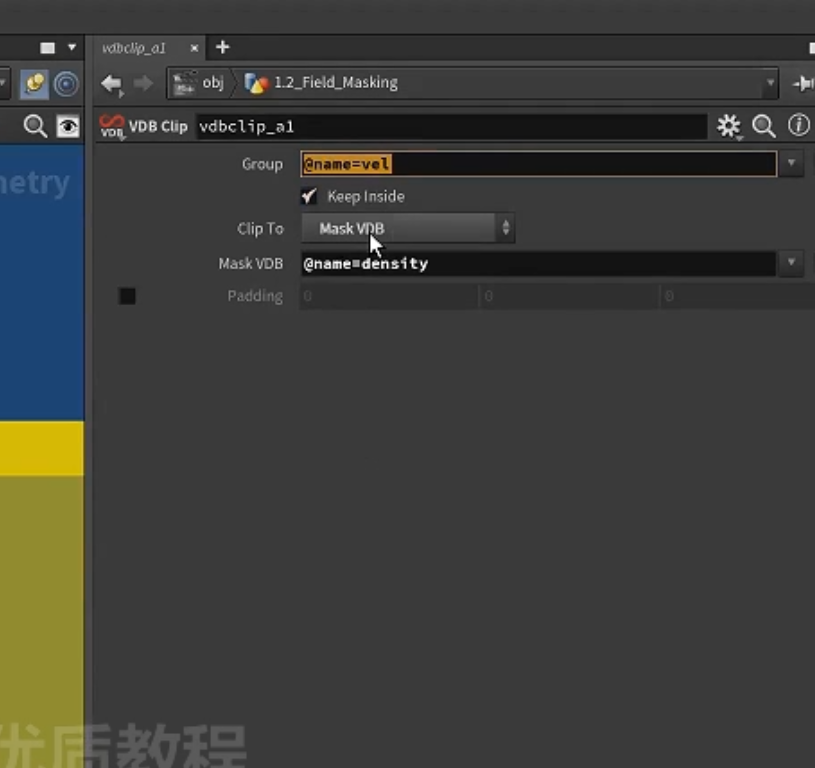
3.方法二
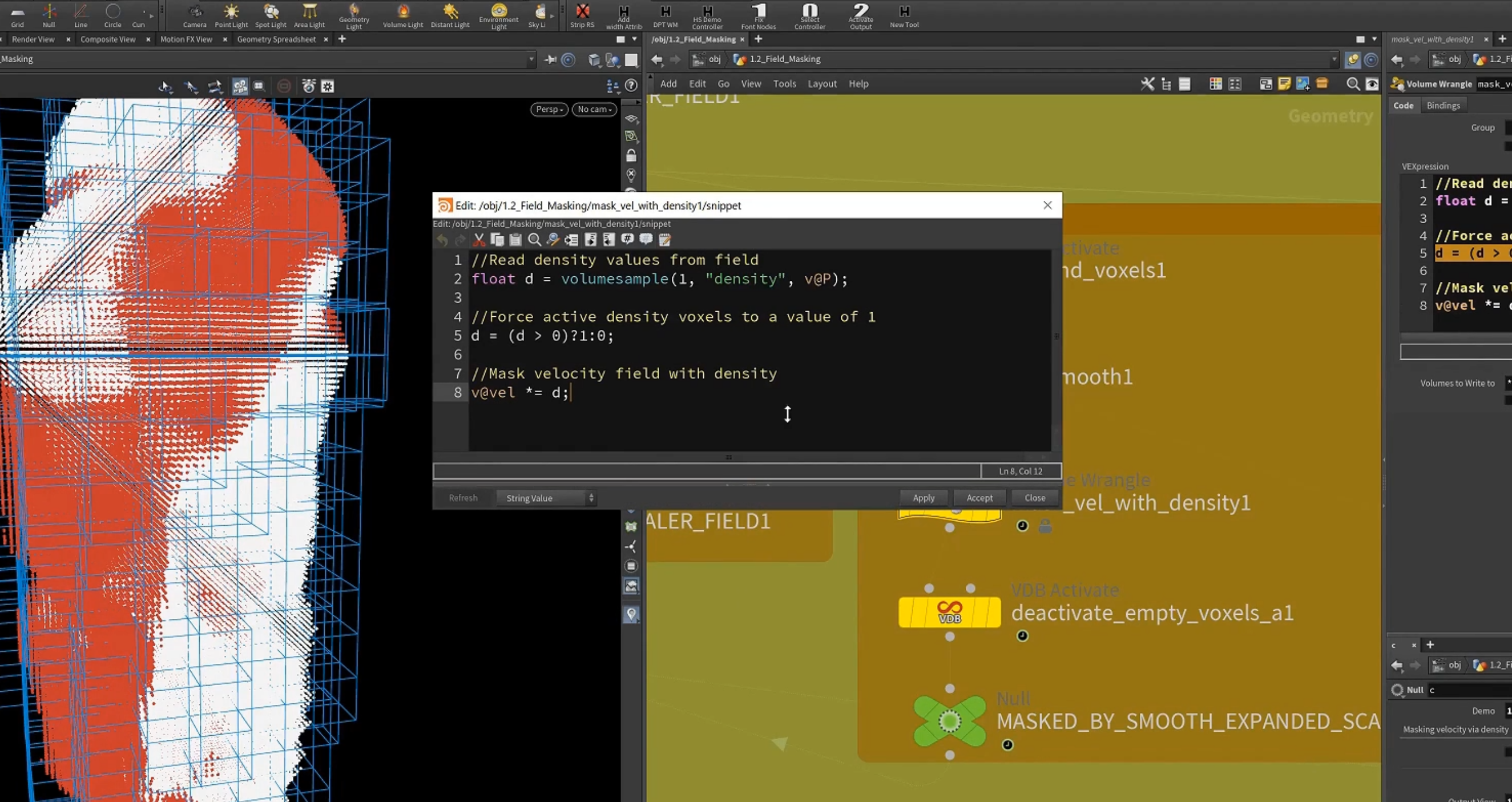
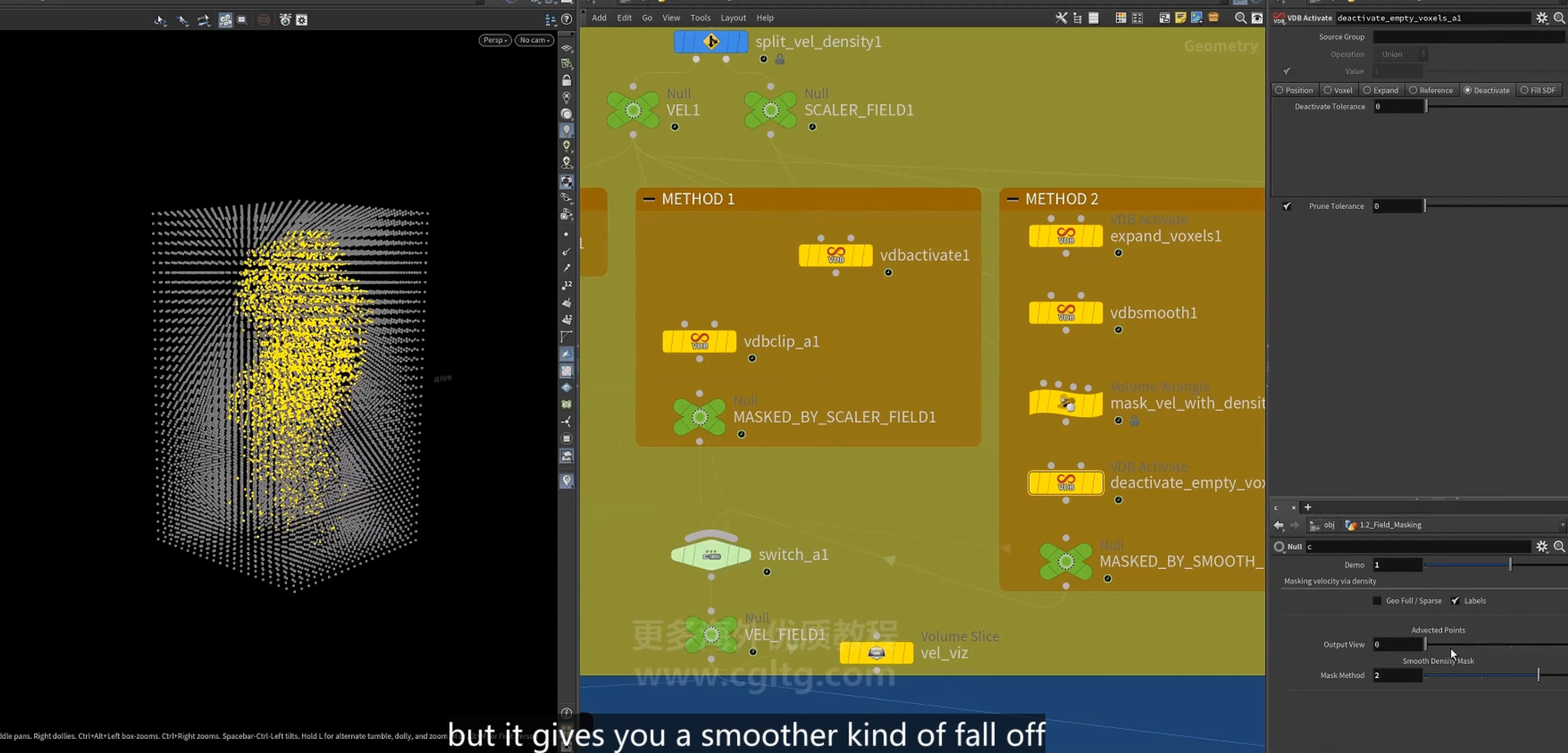
1.先使用vdbsmooth
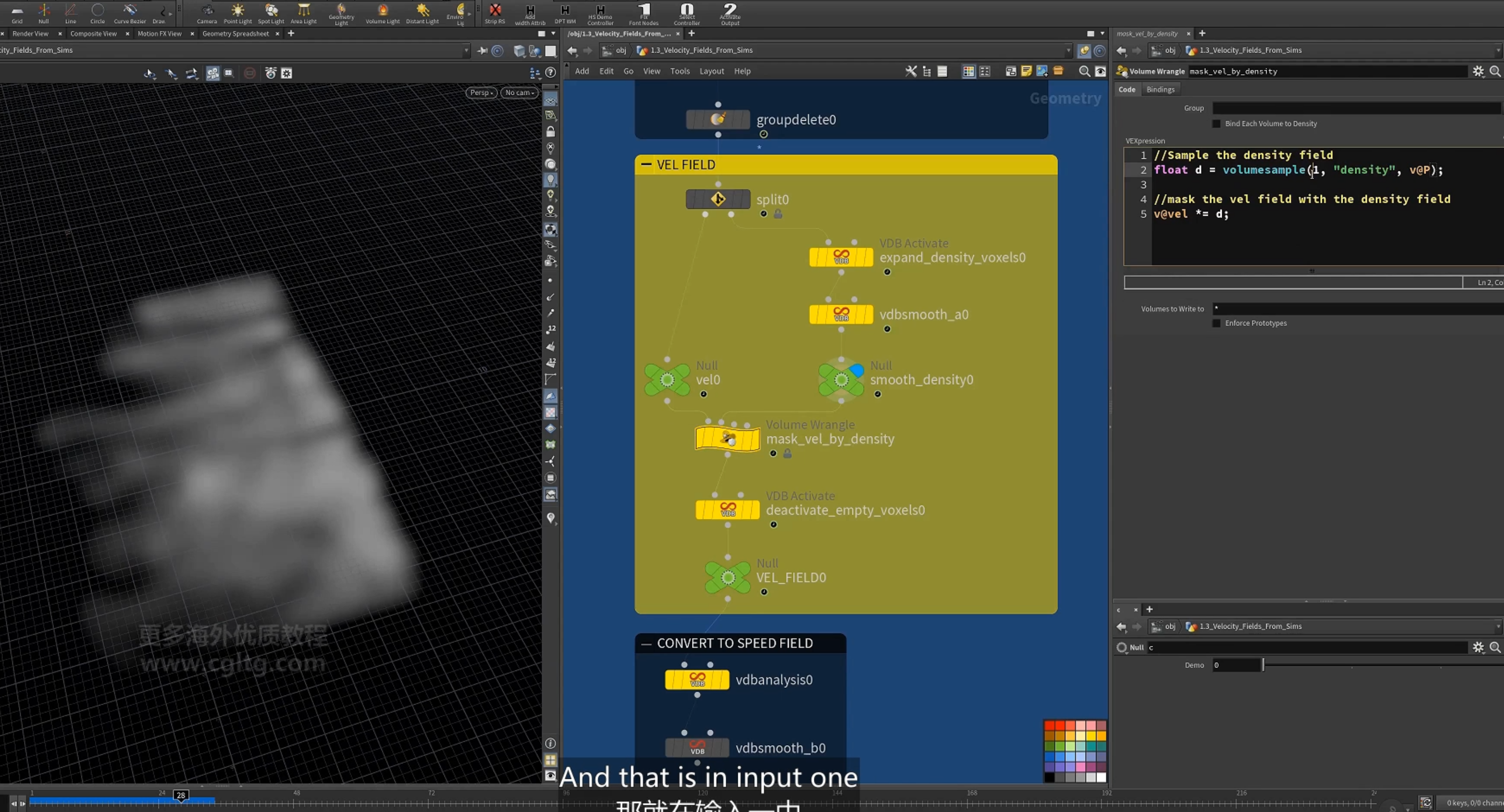
2.在有density信息的地方设置velocity,没有density的地方则为0.
以density的mask
4.方法三
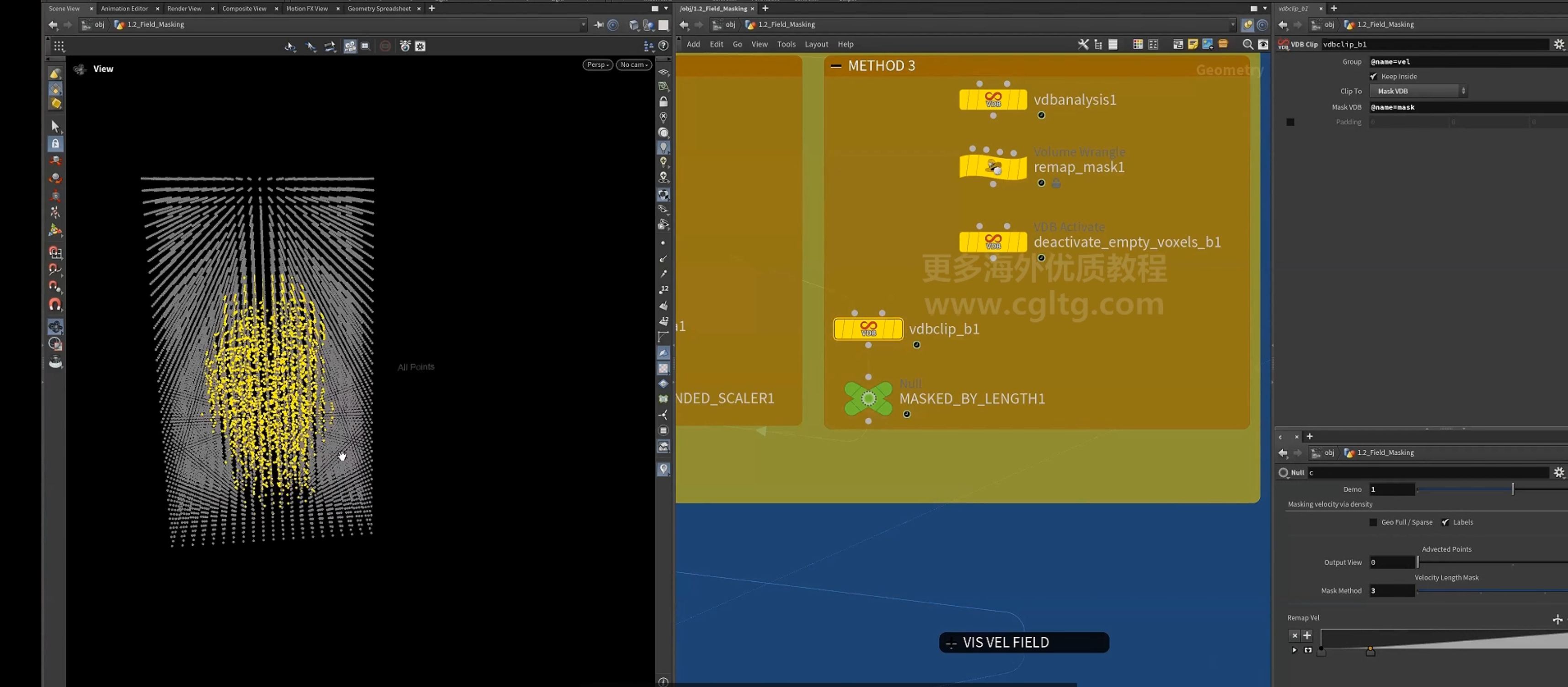
1.[vdbanalysis]节点 计算velocity的 length
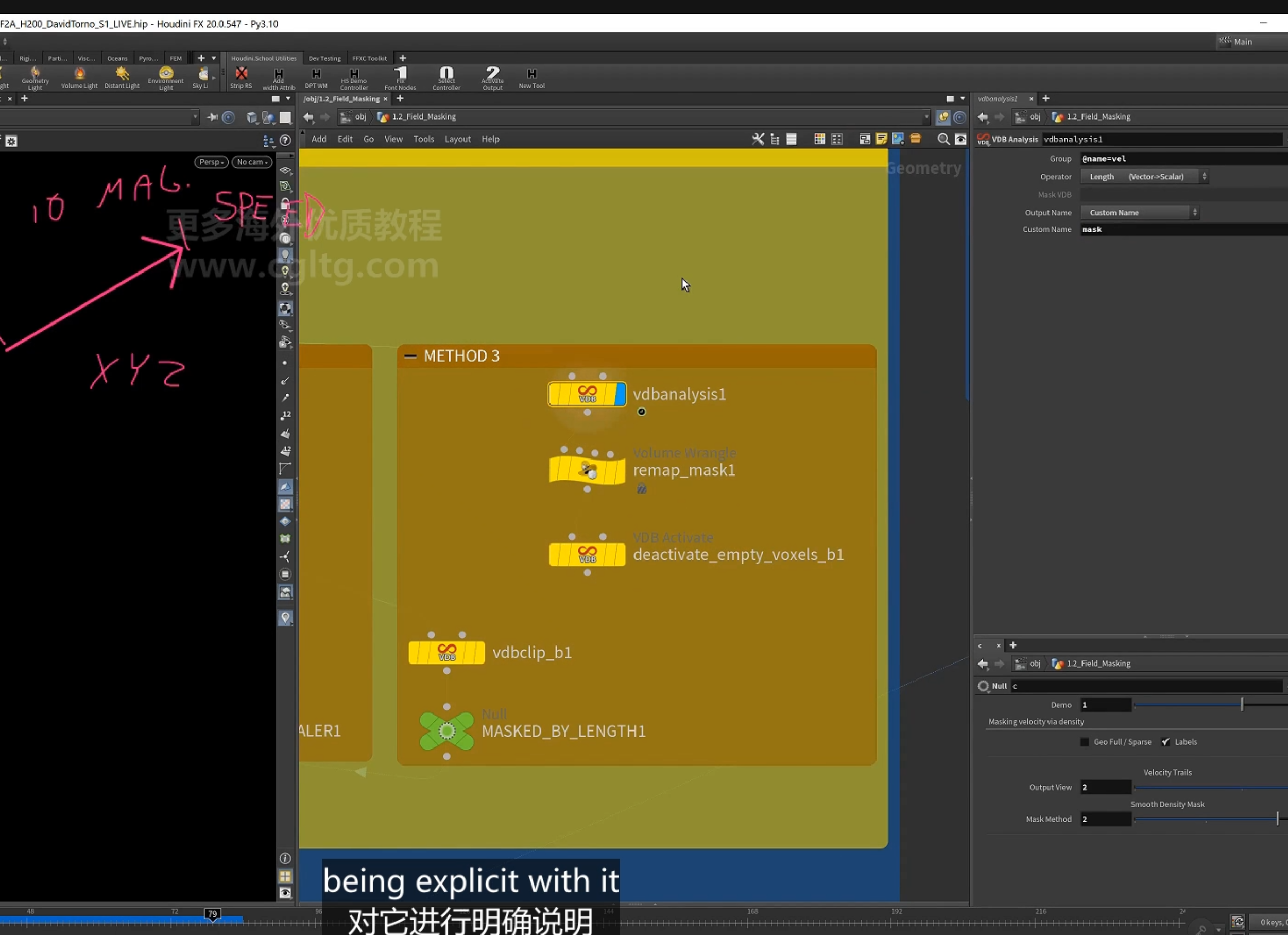
重映射mask
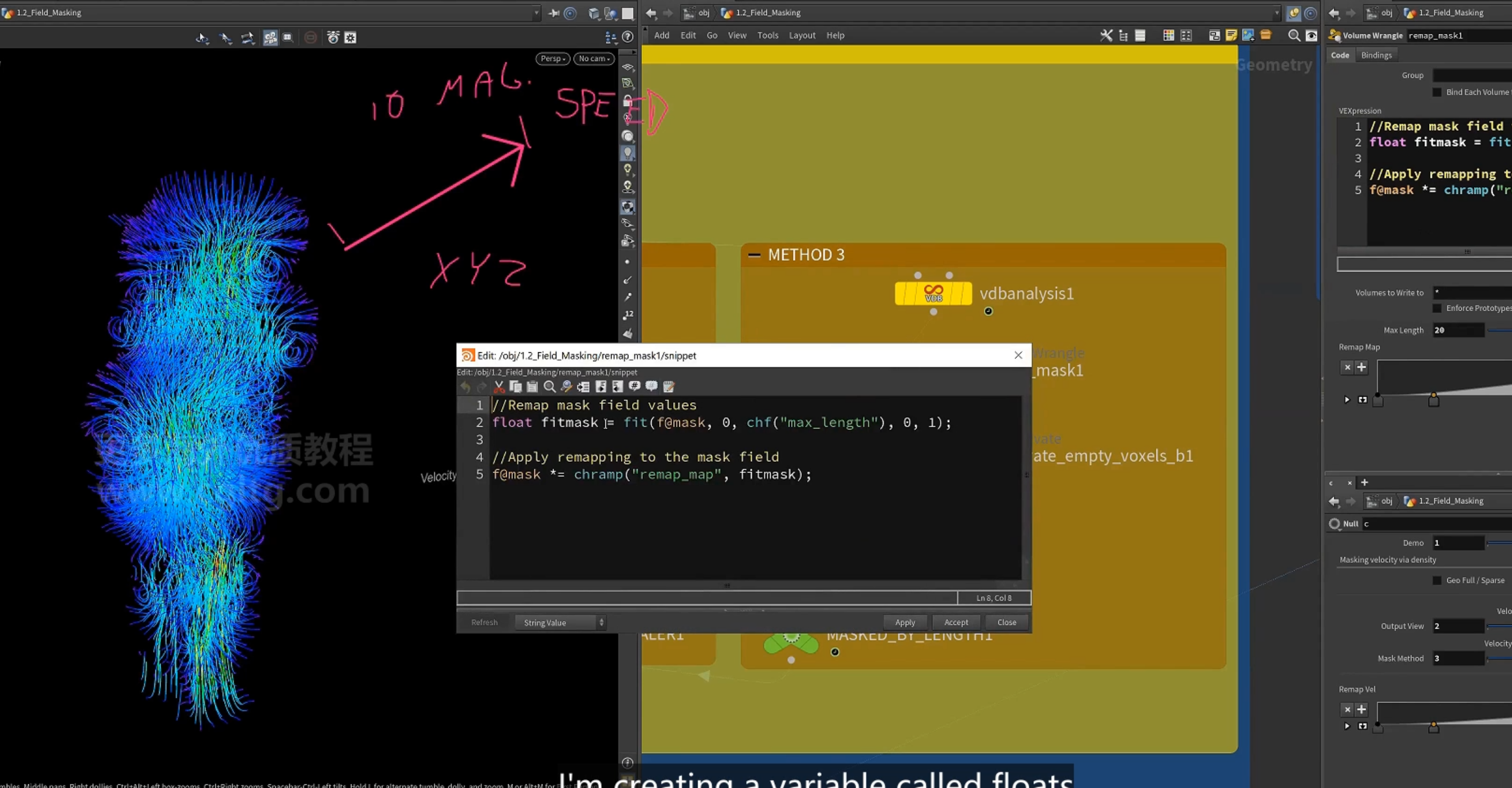
再使用vdb clip删除mask以外的体素
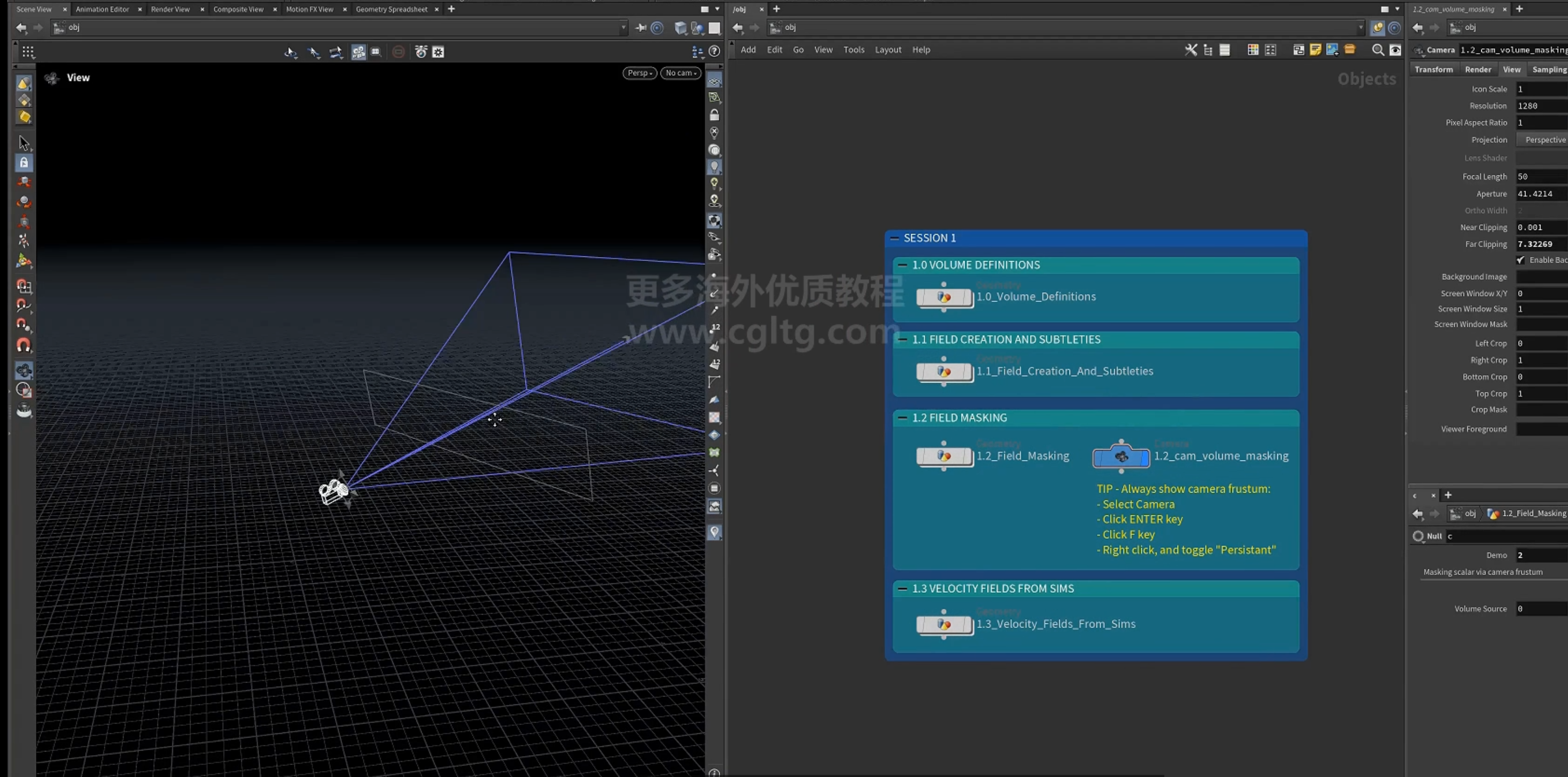
4.视锥
viwport 创建视锥的方法
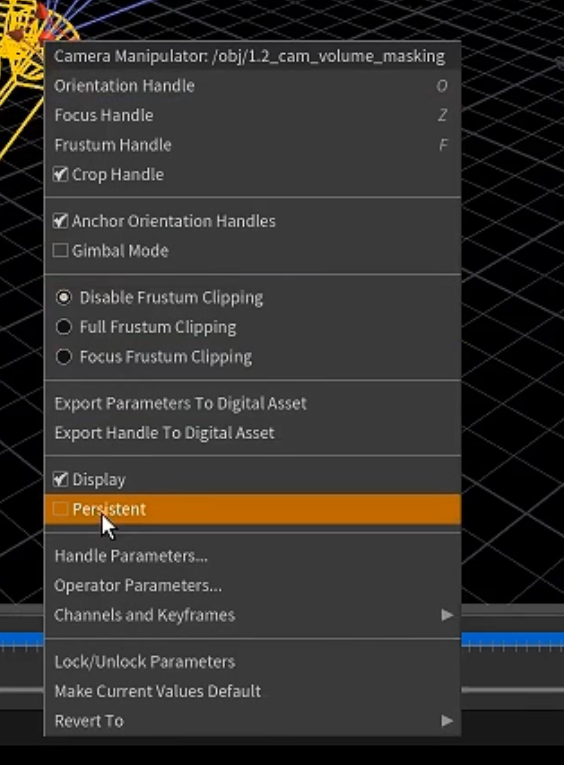
2.使用vdbclip 剪切视锥
5.补充
wind中的 air resistance
3.velocity field from sim
1.pyro sim
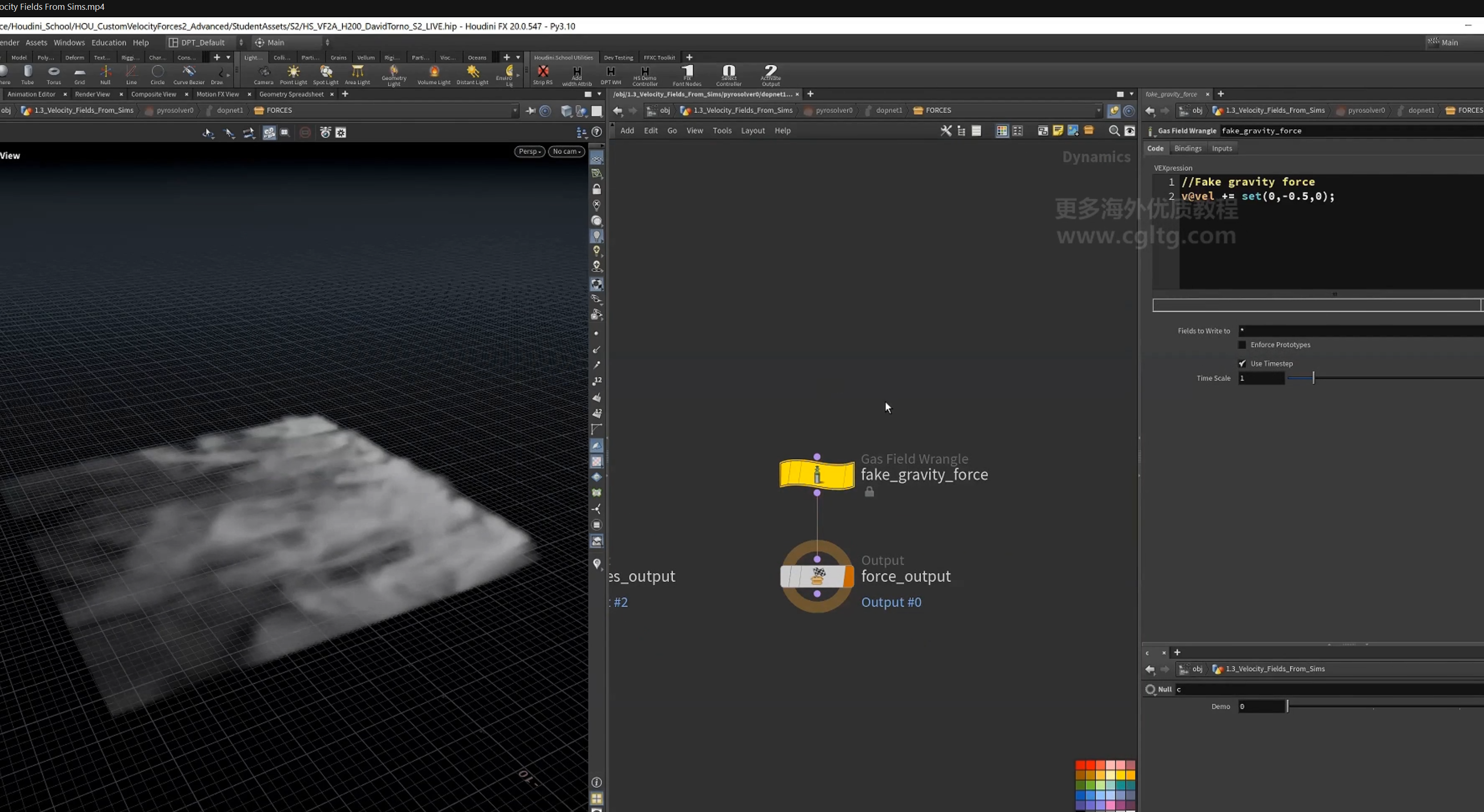
1.为速度设置向下的增量,使smoke不再向上
2.split 速度场
先扩展density,再smooth,再采样density值,作为速度场的mask,最后deactivate不需要的体素
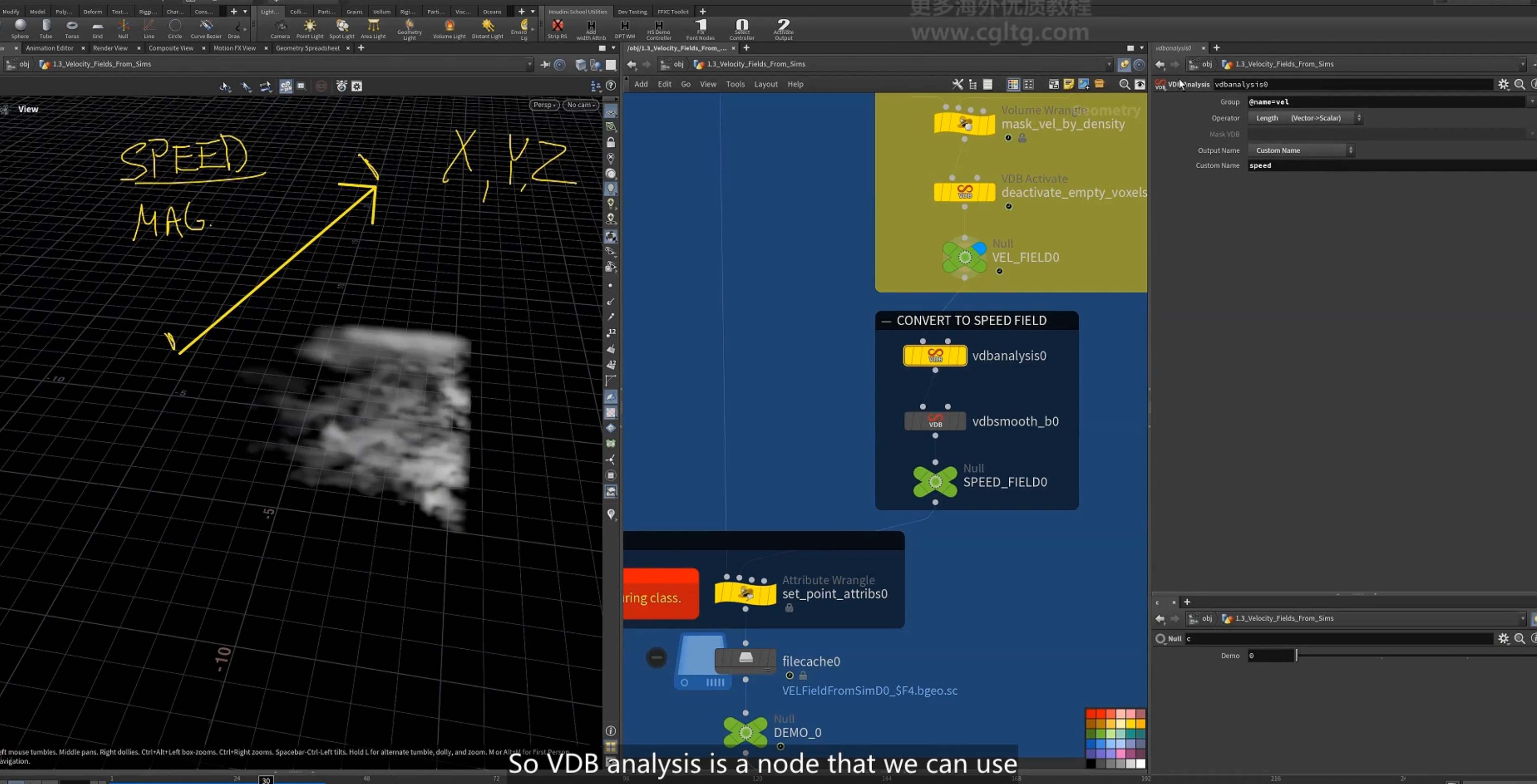
3.vdb analysis 计算speed(velocity的length)
4.以grid上点的位置采样对应的speed,映射到pscale。
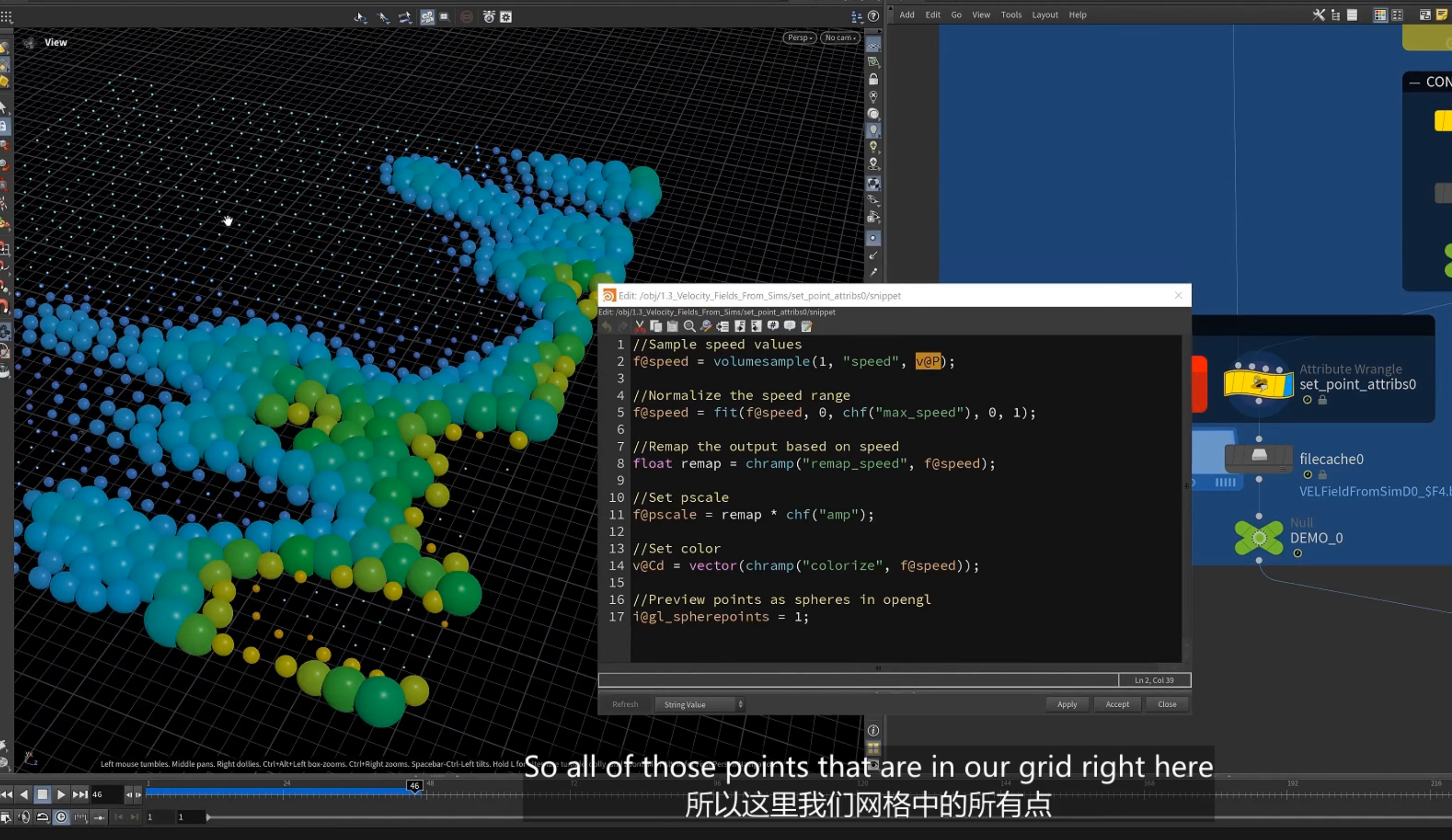
这里的gl_spherepoints属性,表示可视化为sphere
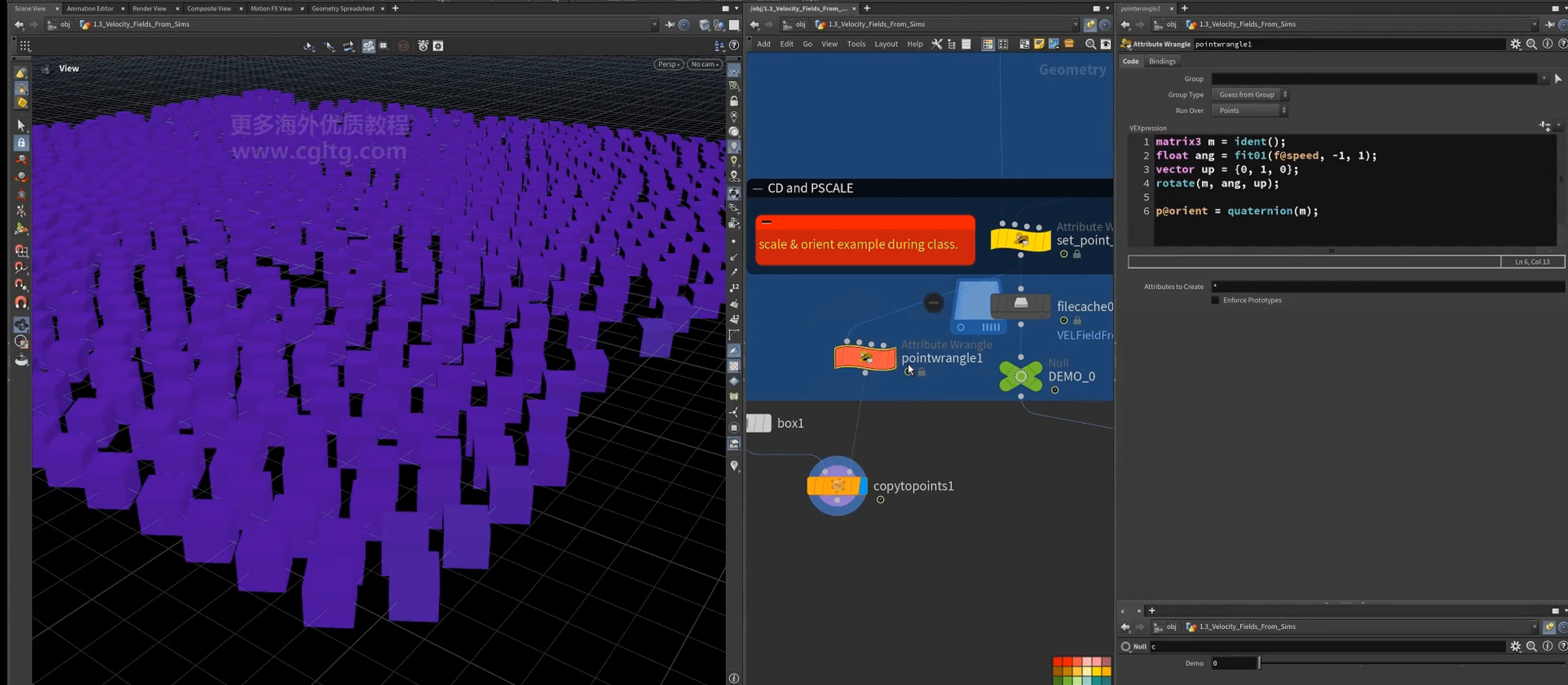
5.以speed驱动旋转
2.vellum sim
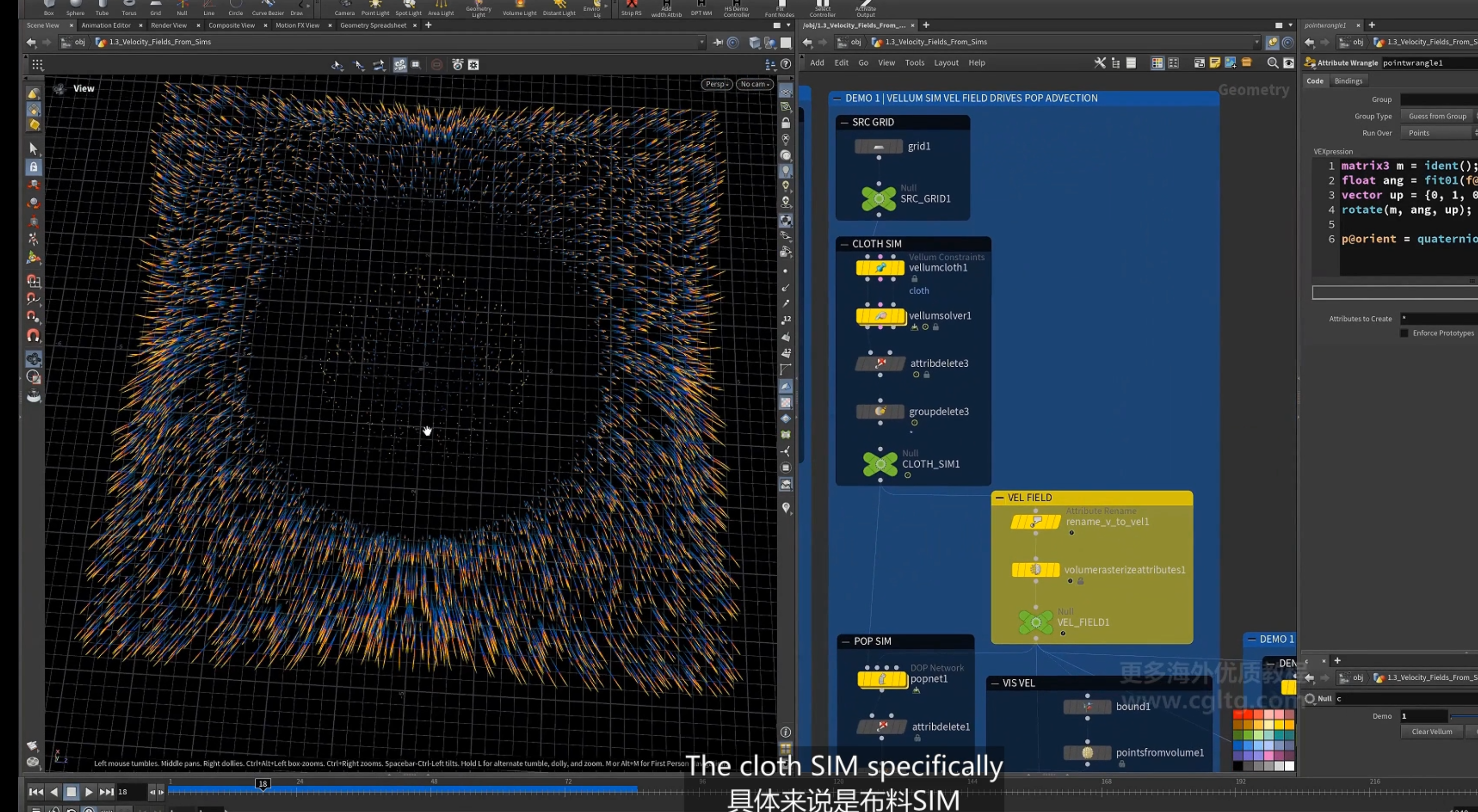
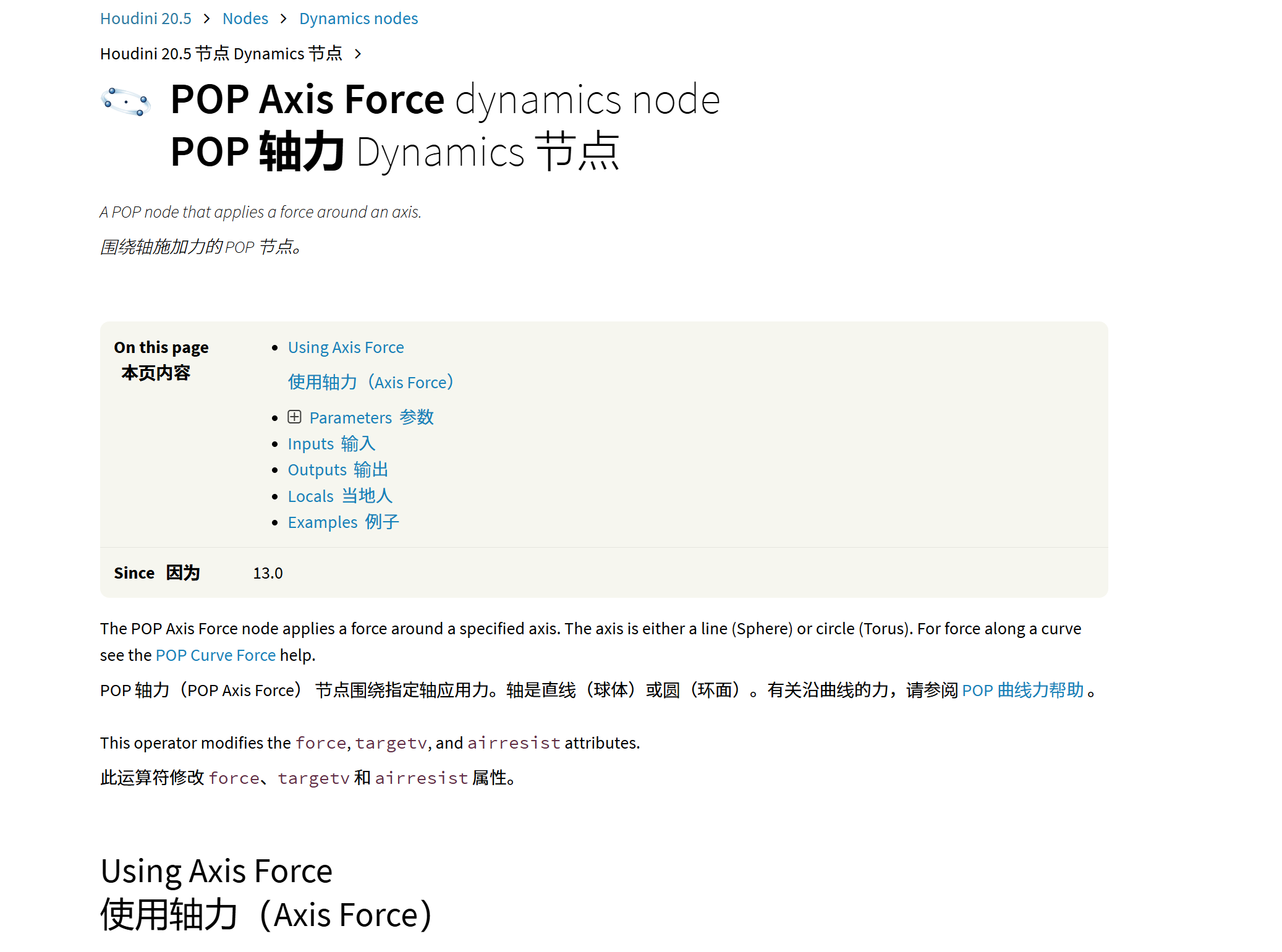
1.pop axis force
围绕轴施加的力
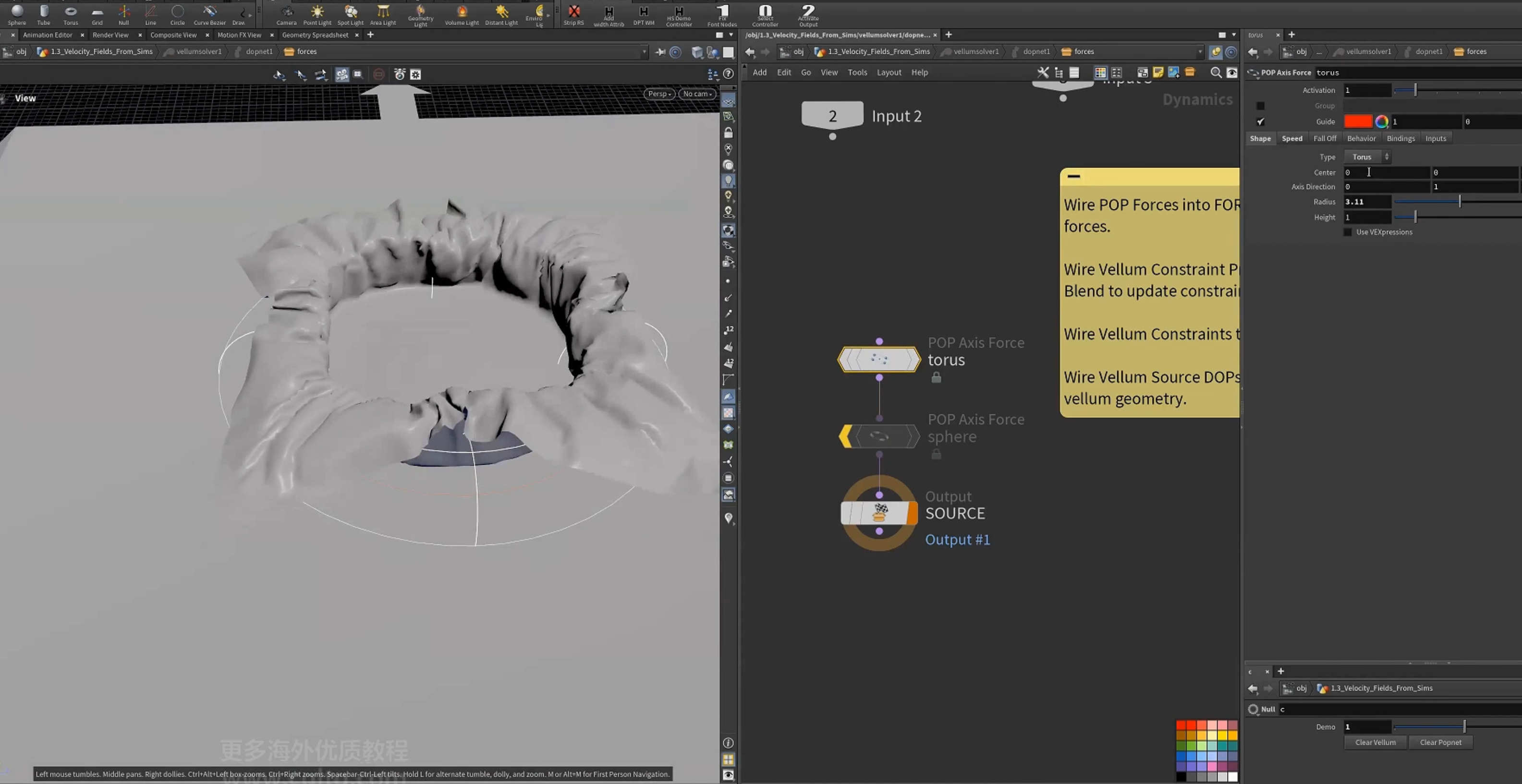
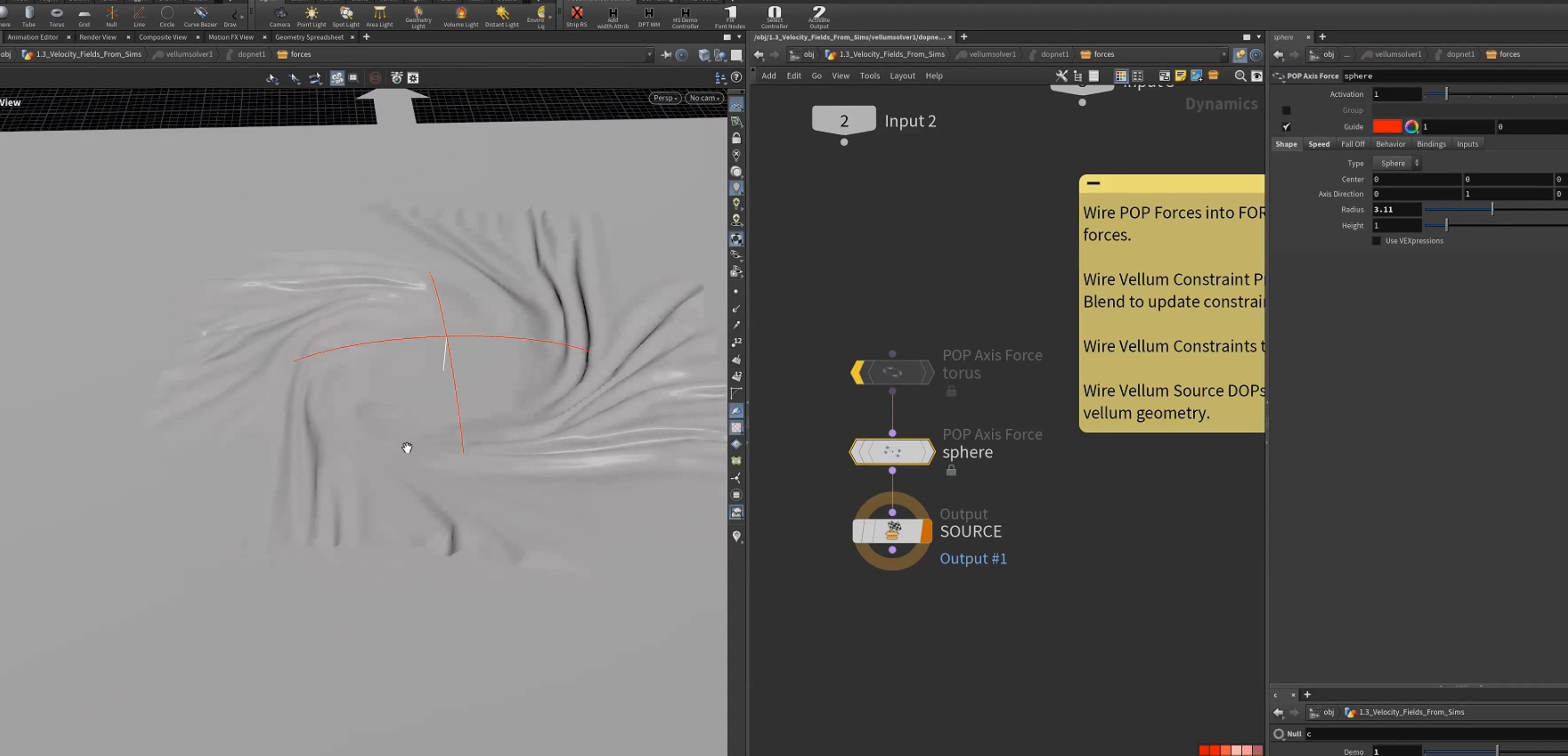
2.sphere的扭曲力
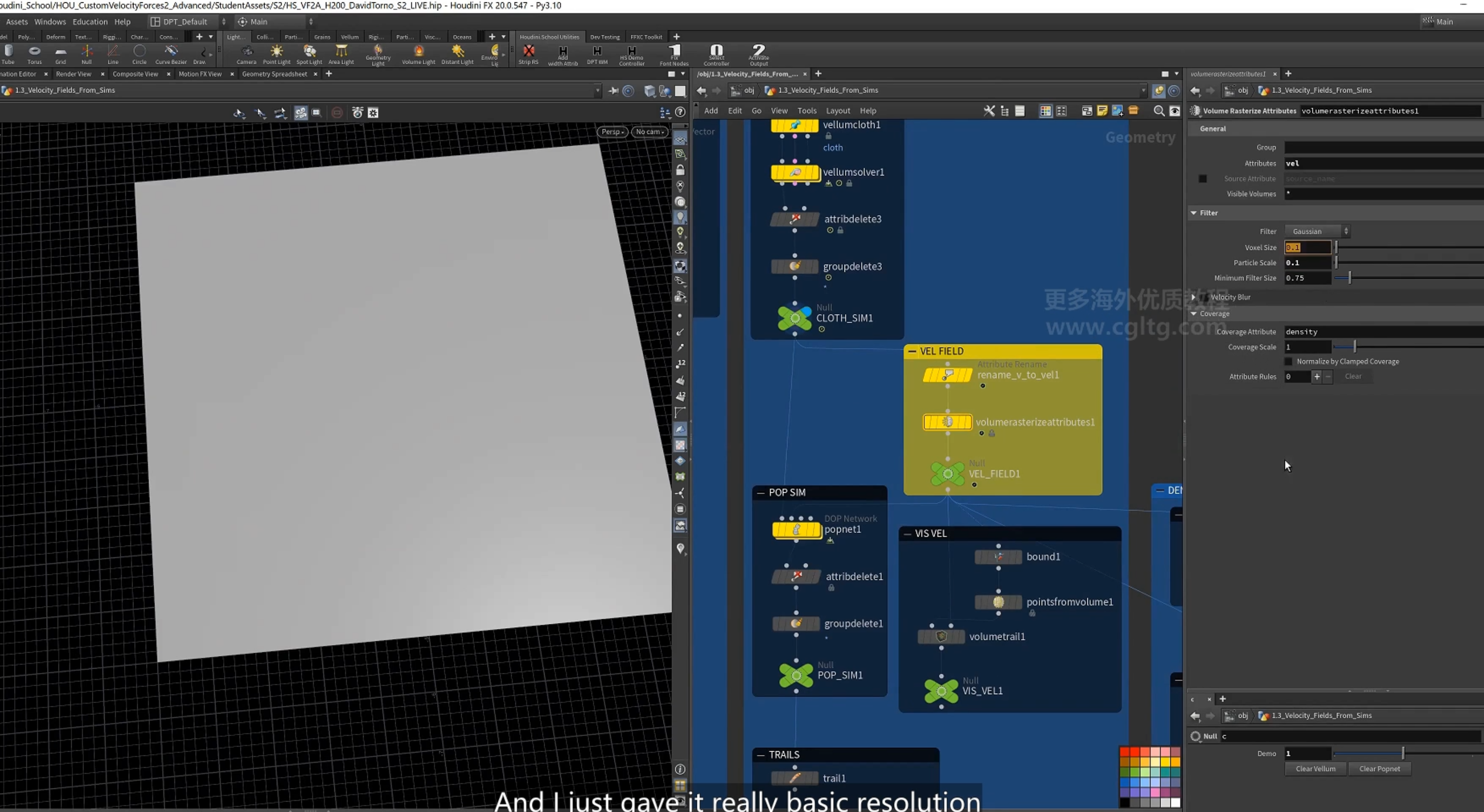
2.保留v属性,rename为vel,再rasterize(栅格化)为volume(velocity field)
3.作为particles 模拟的速度场
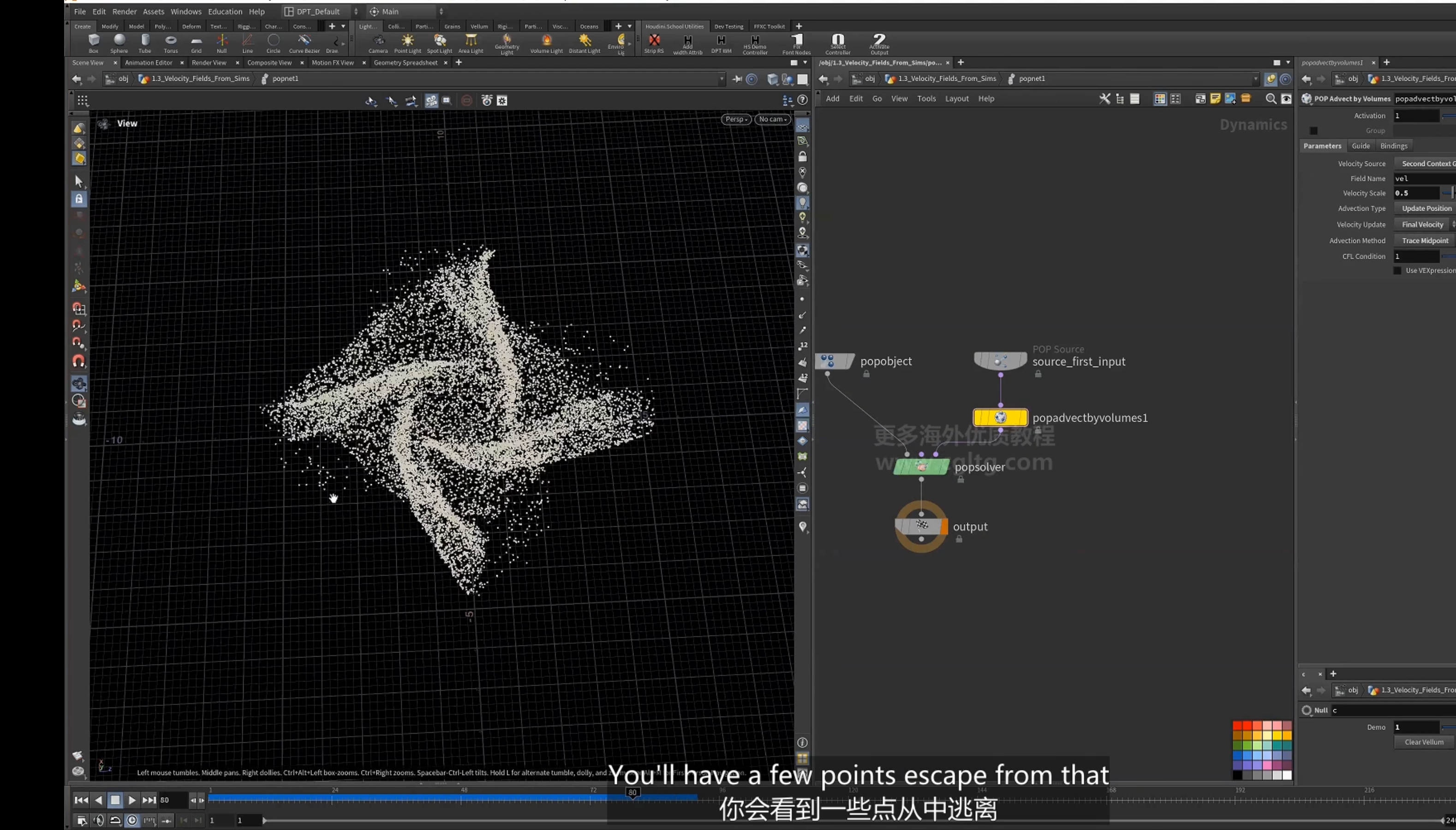
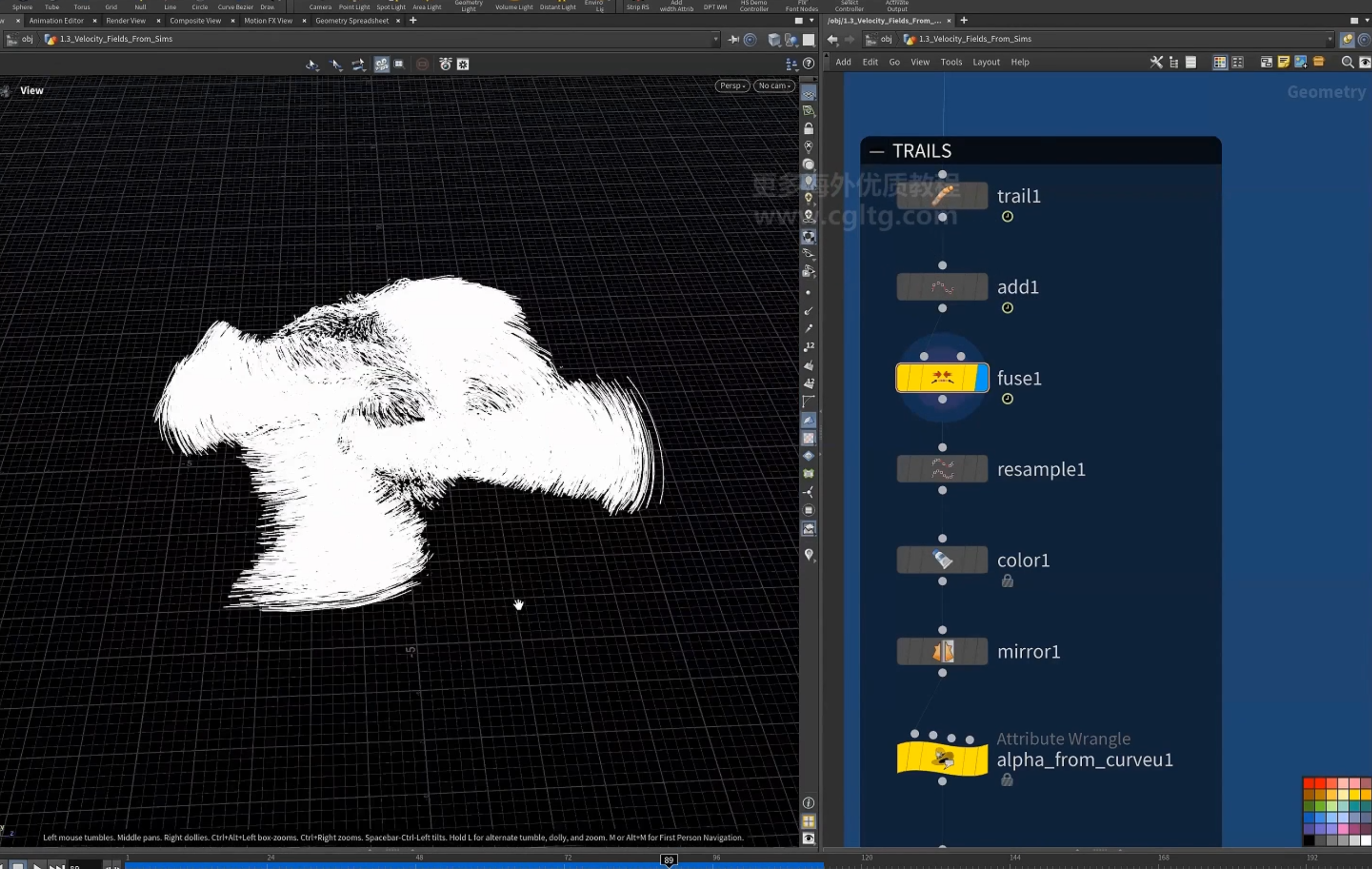
4.创建拖尾
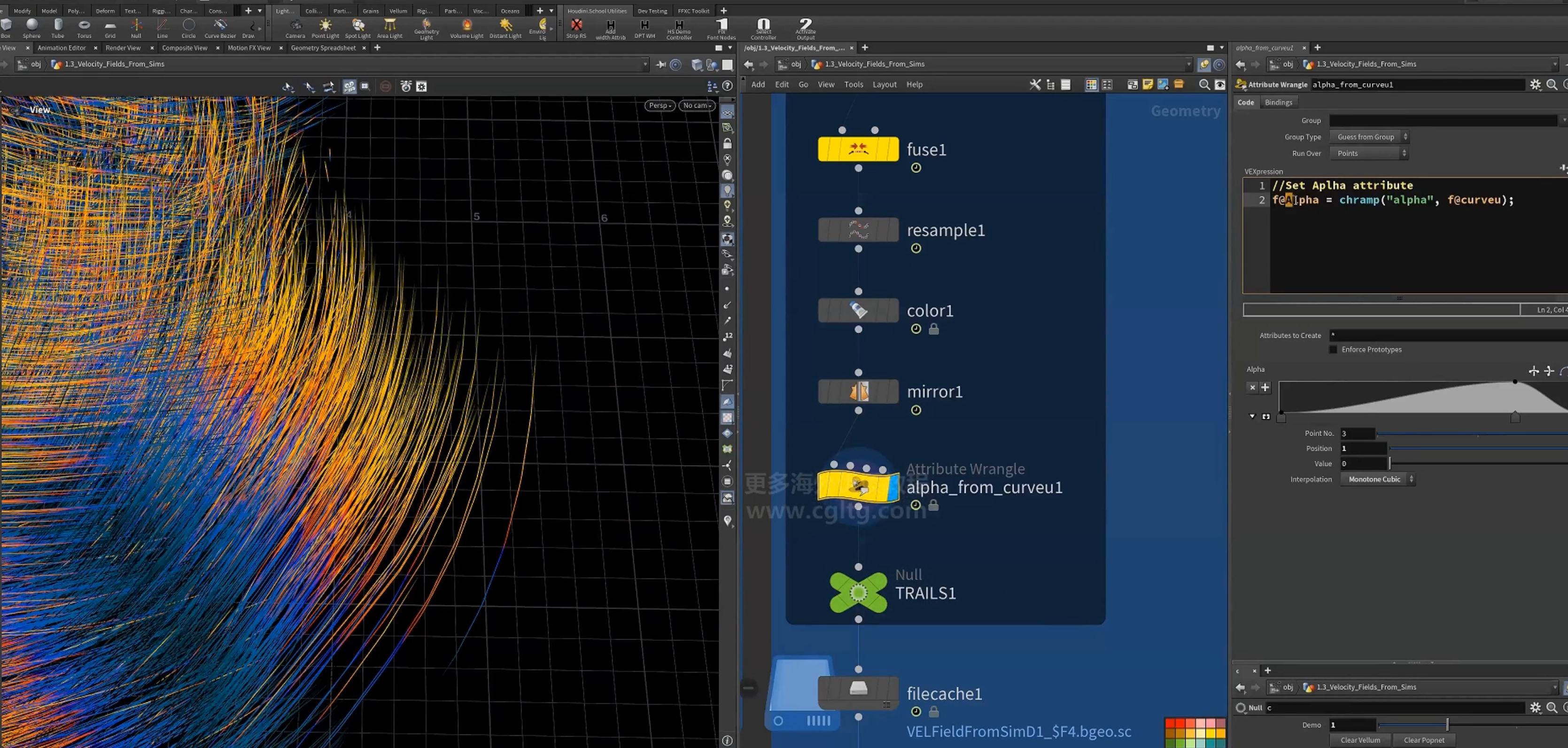
设置Alpha 着色
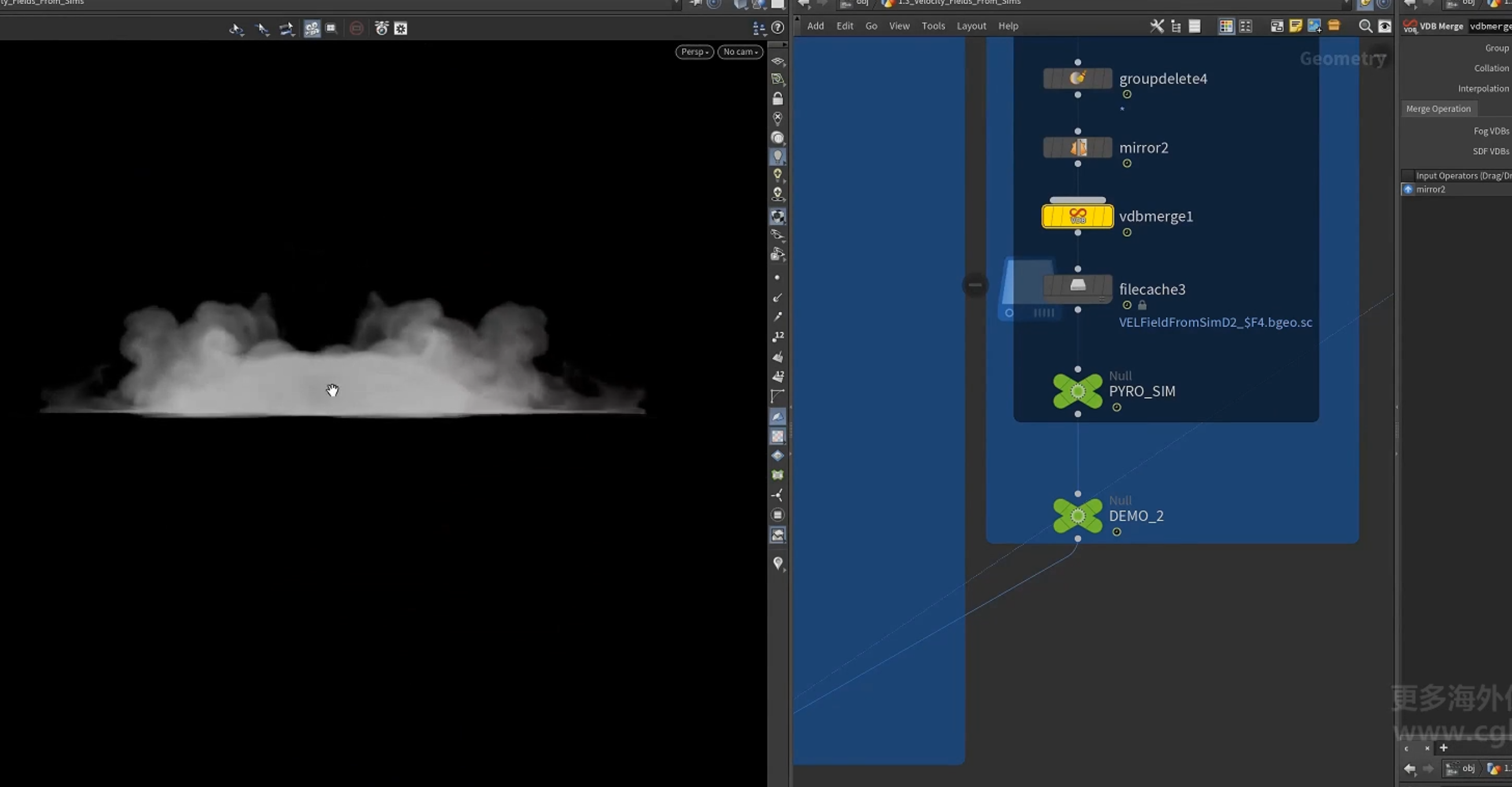
3.同样可以将vellum 的速度场转化为density,用于smoke sim
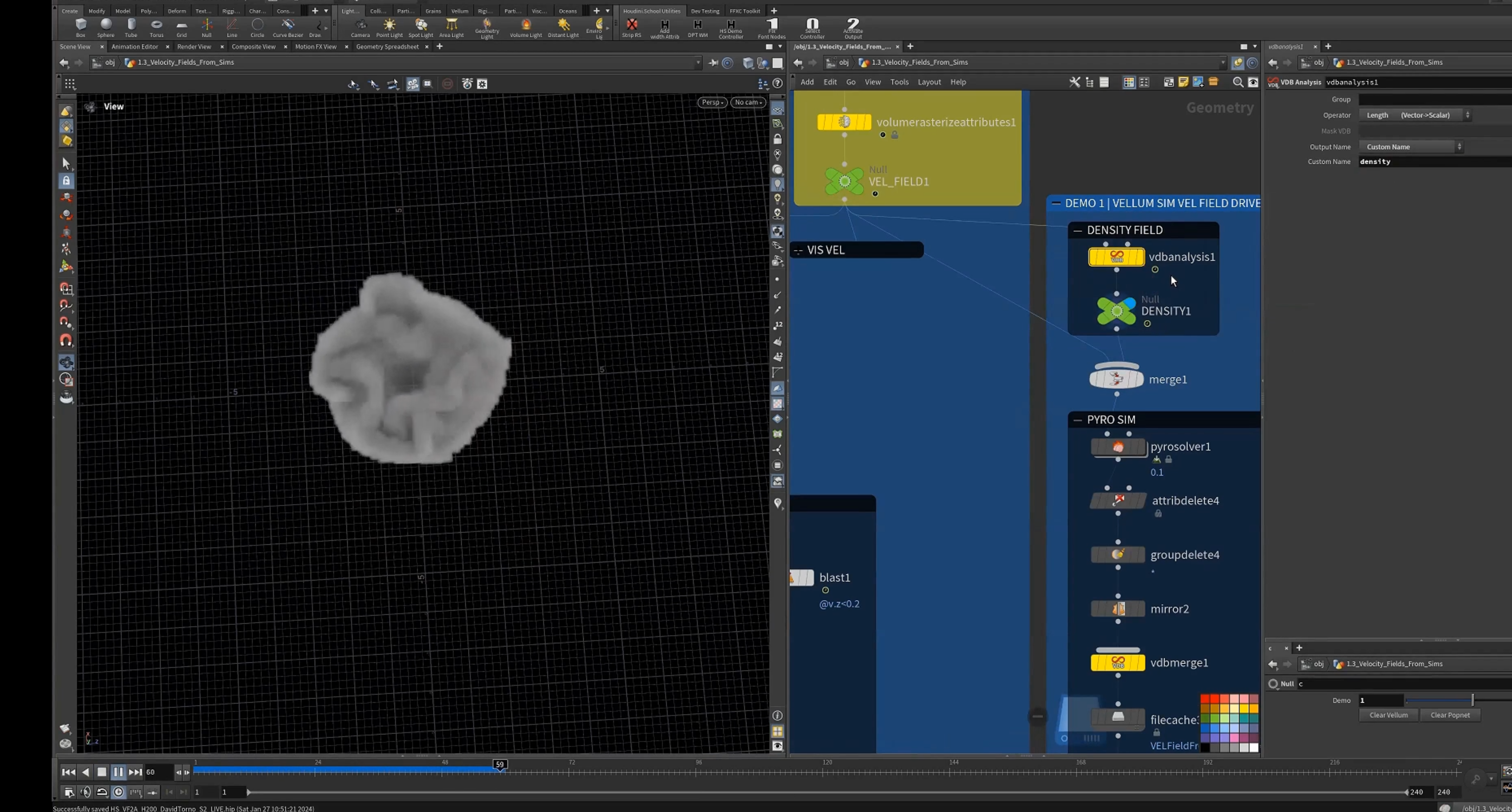
以此驱动smoke
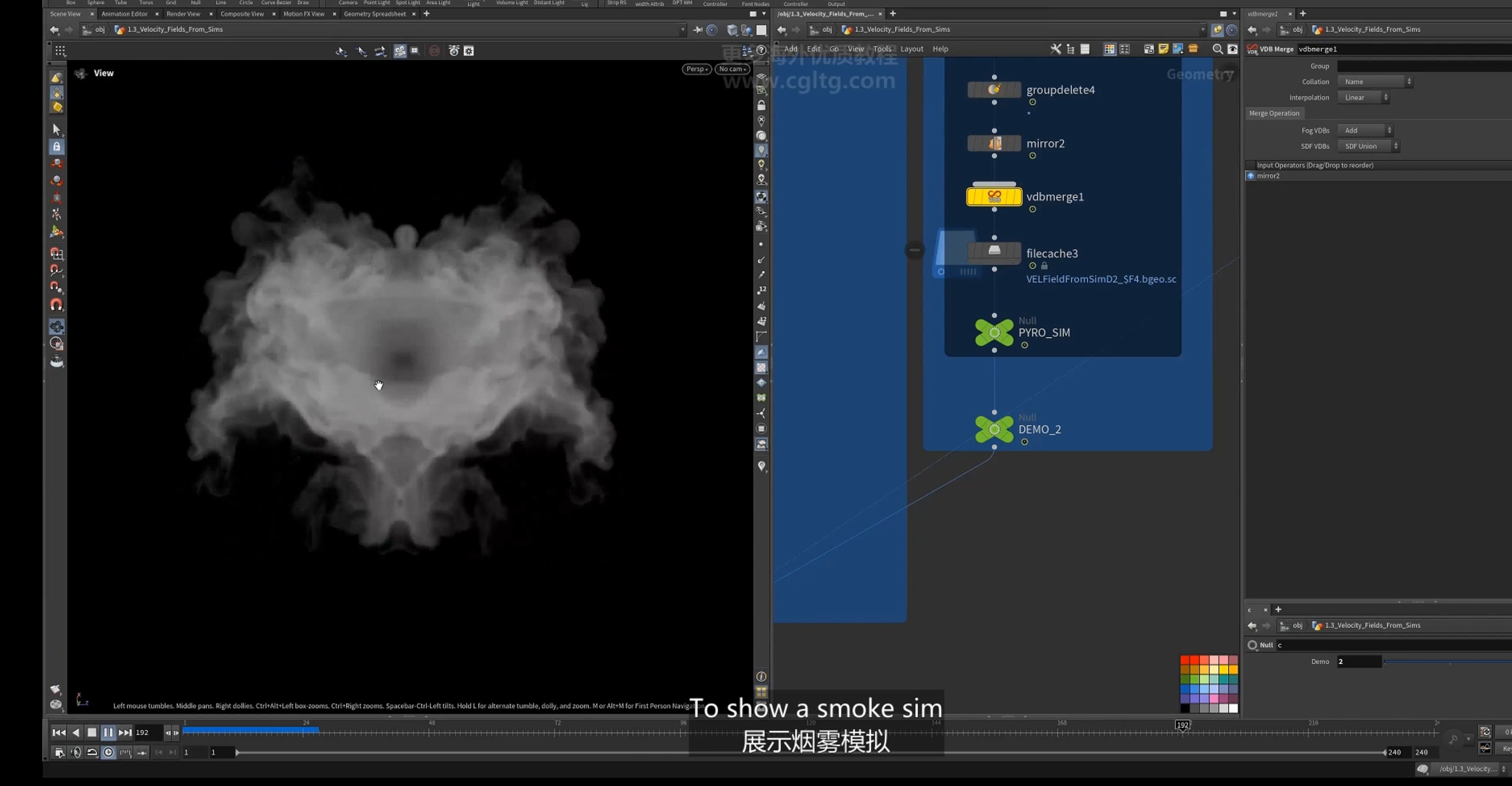
4.==以velocity (例如pyro sim)驱动geo==
驱动线条
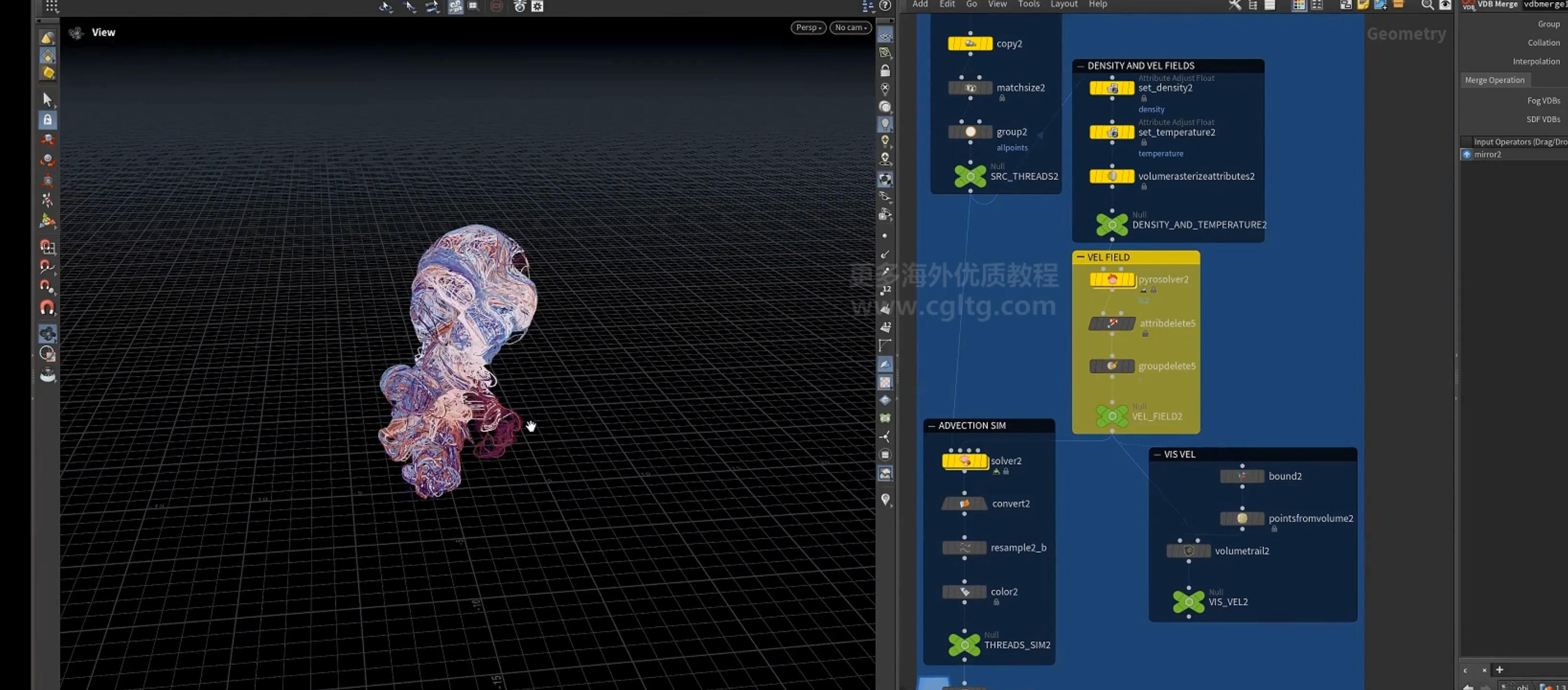
1.获取line网格
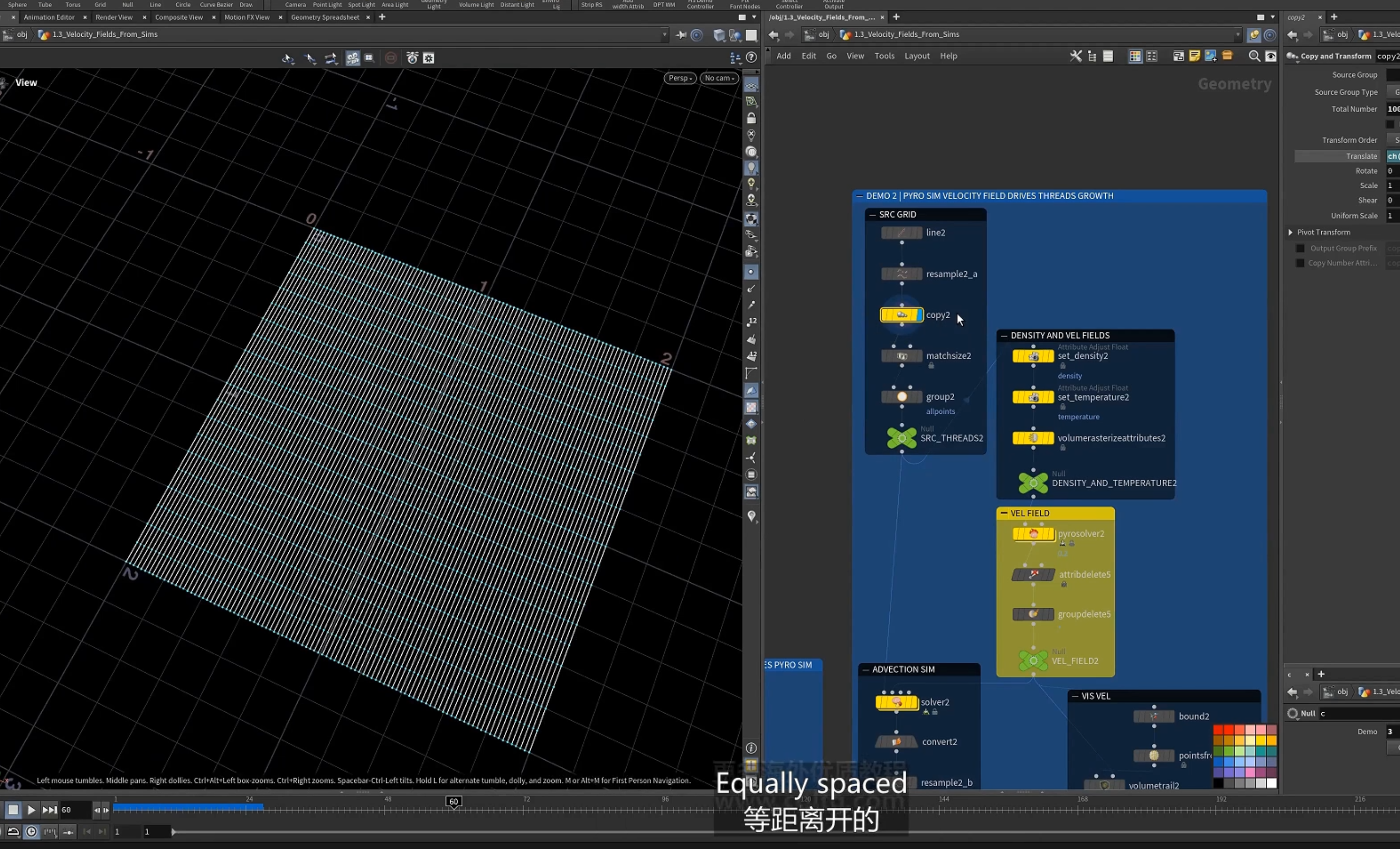
2.设置density属性,temperature属性,再rasterize为volume
3.pyro 模拟
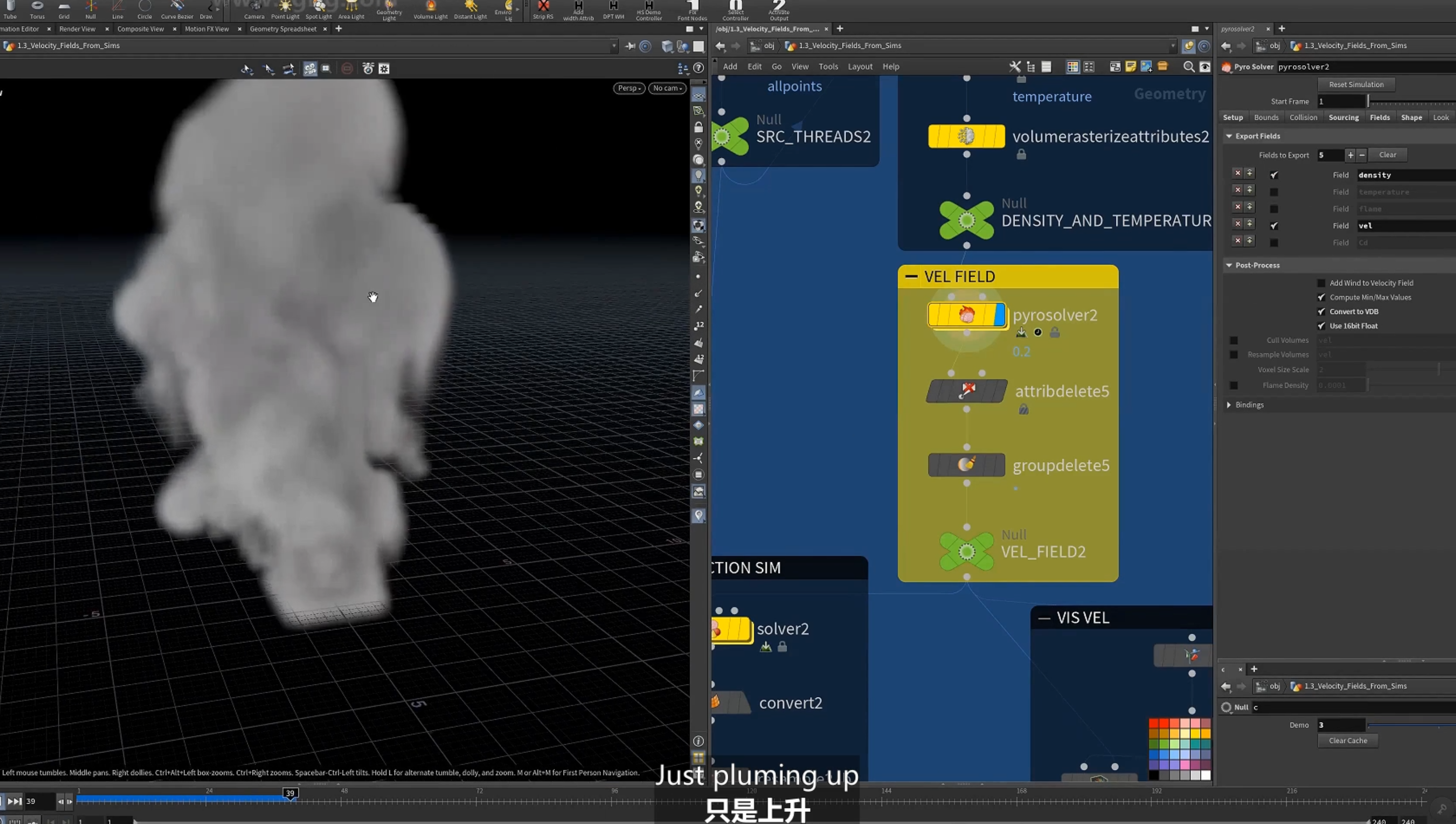
4.solver
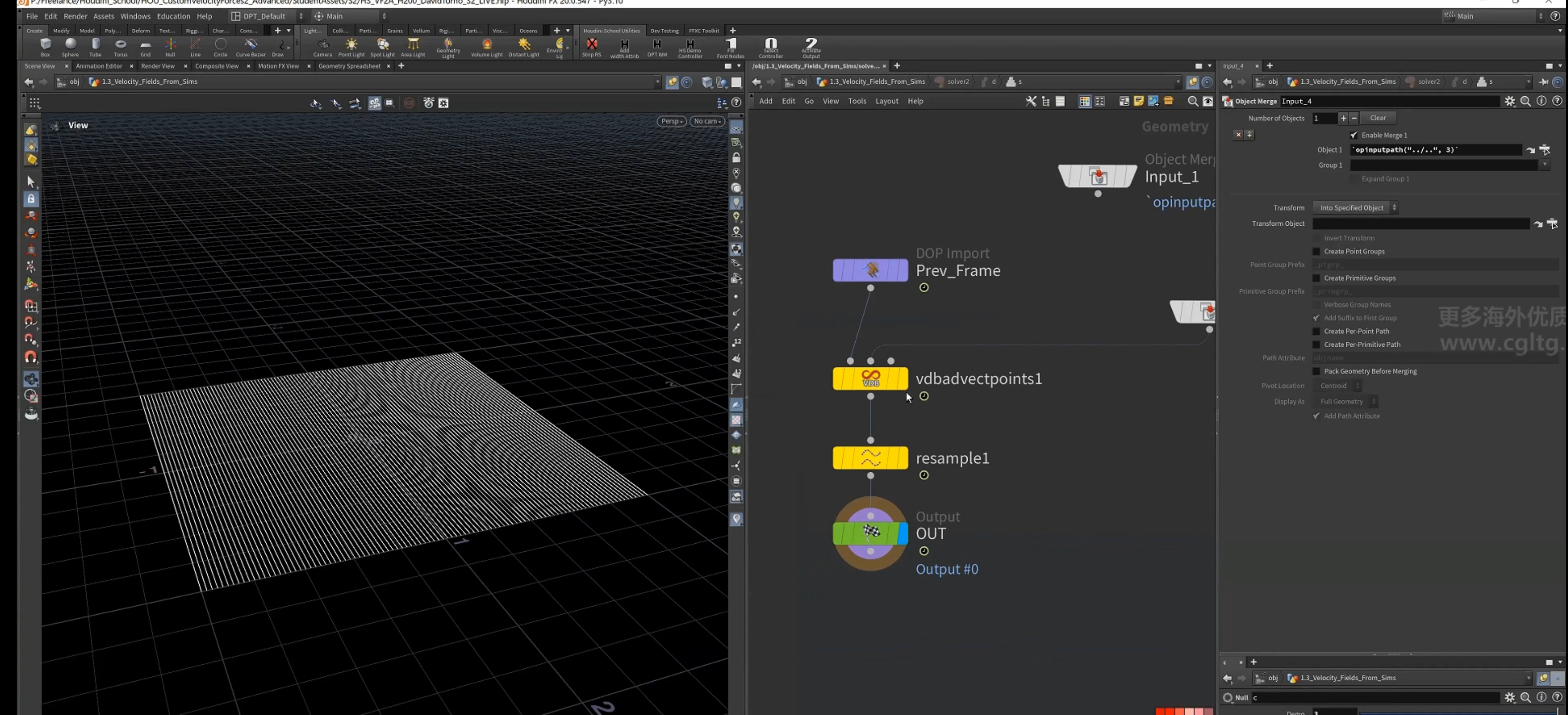
1.[ vdbadvectpoint() ]节点,
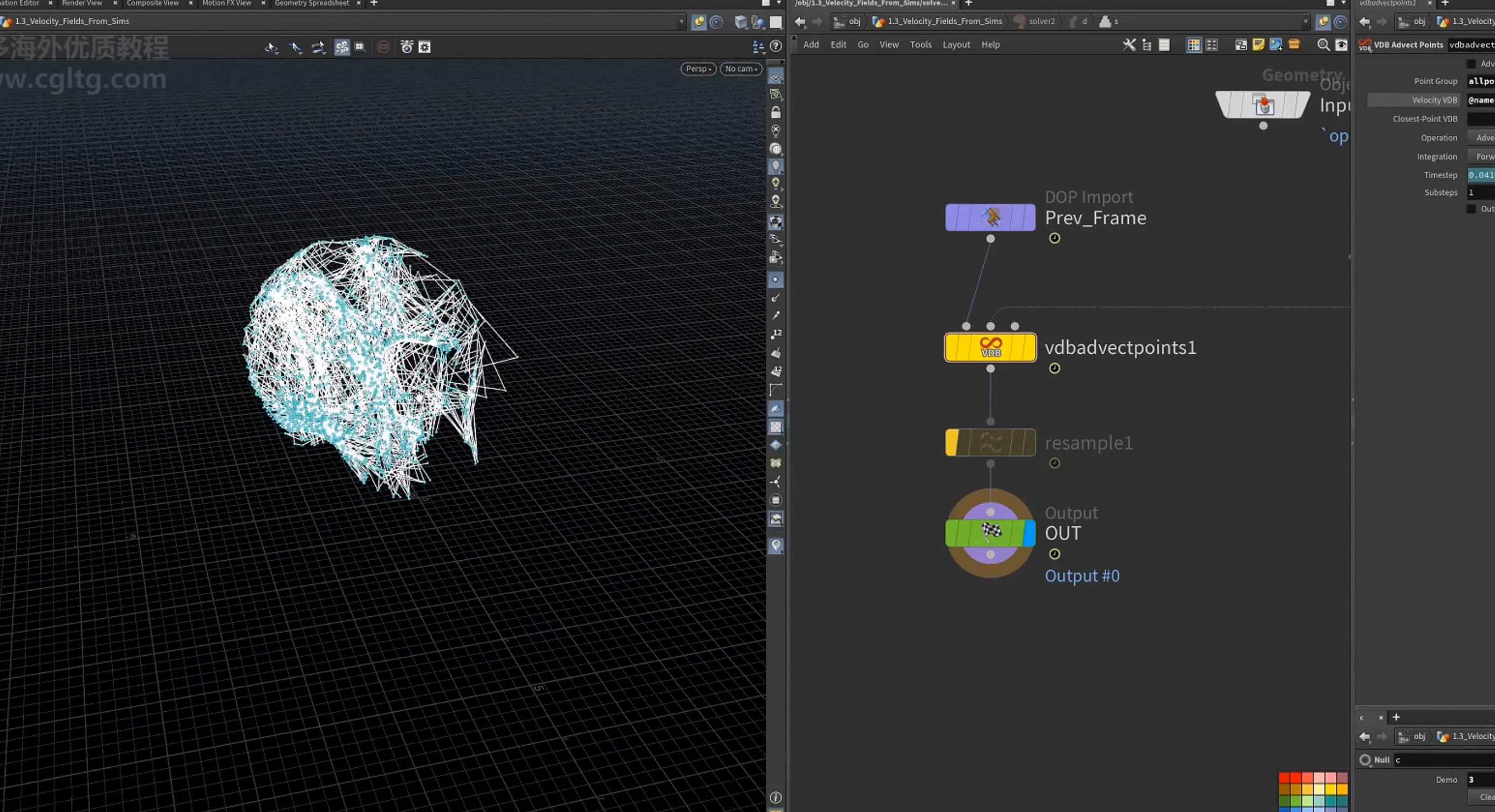
2.convert 为曲线
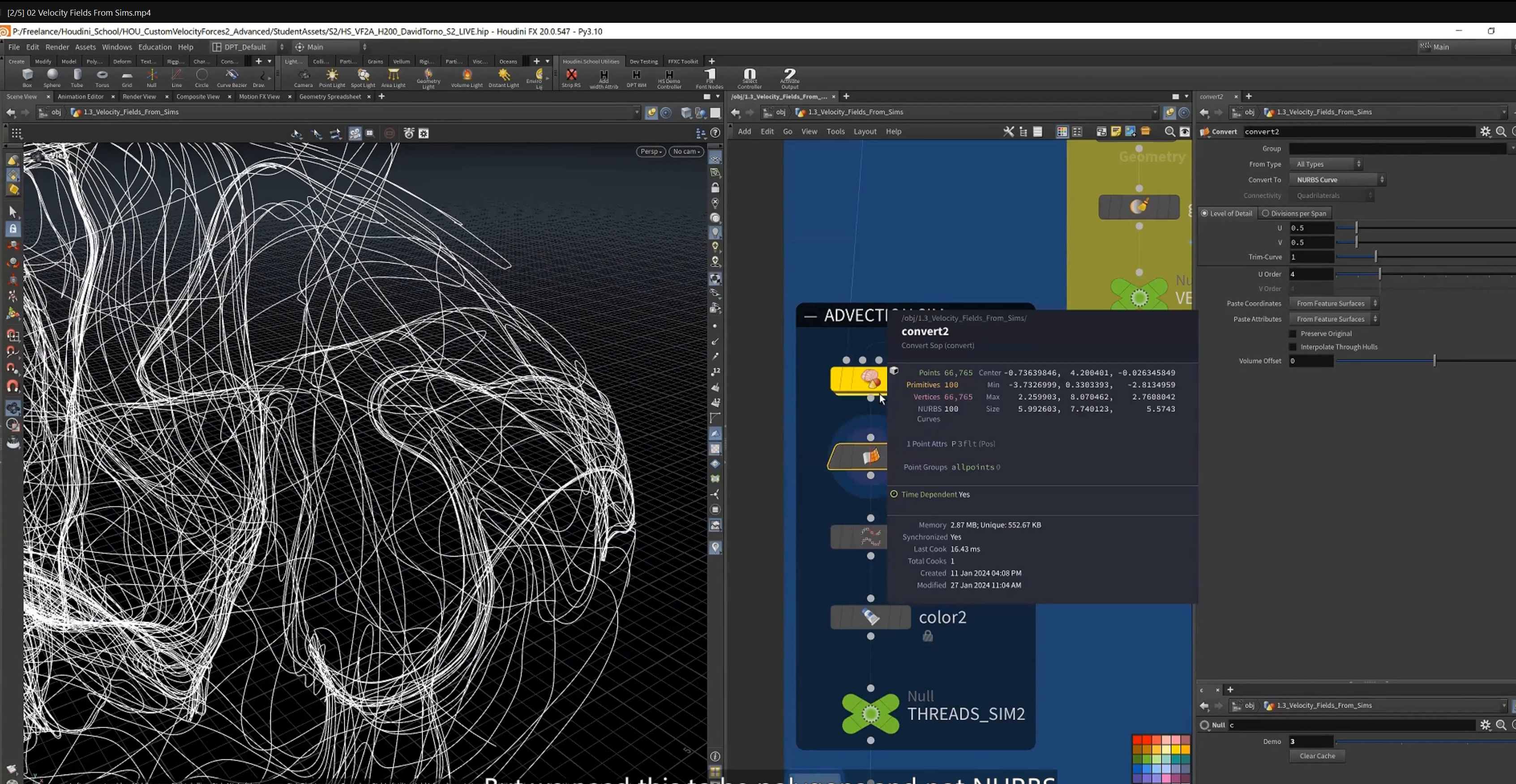
3.color
4.field blending 场混合
field 混合
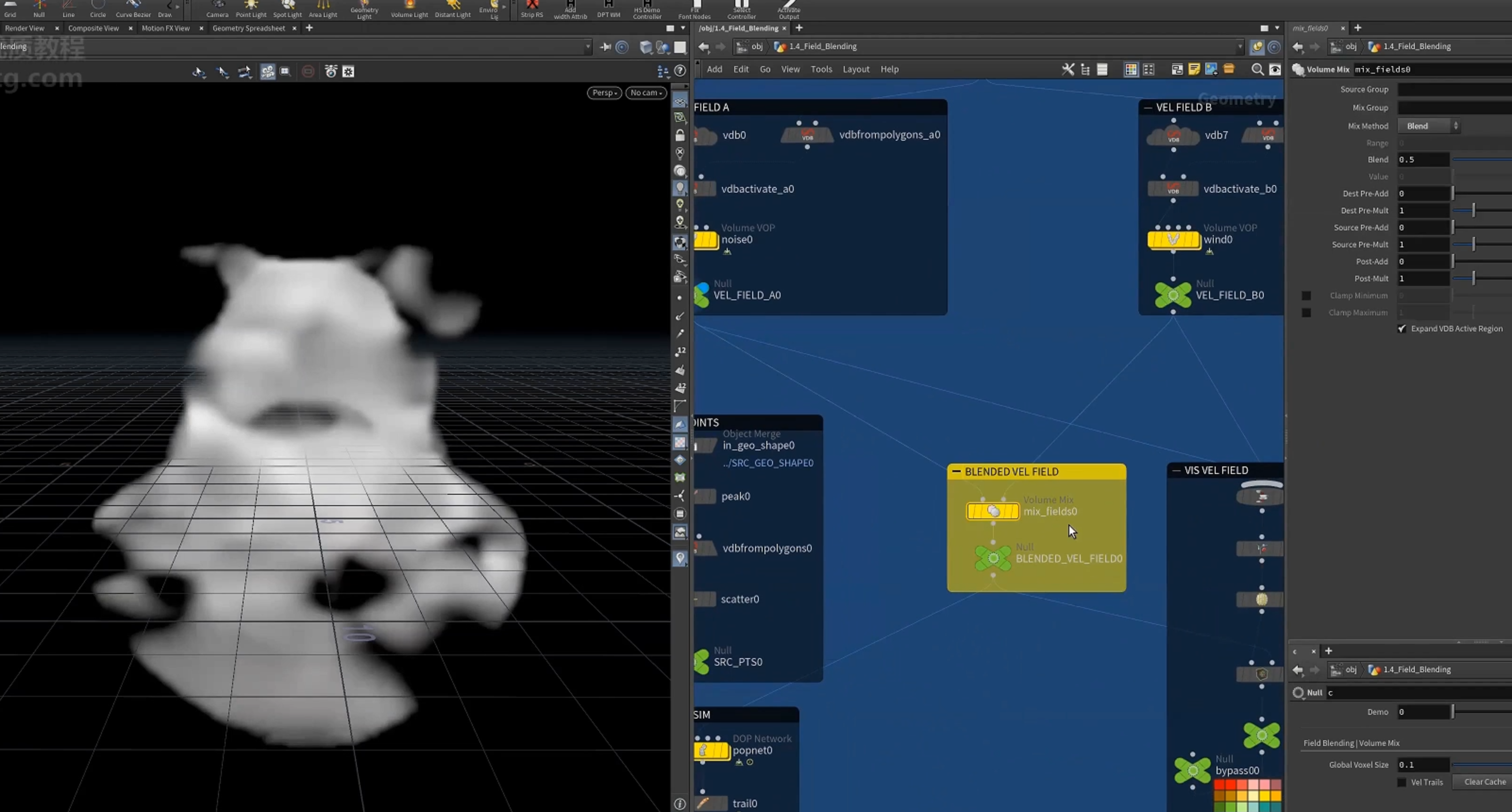
1.两个field 合并
使用[ volume mix ] 节点 混合
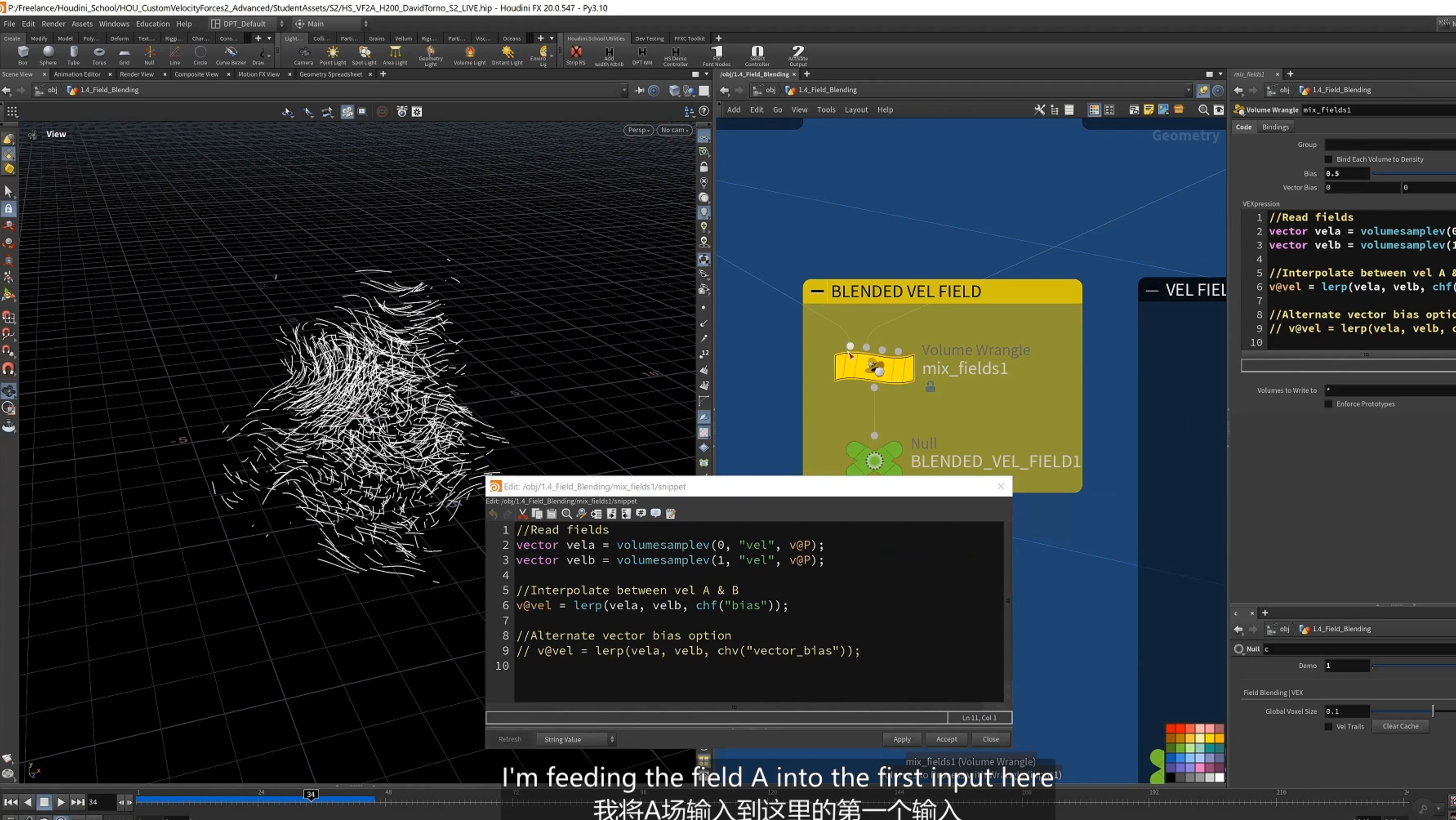
2.volume wrangle 混合
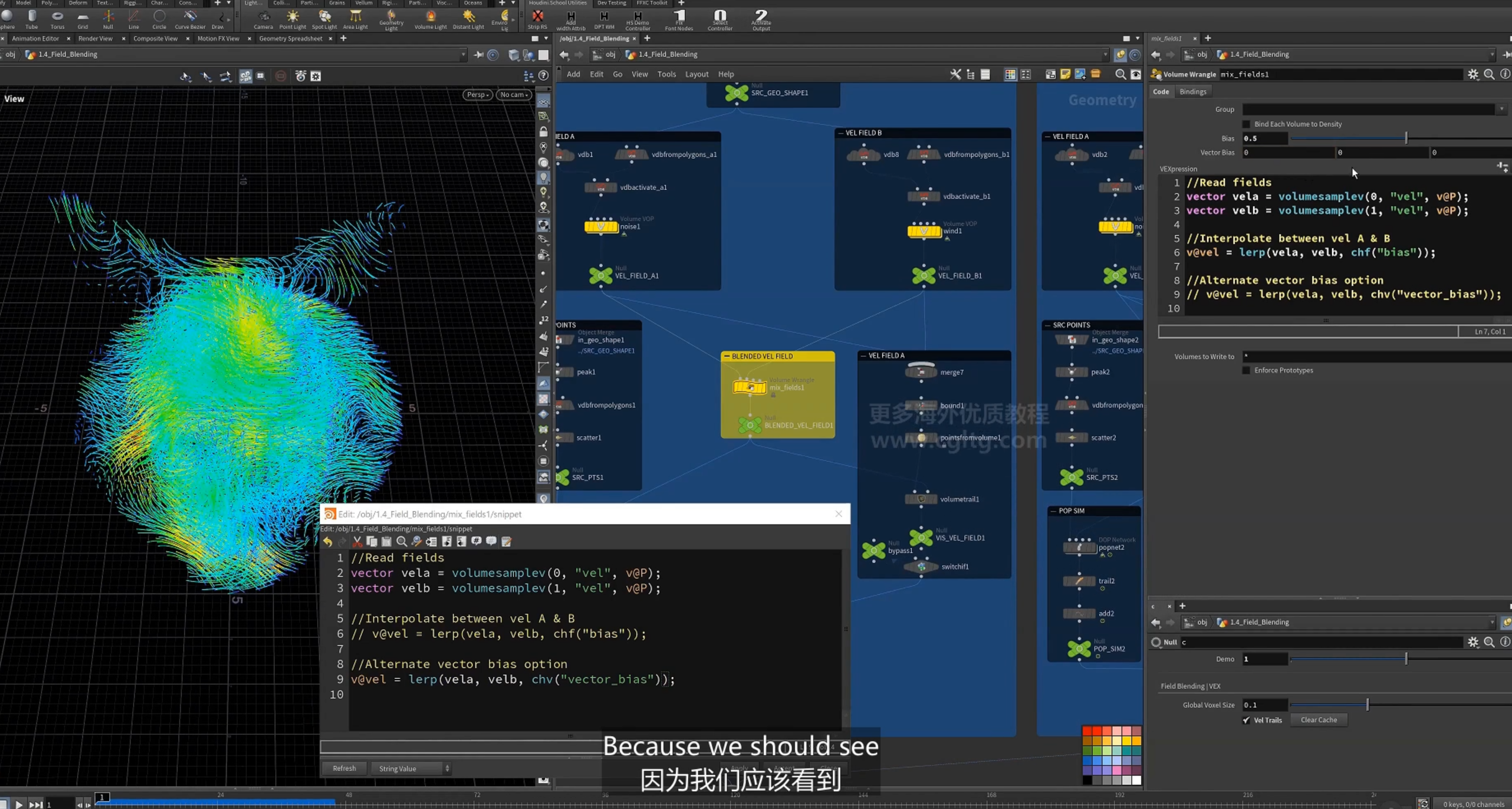
采样对应体素位置的值,使用[ lerp() ]函数混合
可以使用vector作为bias控制混合
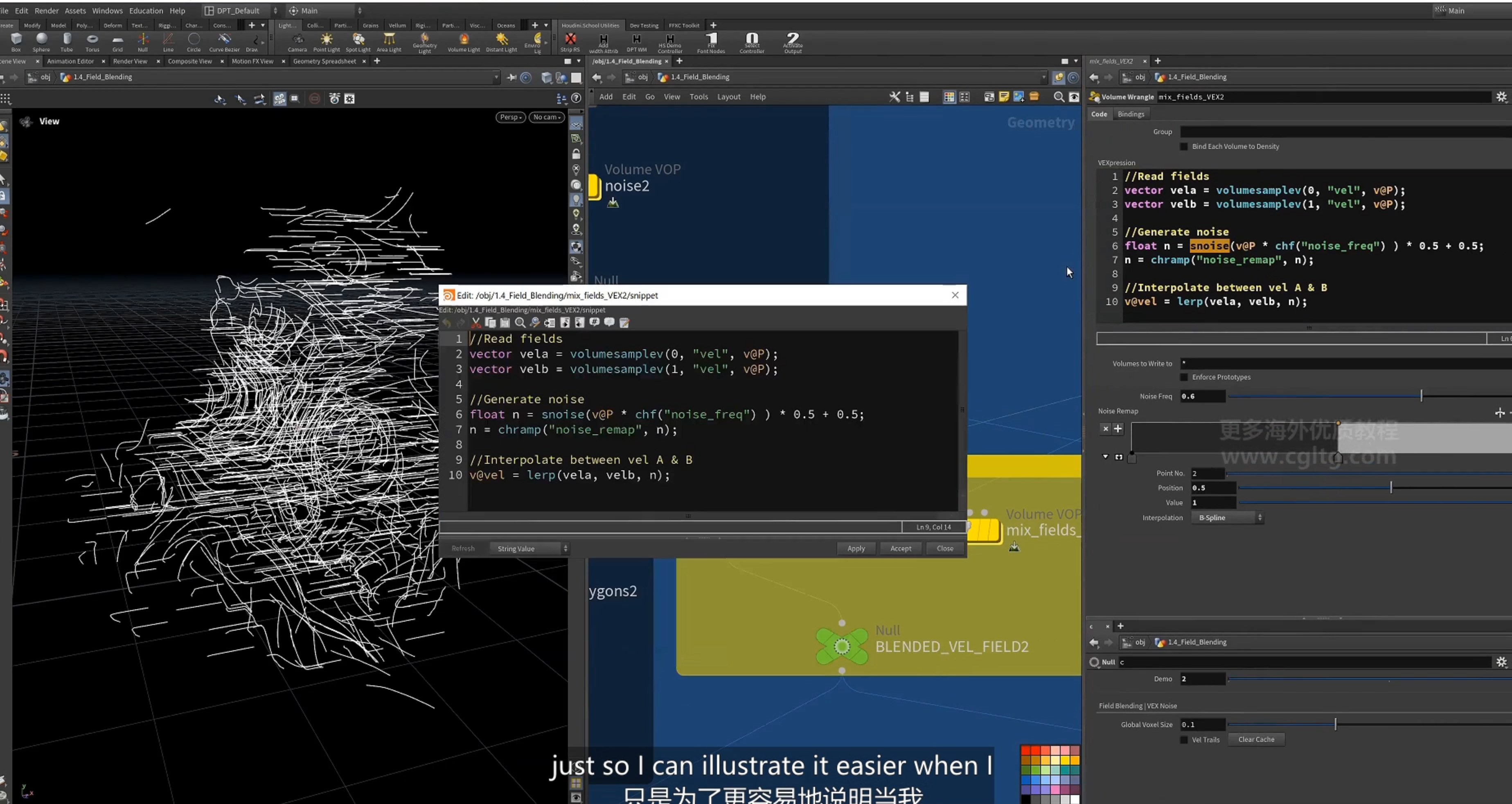
3.使用噪波作为bias混合两个field
5.vortices 涡流
1.定义
injecting vorticity 注入漩涡
2.漩涡 particles 模拟 围绕y轴旋转
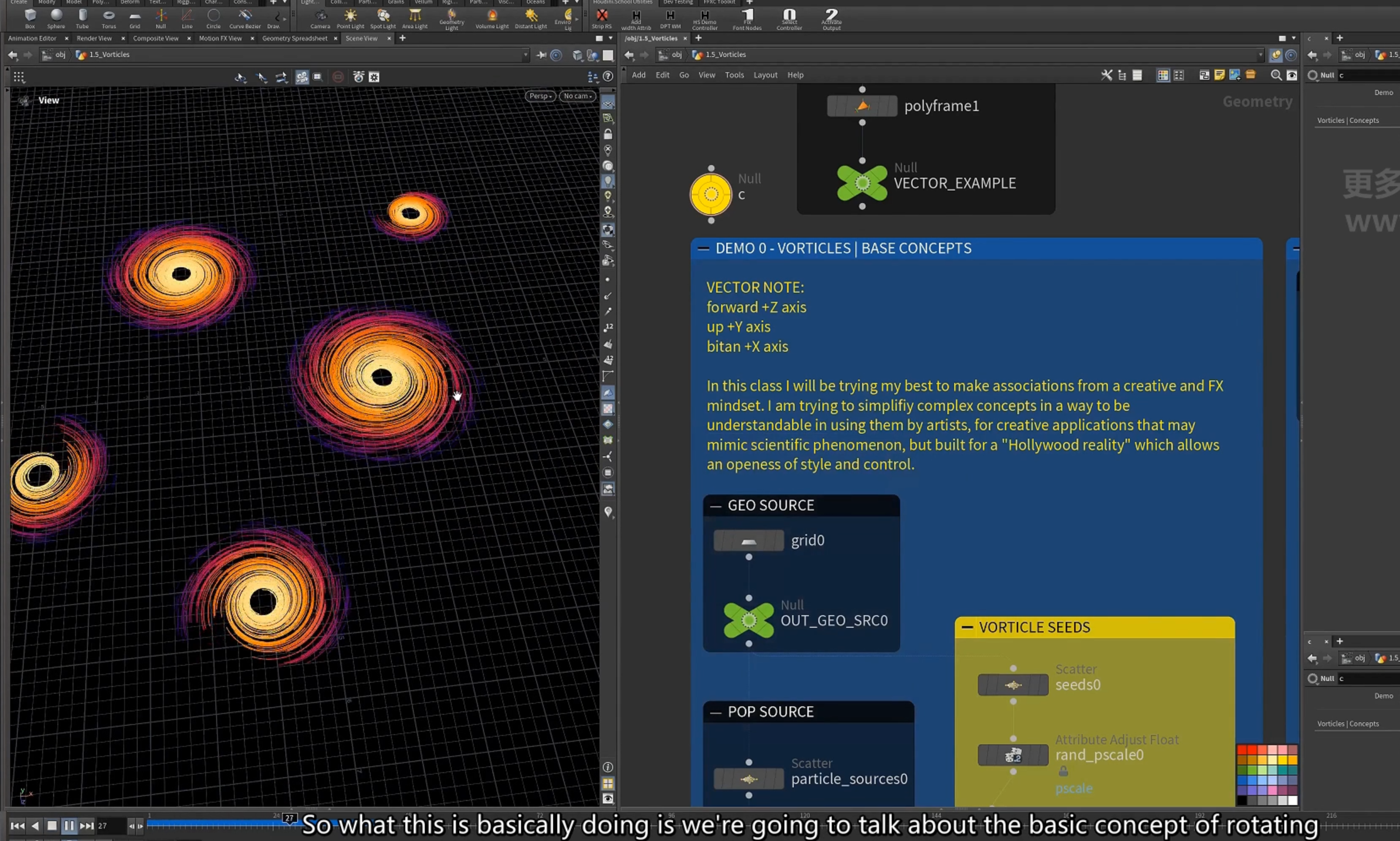
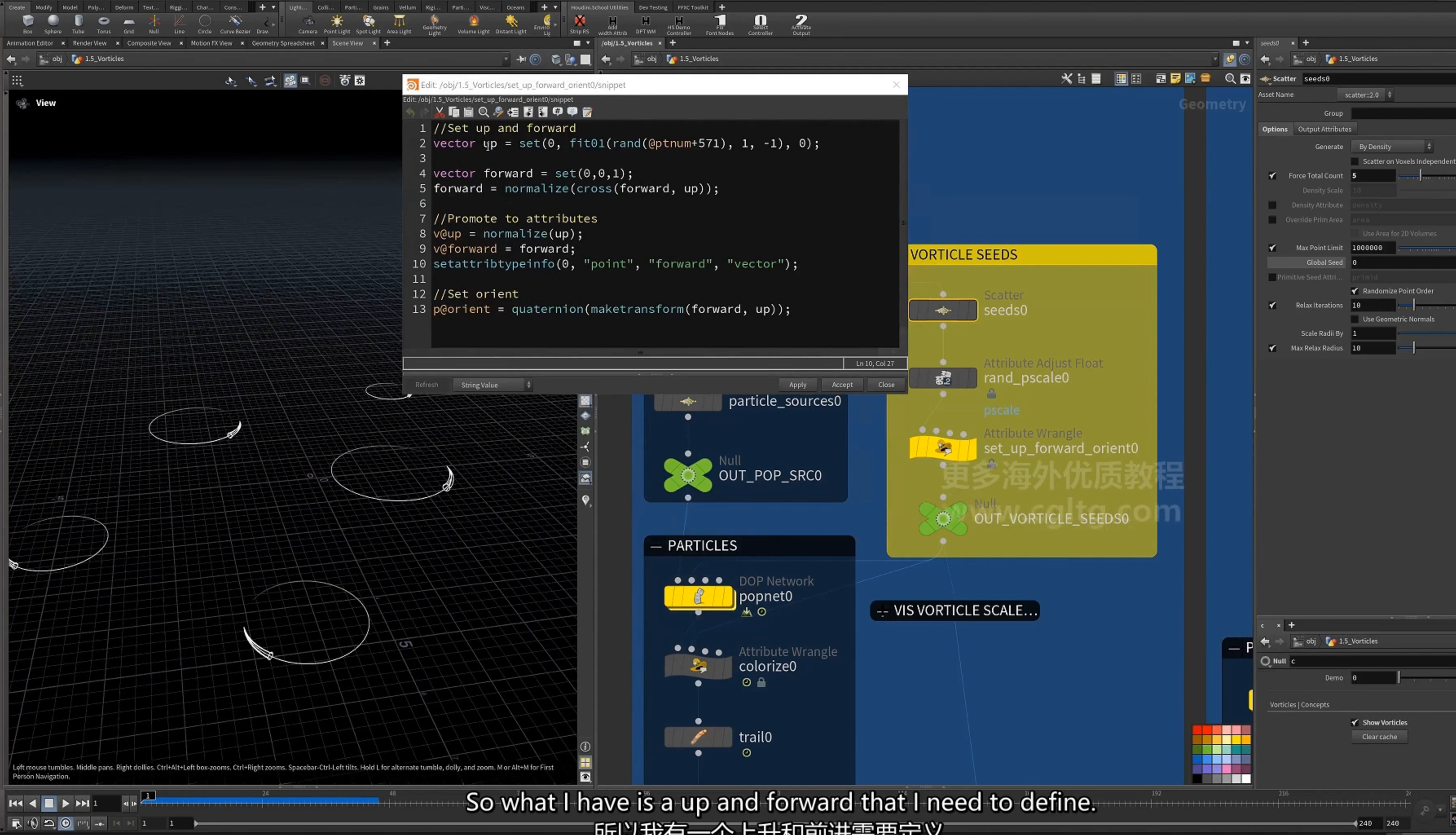
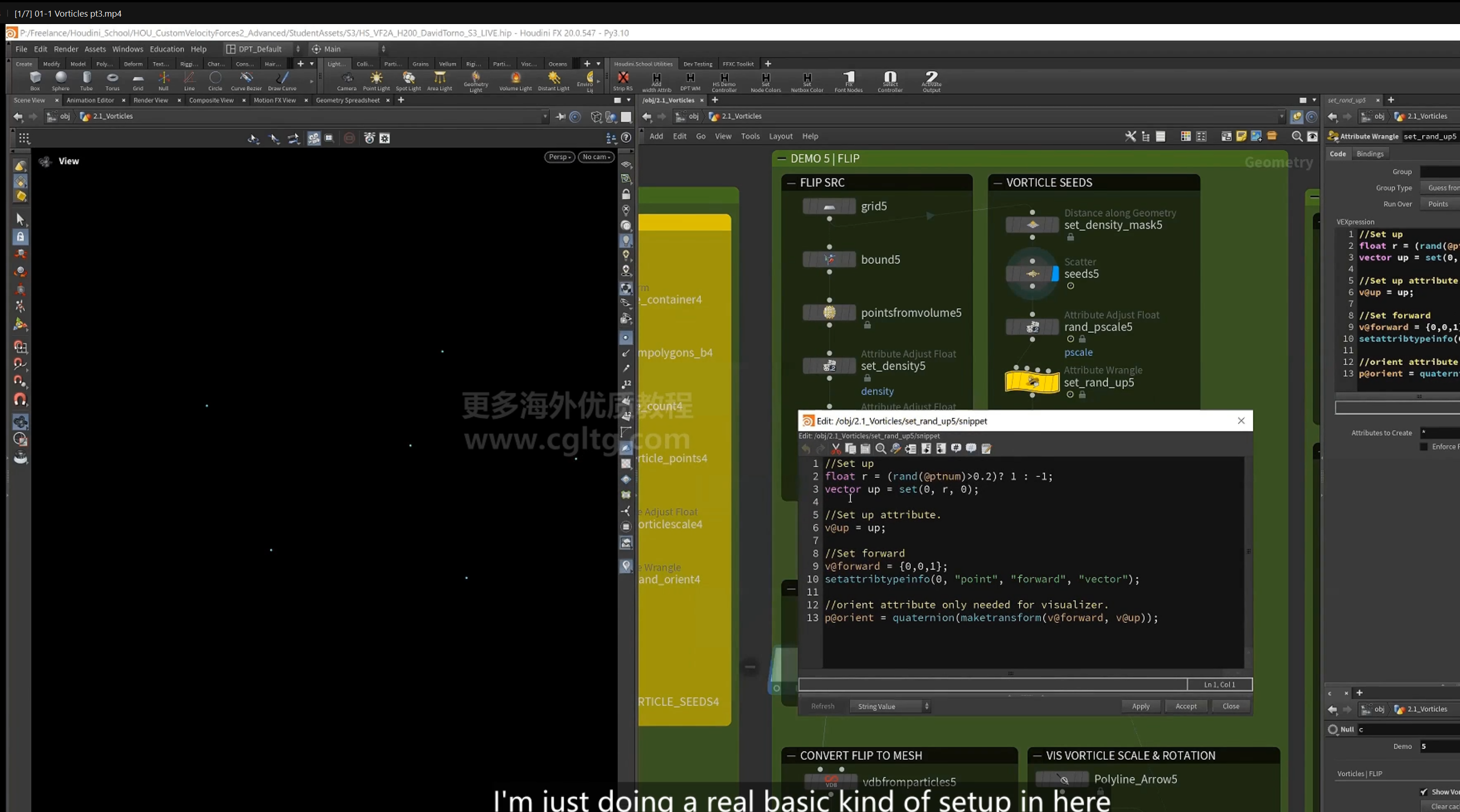
1.使用wrangle计算朝向
这里设置随机的上下朝向,设置沿z轴的forward方向
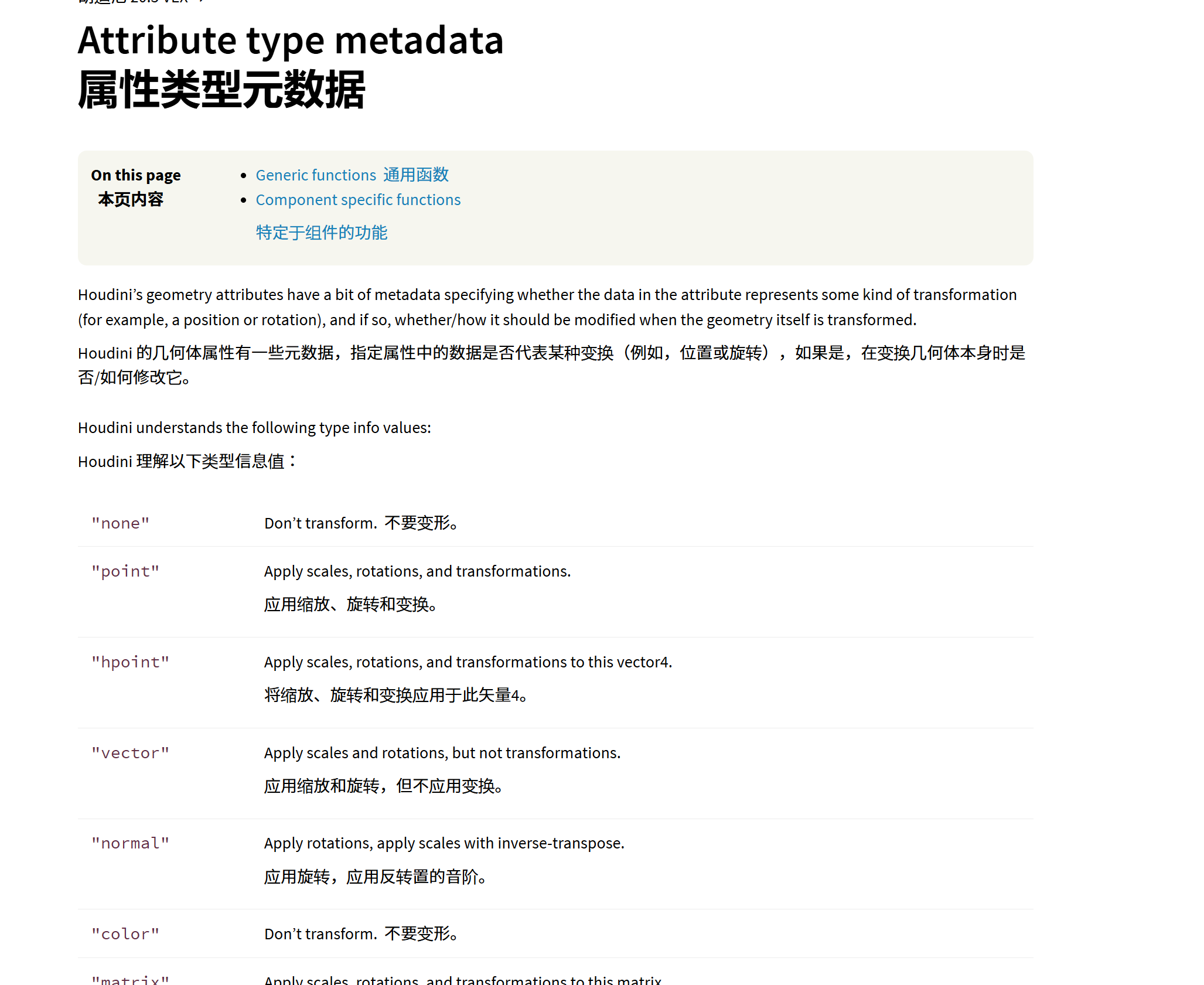
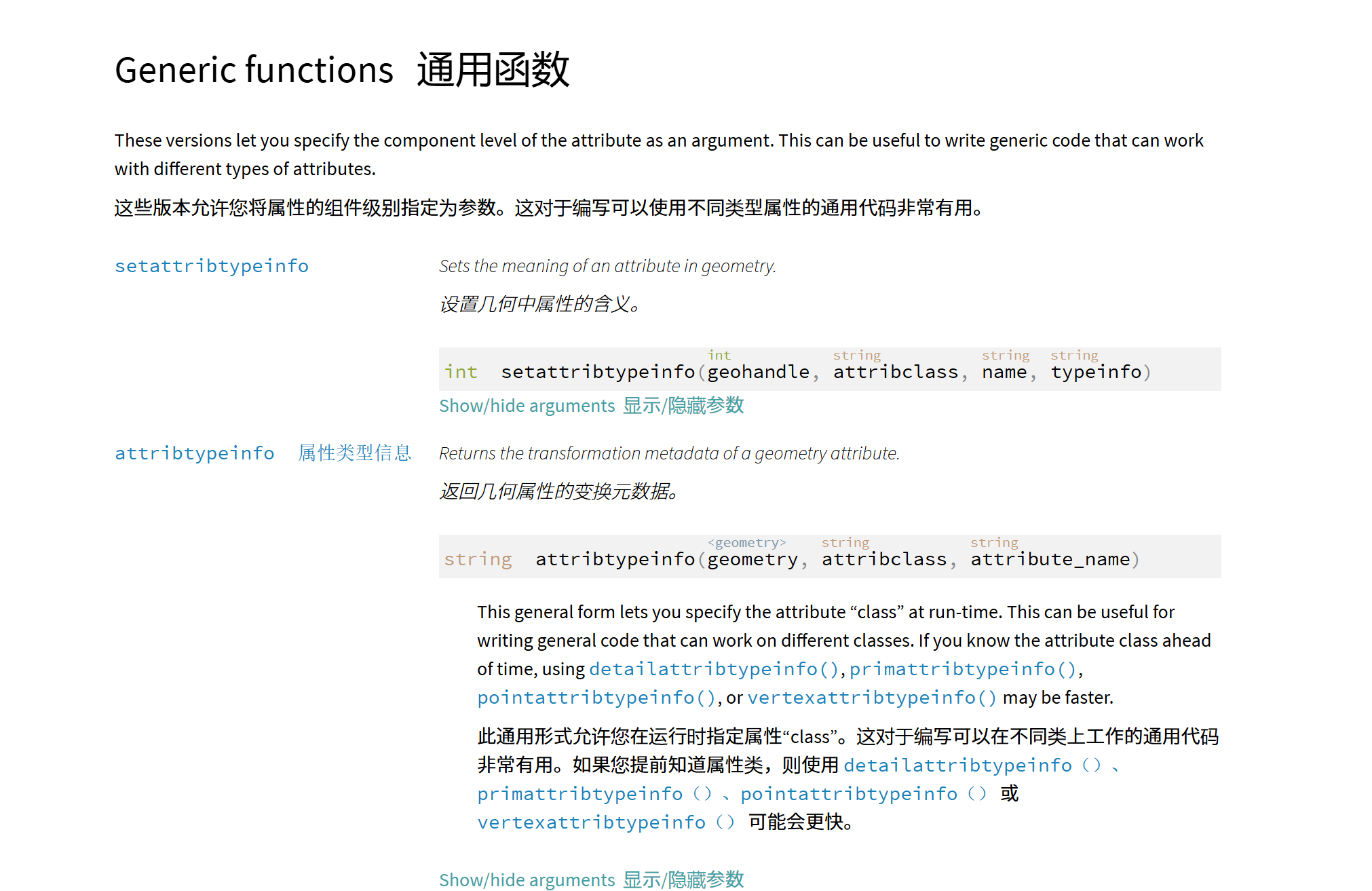
[ setattribtypeinfo() ]函数,指定属性的元属性
不同的类型决定transform节点怎么修改属性
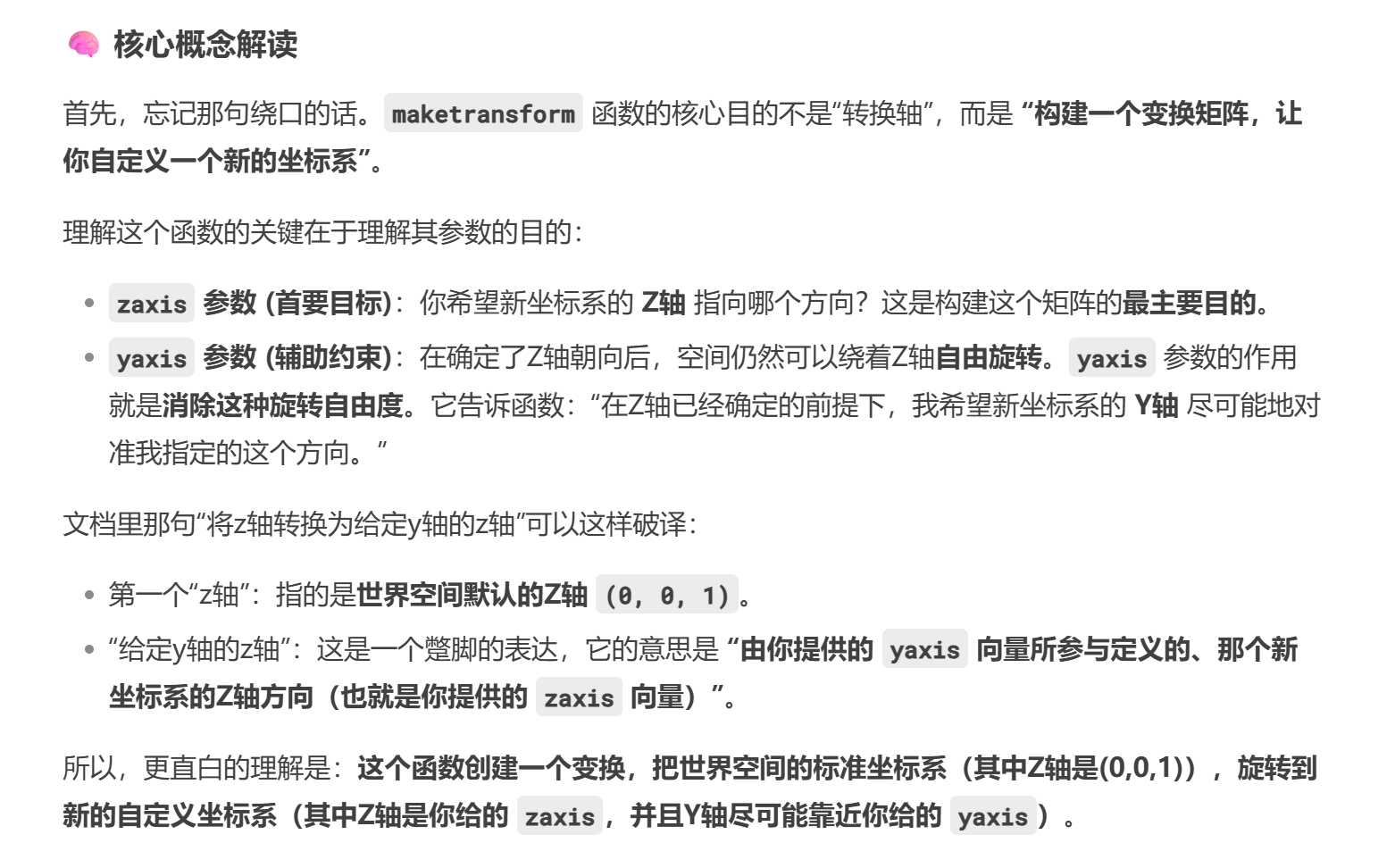
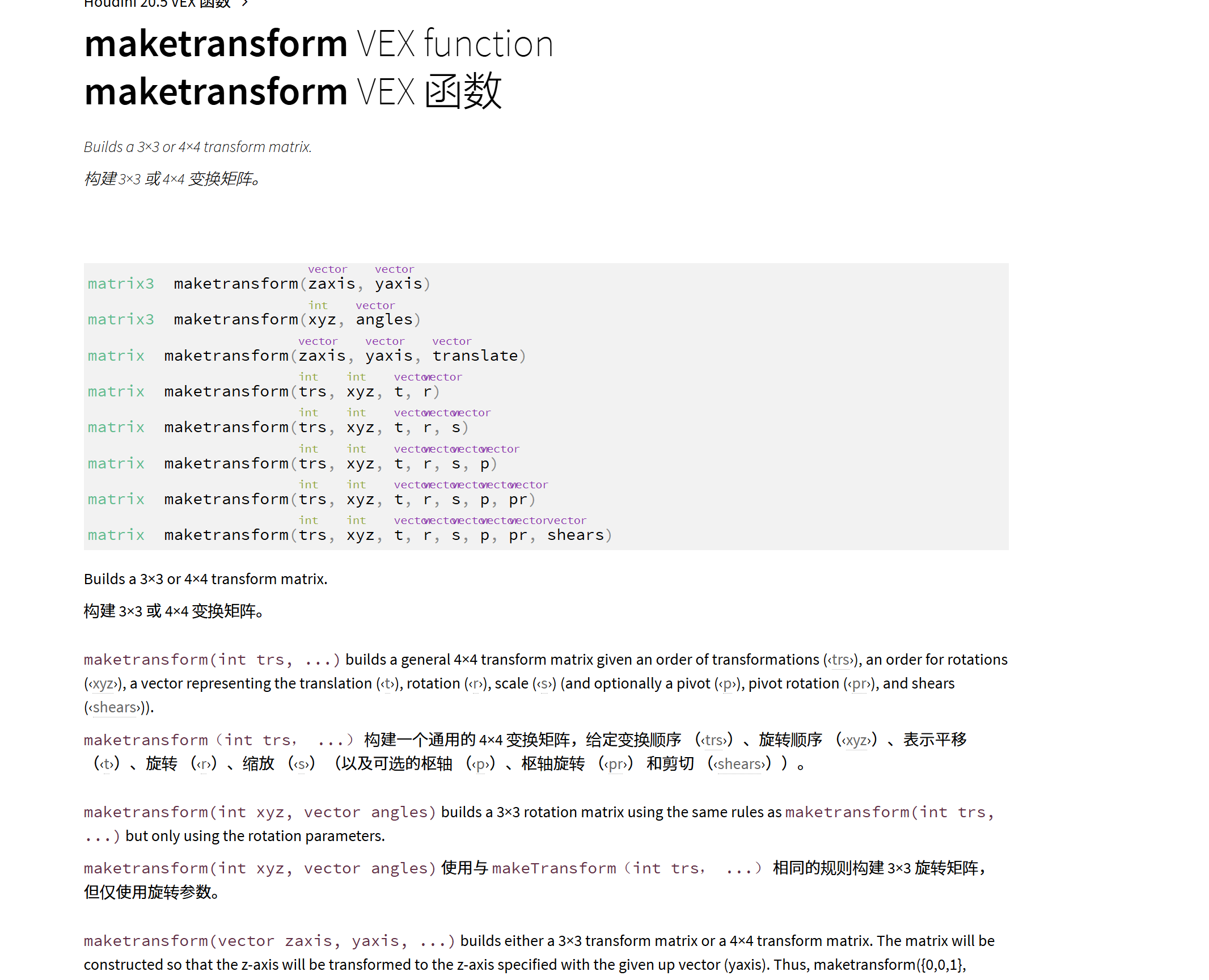
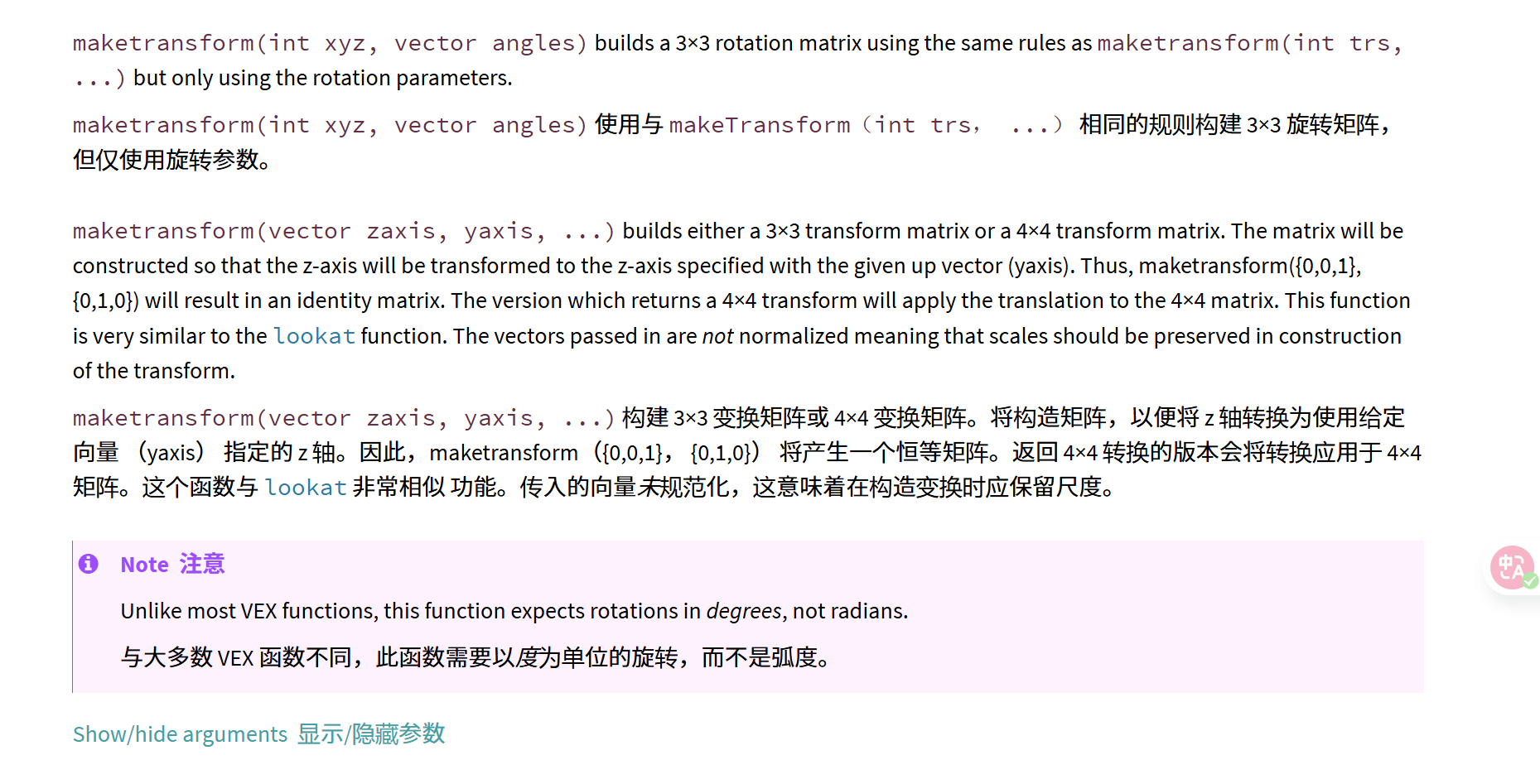
[ maketransform() ]函数 构造3*3,4*4变换矩阵(也用于创建组合变换矩阵)
==创建一个矩阵,再将这个变换矩阵转化为一个四元数==,这个变换矩阵将原z轴(原世界坐标系)变换为我指定的z轴(自定义新的坐标系),以我指定的y轴为参考。
即以我的z轴和y轴为参考的坐标系。
2.metadata type(元数据类型),即这里的属性的类型,同样的vector可以作为position,或者vector
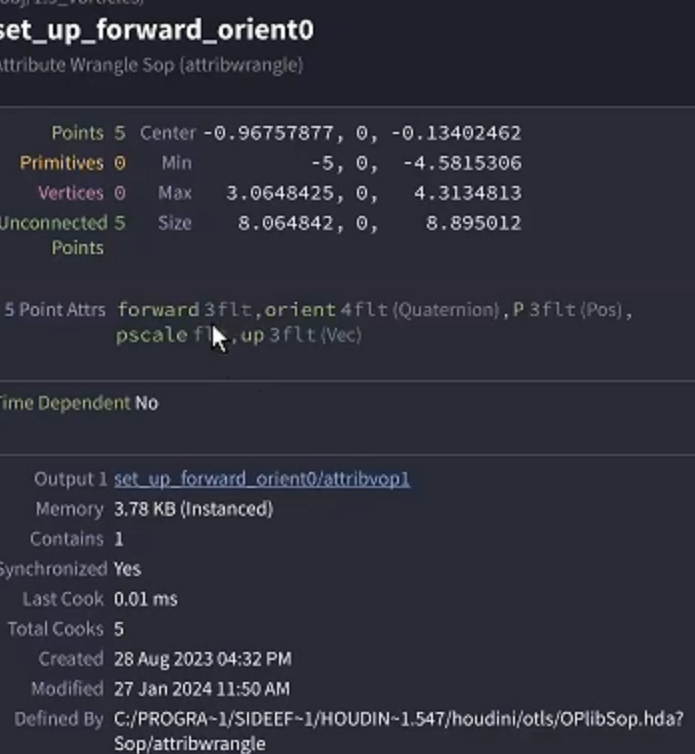
这里属性名后的类型。
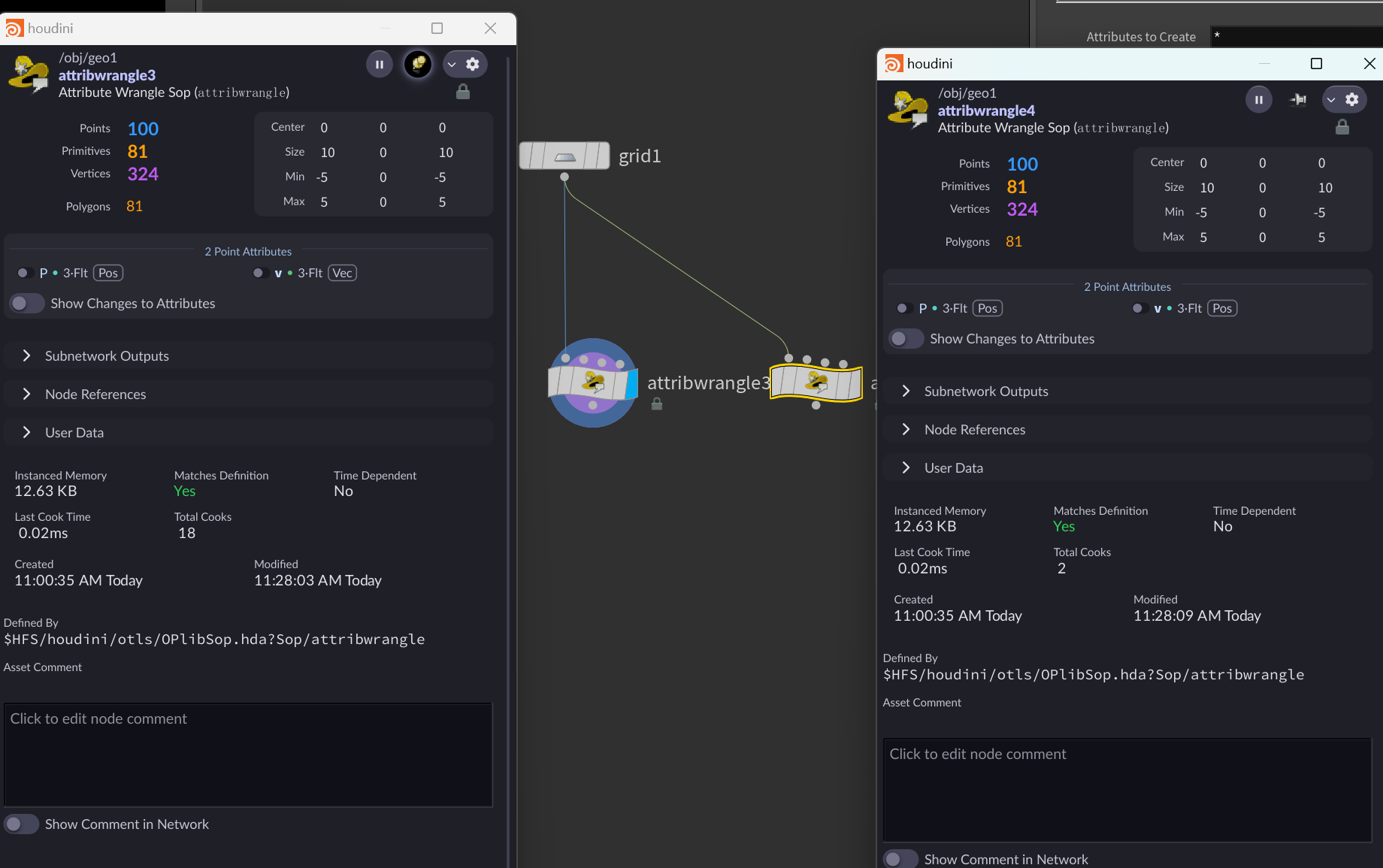
==属性元数据(attribute metadata type)类型表示houdini怎样理解数据,==
3.以z轴和 y方向叉乘作为forward方向,将其标价为vector类型
计算四元数
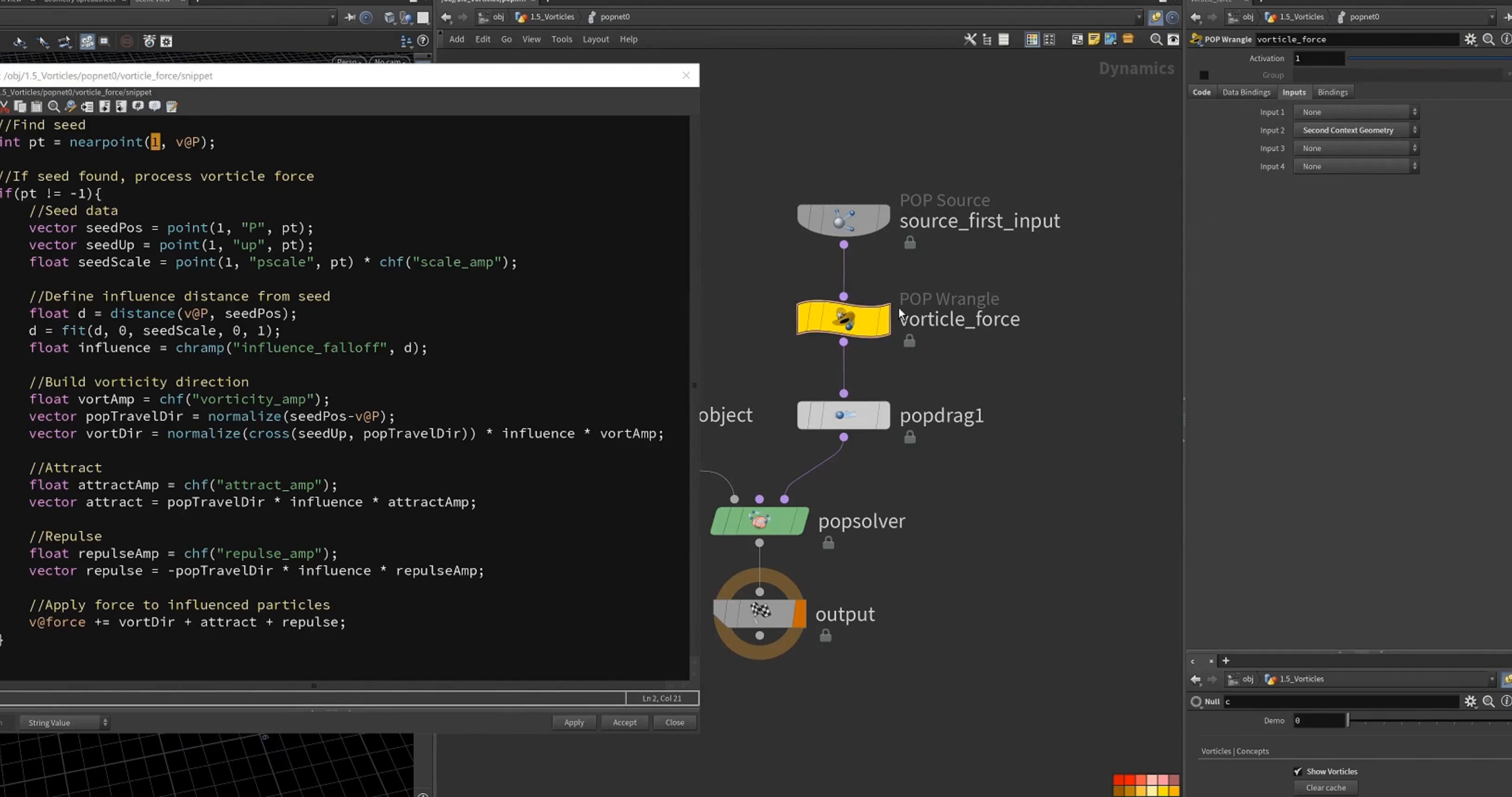
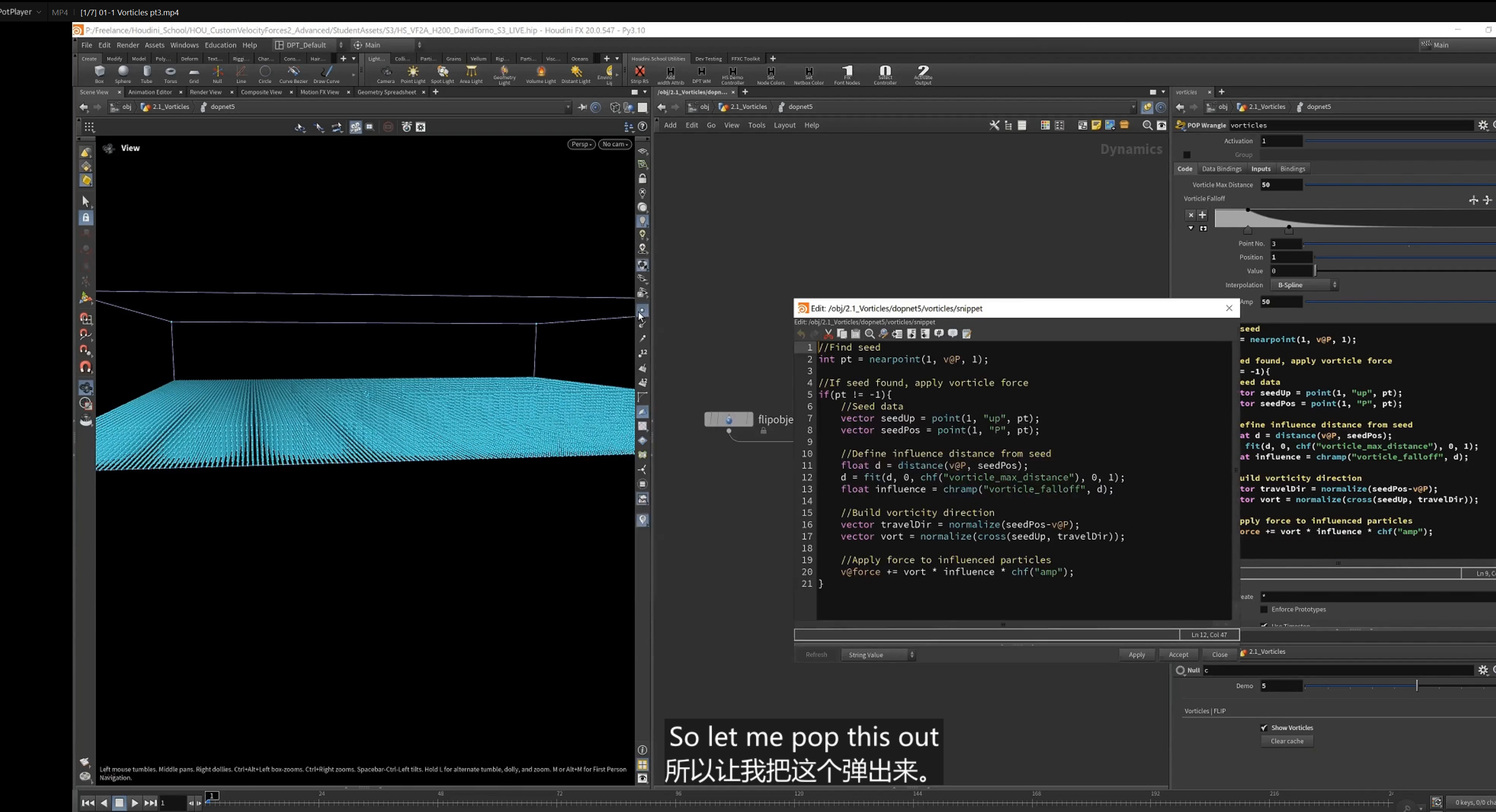
4.popnet 设置force(pop wrangle)
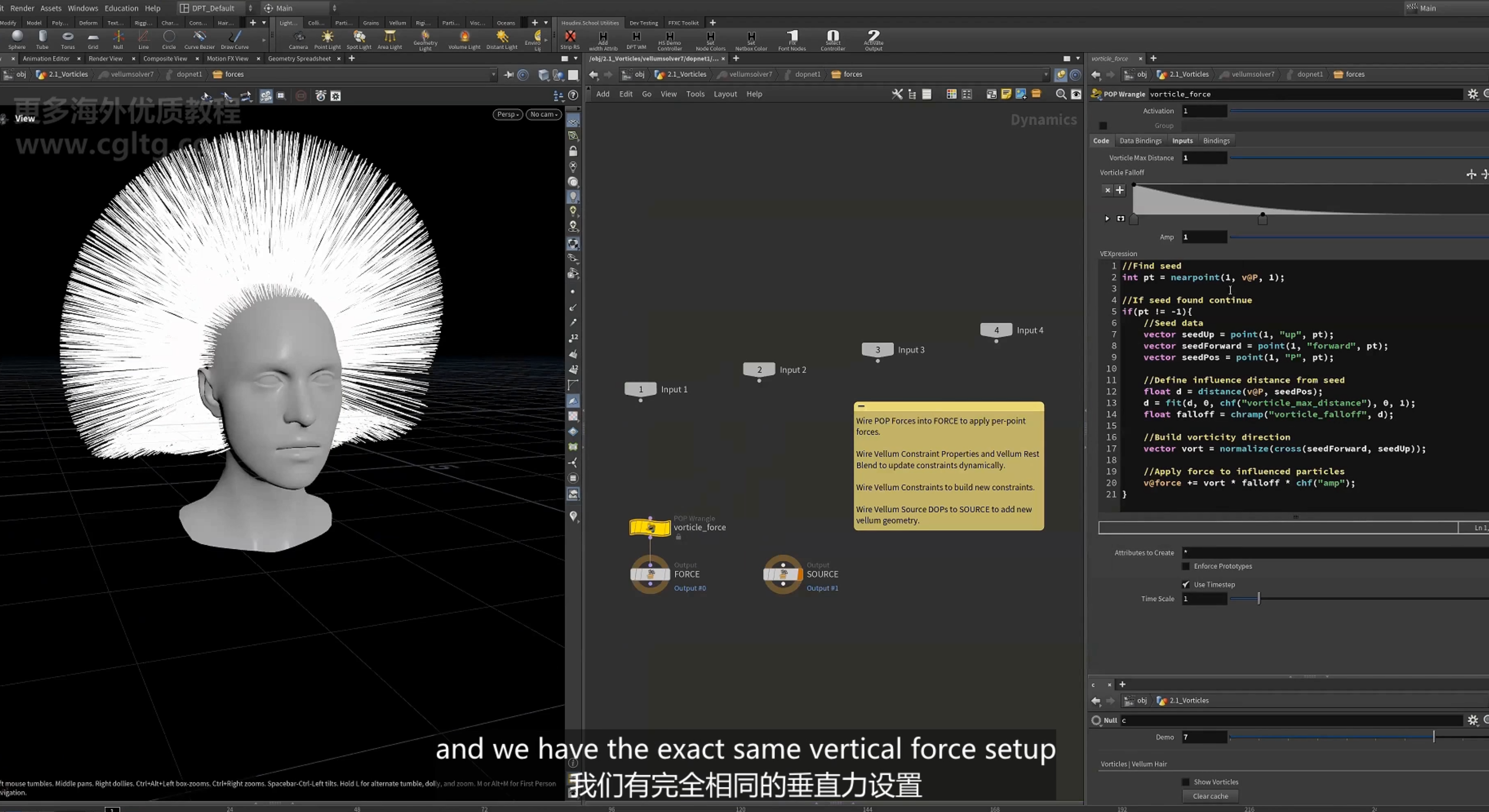
1.获取粒子的近点,及其对应的信息(up, P, pscale)
2.计算粒子到近点的距离,以scale重映射距离作为影响力
3.计算指向近点的方向,以此方向与近点的up方向叉乘,获得围绕近点的方向向量(漩涡向量),这里再乘以影响力,作为影响因素
4.计算吸引向量,和排斥向量
5.更新力 累加以上三个force
3.围绕随机方向旋转
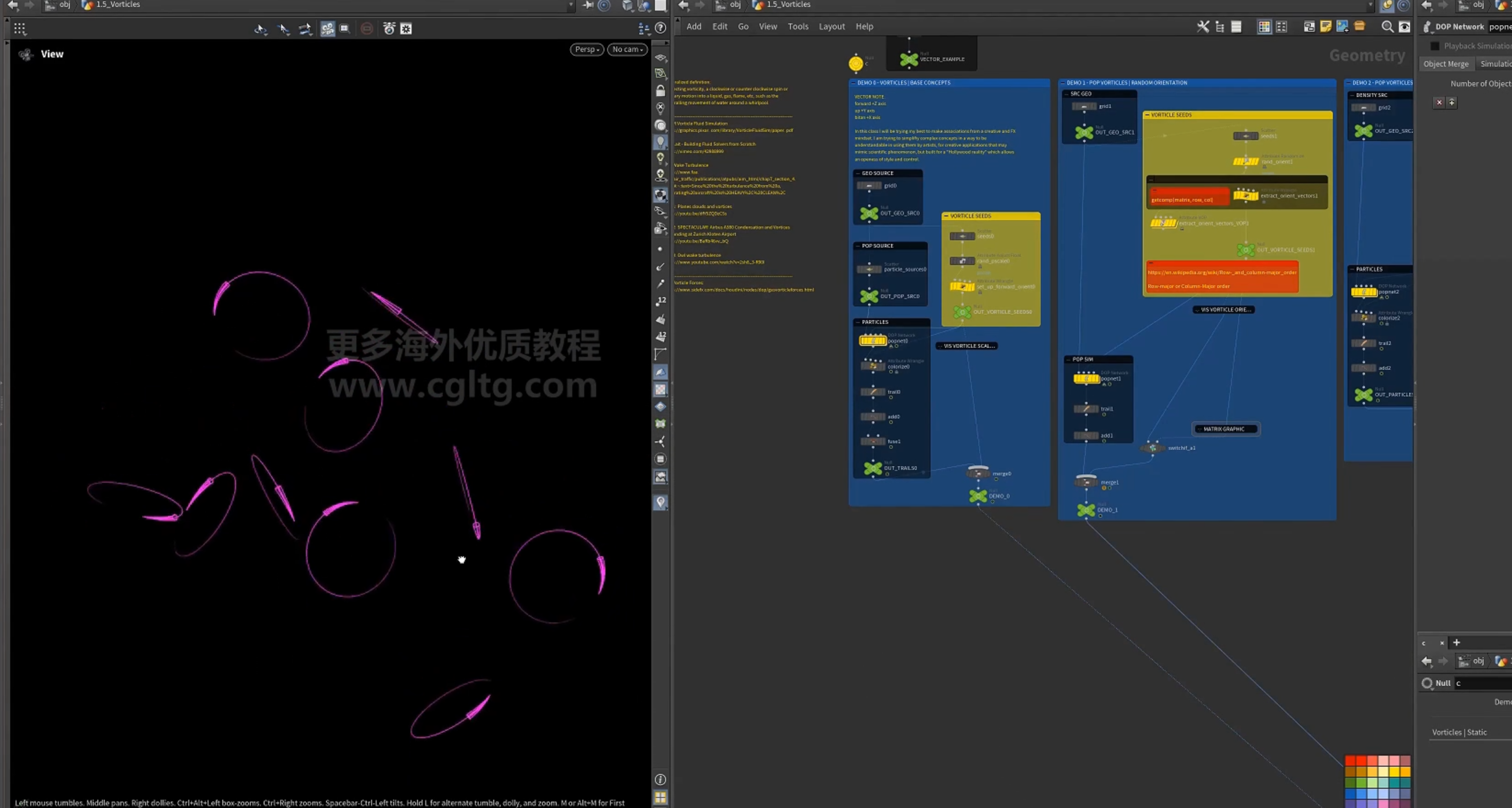
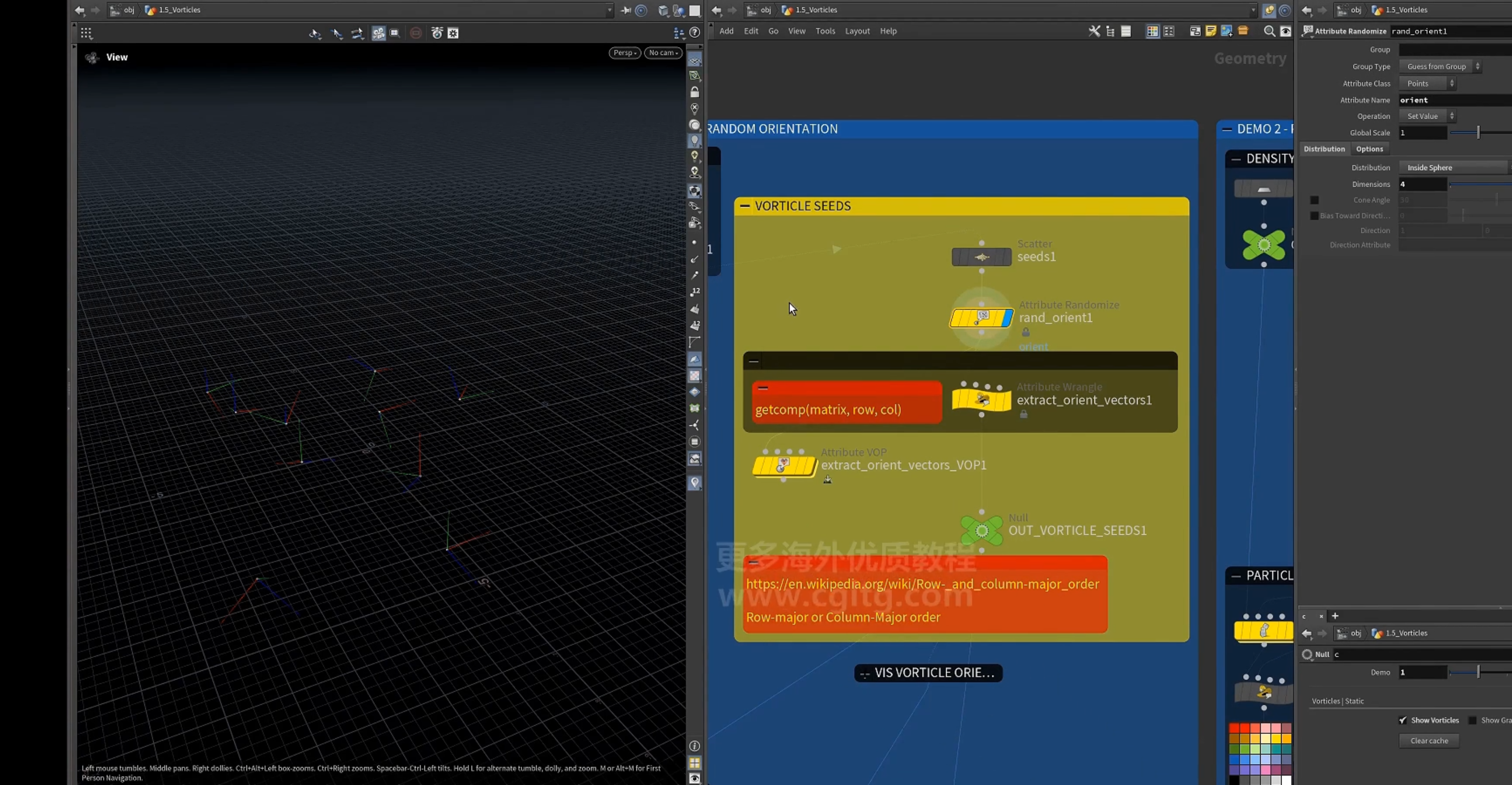
1.随机化点的up属性,随机化其orient属性
随机orient属性
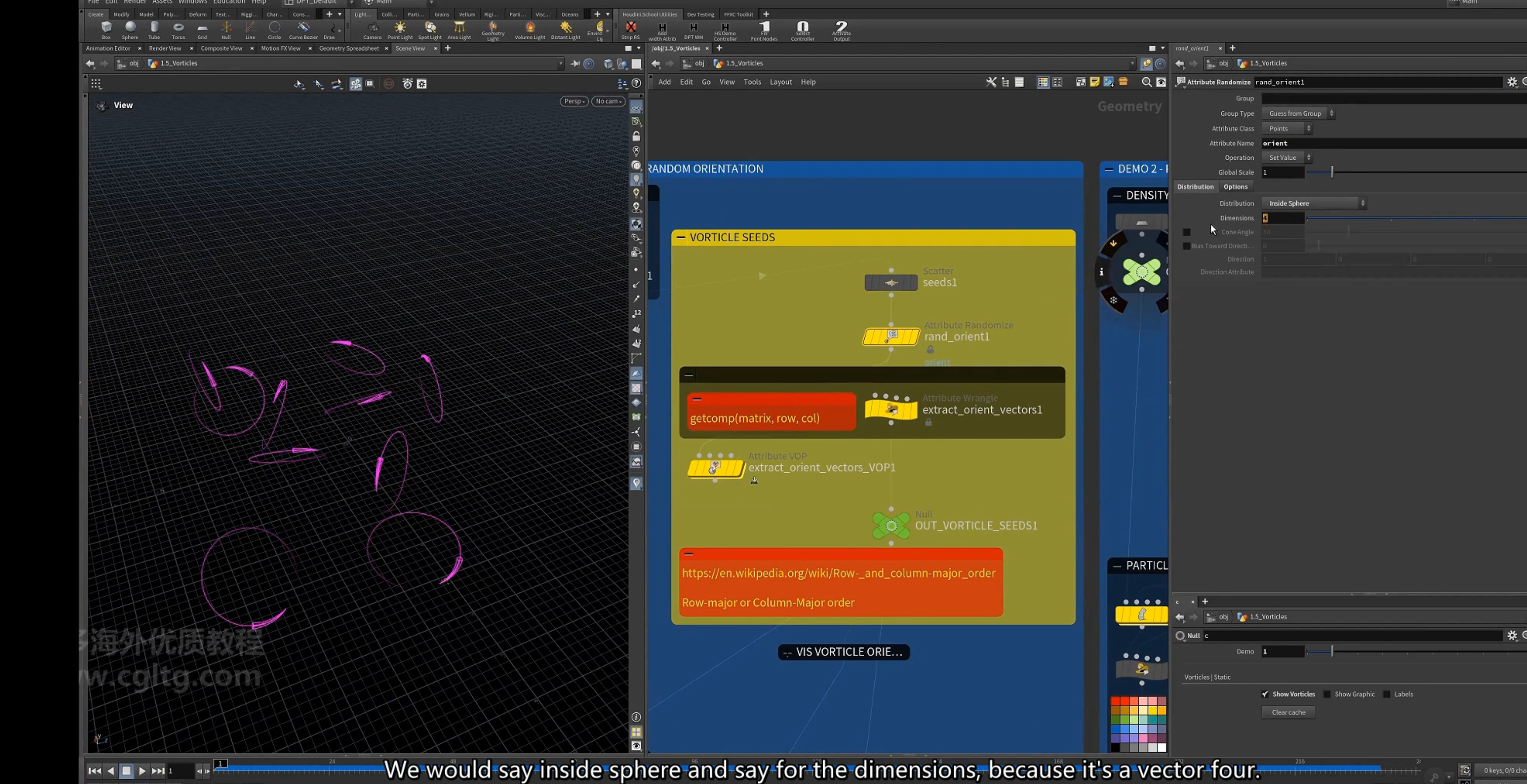
2.提取orient的向量
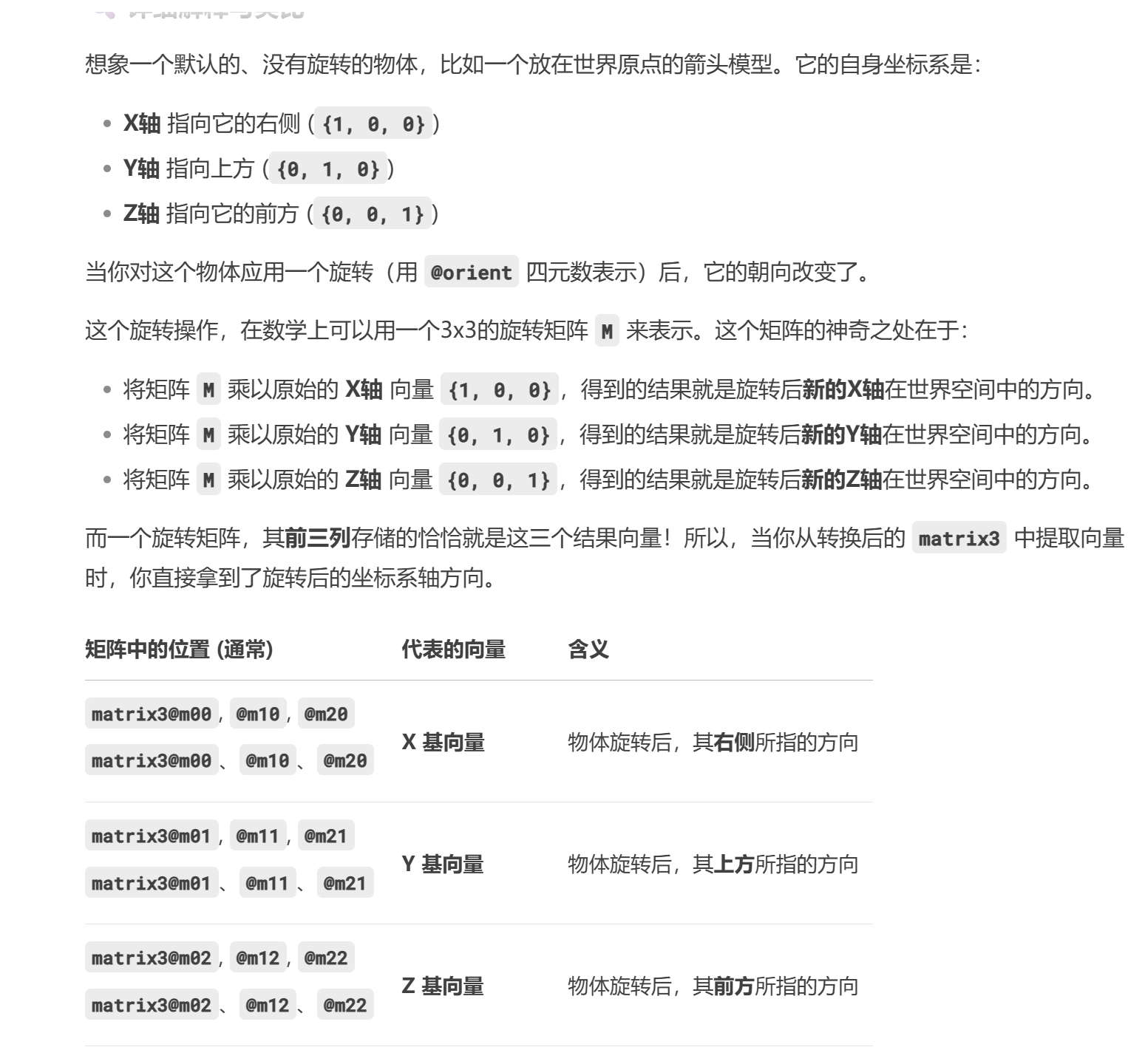
注意:==四元数quaternion 是一个vector4 类型==
[ qconvert() ]函数 将四元数转换为3.3矩阵
[ getcomp() ]函数 获取matrix3的组件x,y,z轴,获取对应行列的矩阵元素
提取出来的三个分量是该旋转定义的新坐标系的三个基向量再世界空间中的方向
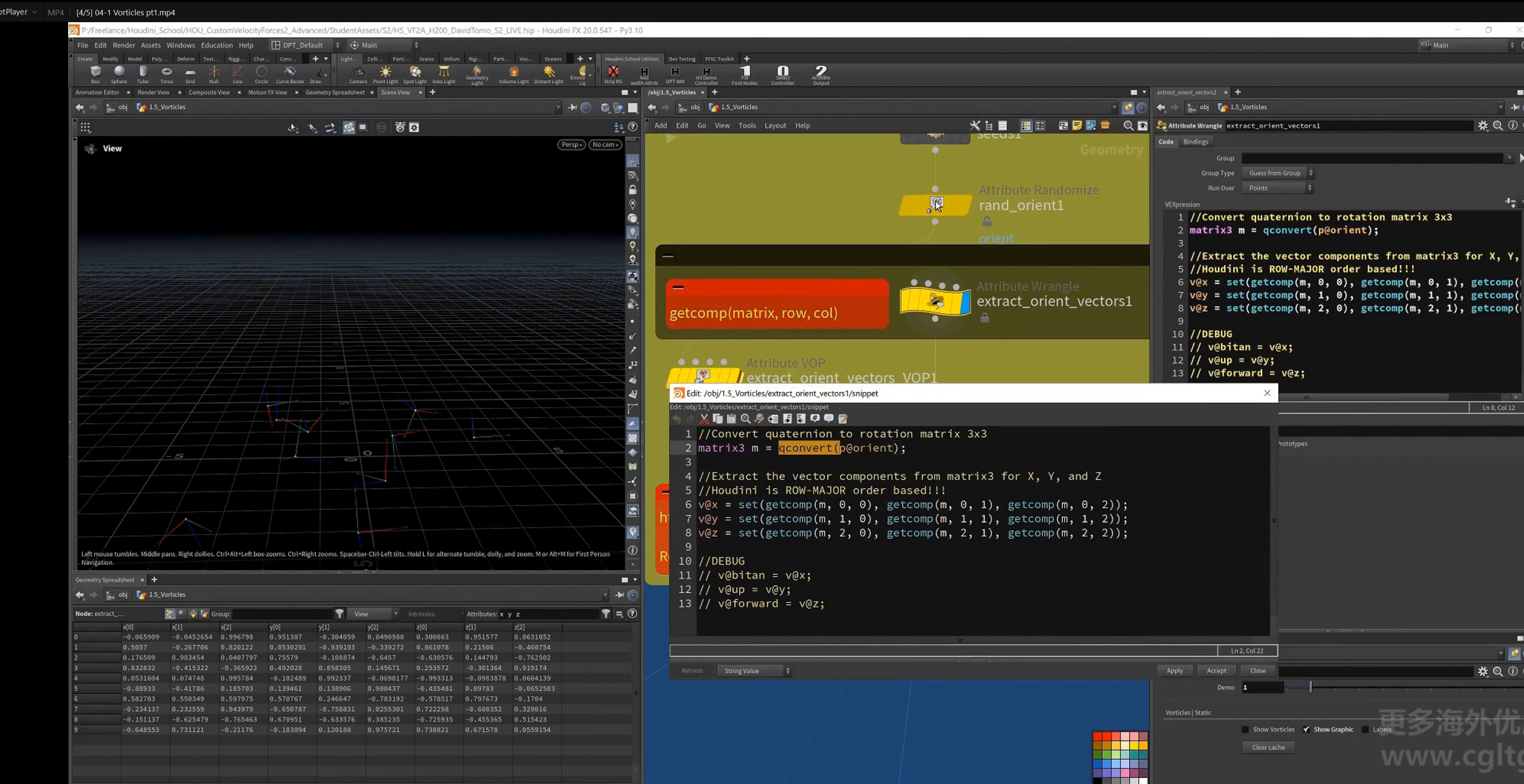
==houdini是基于行优先顺序==
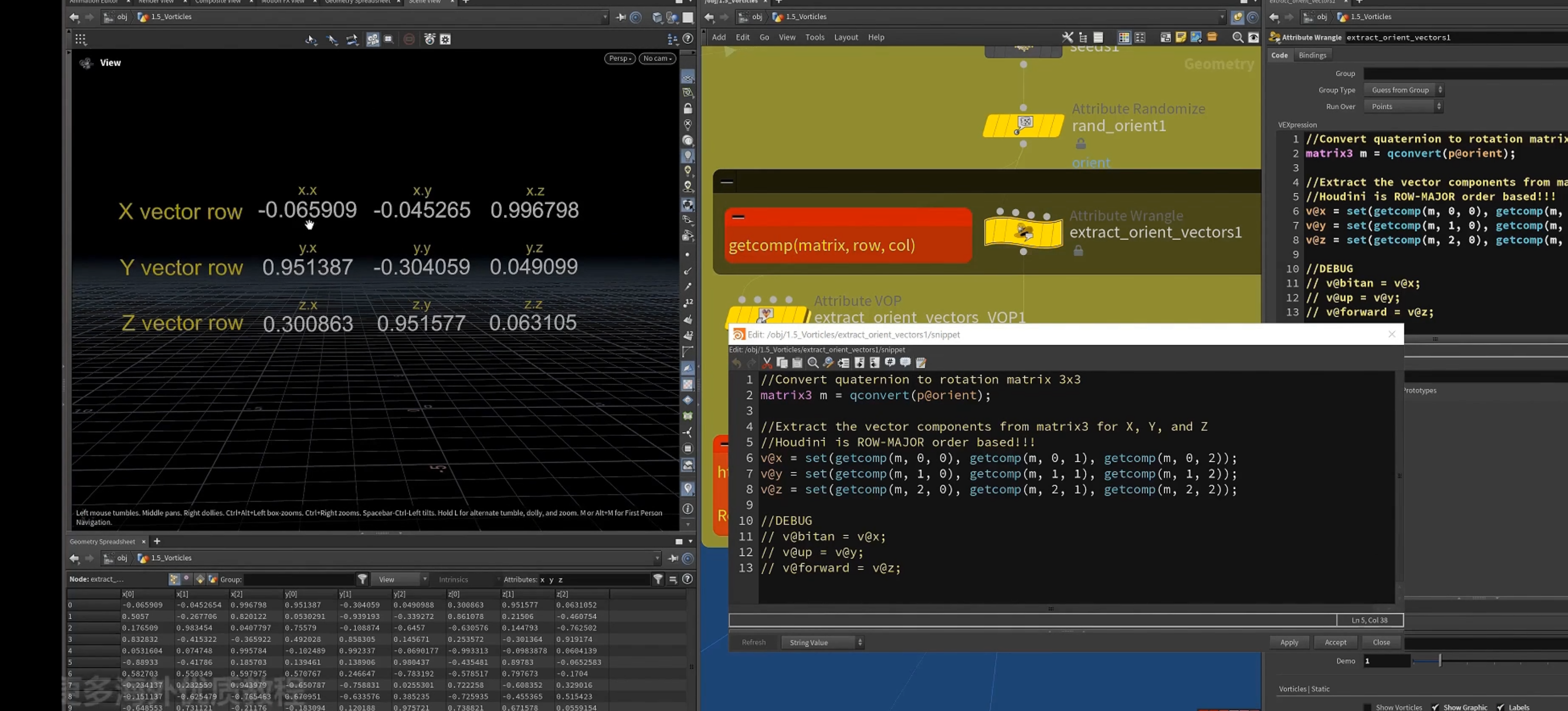
对于四元数quaternion的理解
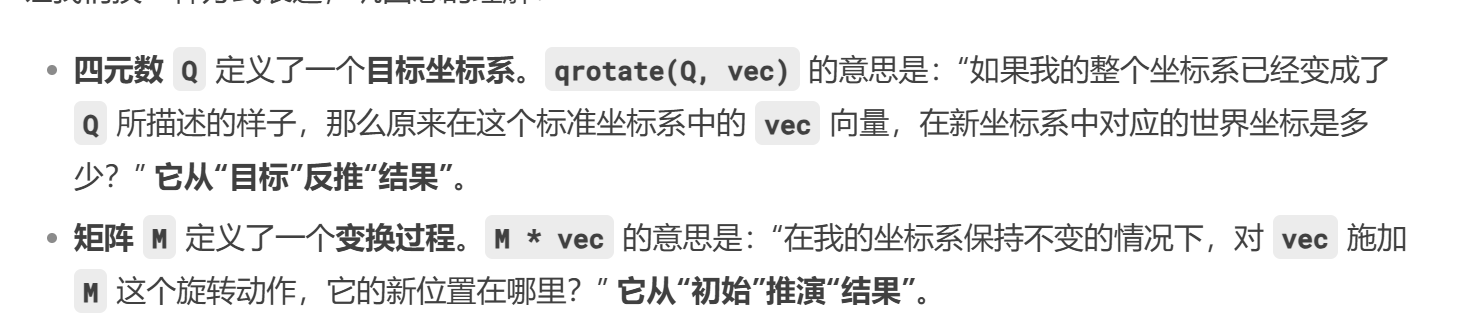
所以提取的三个向量,即为四元数定义的新坐标系的三个基向量在世界空间中的位置.
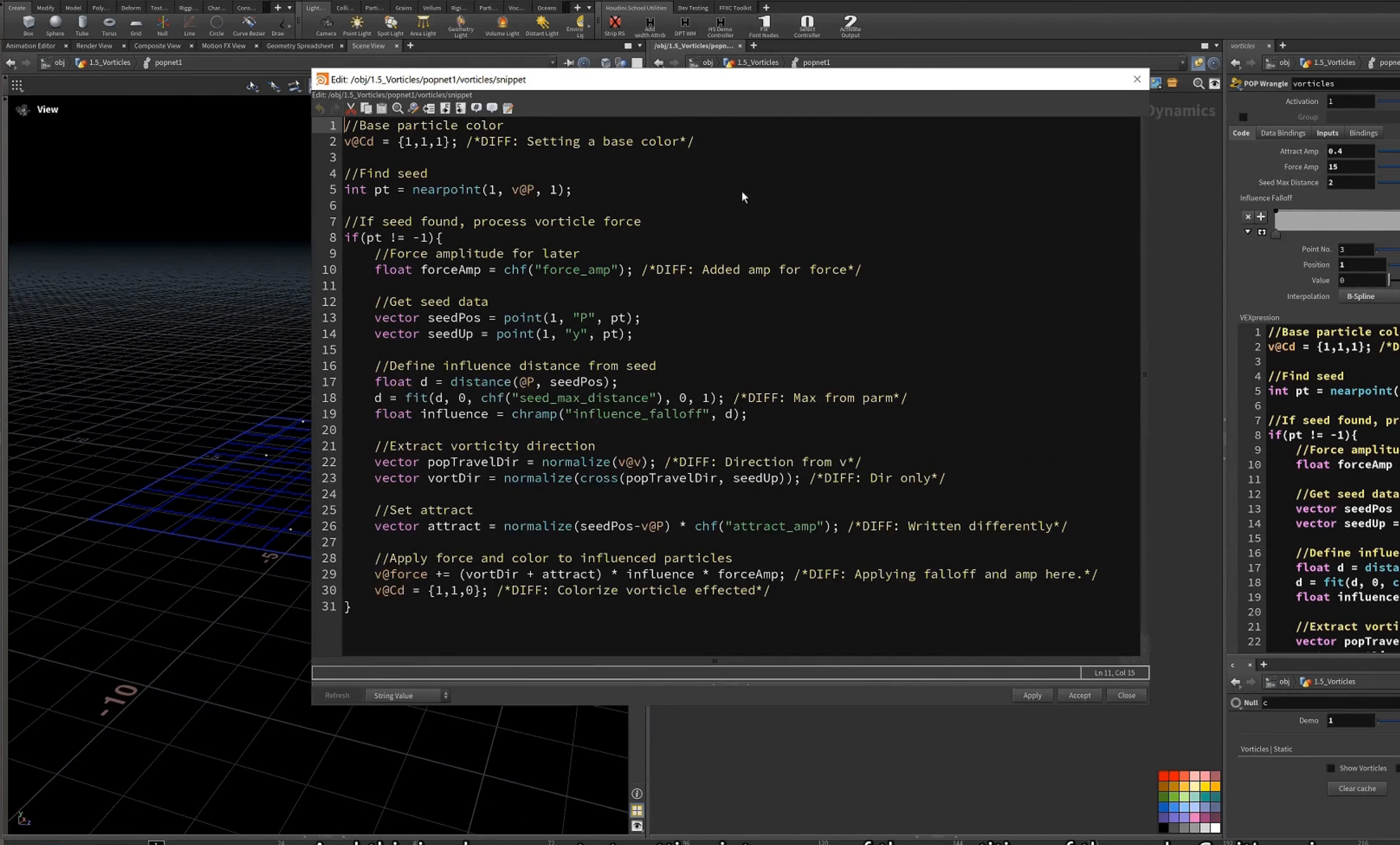
2.pop net
4.动画化旋转方向
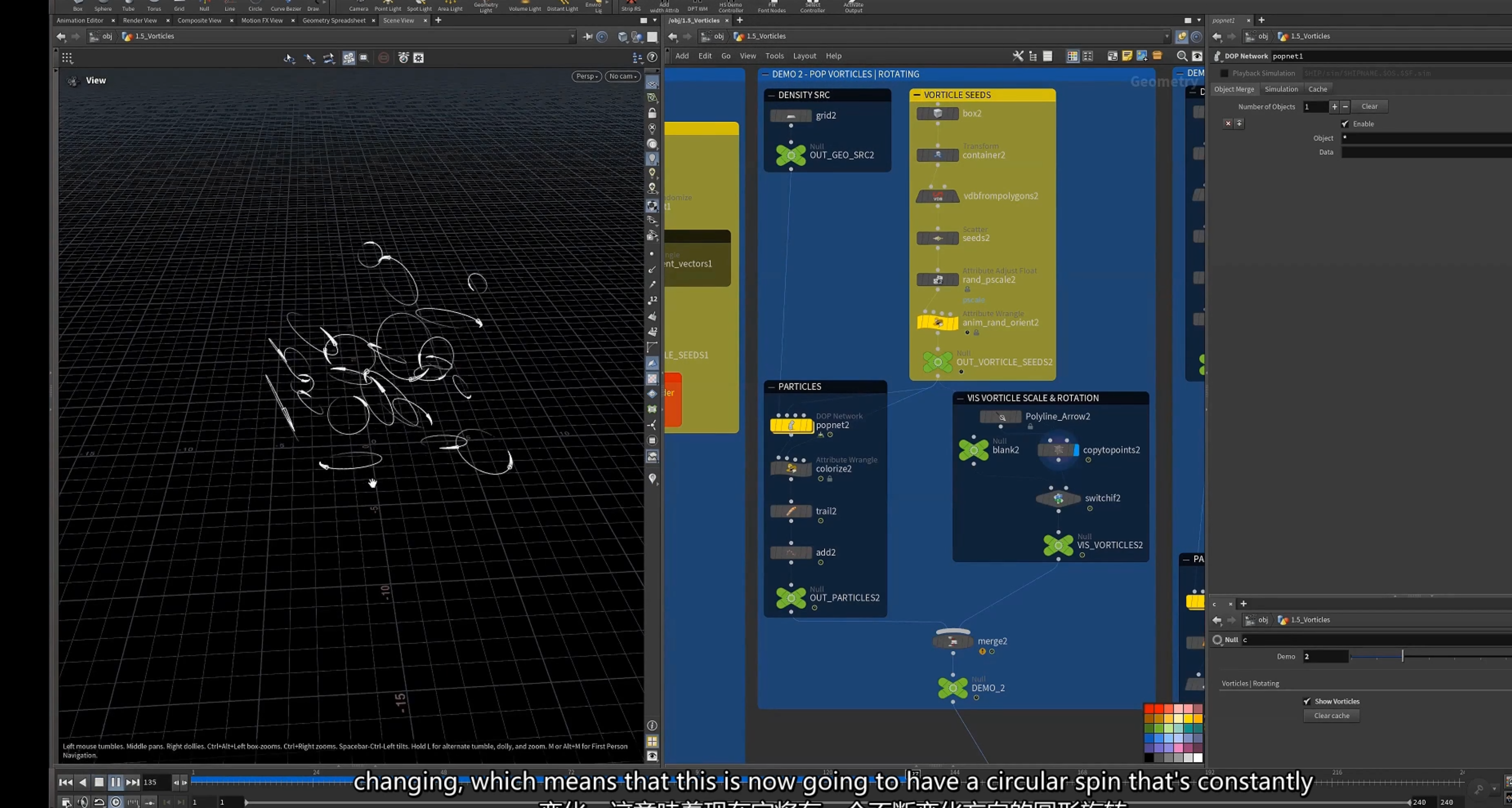
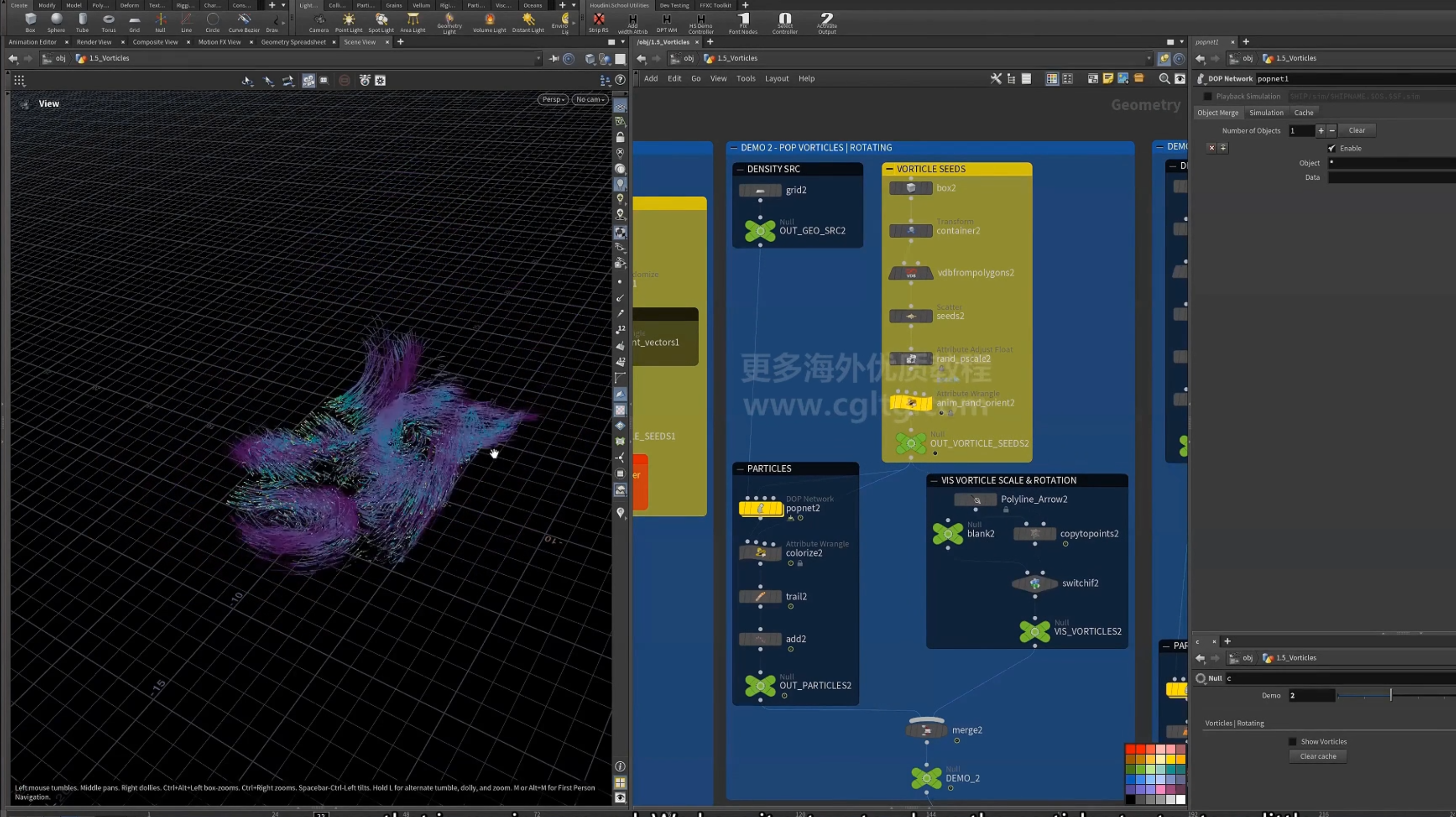
1.空间中生成点,设置pscale
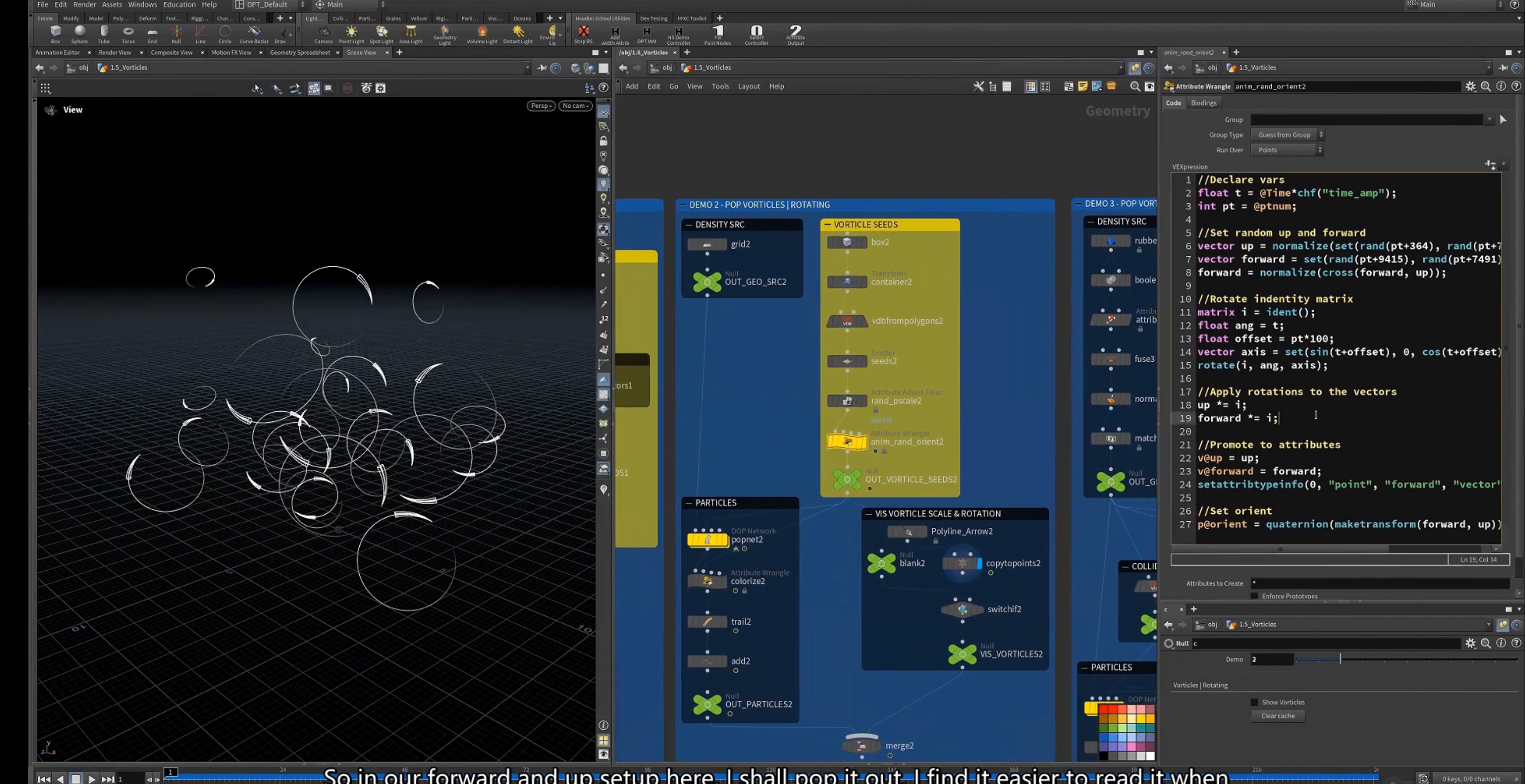
2.旋转动画 orient
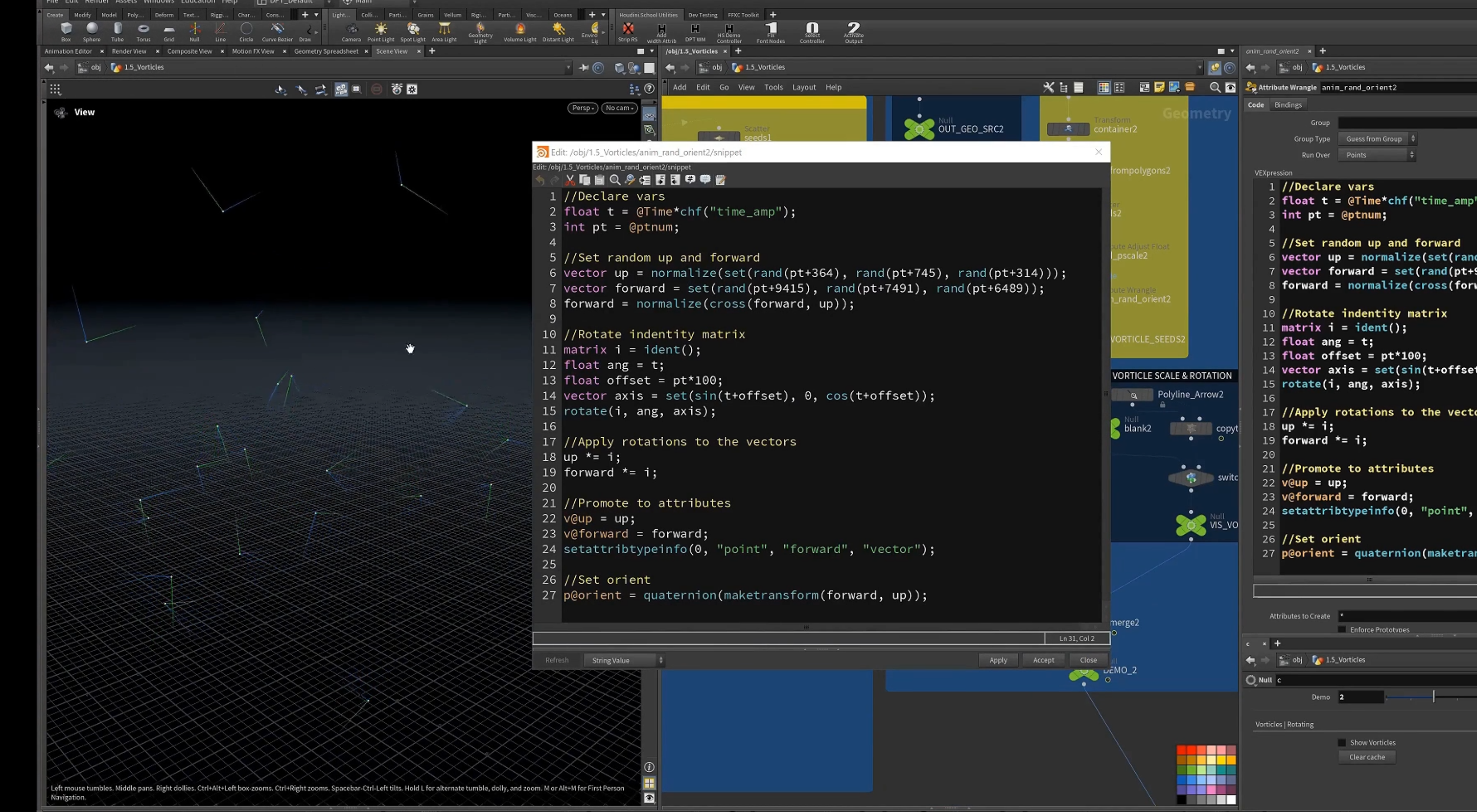
1.设置随机的up 和 forward方向
2.构建旋转矩阵,使用t(依据时间)加上偏移值作为角度带入三角函数,在xz平面画圆(以此作为旋转轴)
3.将此旋转矩阵应用到up和forward向量
4.设置为属性,设置metadata type 为vector.
5.以两个向量生成变换矩阵,在用矩阵生成四元数,设置为orient
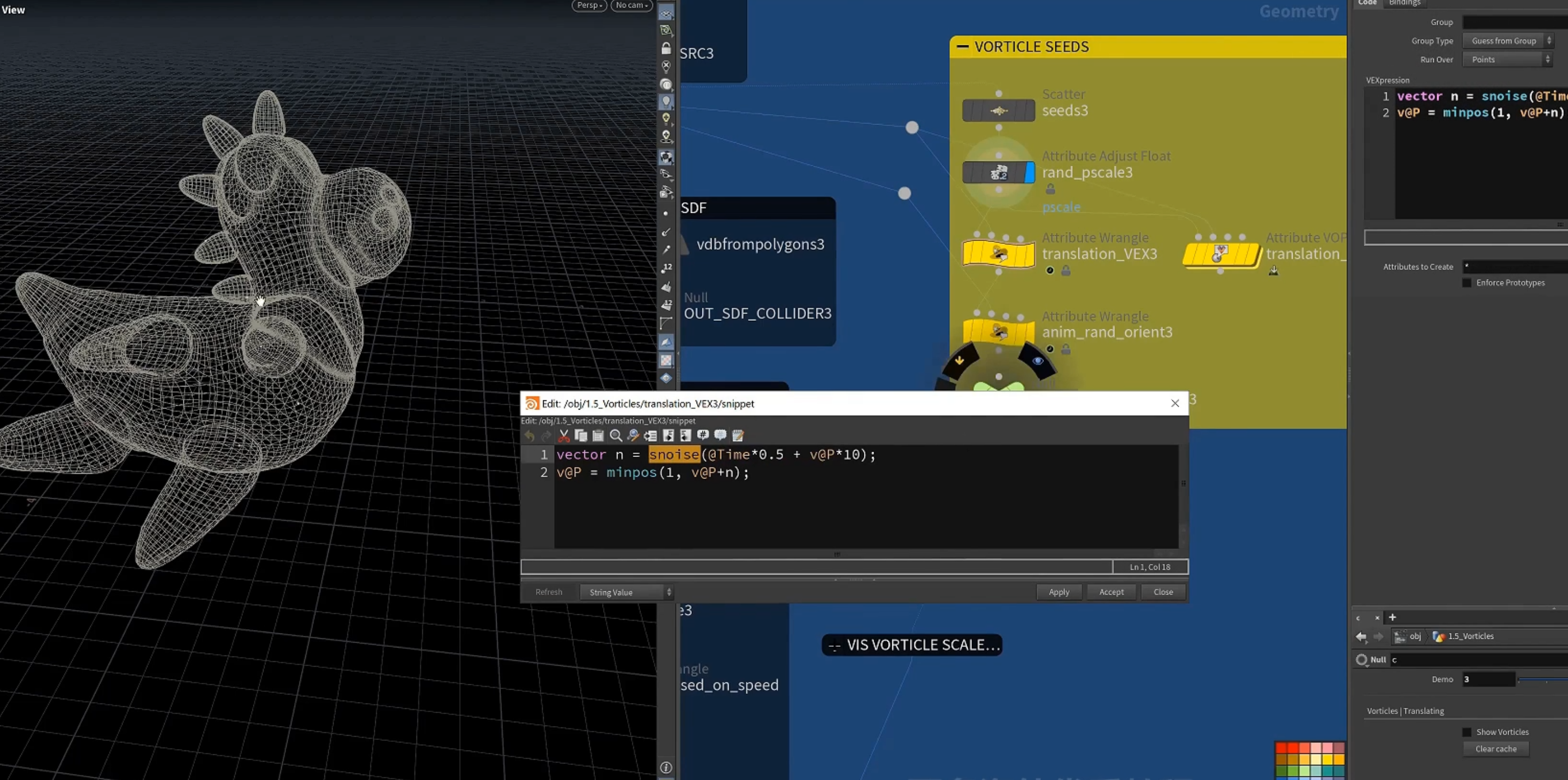
5.基于噪波 在surface上移动
1.
[ minpos() ]函数 返回几何上最近点的位置
2.动画设置,旋转方向设置
1.使用[ primuv() ]函数 查找距离表面上最近的距离,返回prims 和uv坐标
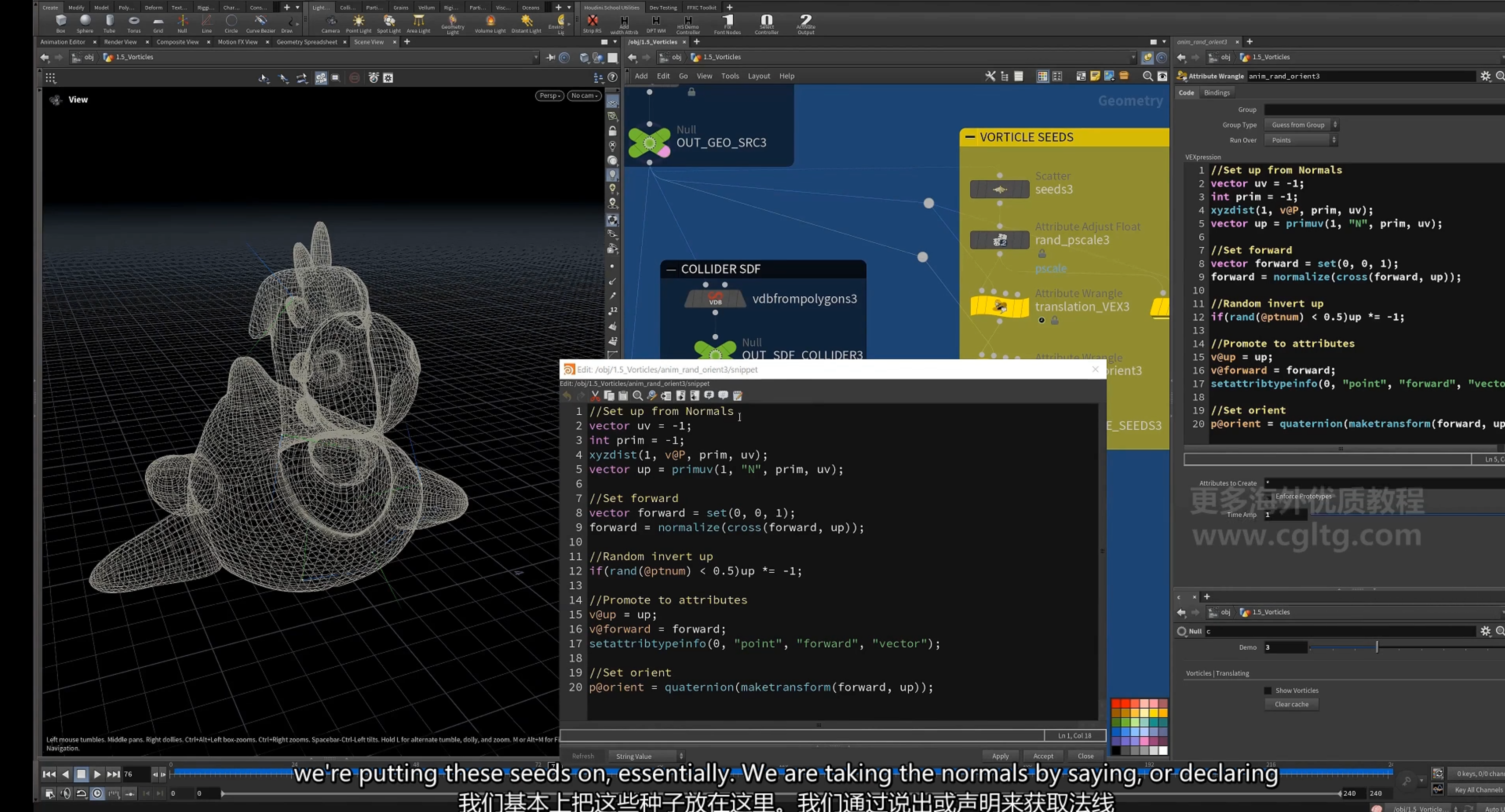
2.用最近位置的N向量(插值)作为up向量
3.设置z方向为forward方向,更新为其(0,0,1)与up方向的叉乘结果
4.设置一般的up方向反向
5.设置为属性,设置元属性
6.设置orient四元数
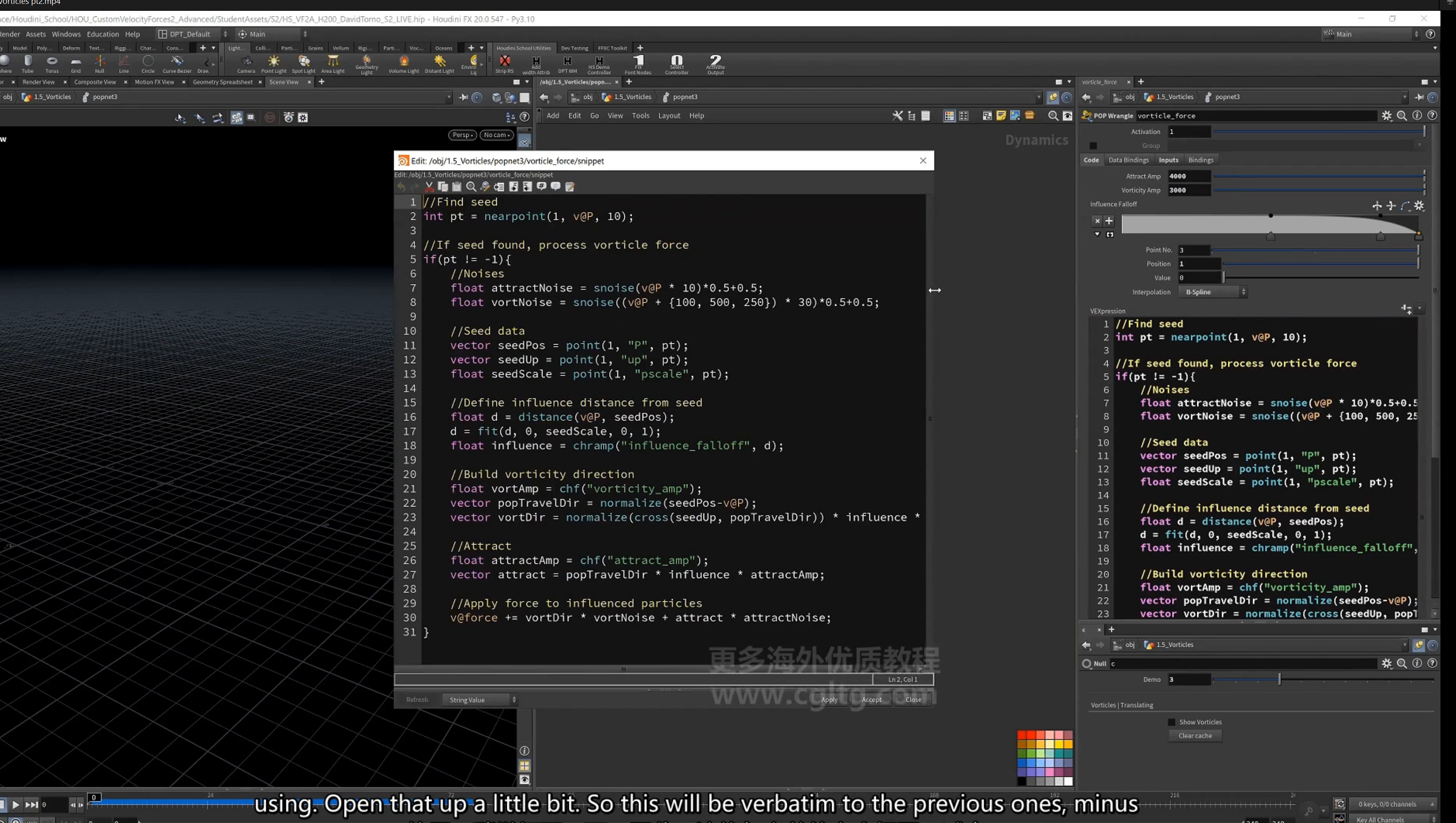
3. pop vorticle force设置
1. 设置噪波
2.获取种子点属性
3.定义依据距离和pscale的影响力
4.计算指向种子点方向的向量,在通过与up 向量求叉积获得旋转向量。
5.设置吸引力
6.更新力, 累计force
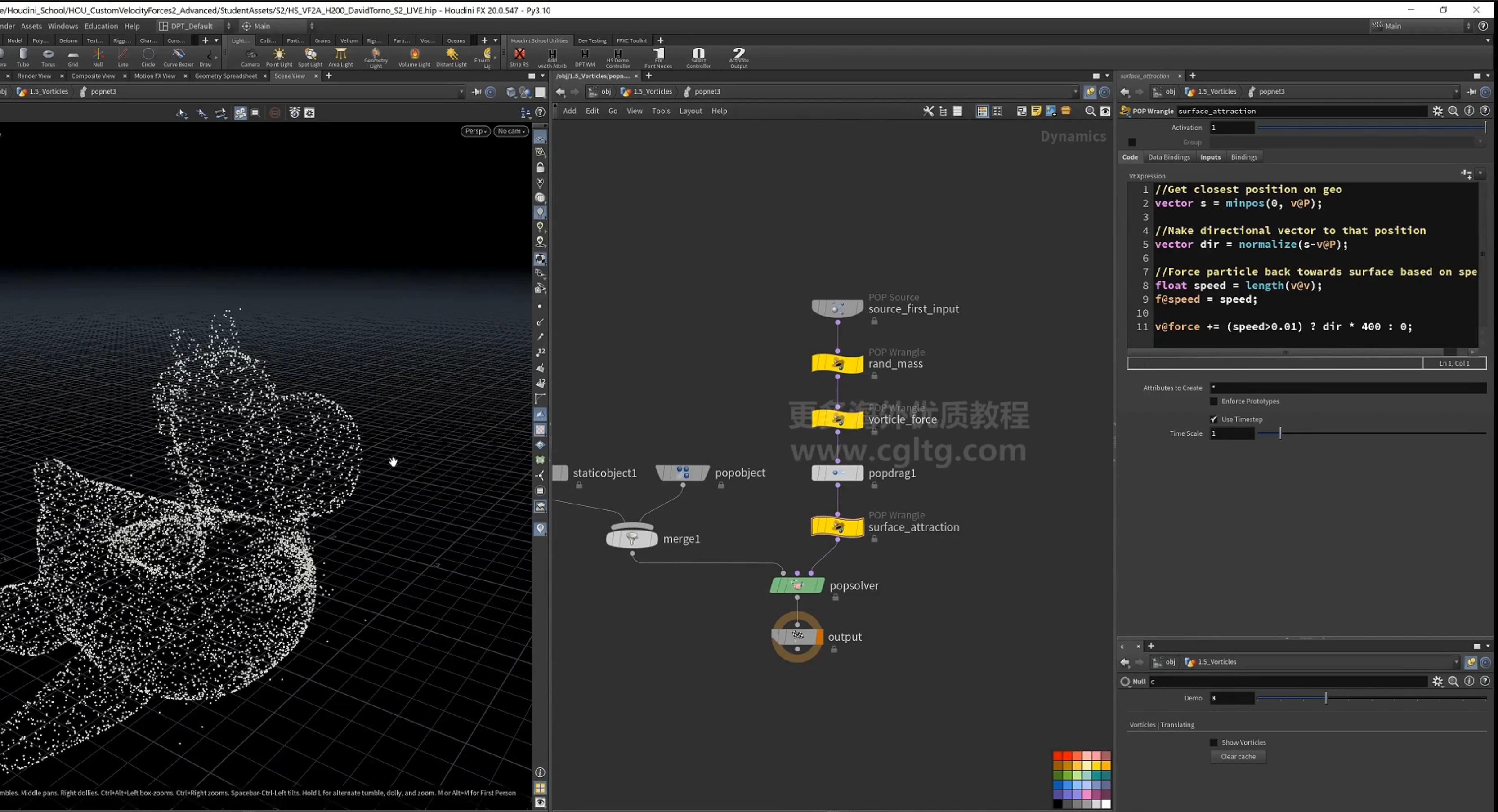
4.pop surface attraction 设置
1.寻找近点,计算到近点的方向,设置speed属性,将方向向量作为力添加到force中。
这里判断速度是否为0
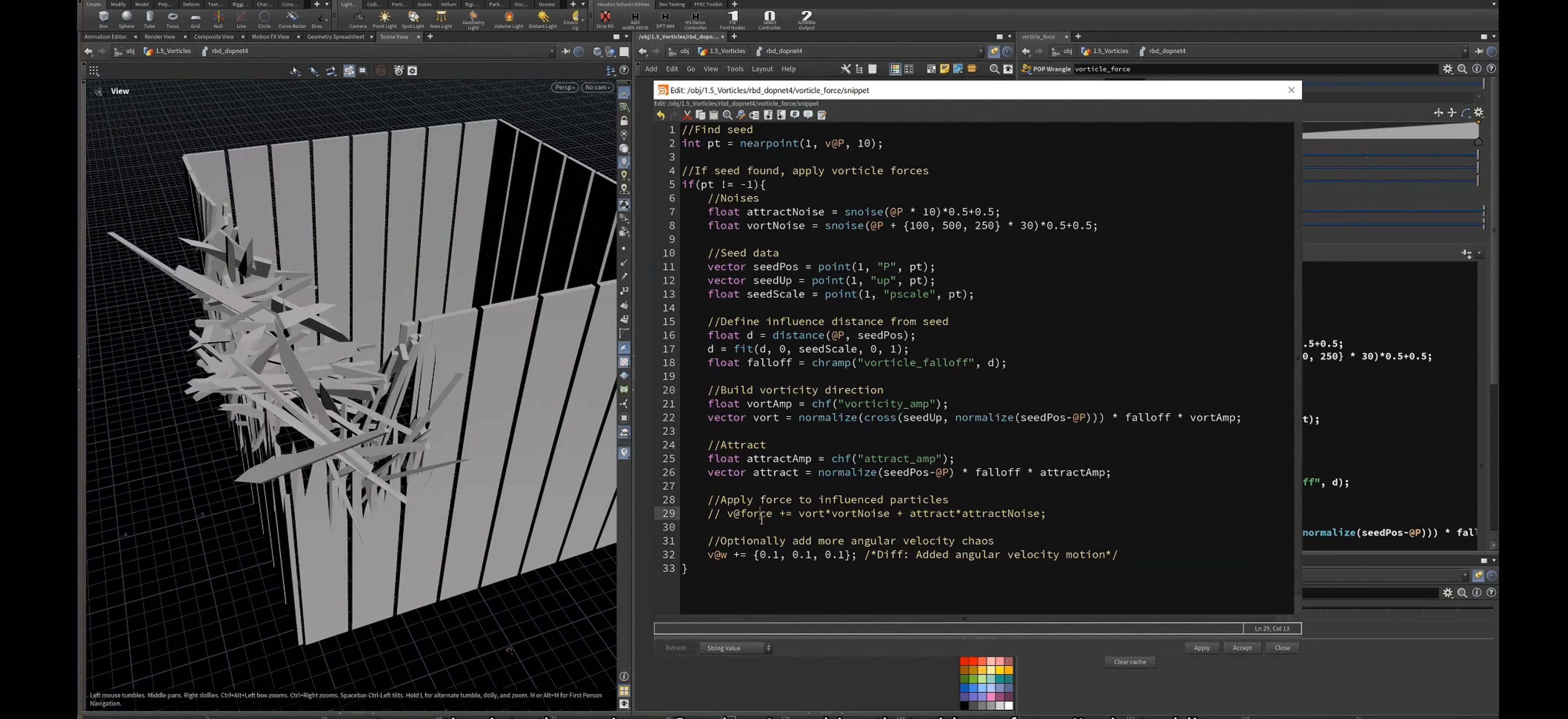
6.将涡流应用于模拟
1.使用vorticle field驱动(设置force)
1.最后选项,设置w属性,设置角速度
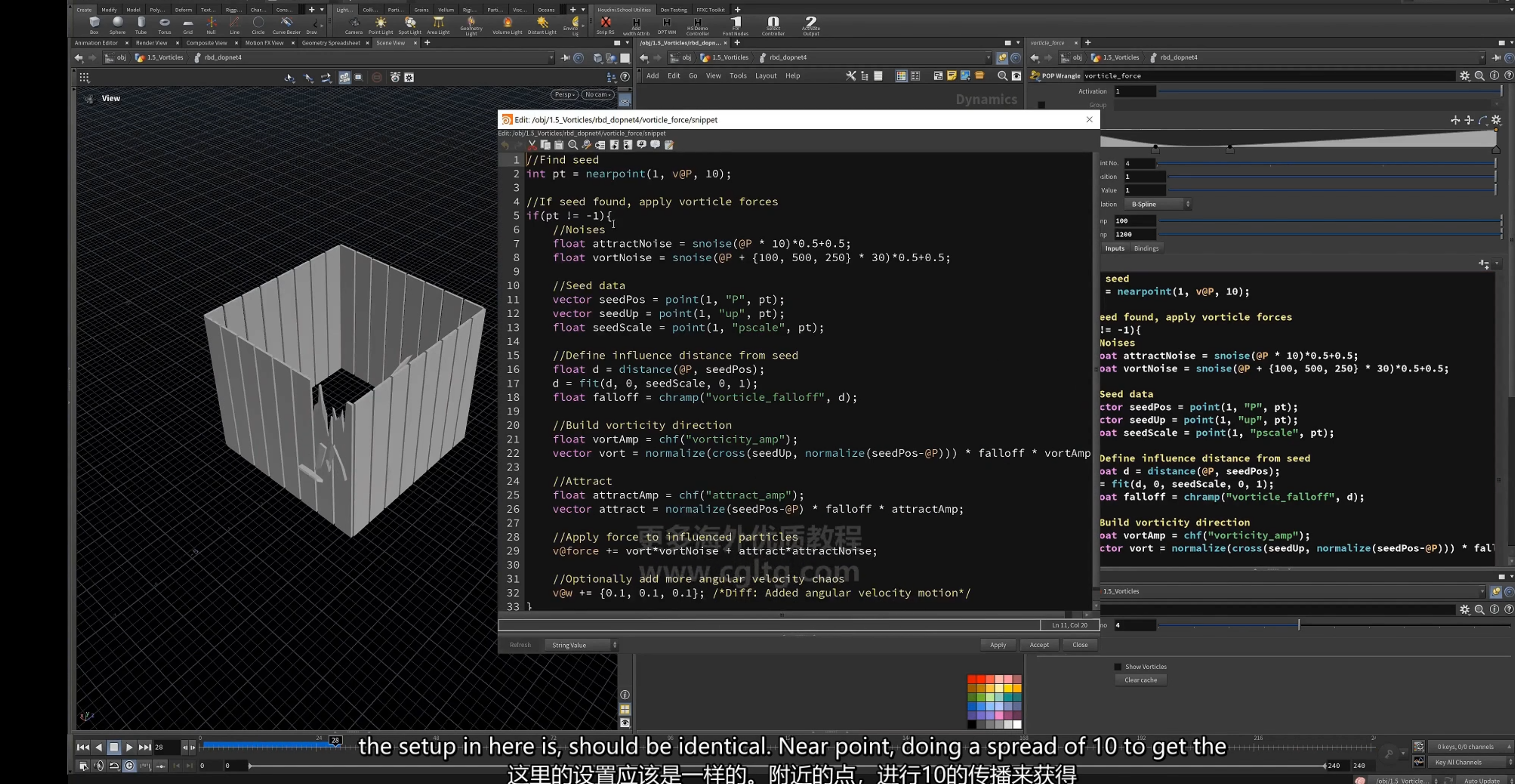
2.使用涡流 驱动flip模拟
设置一部分点up向上,一部分向下
dop net设置 同样是计算漩涡方向的向量作为 force
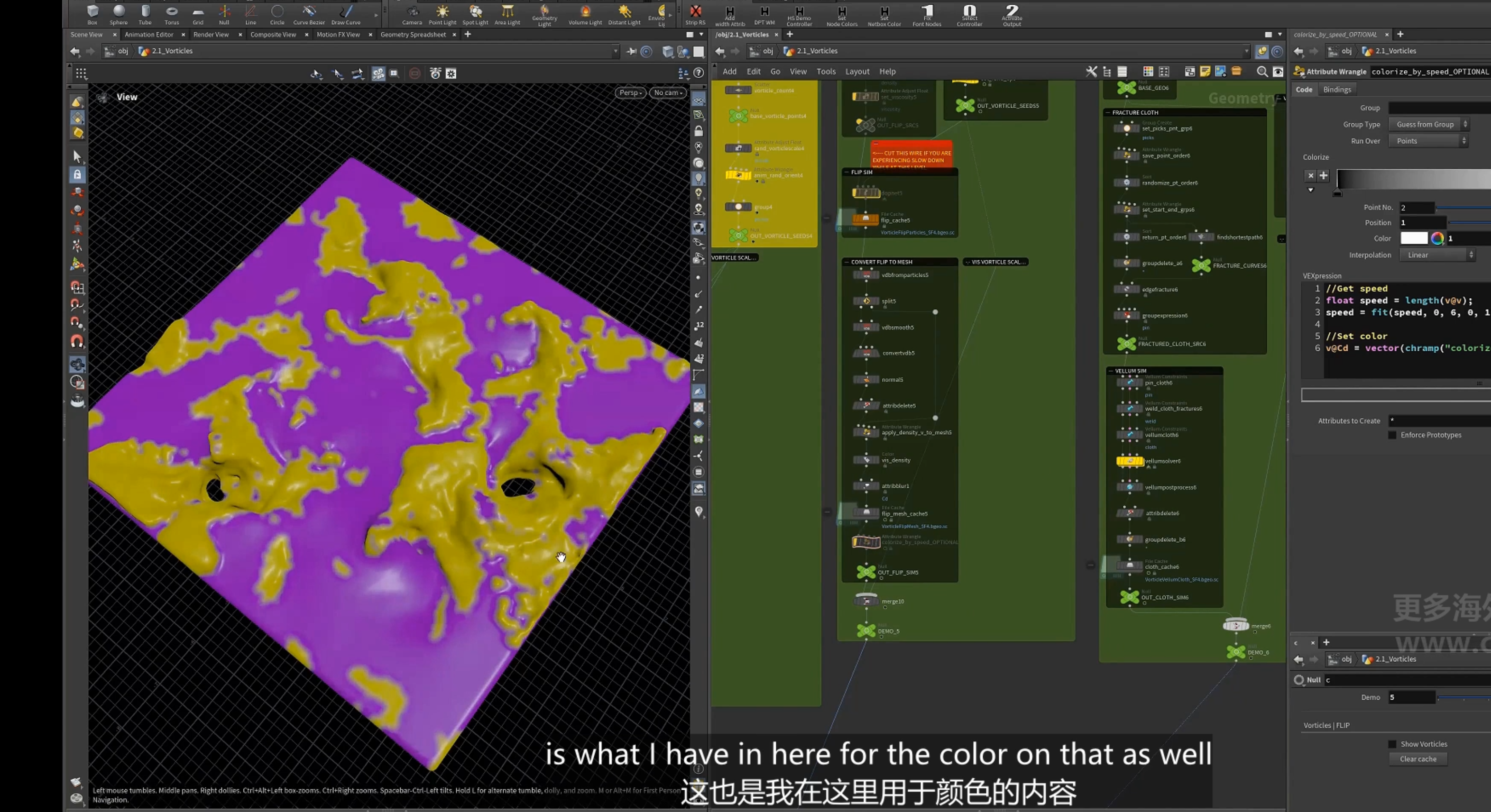
3.vortices 用于vellum 模拟
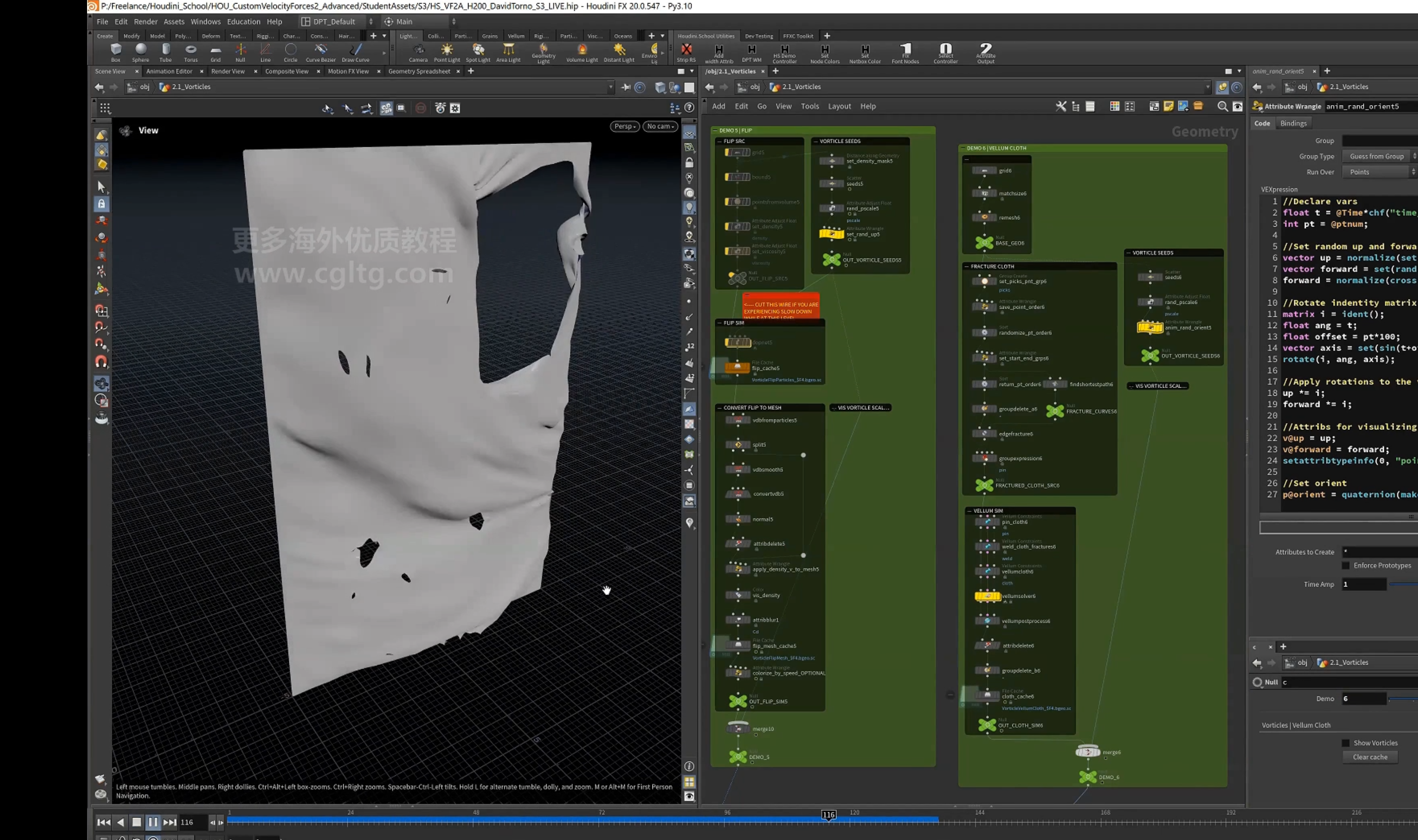
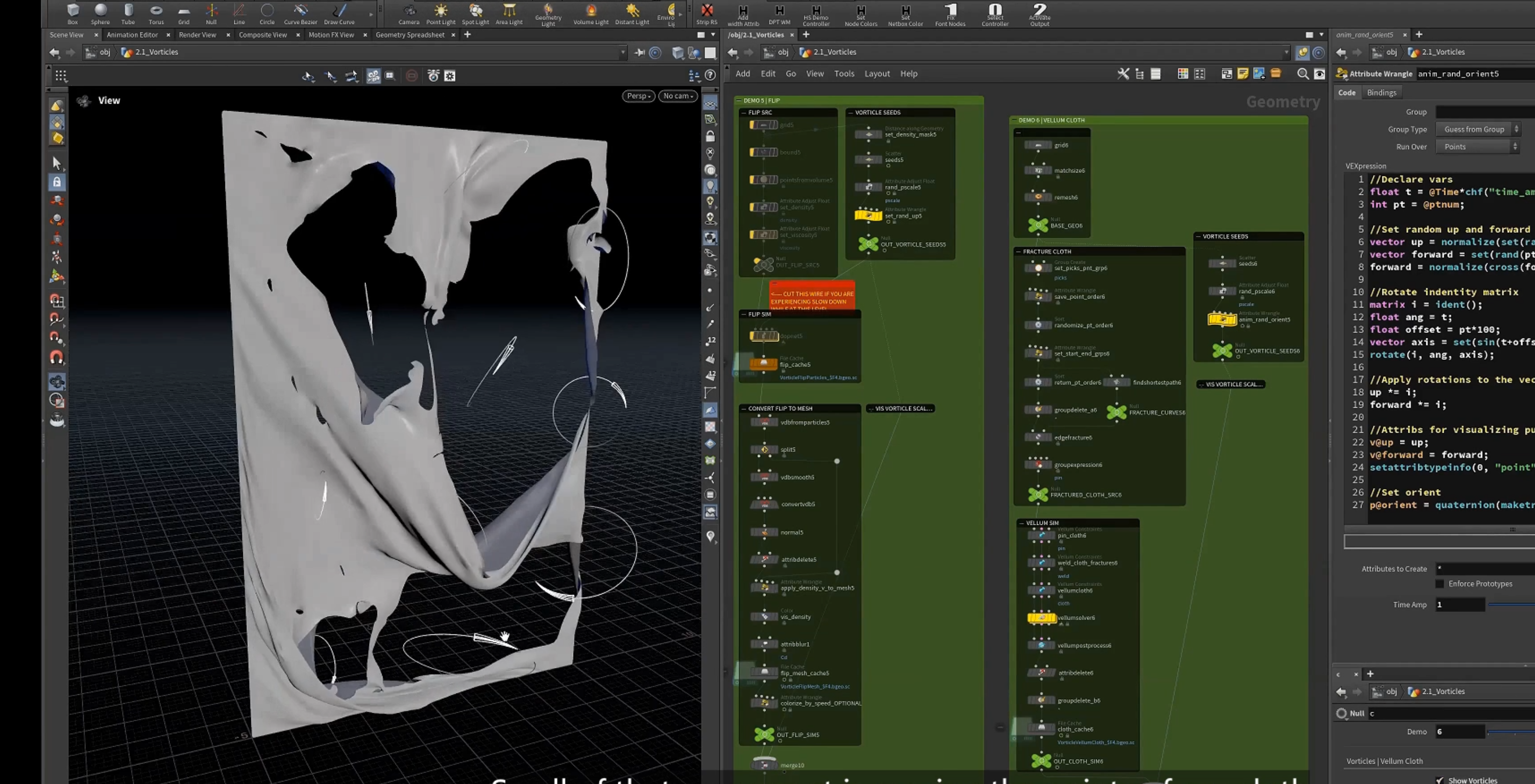
内部使用同样的代码更新force
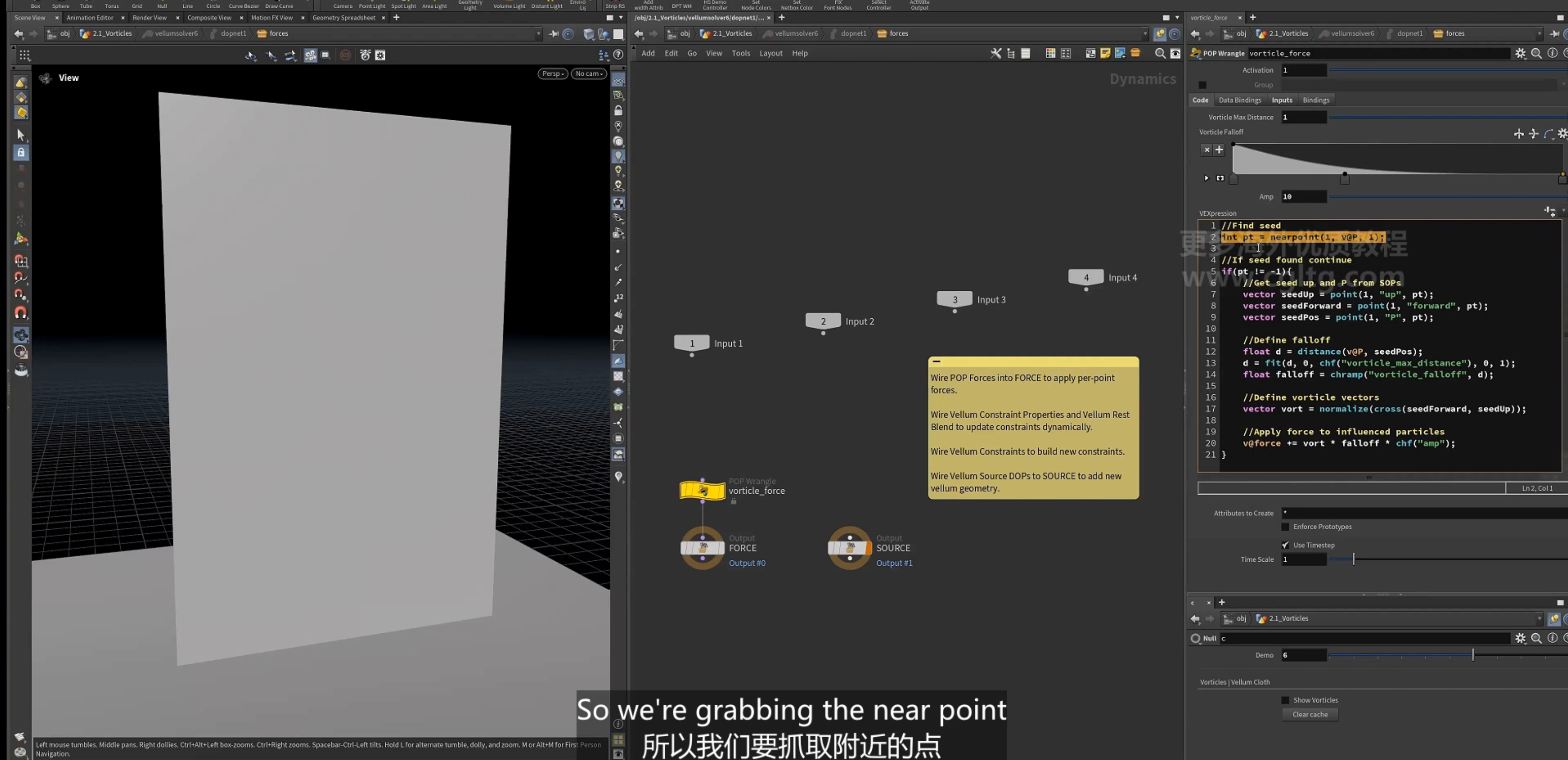
4.用于 vellum hair模拟
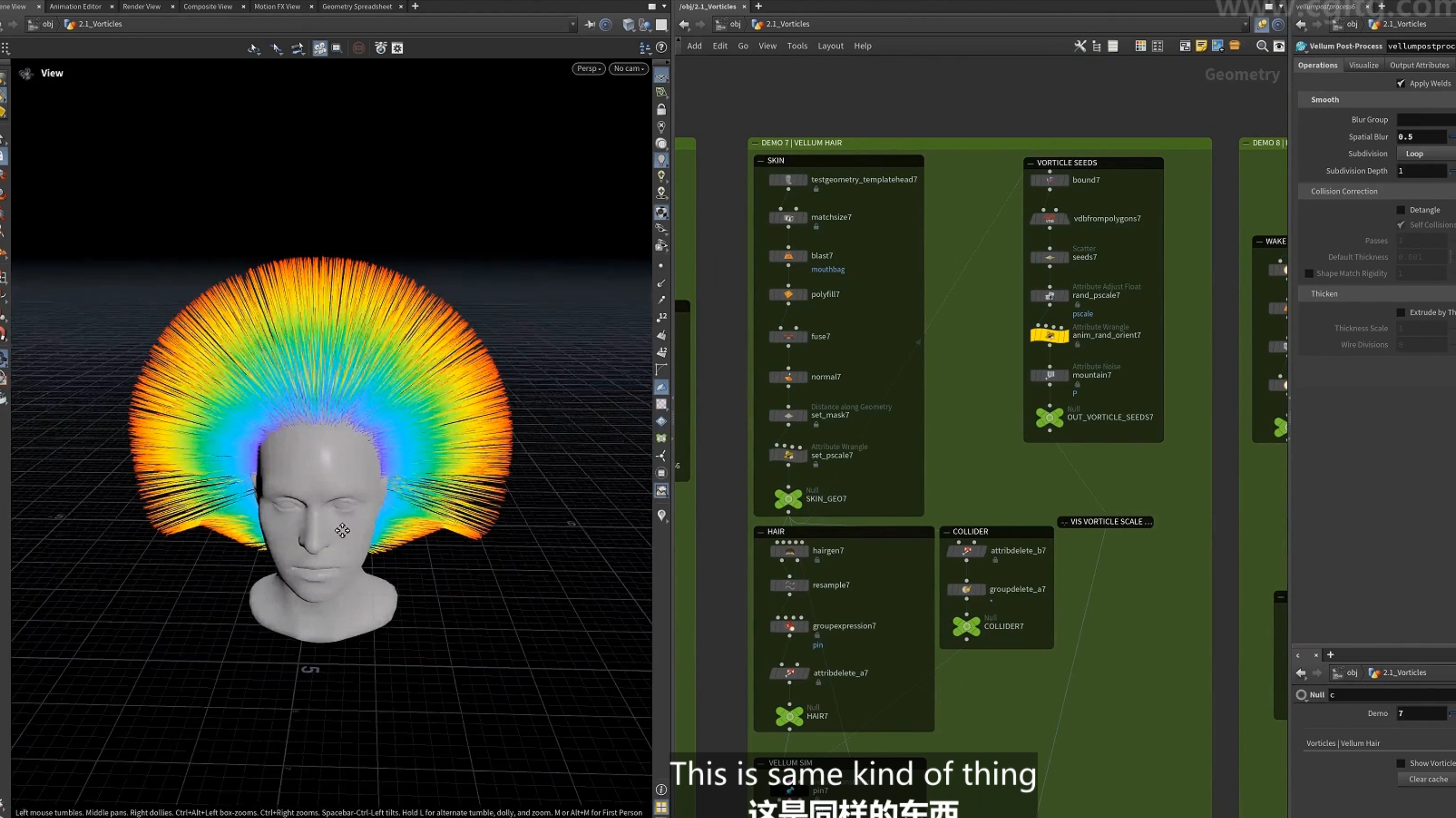
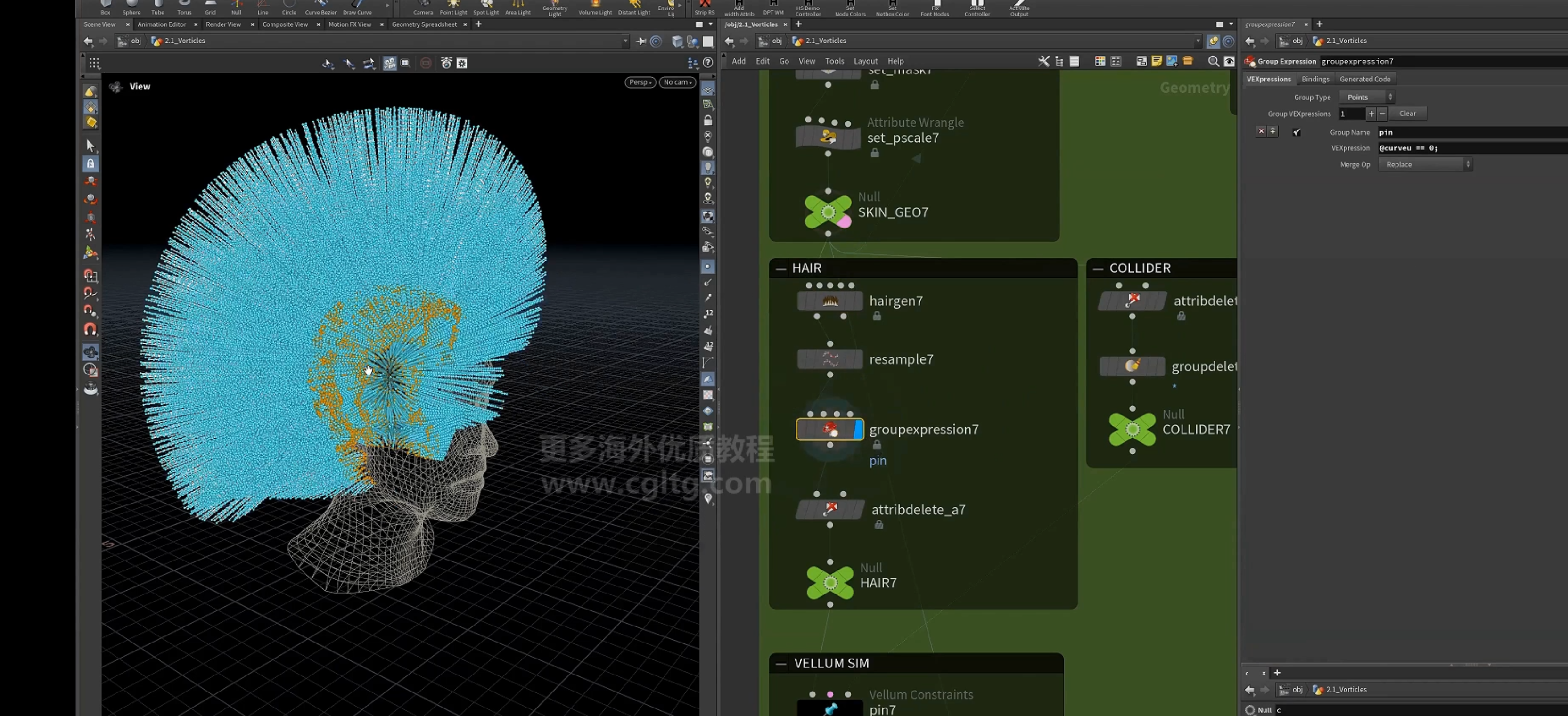
设置mask
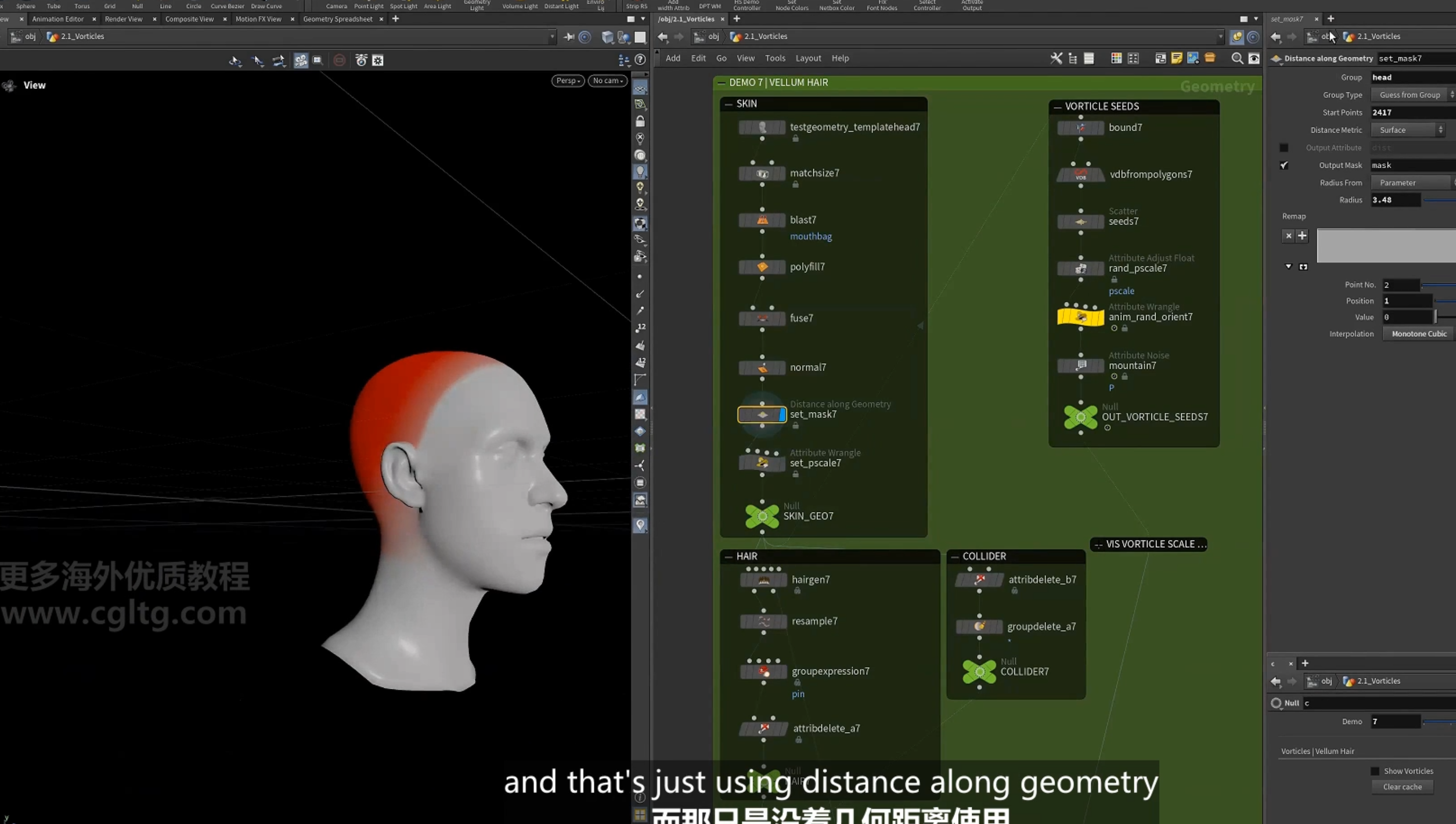
设置seed,使用同样的代码
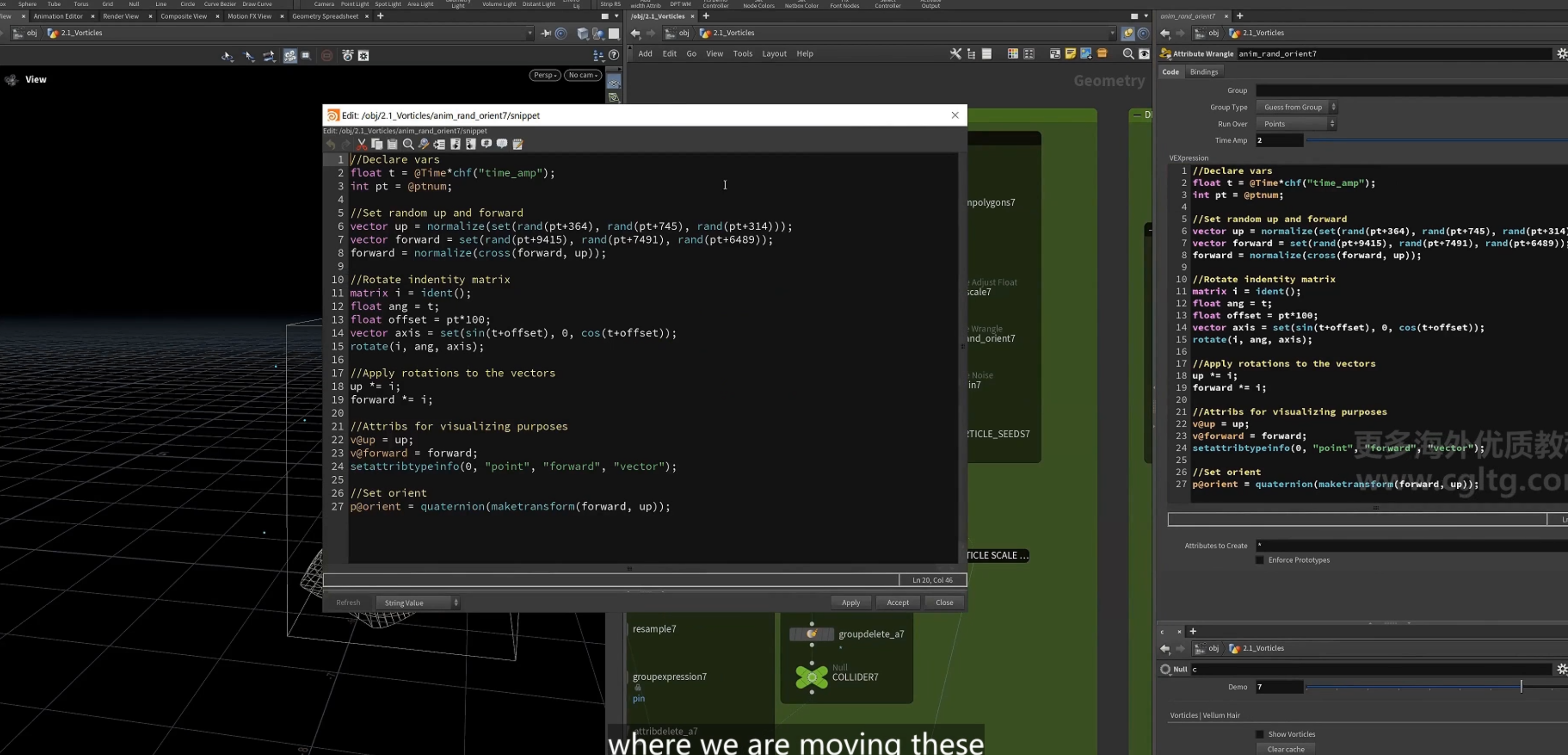
设置hair
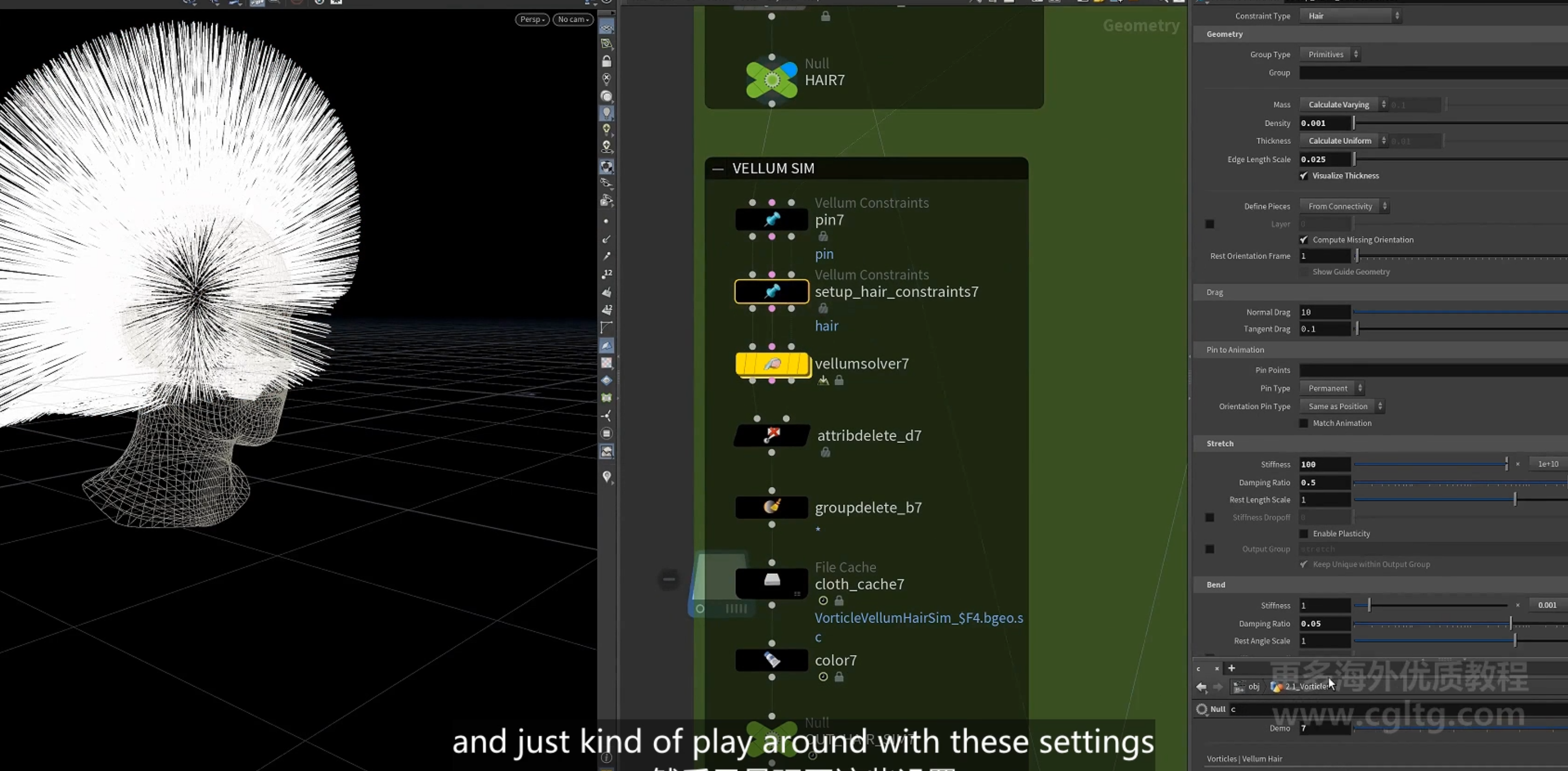
设置vellum 模拟
设置同样的force
5.==漩涡尾流烟雾模拟==
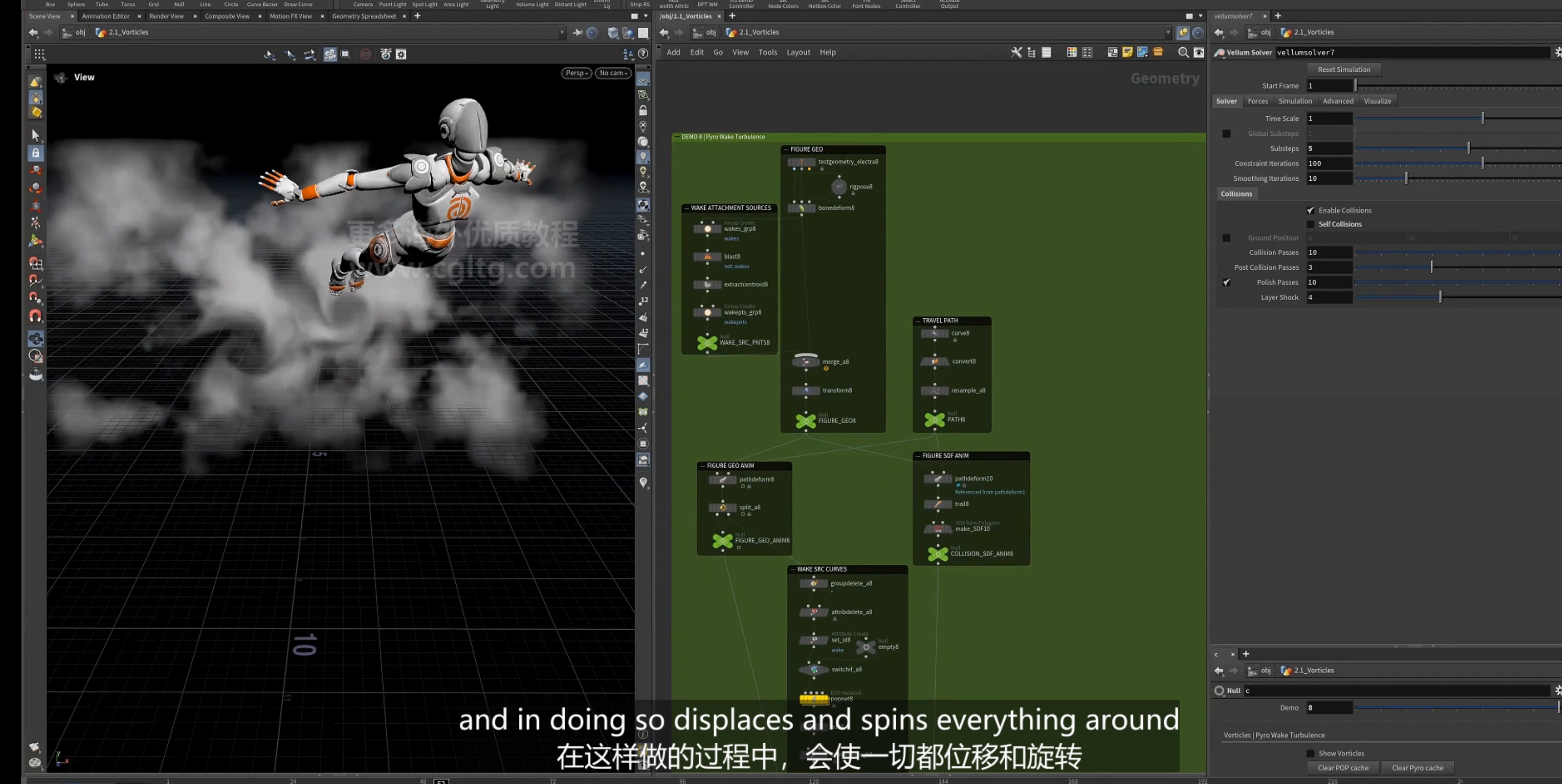
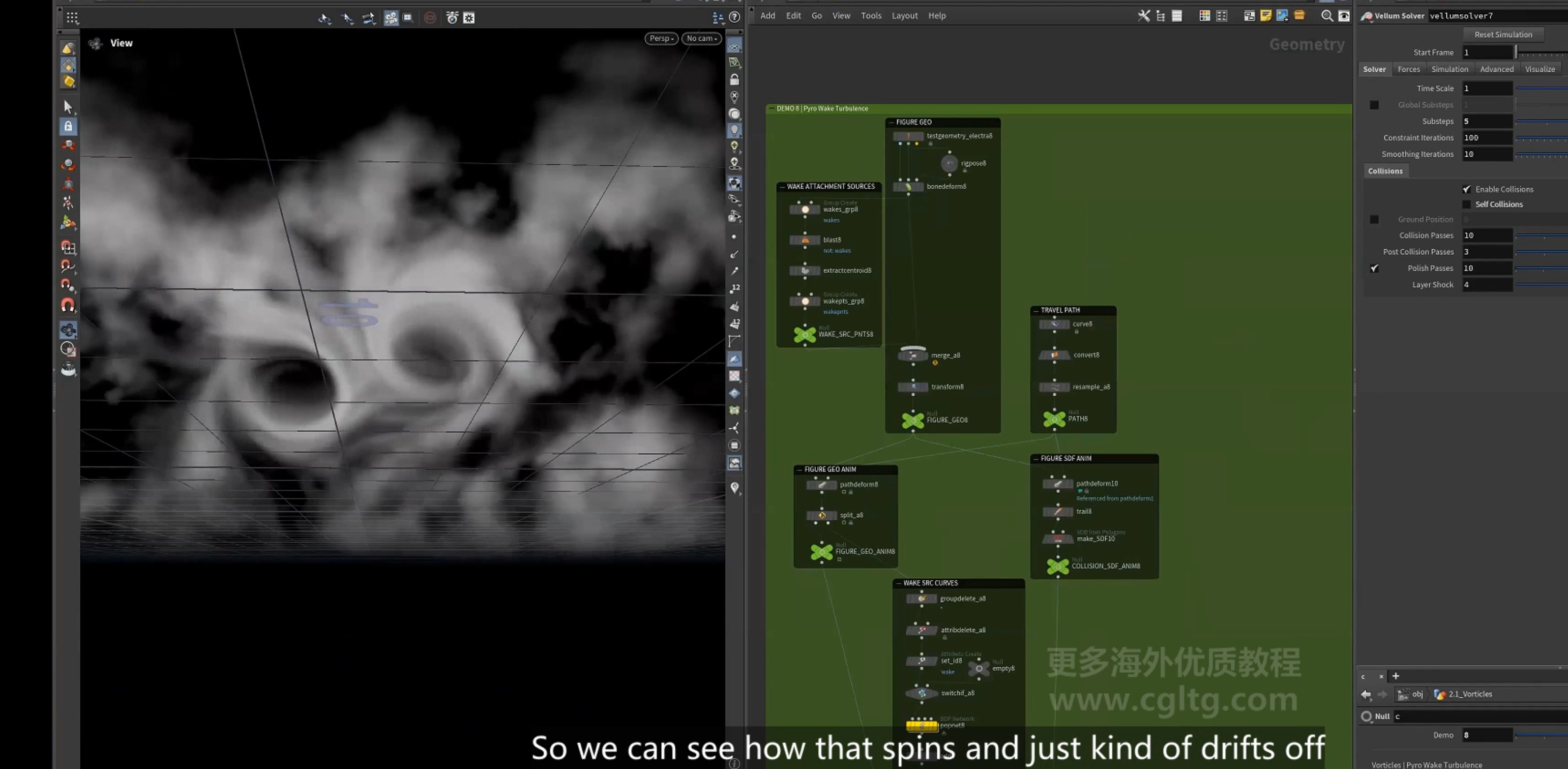
1.设置角色
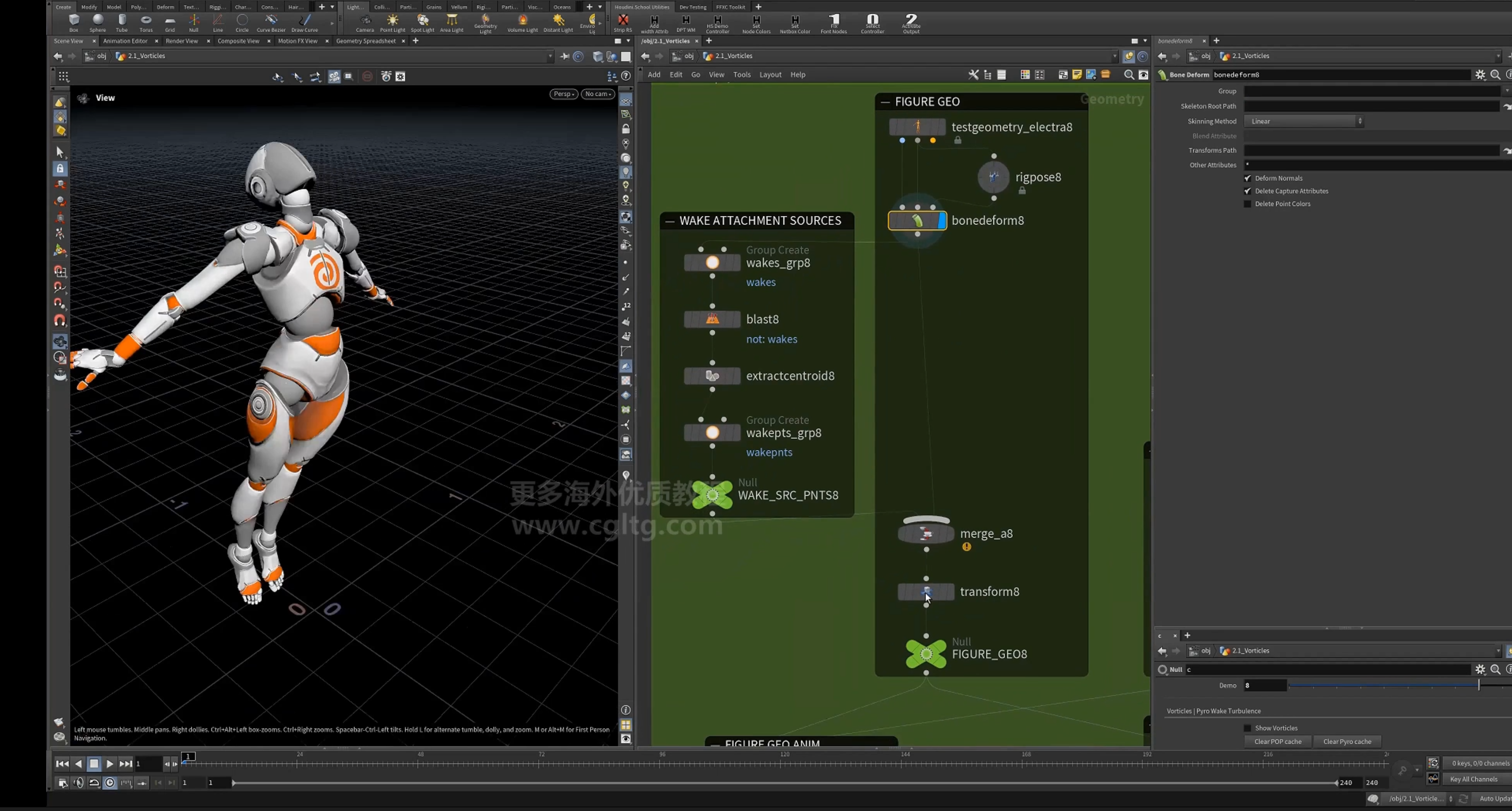
2.提取手上的点用于尾流
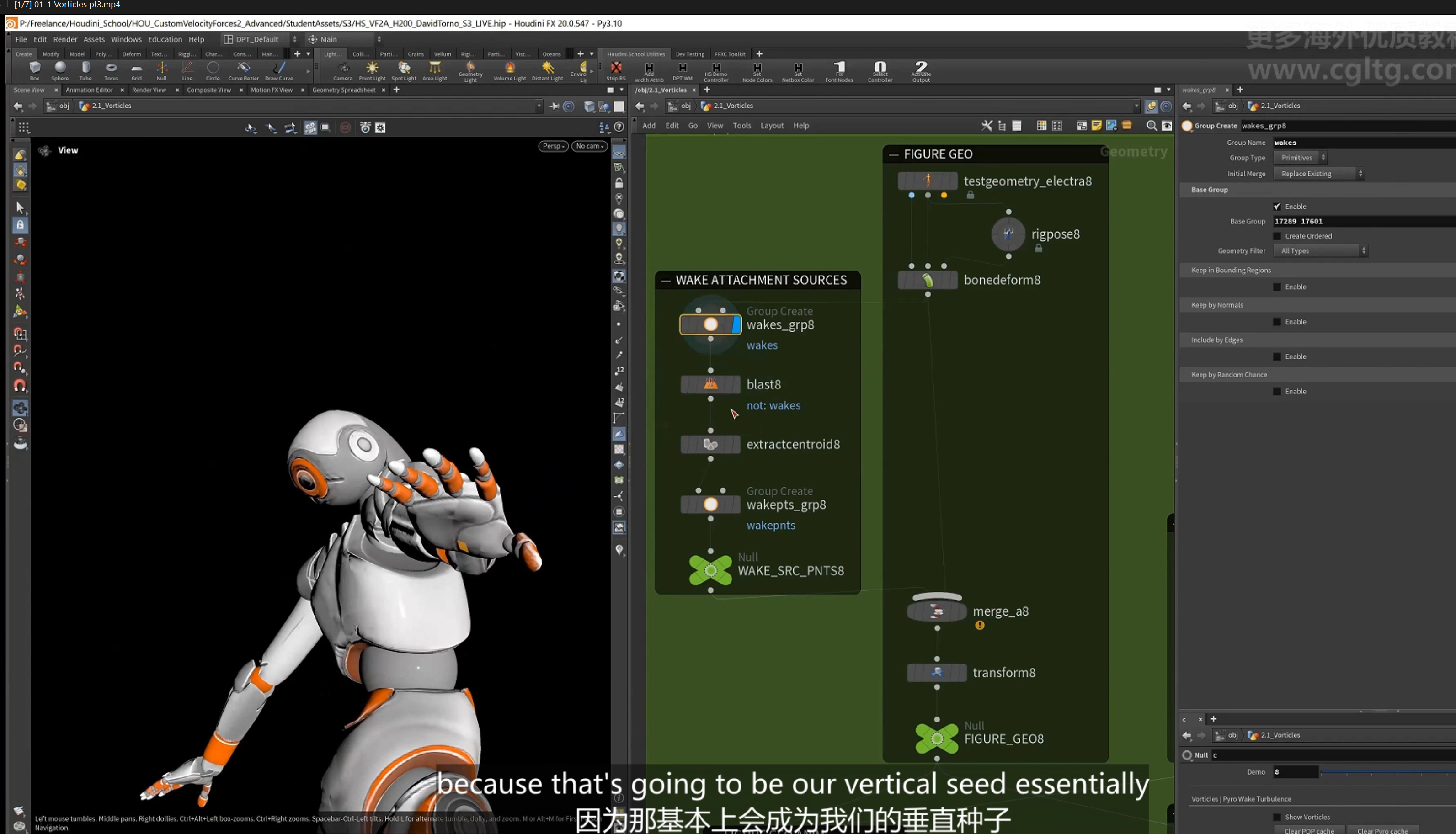
3.创建飞行路径
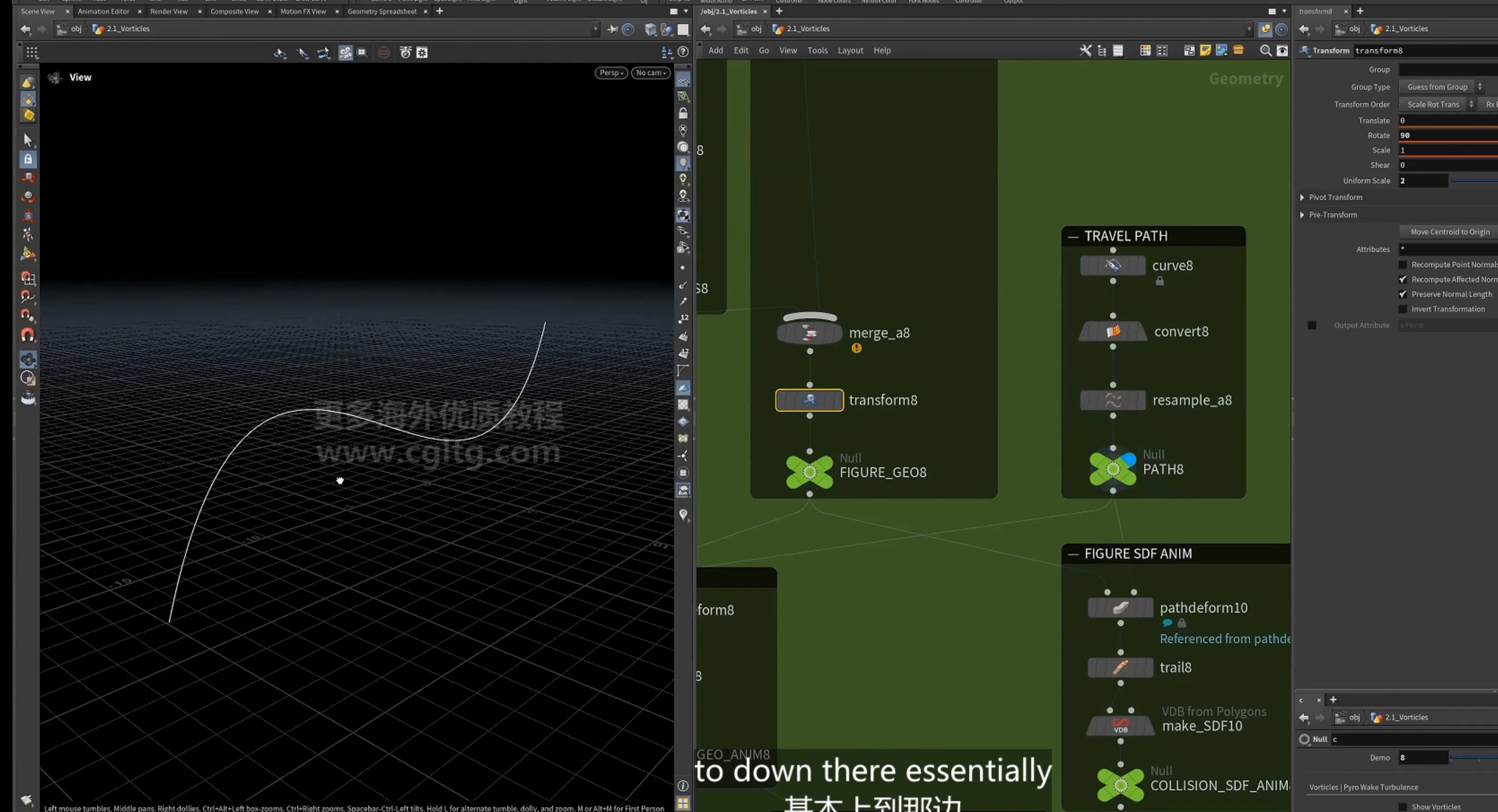
4.pathdeform
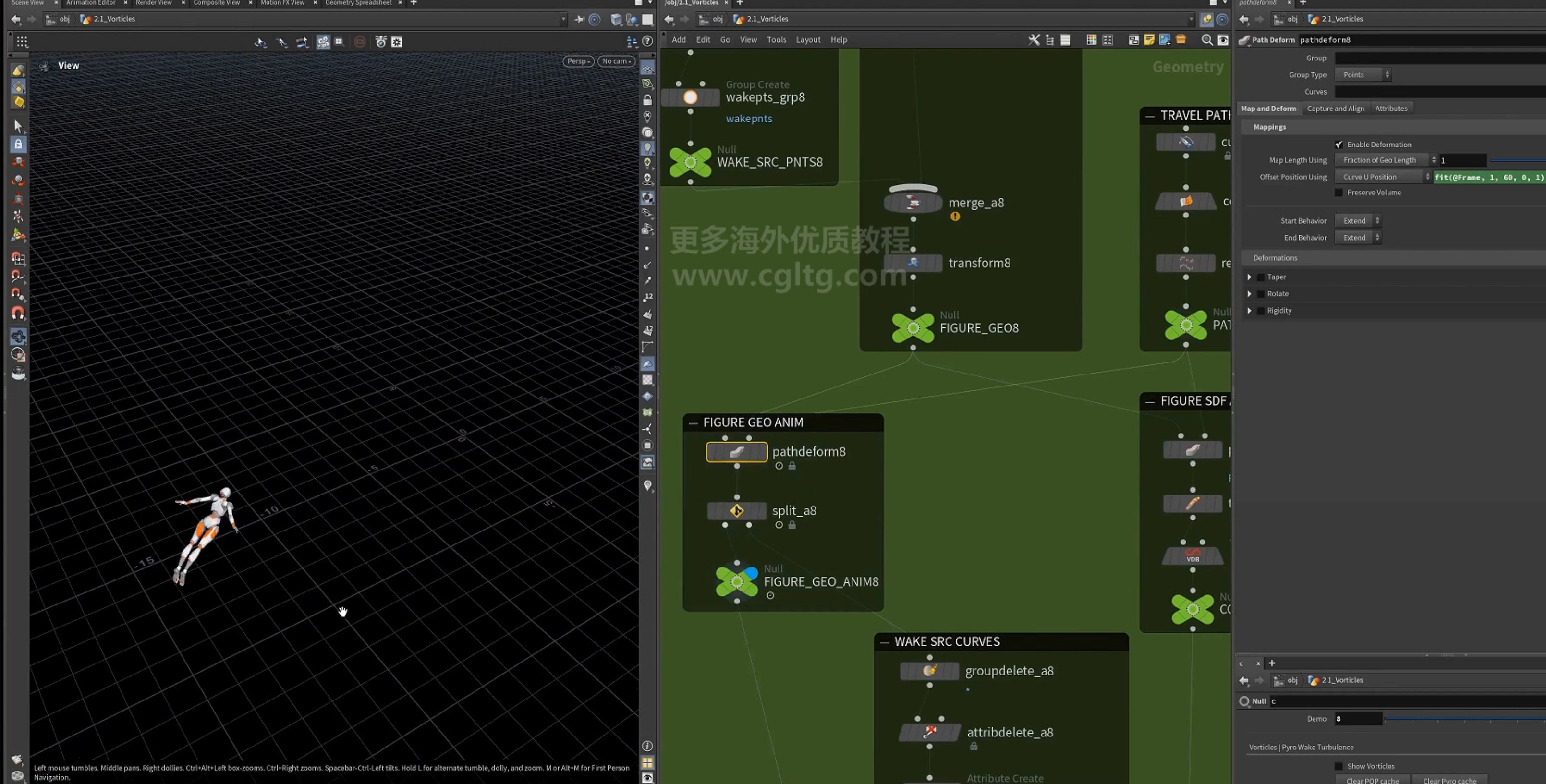
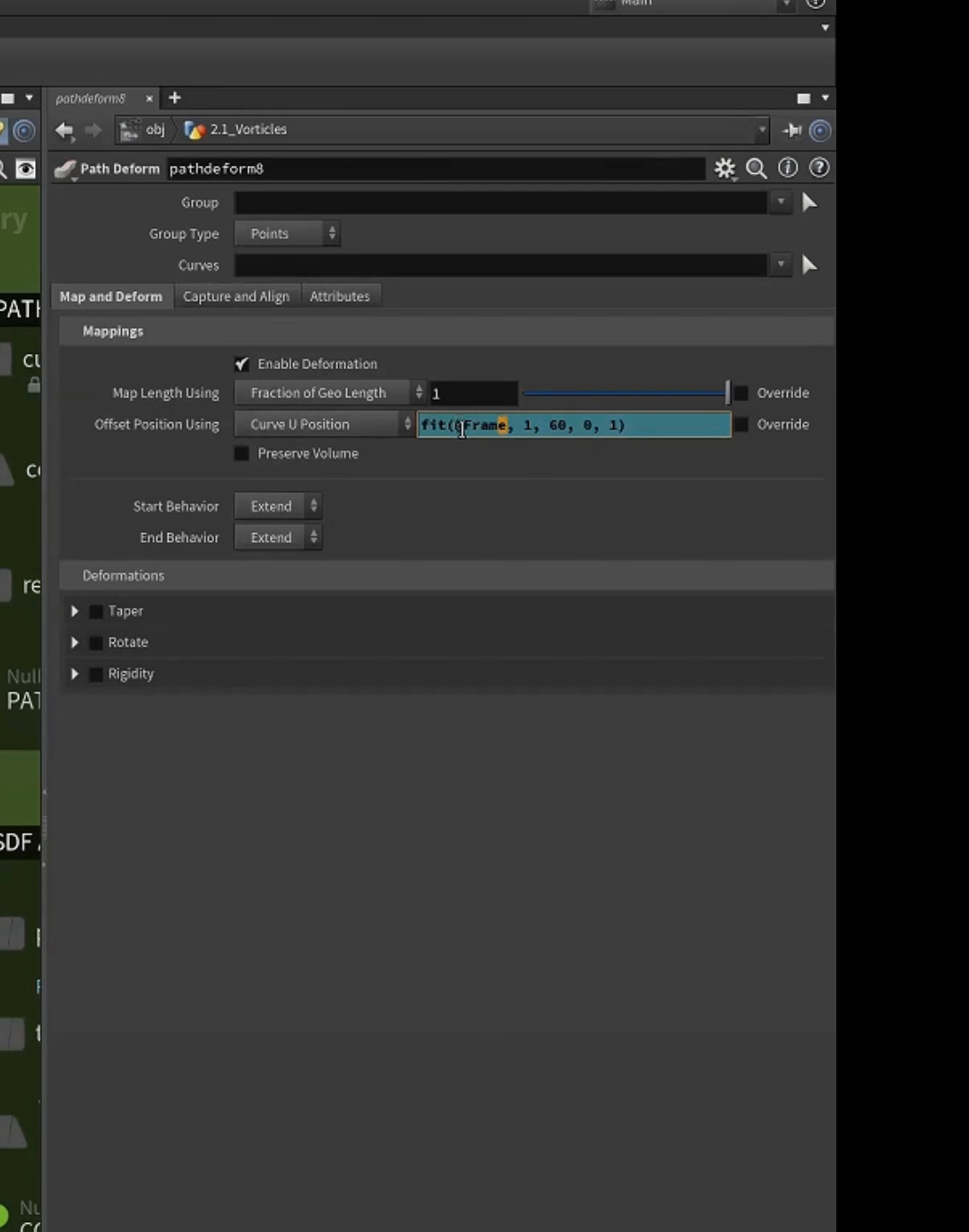
设置时间
5.提取尾流点曲线
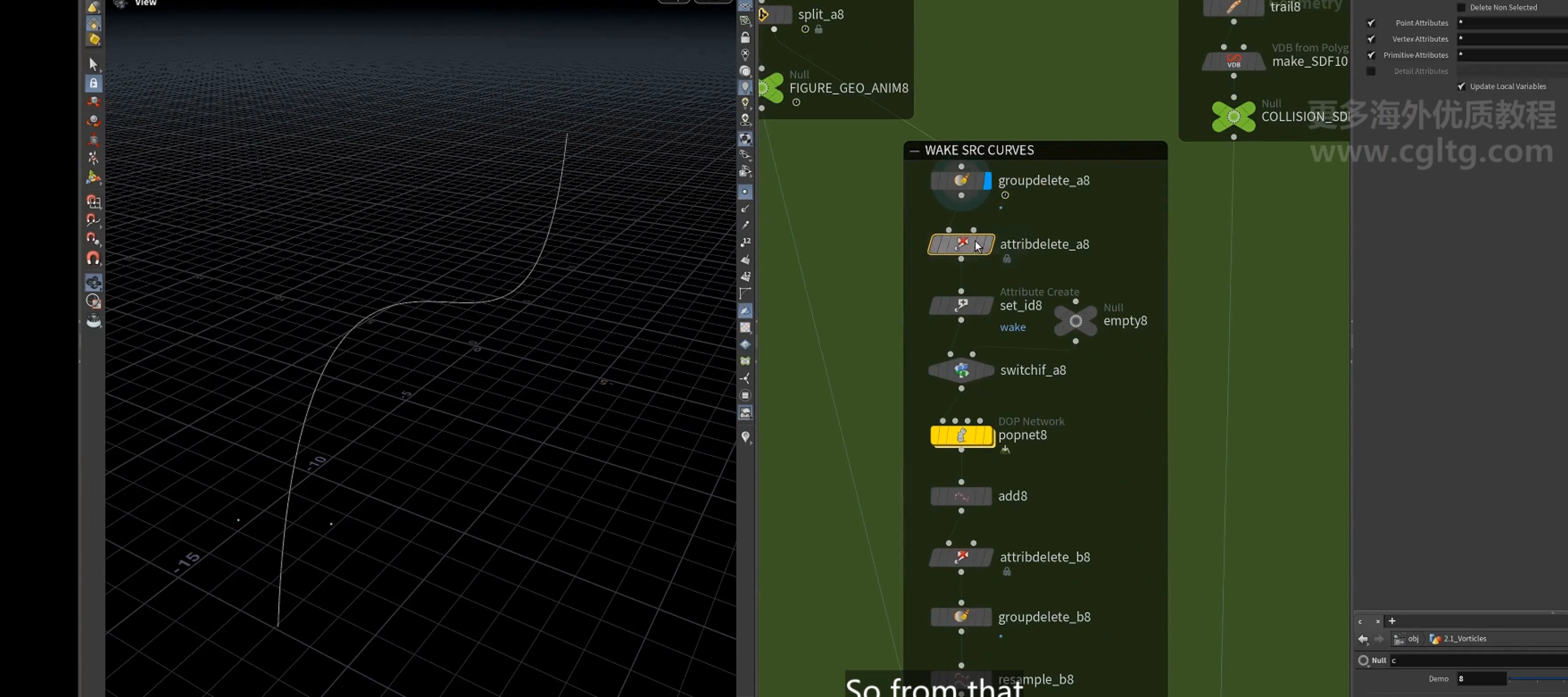
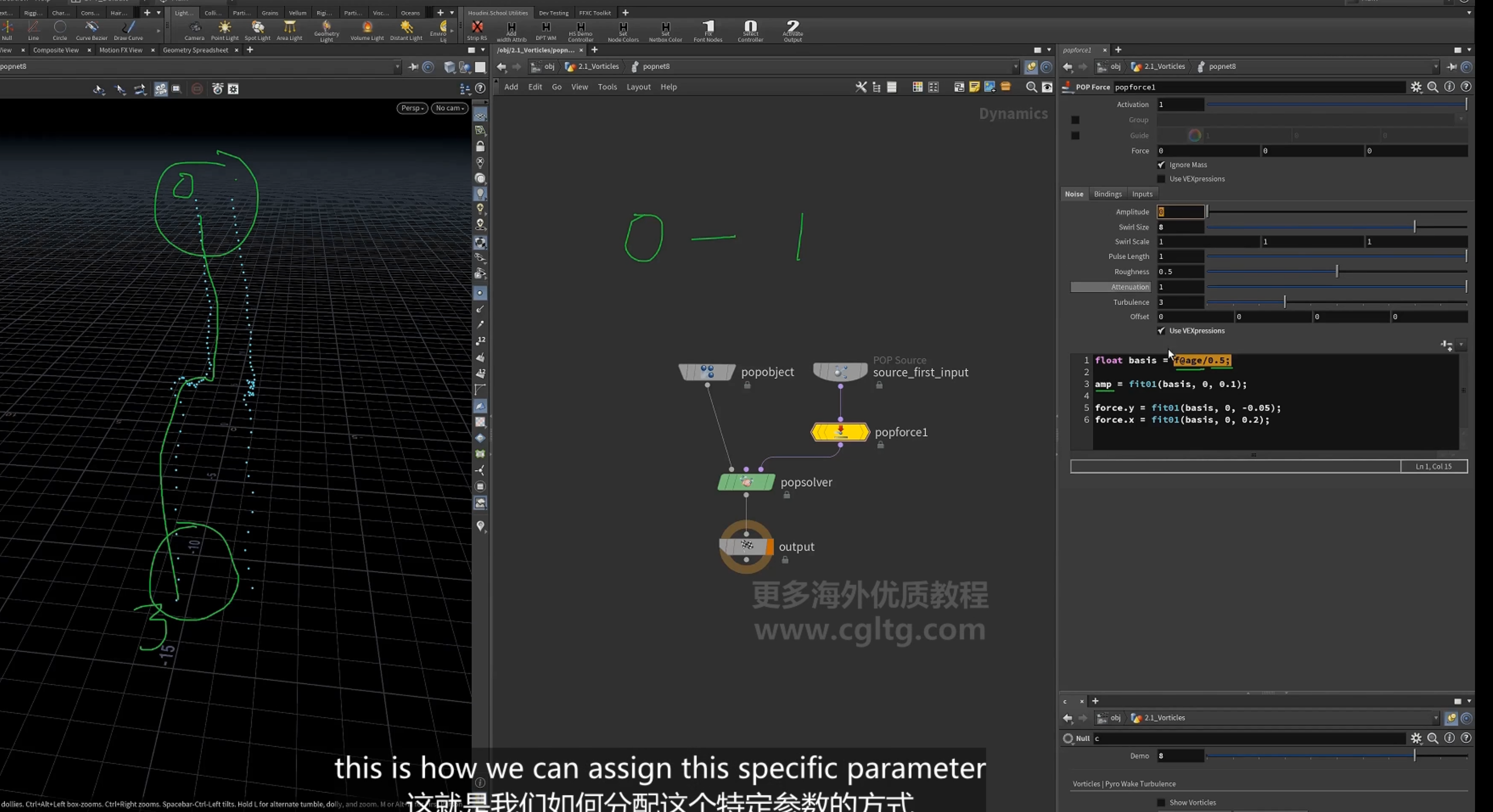
6.粒子模拟生成点的移动曲线 加上noise,wind使其偏移消散,形成逐渐消散的轨迹
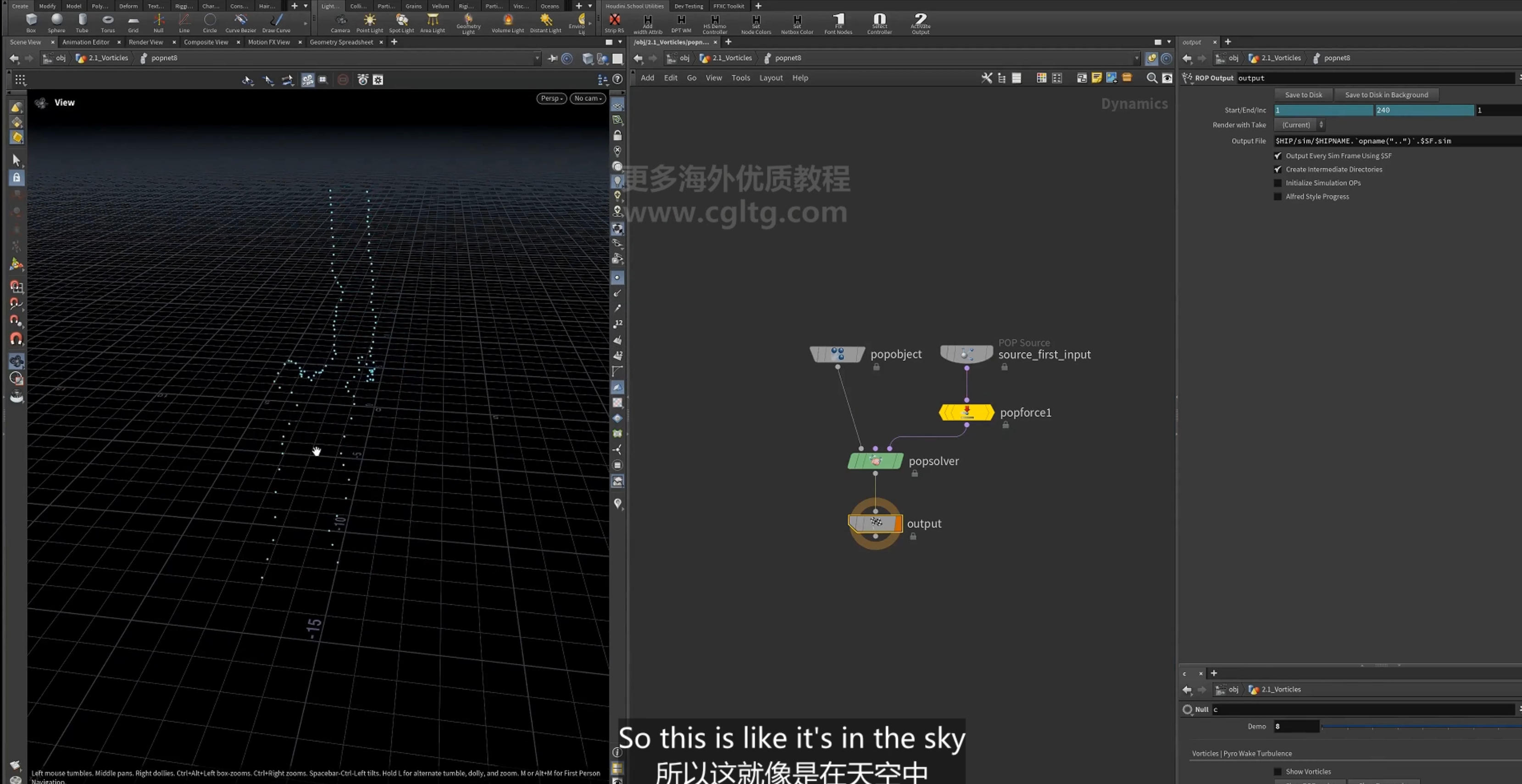
设置force,依据age生成逐渐漂移
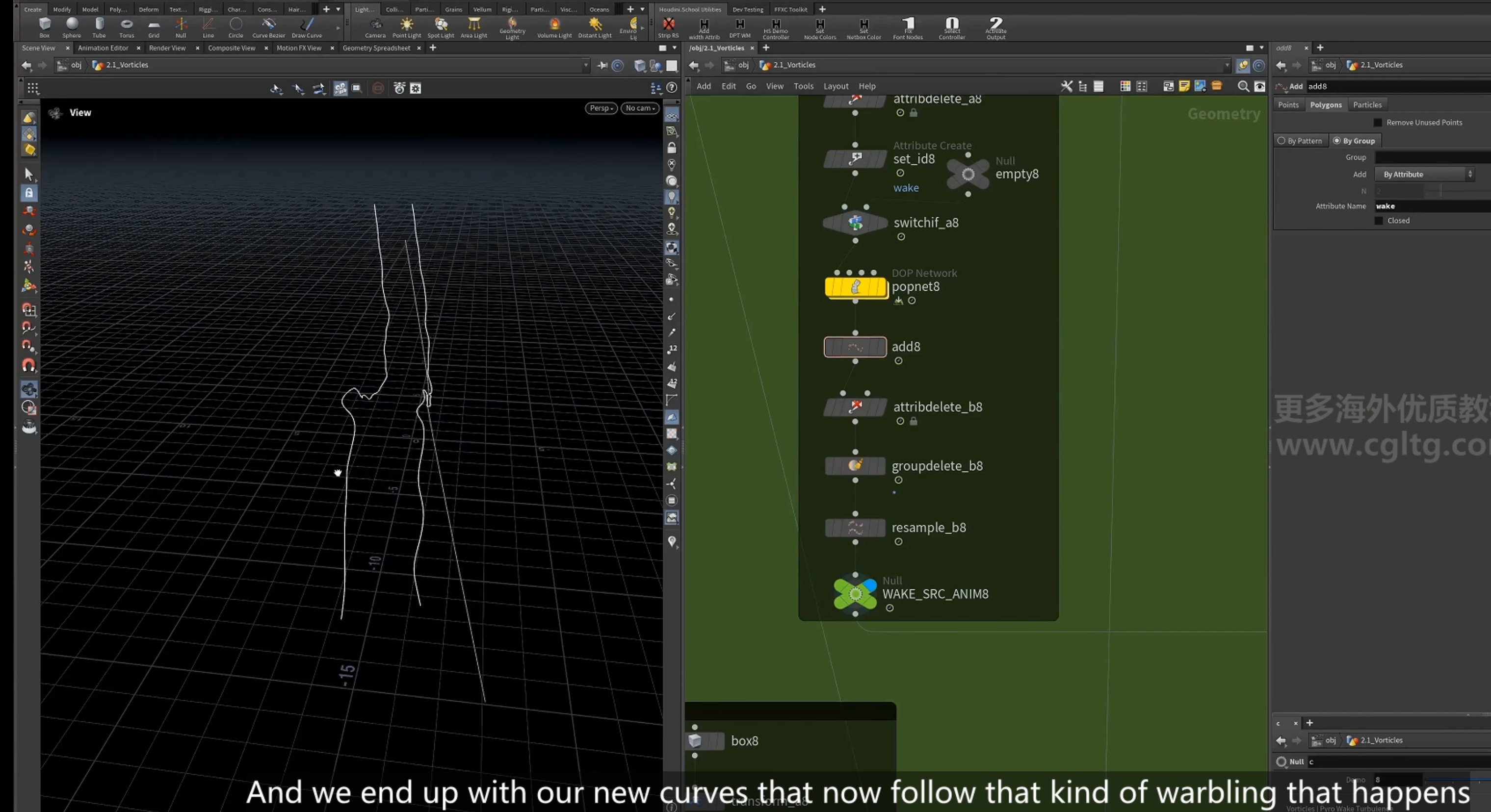
7. add 为曲线
8.创建围绕曲线的环流
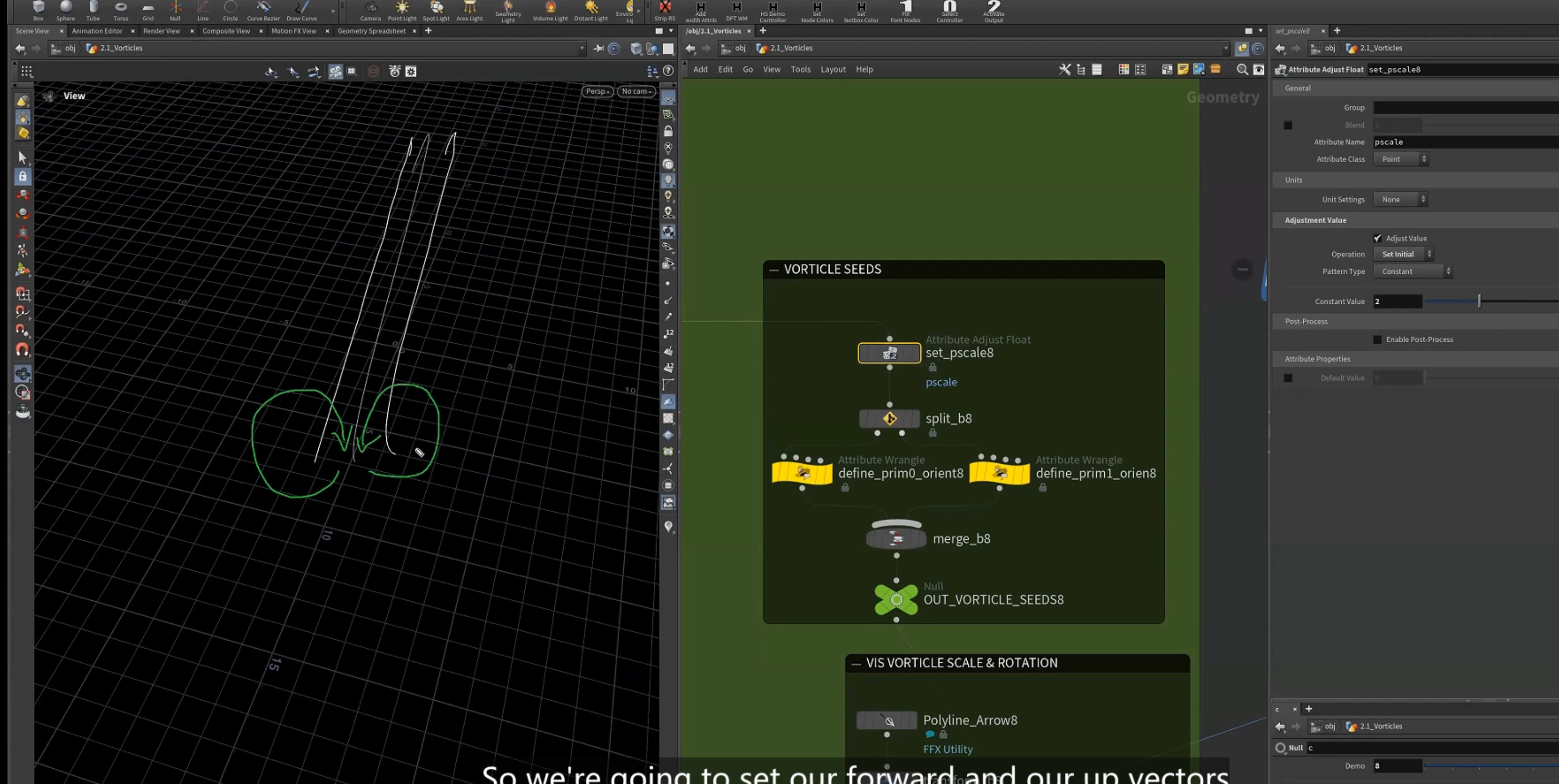
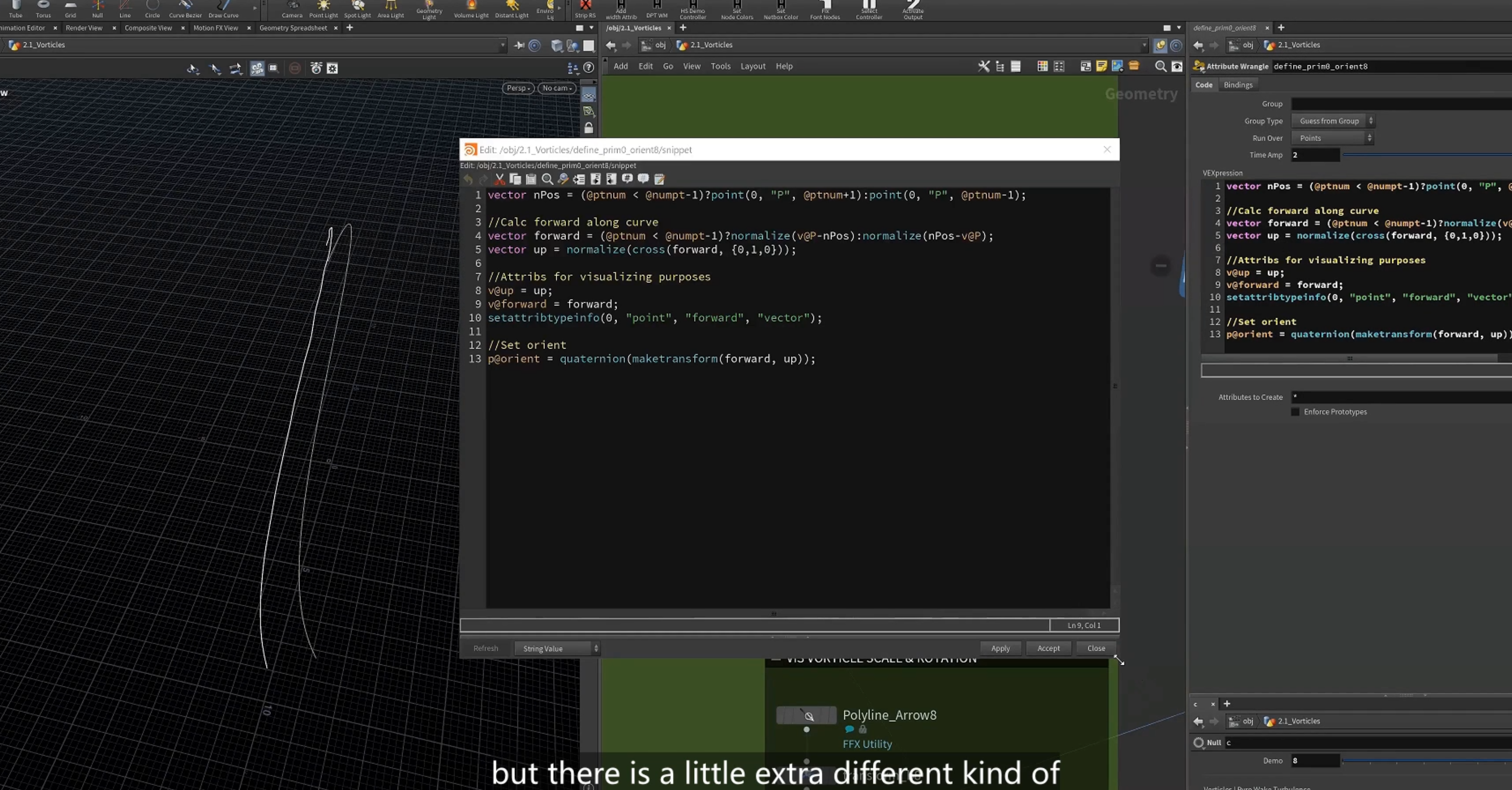
1.这里获取下一个点的位置,当最后一个点时,获取上一个点位置
2.设置forward 方向,由下一个点指向当前点方向(后指向前),最后一个点指向上一个点位置(也是后指向前)
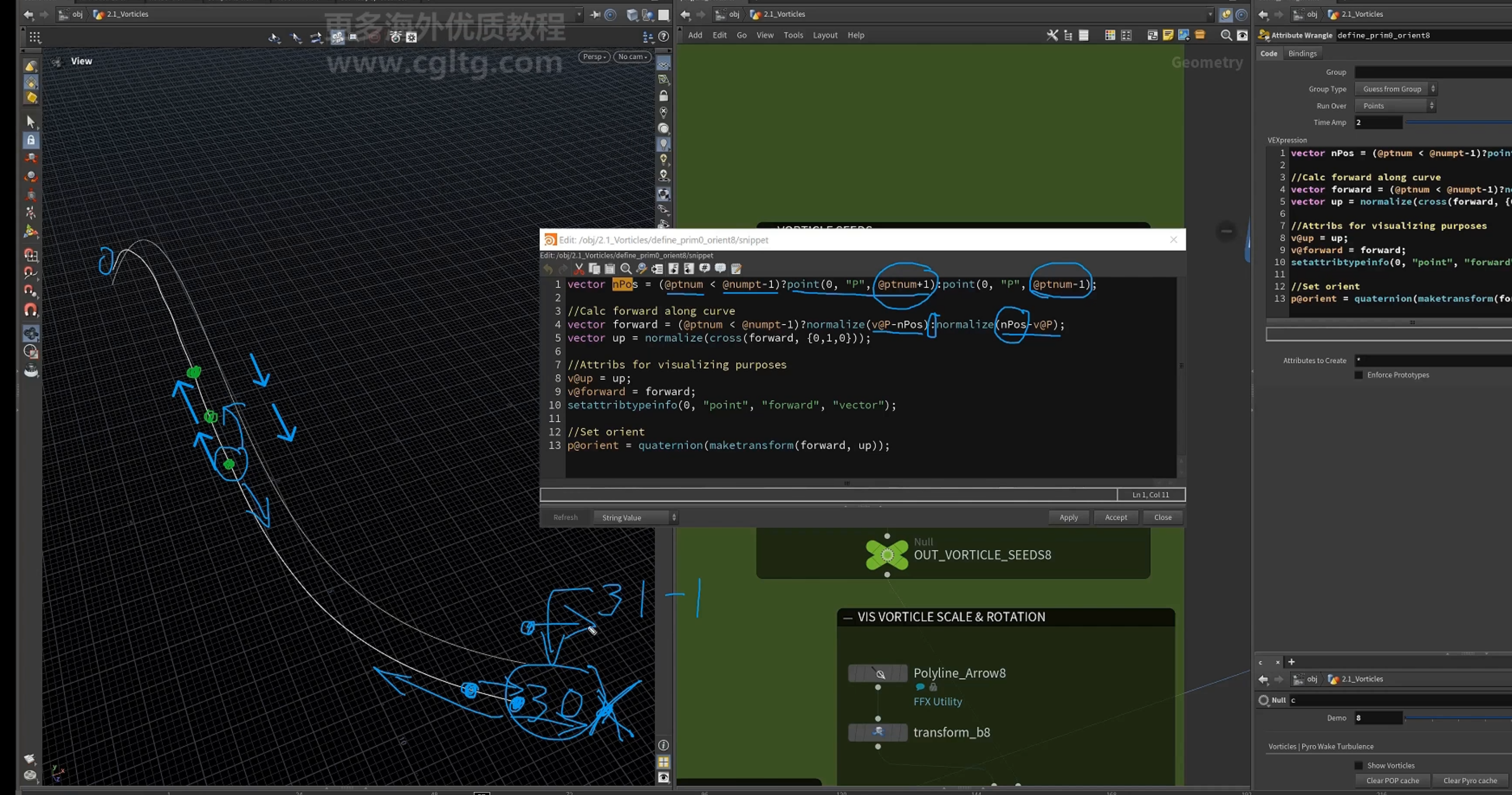
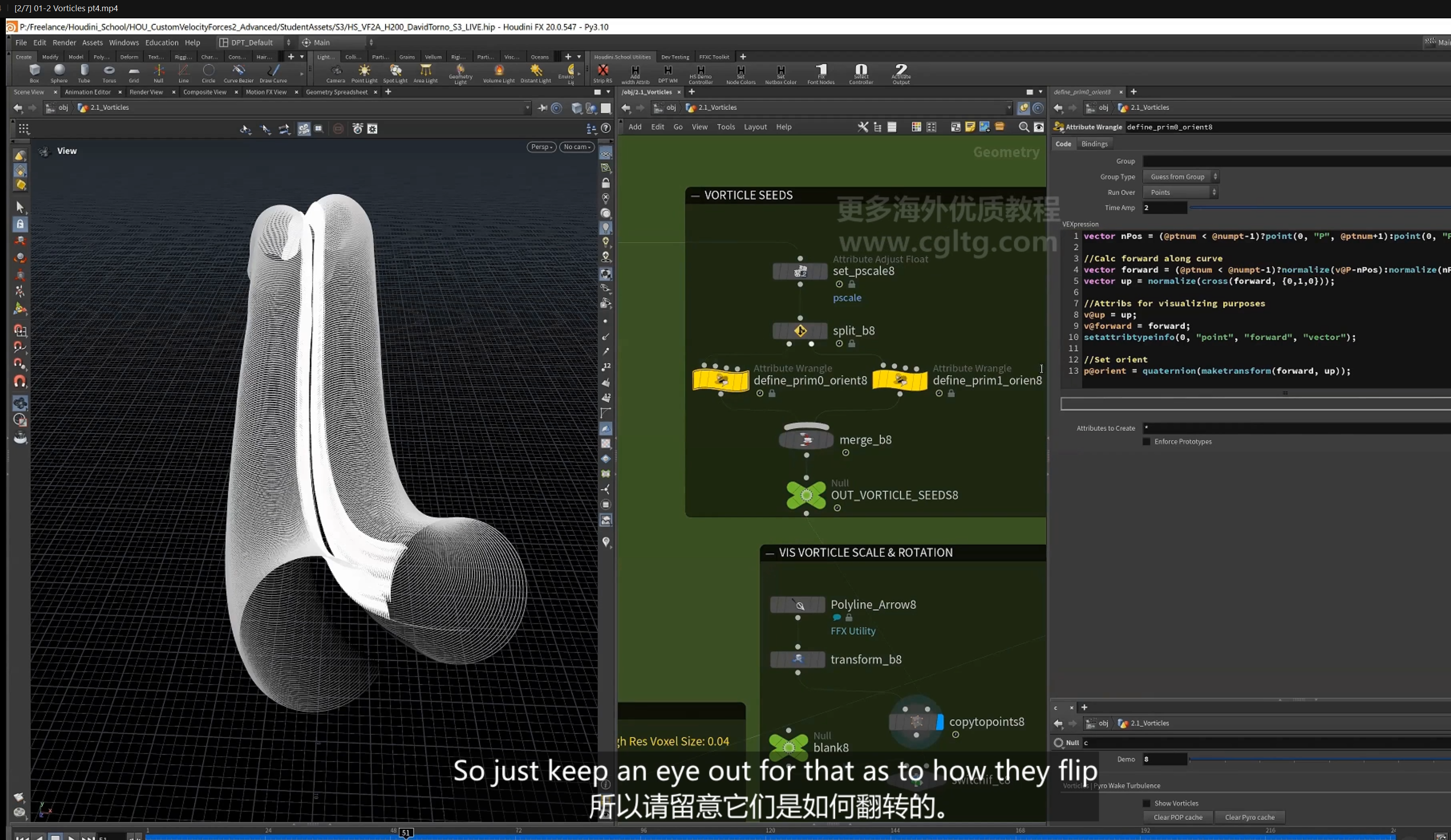
3.设置up,forward属性和元属性
4.设置orient
9.可视化查看
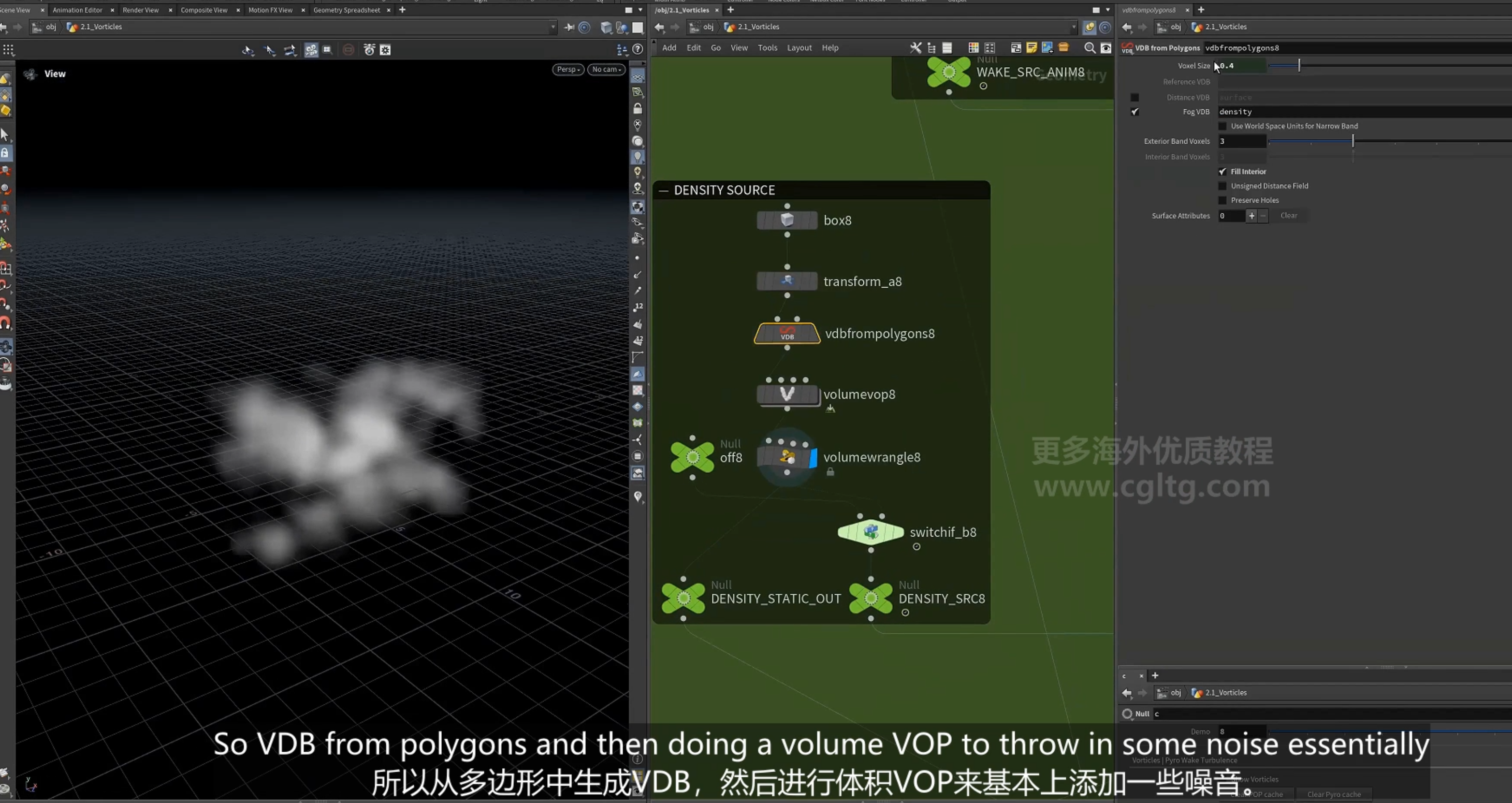
10.云层设置
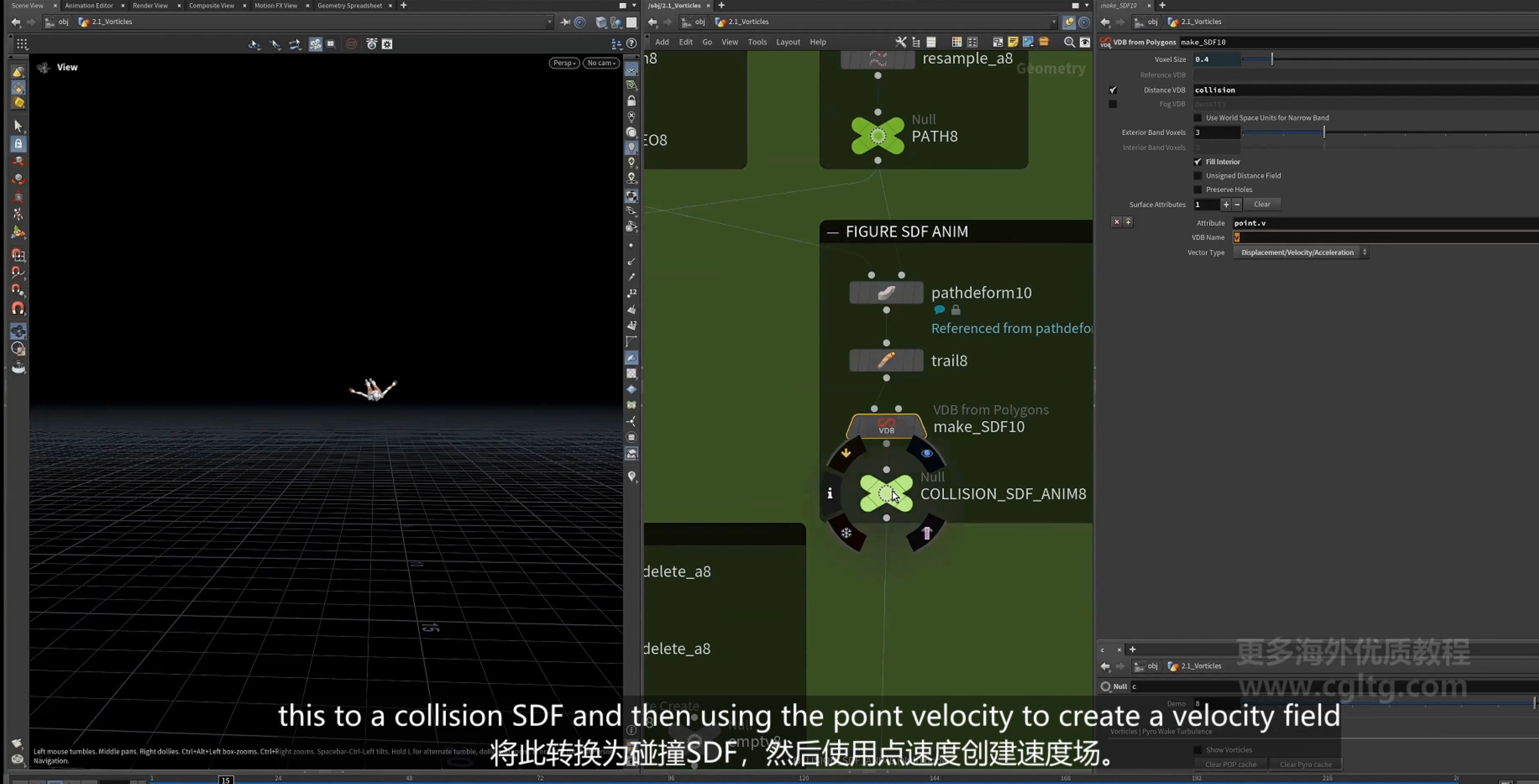
11.collision创建 使用角色的点速度创建速度场collision用于碰撞
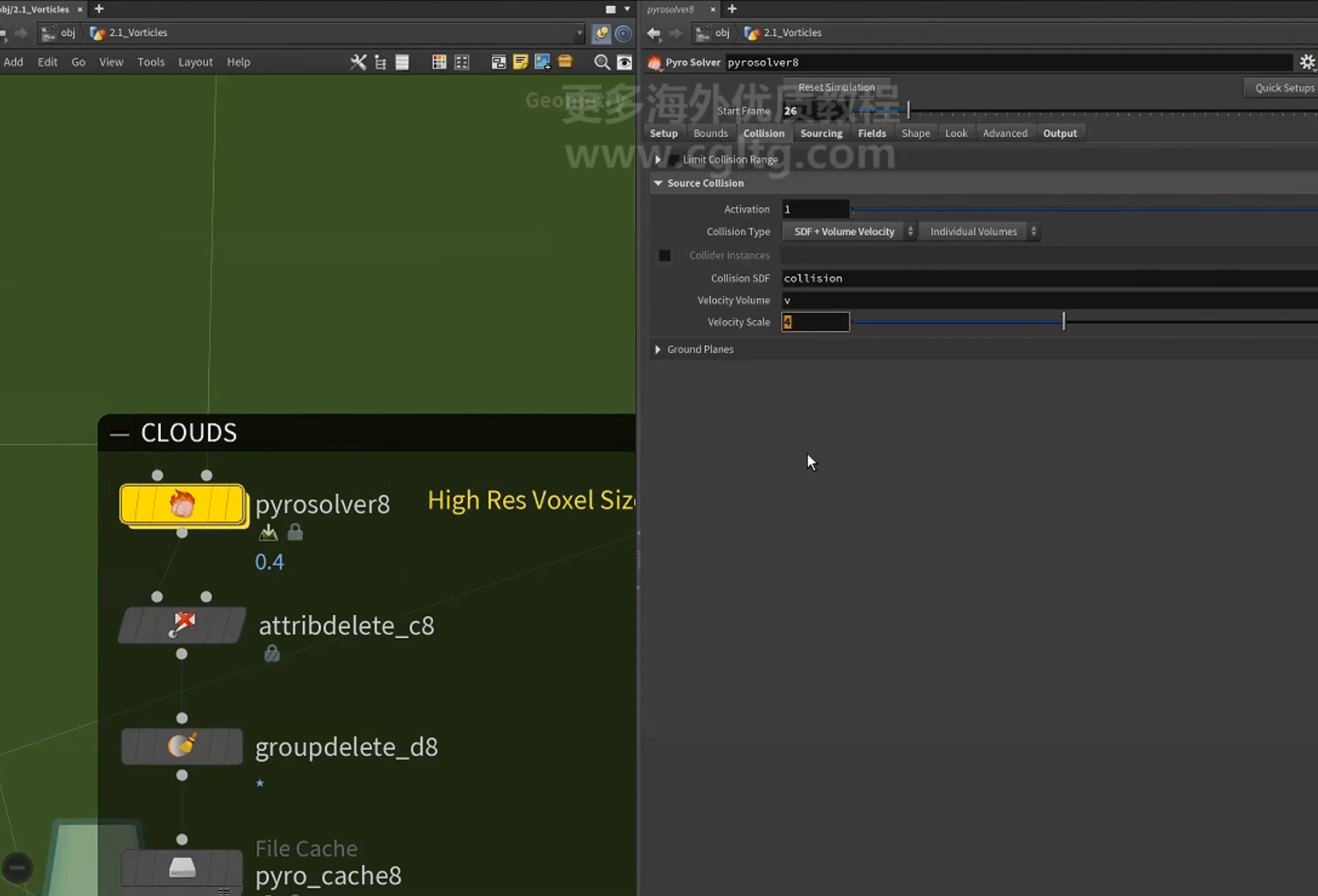
12.模拟
13.尾流设置 gas field wrangle
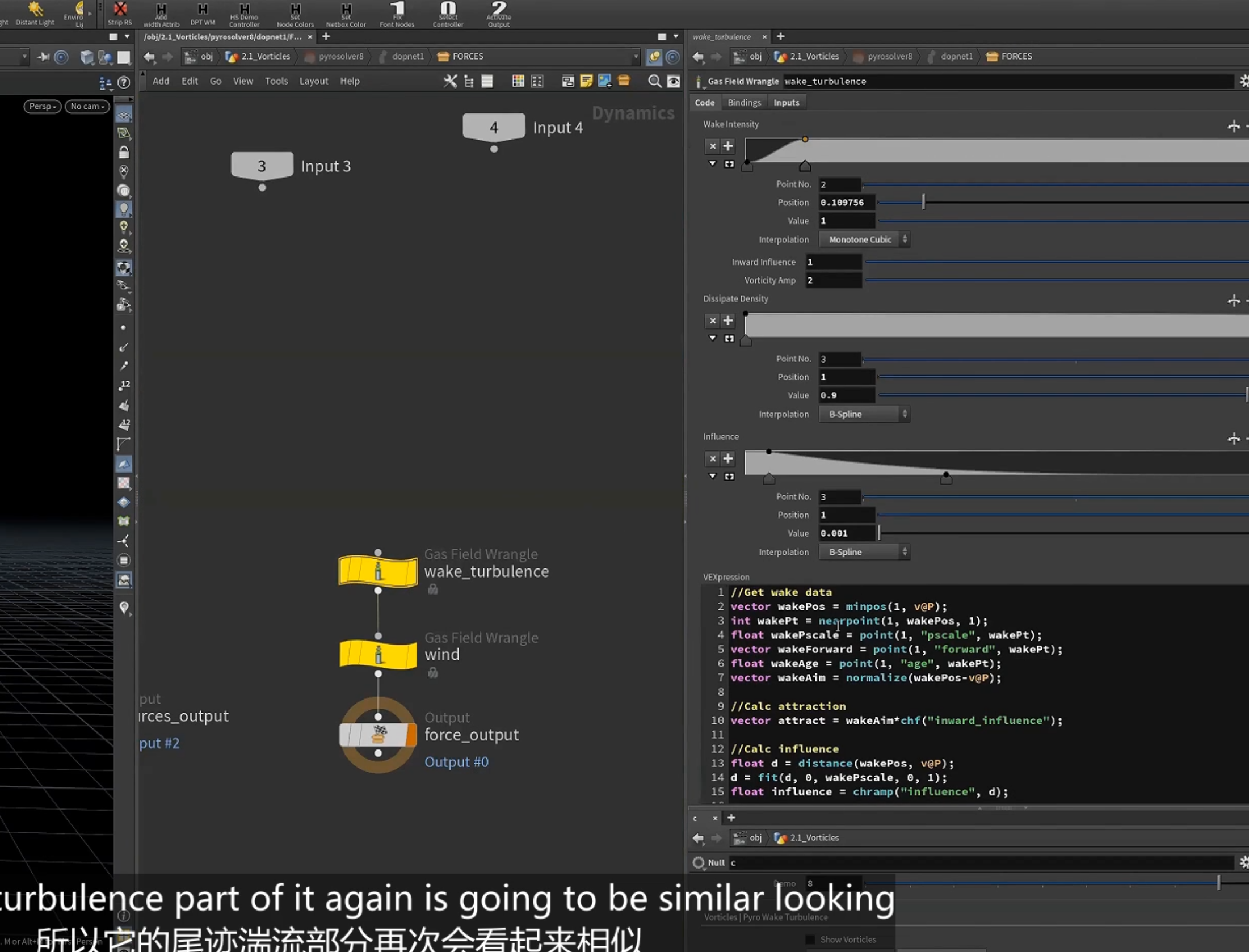
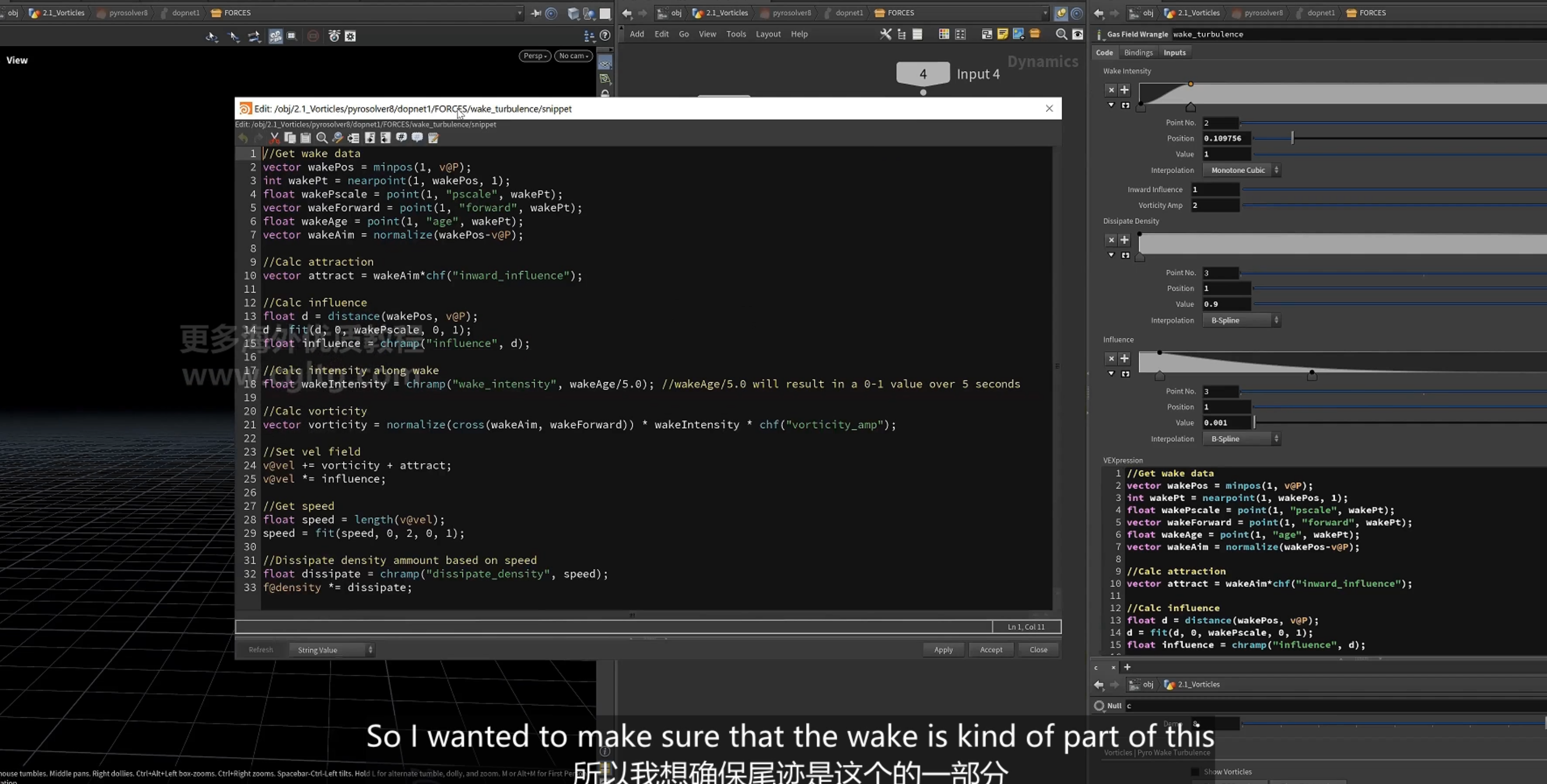
1.获取属性数据,minpos找到曲线上的最近点
2.计算吸引力,计算影响力,计算衰减强度
3.计算vorticity,指向近点的方向与近点的前进方向(forward)叉乘
4.将vorticity 累加到vel属性,
5.计算速度speed,依据速度设置消散,逐渐降低密度
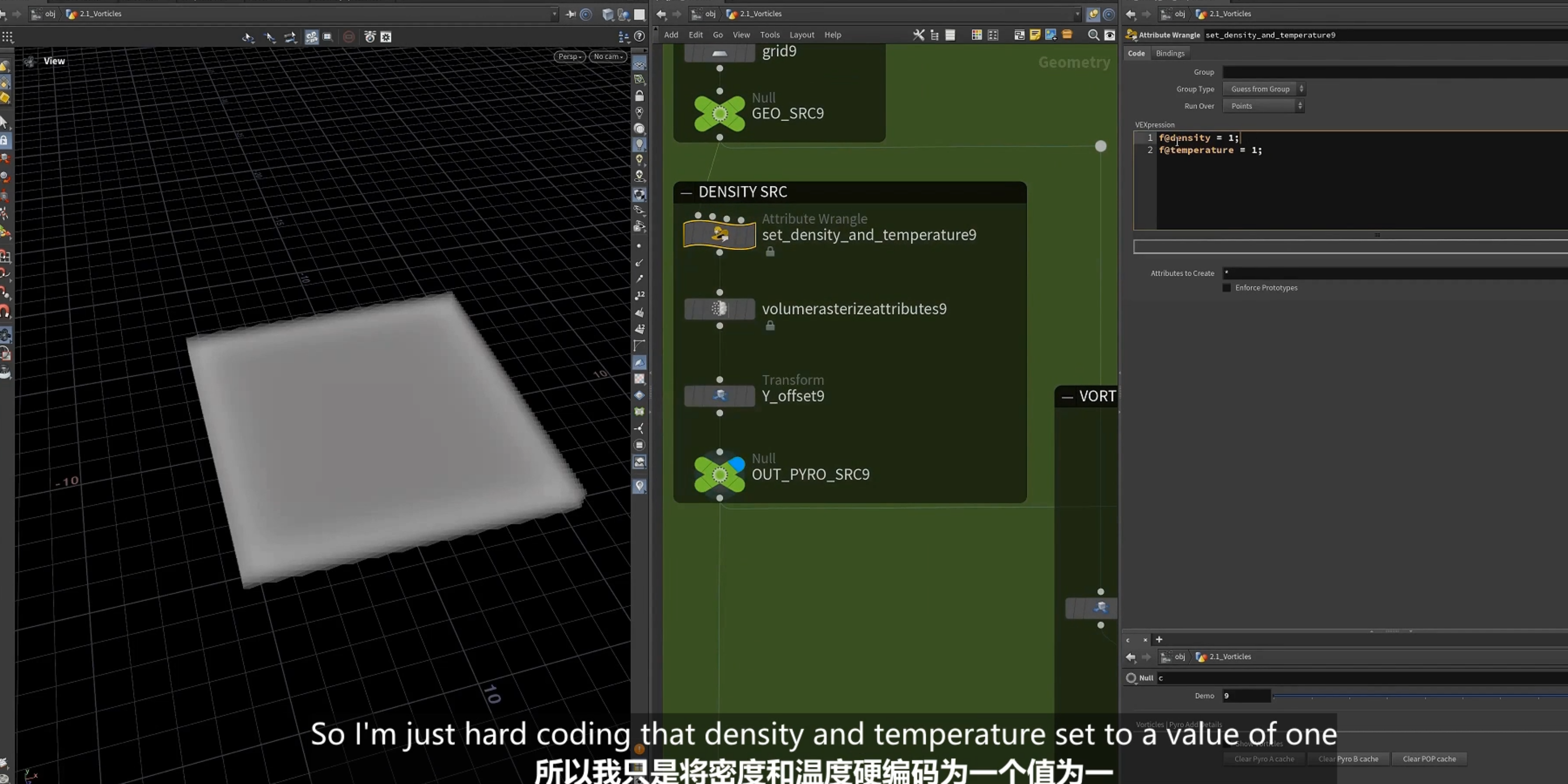
6.注入vortices 的基础smoke 模拟
设置density,temperature
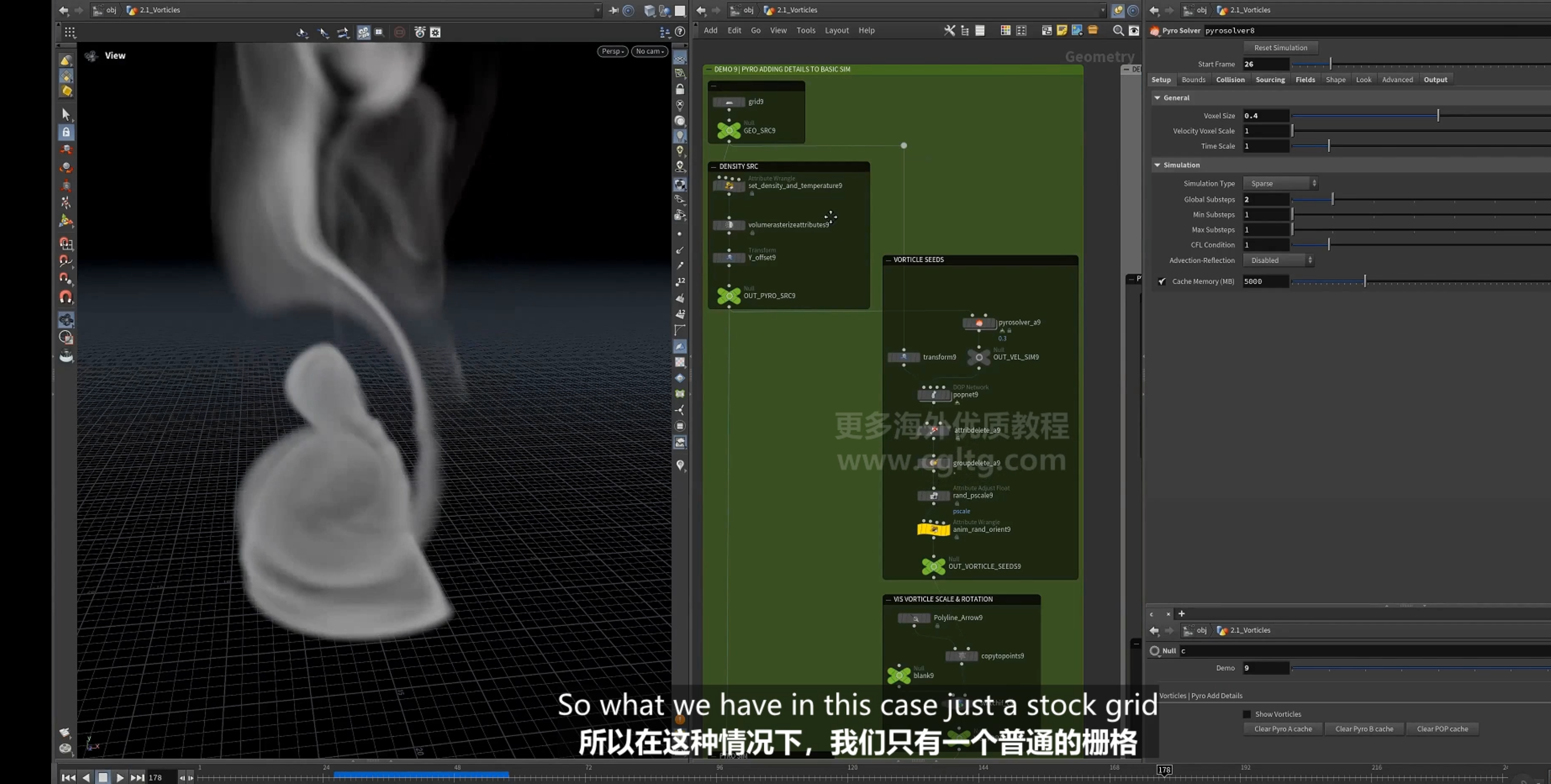
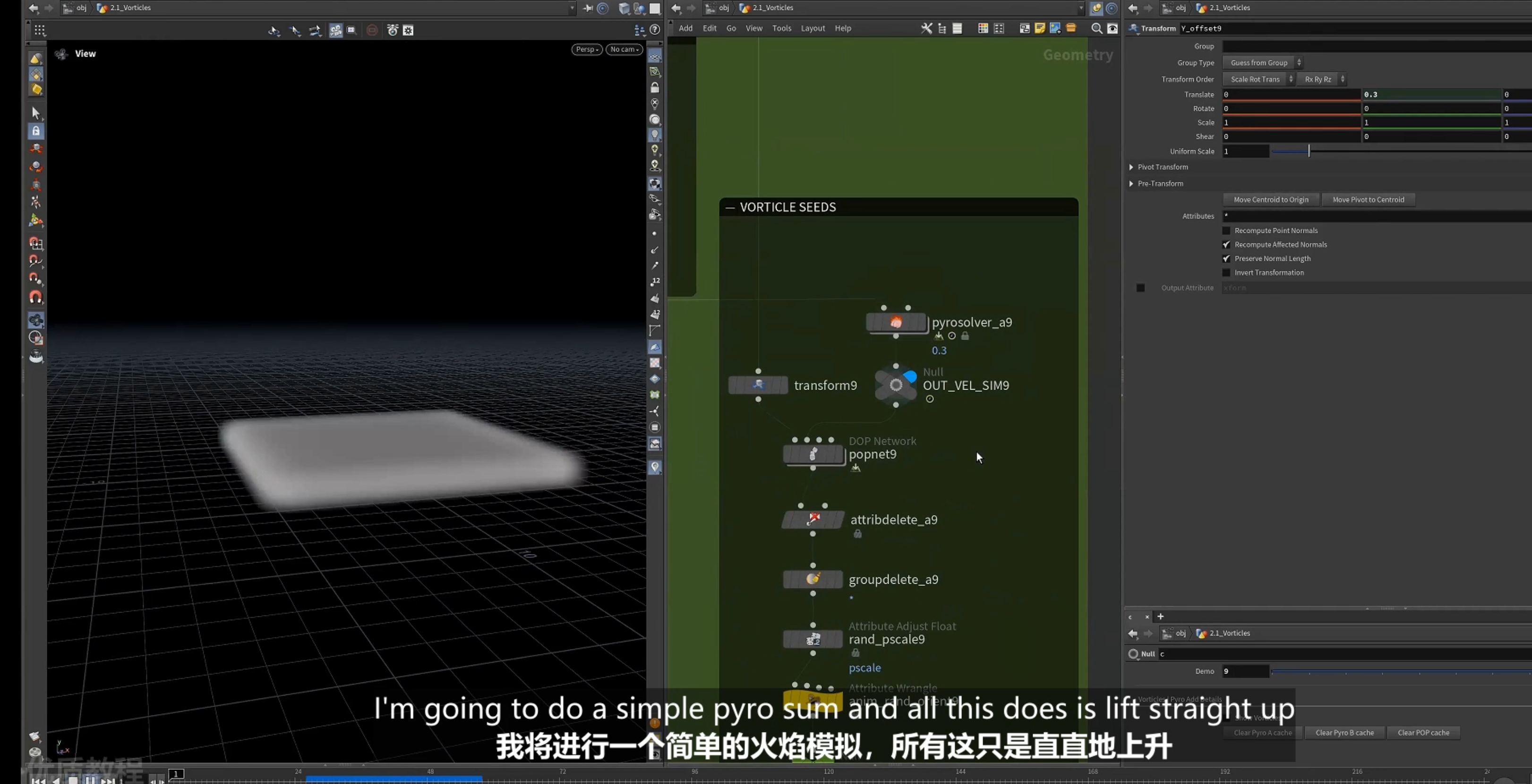
2.先使用普通的pyro sim
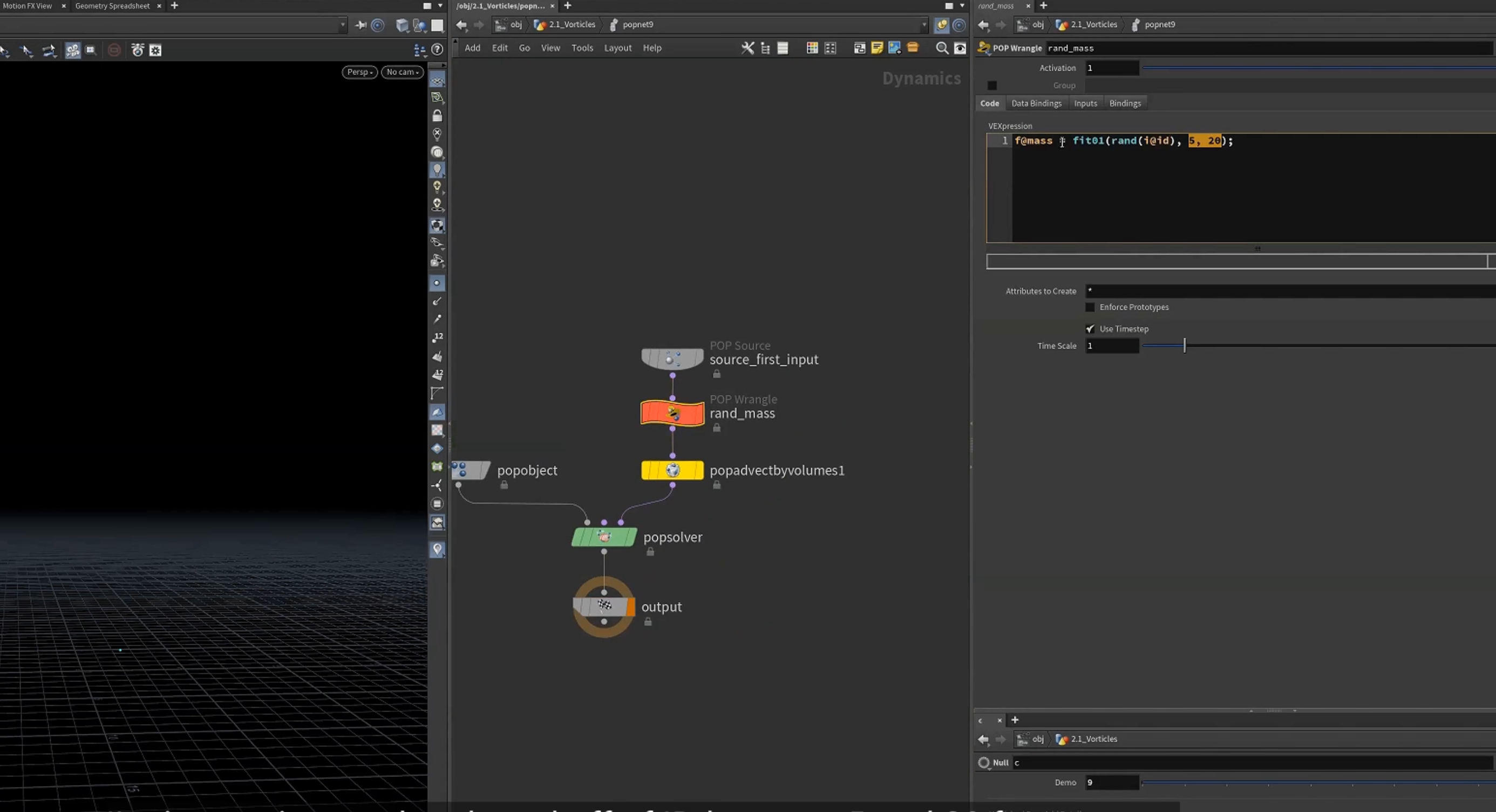
3.设置随机mass 质量
4.以pyro sim驱动粒子
5.再设置粒子的orient 设置vortices
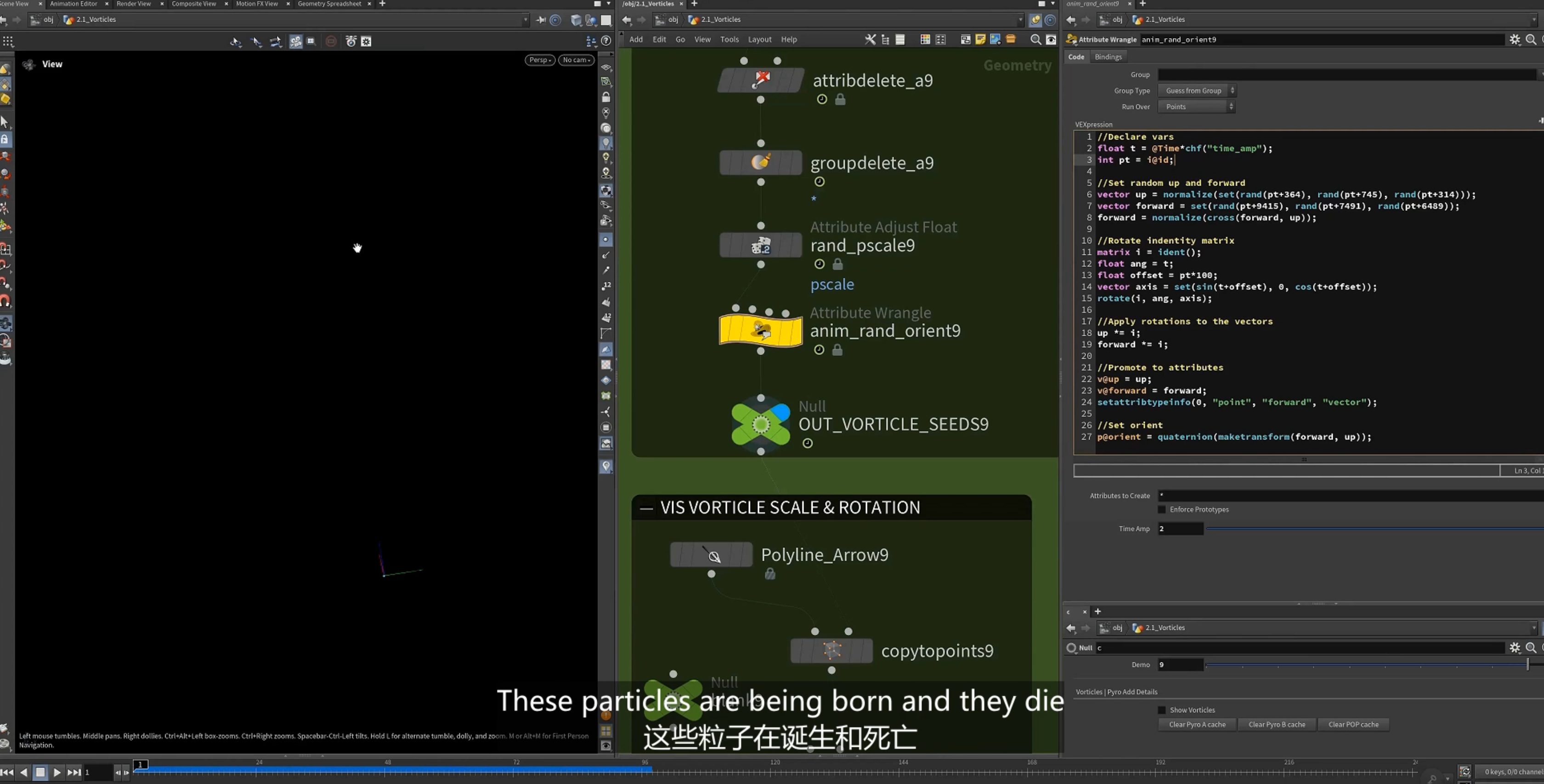
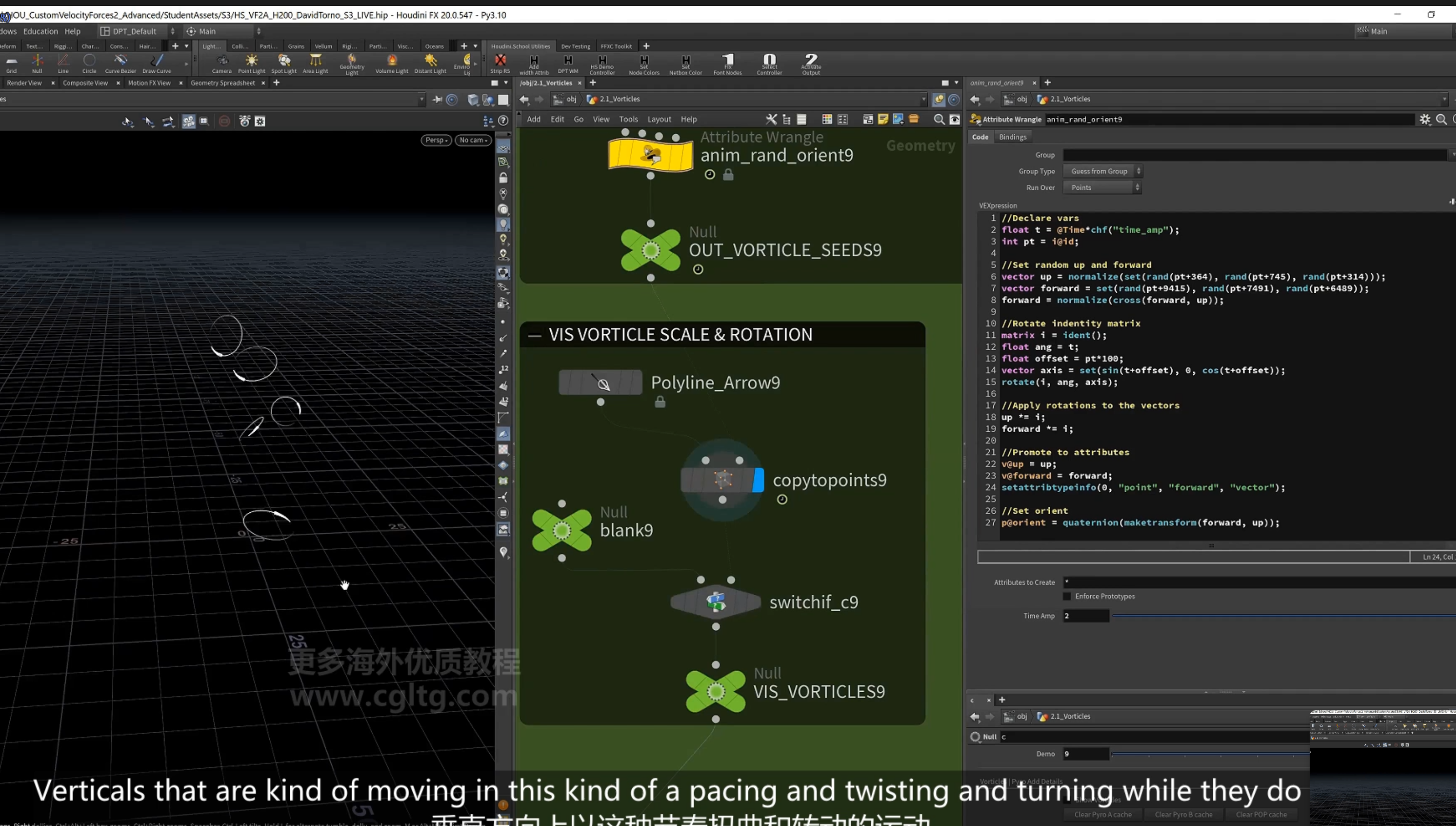
使用多层模拟,获取更加自然的效果
6.再以粒子驱动pyro sim
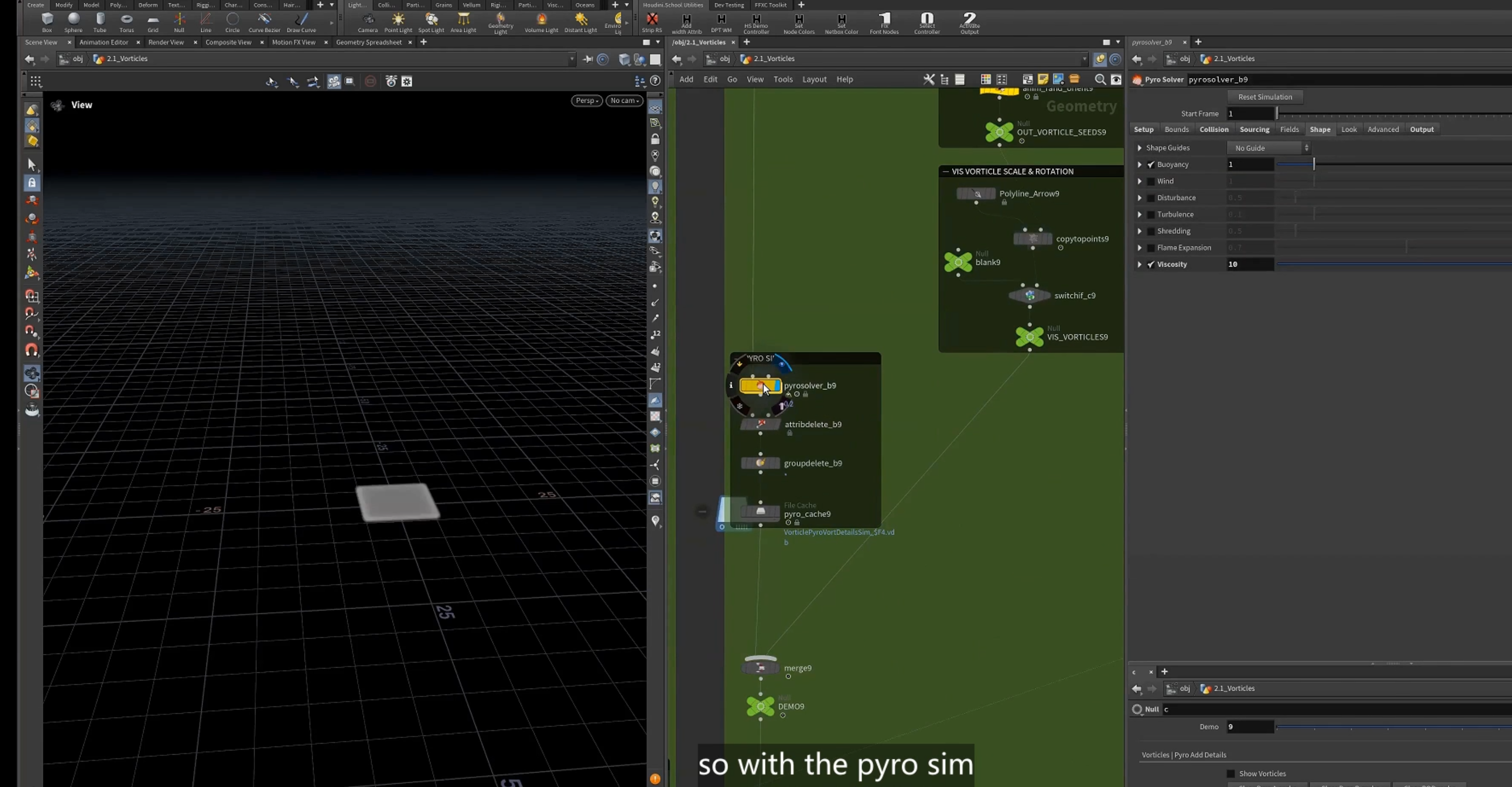
设置vel
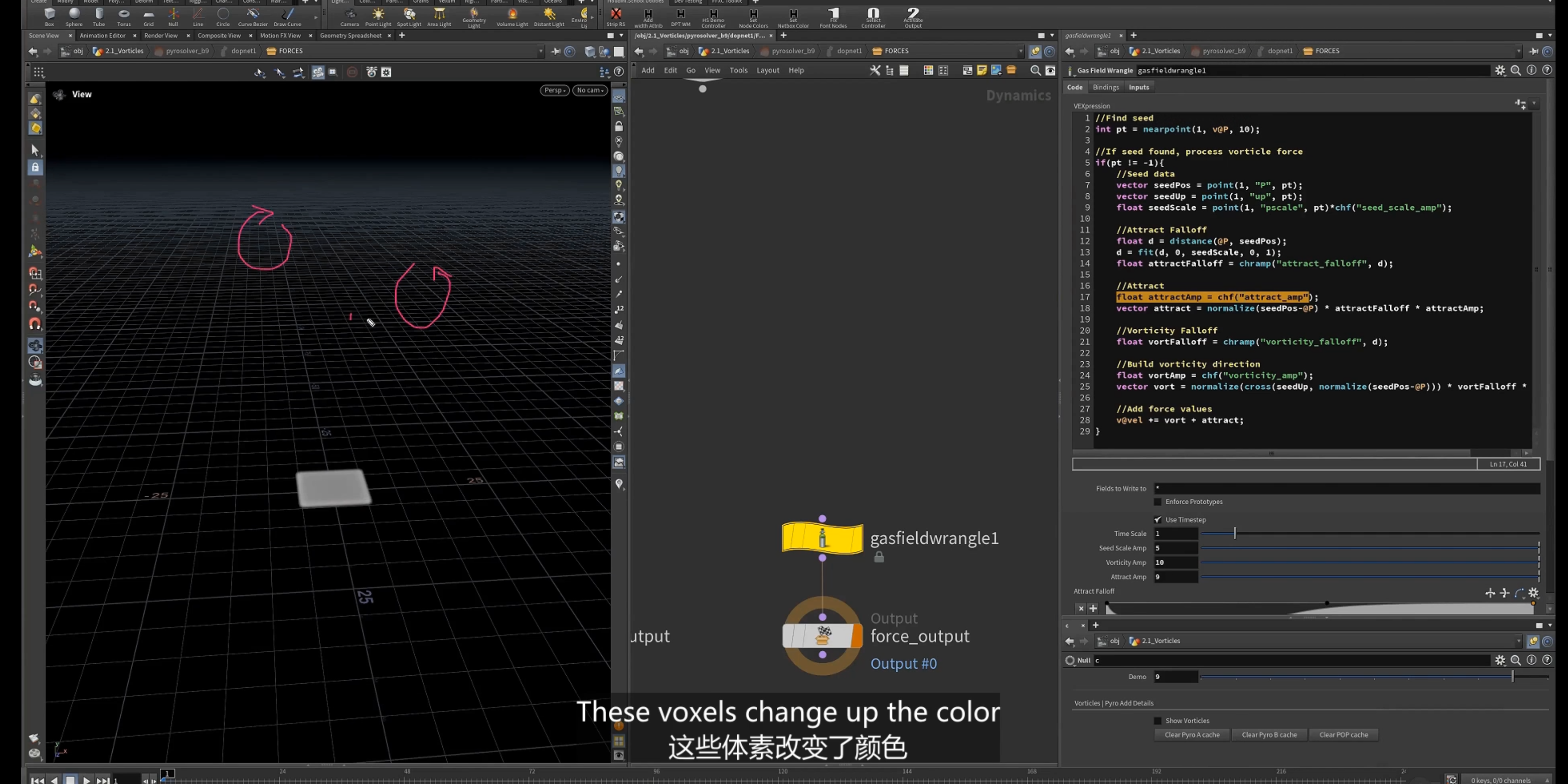
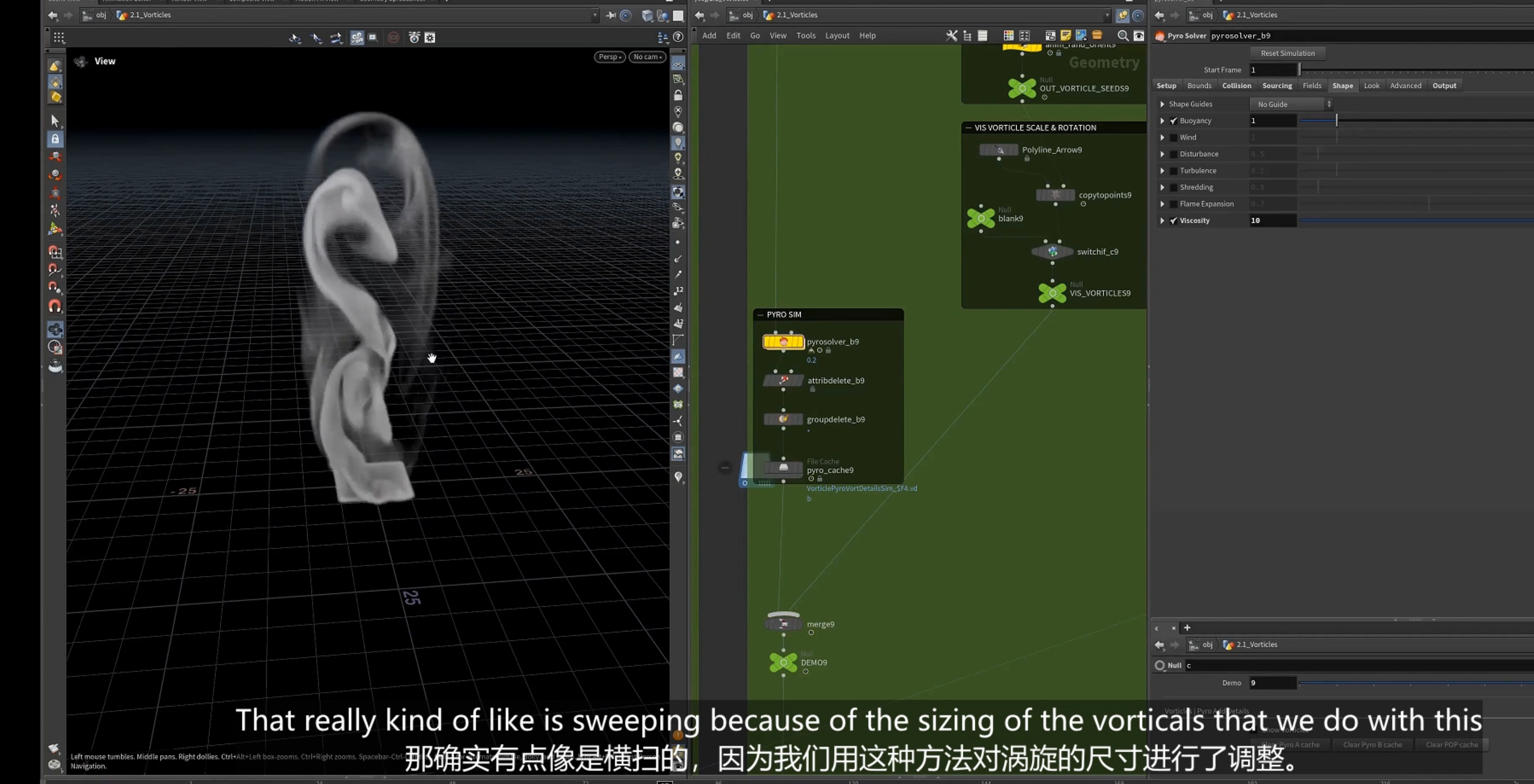
7.pyro 的涡流模拟(使用涡流的微求解器)
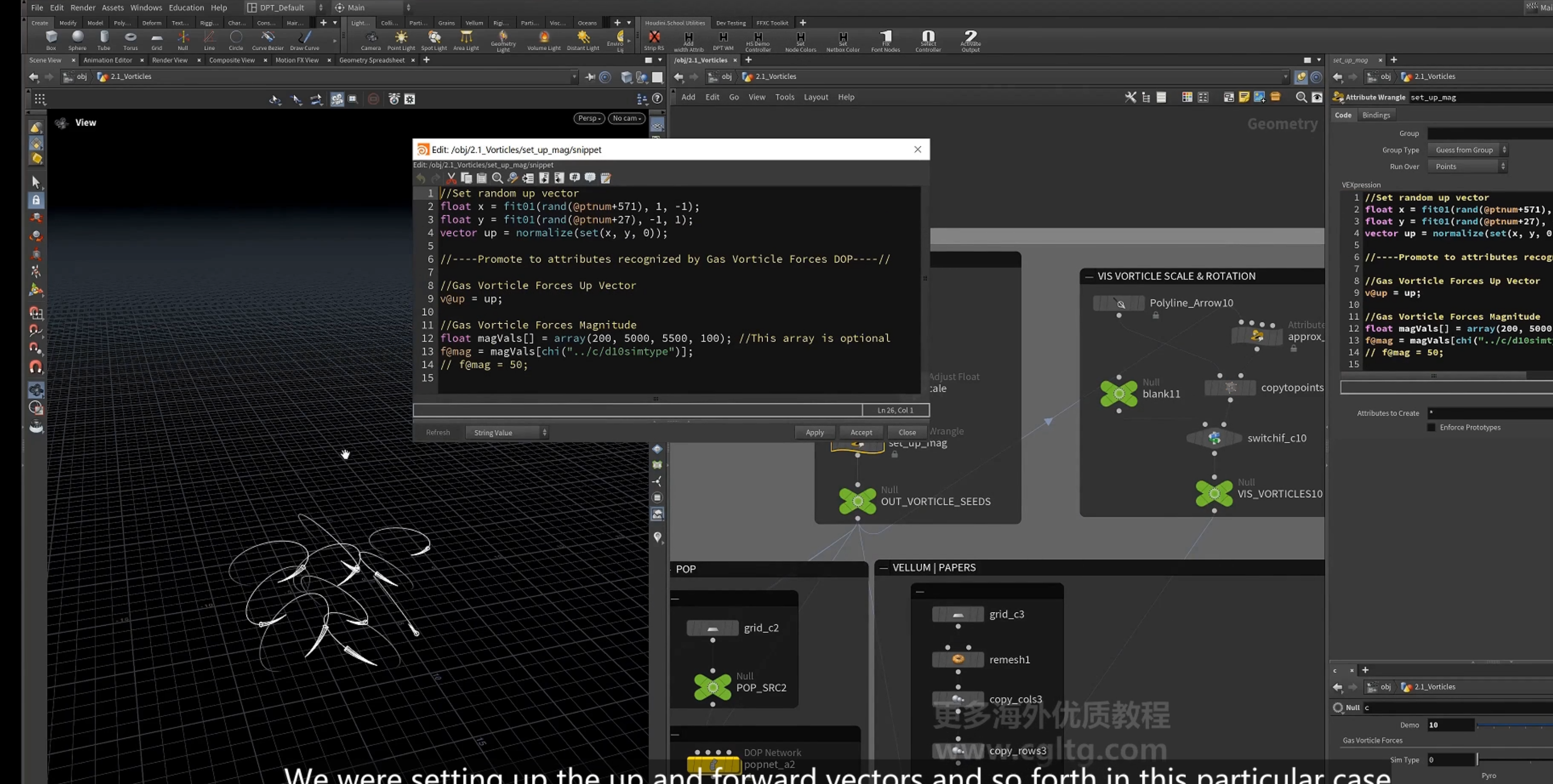
1.设置up ,mag ,pscale 属性

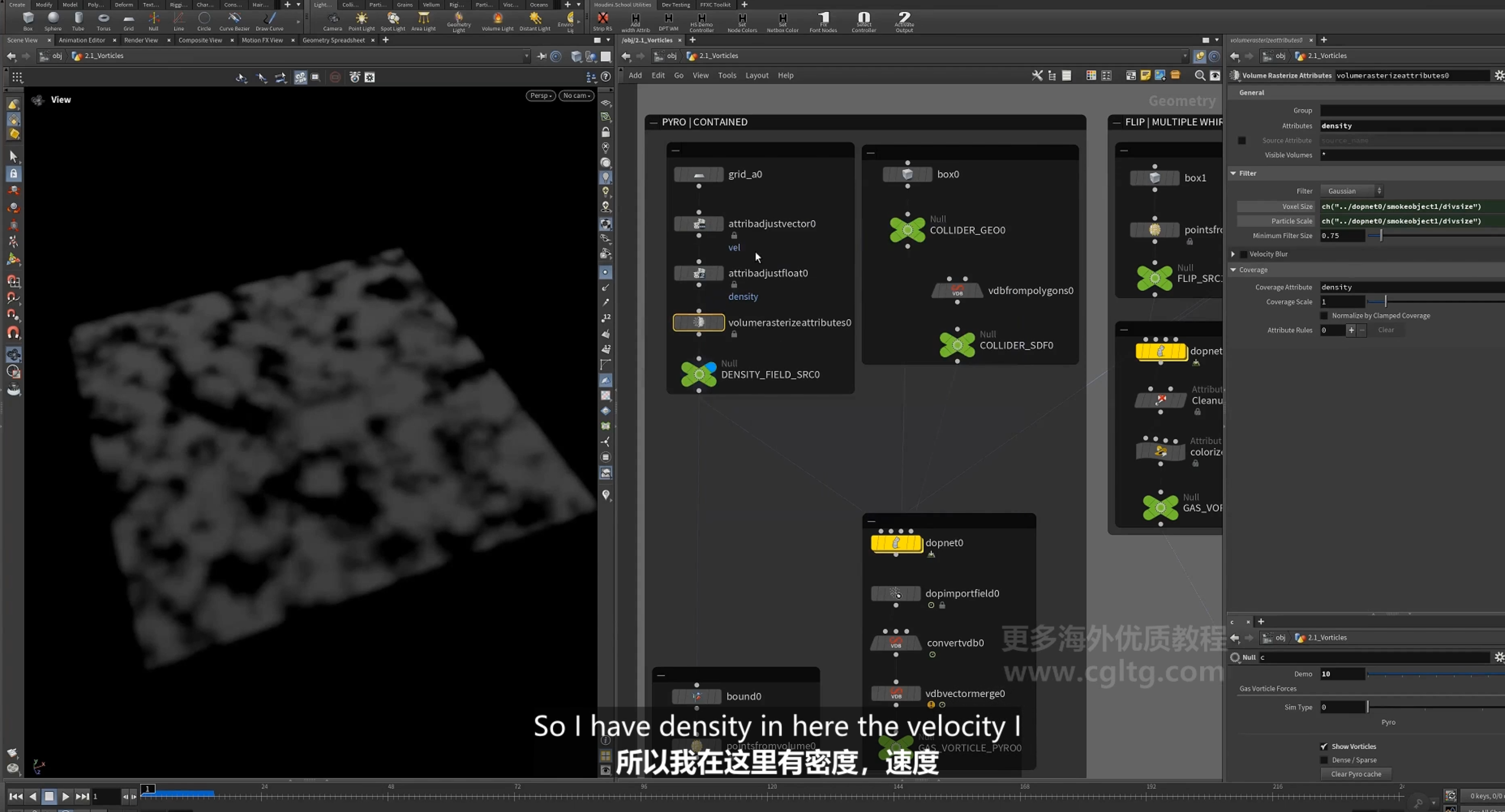
2.设置pyro
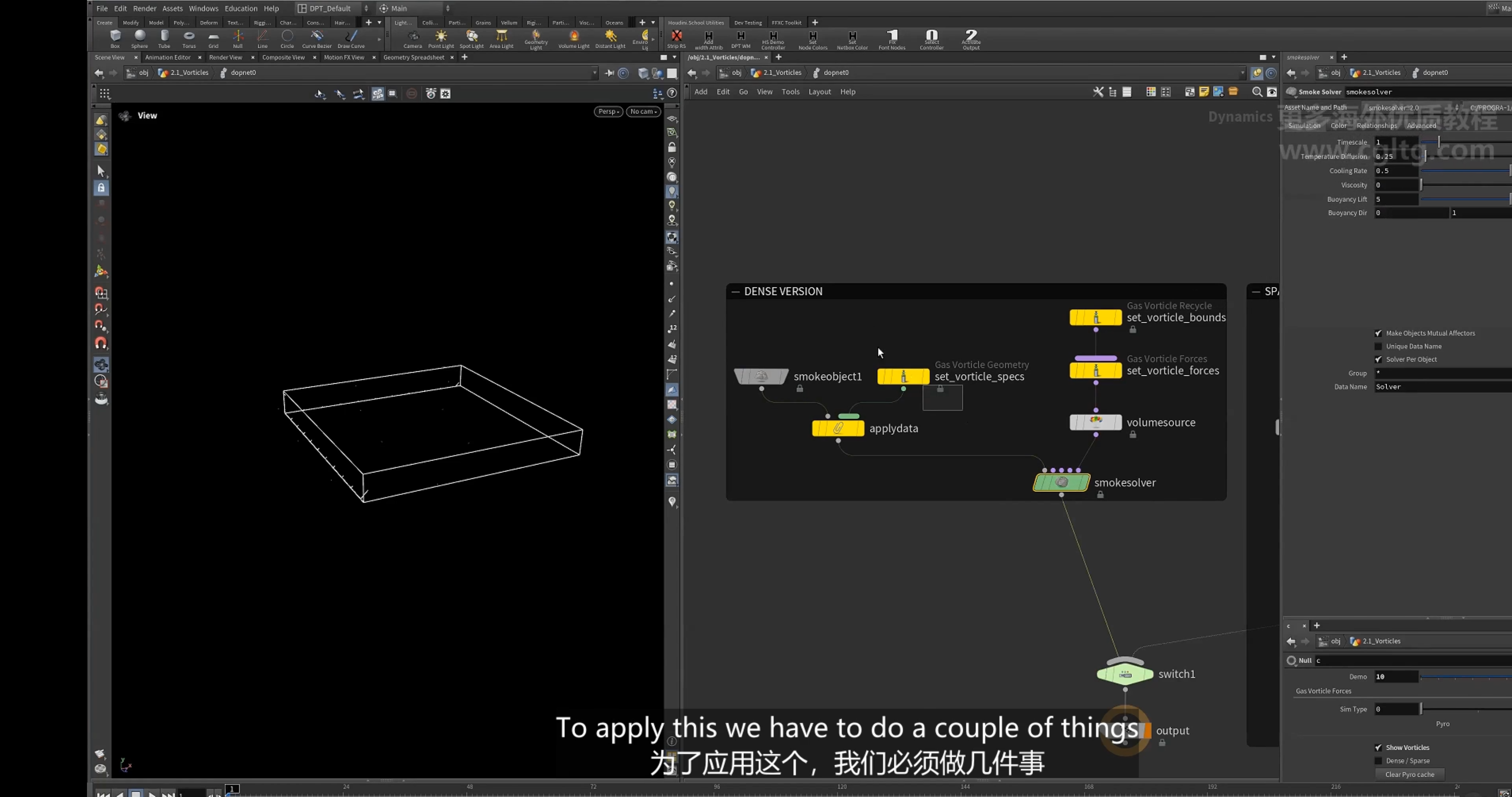
3.dop net
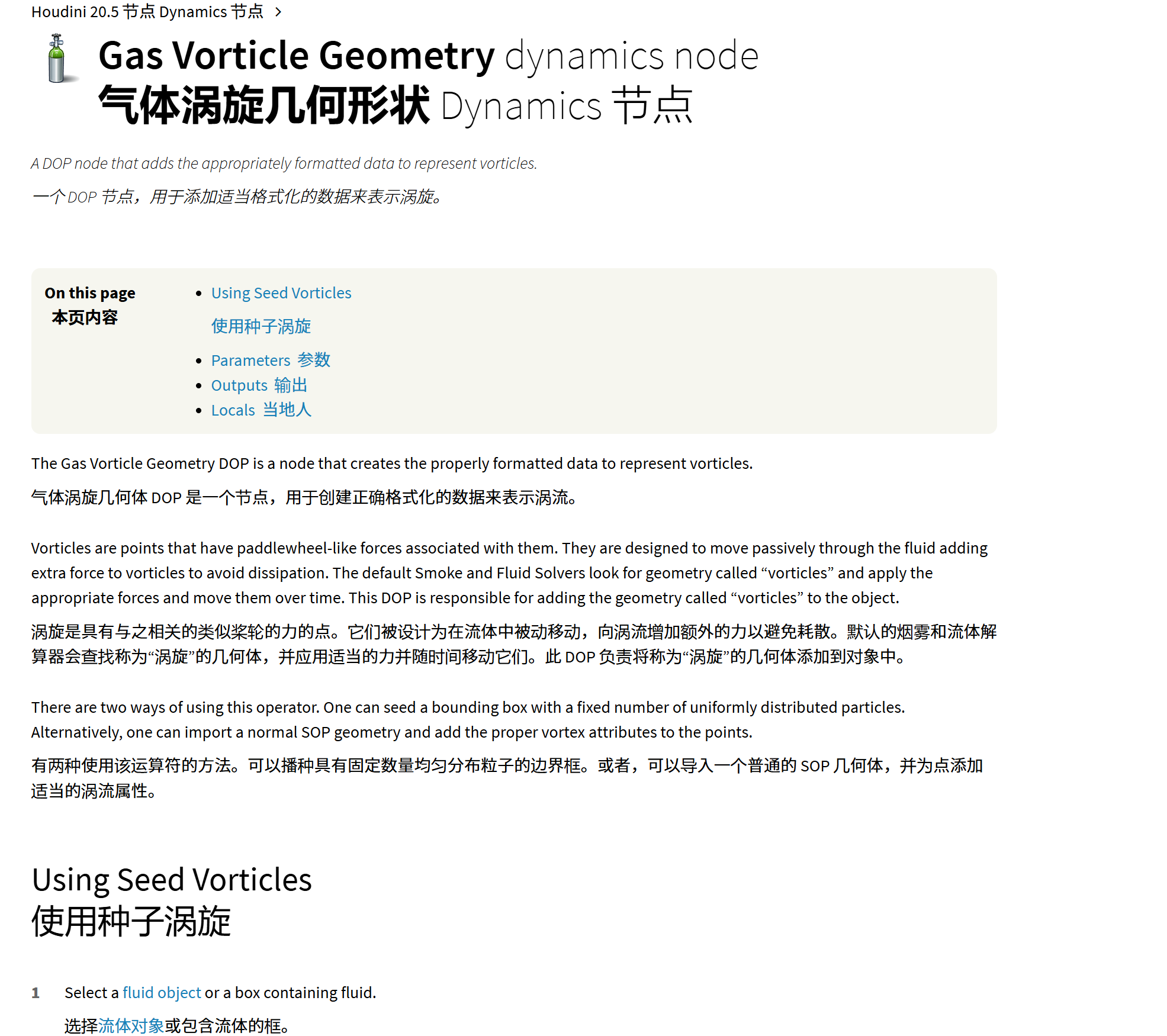
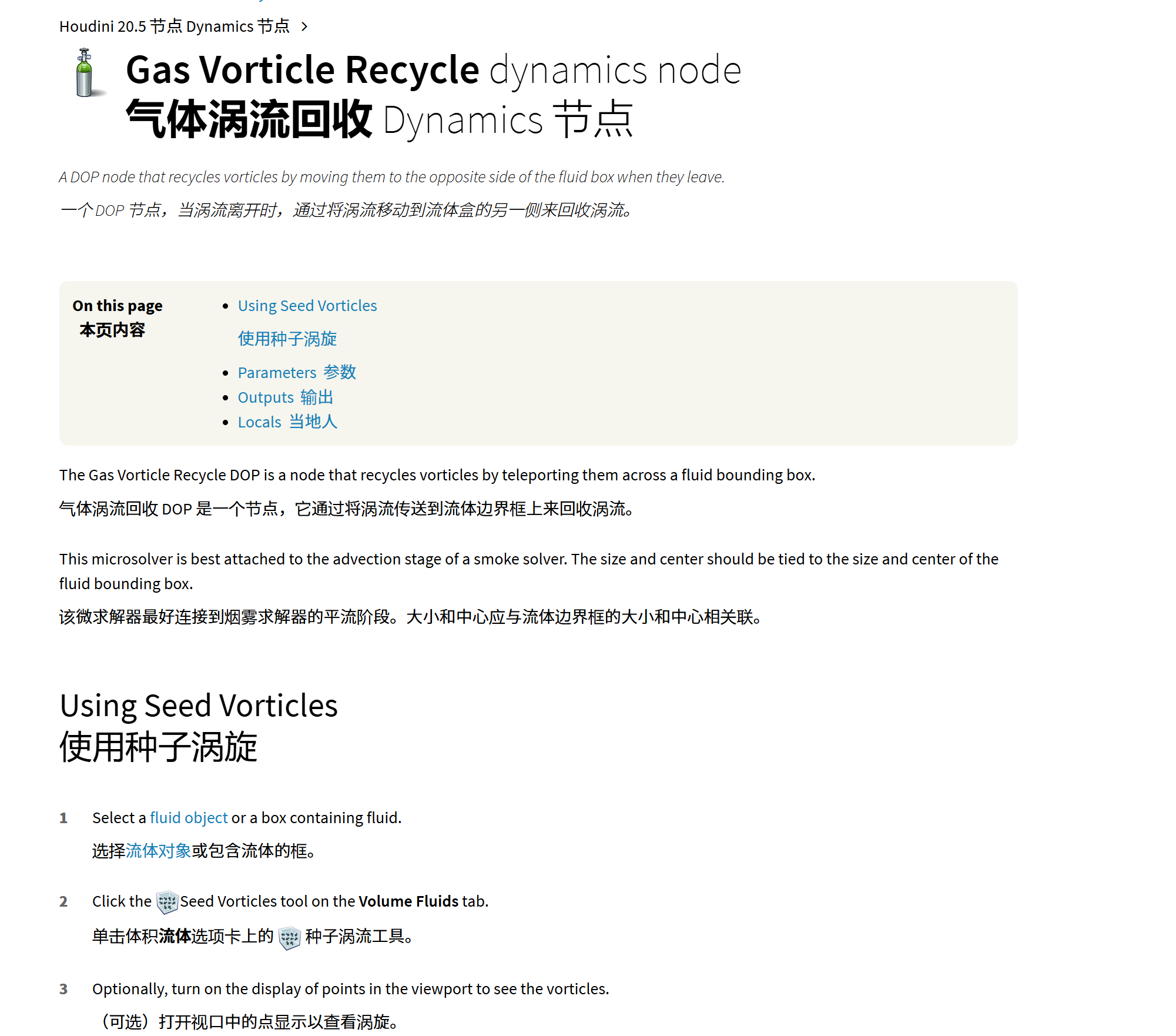
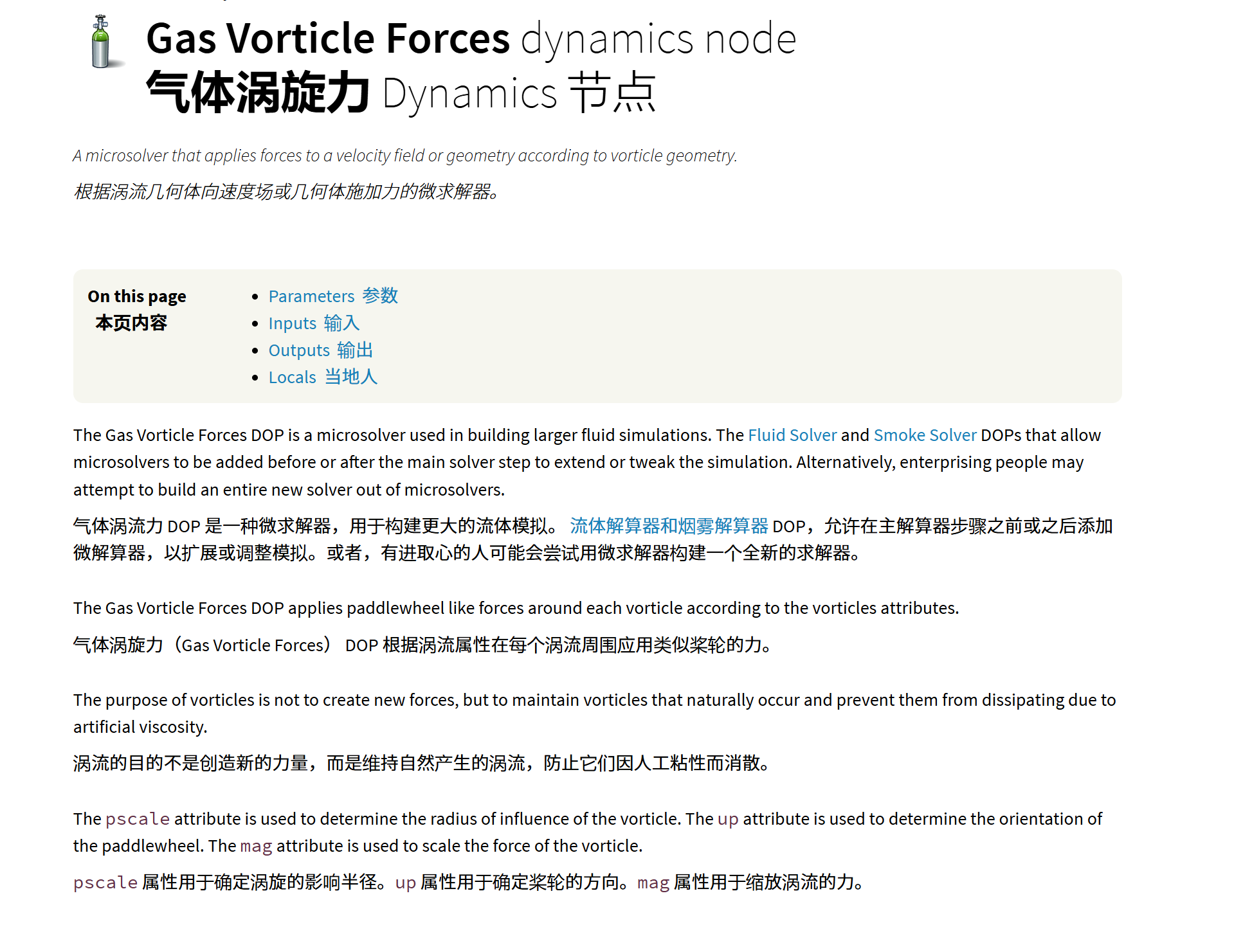
4.volume source设置
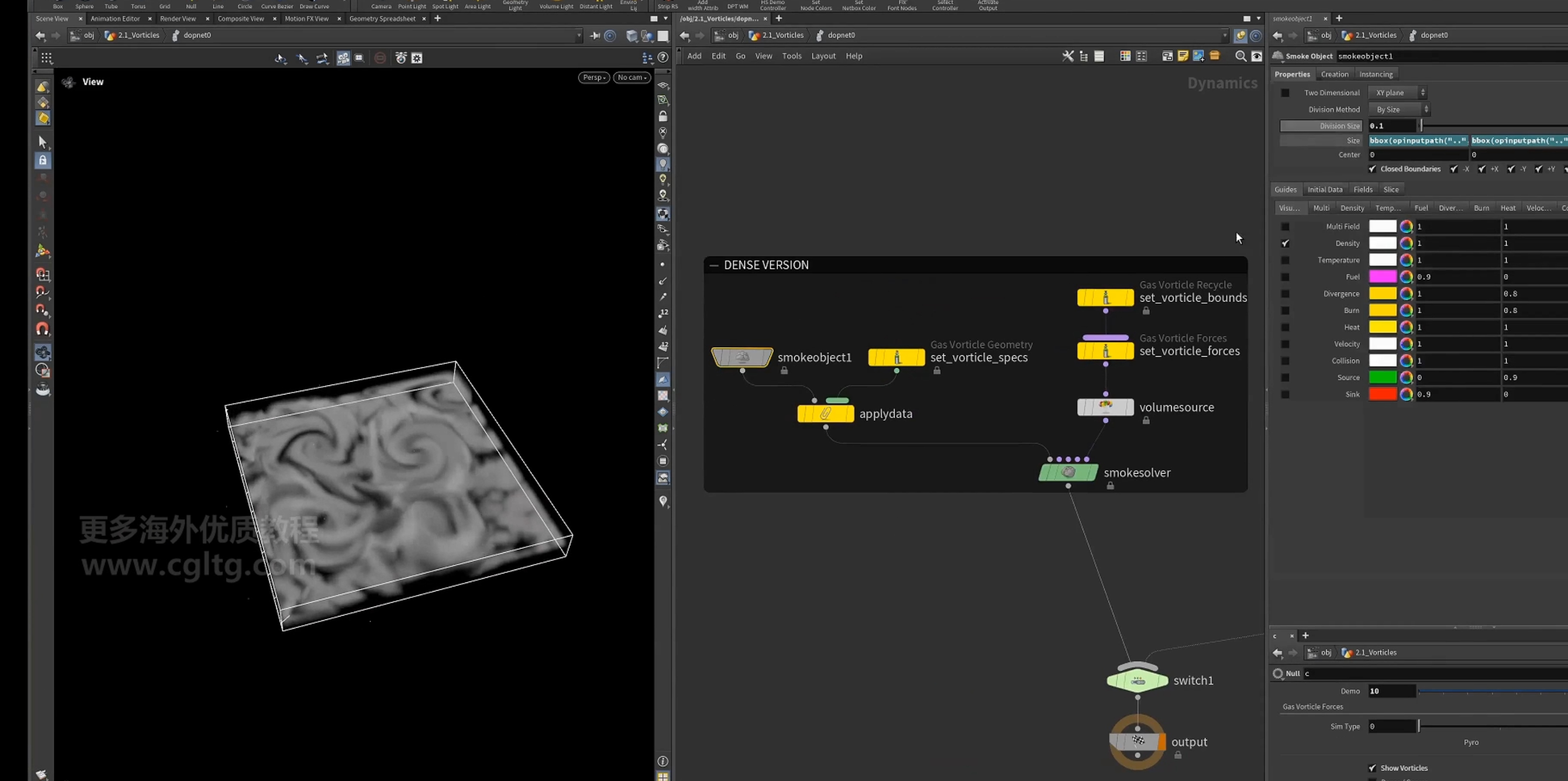
density 模拟会保留所有smoke,sparse模拟则会损失一部分
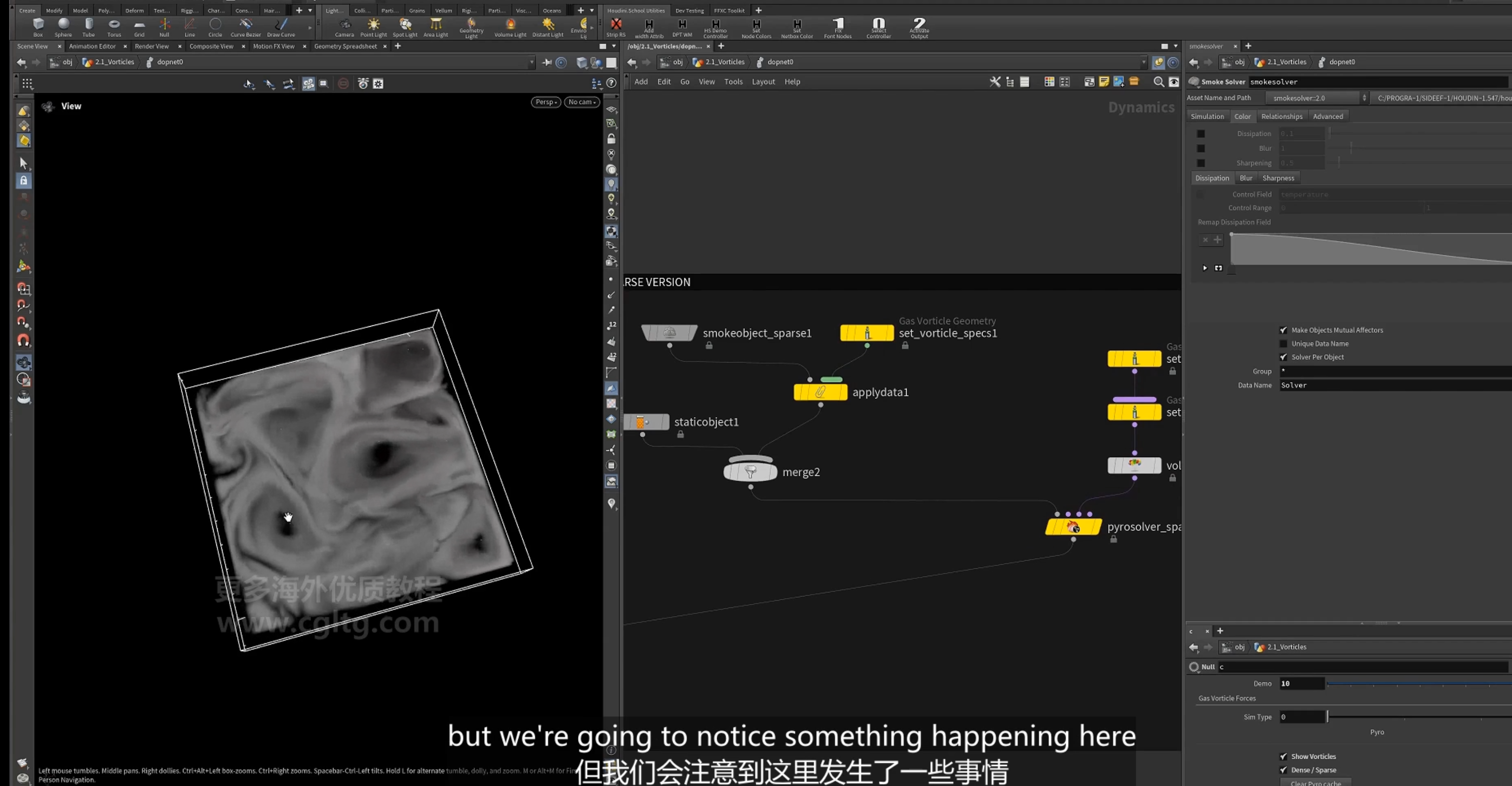
5.sparse sim
使用static object用于 collision
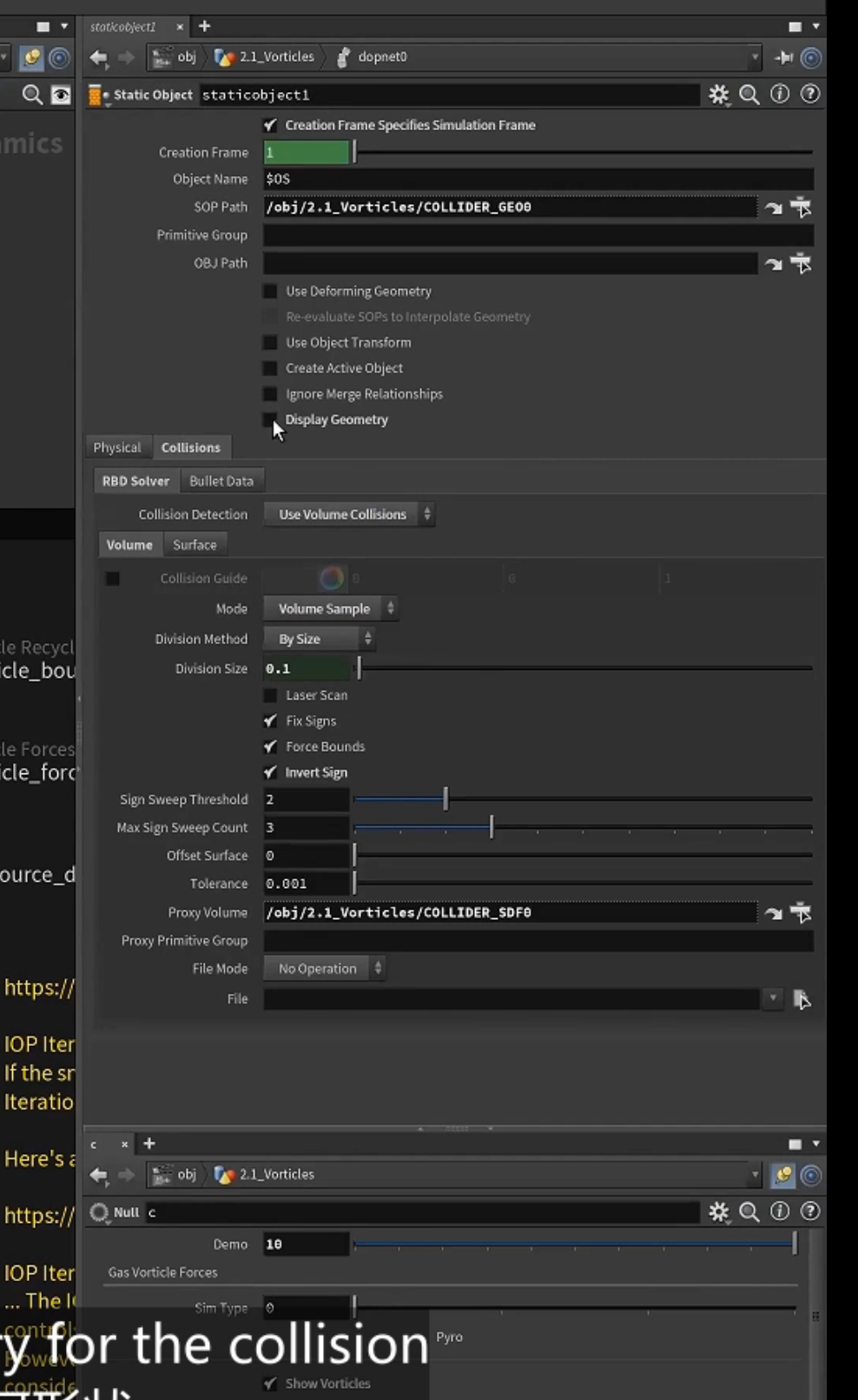
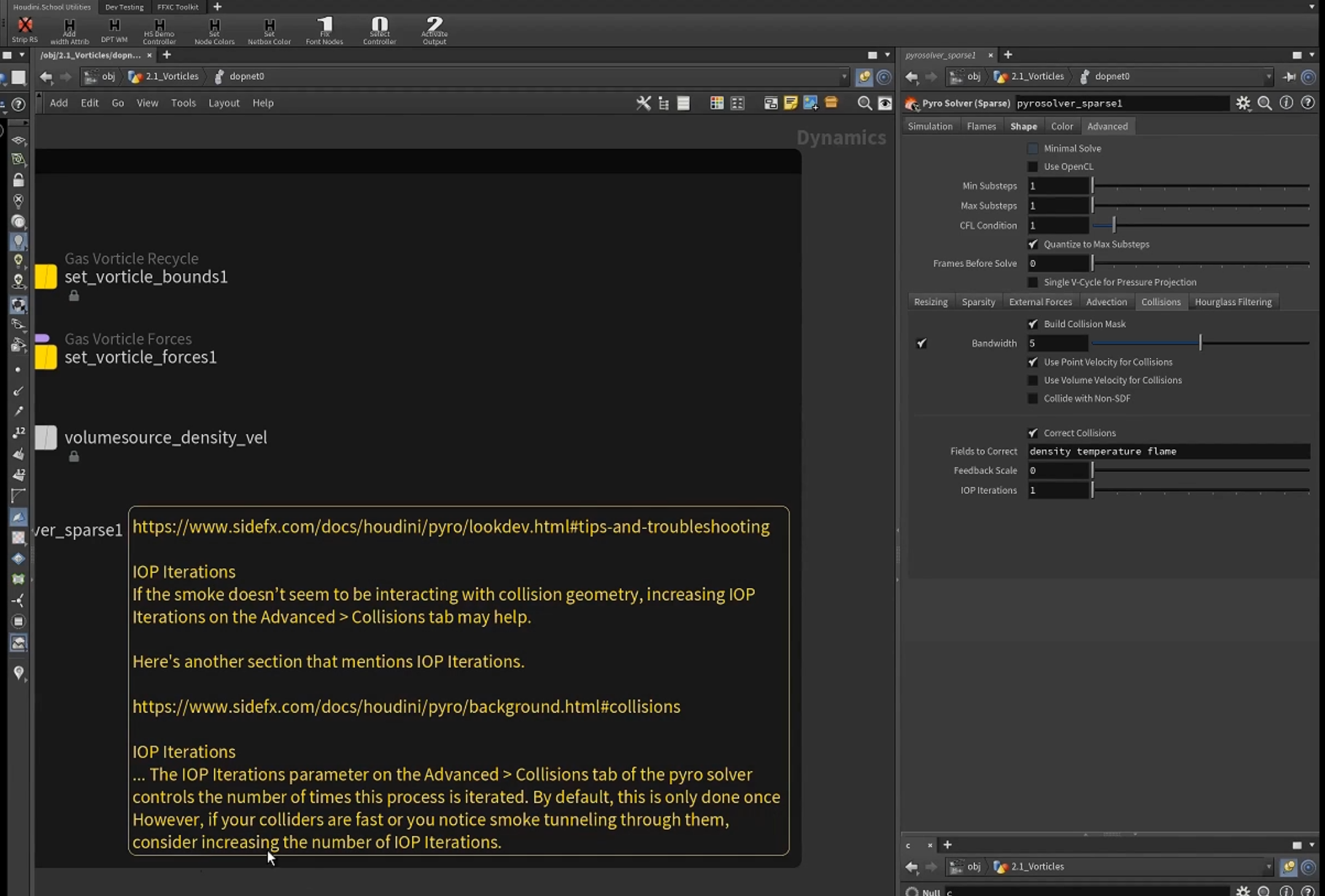
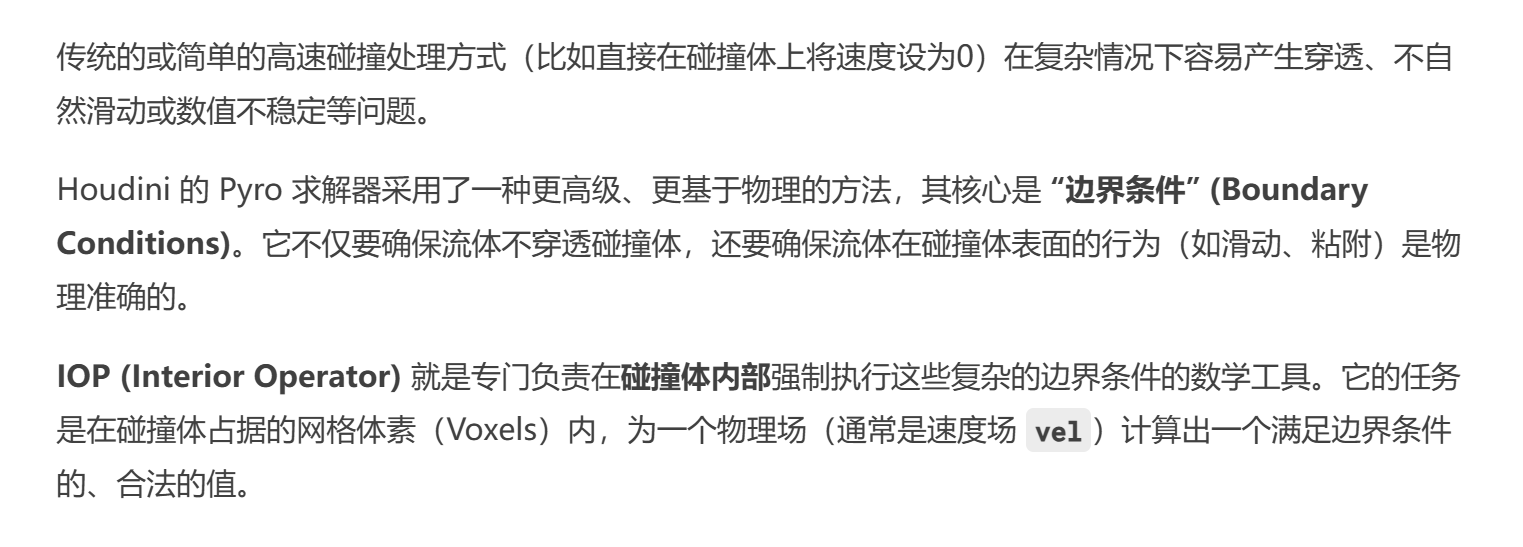
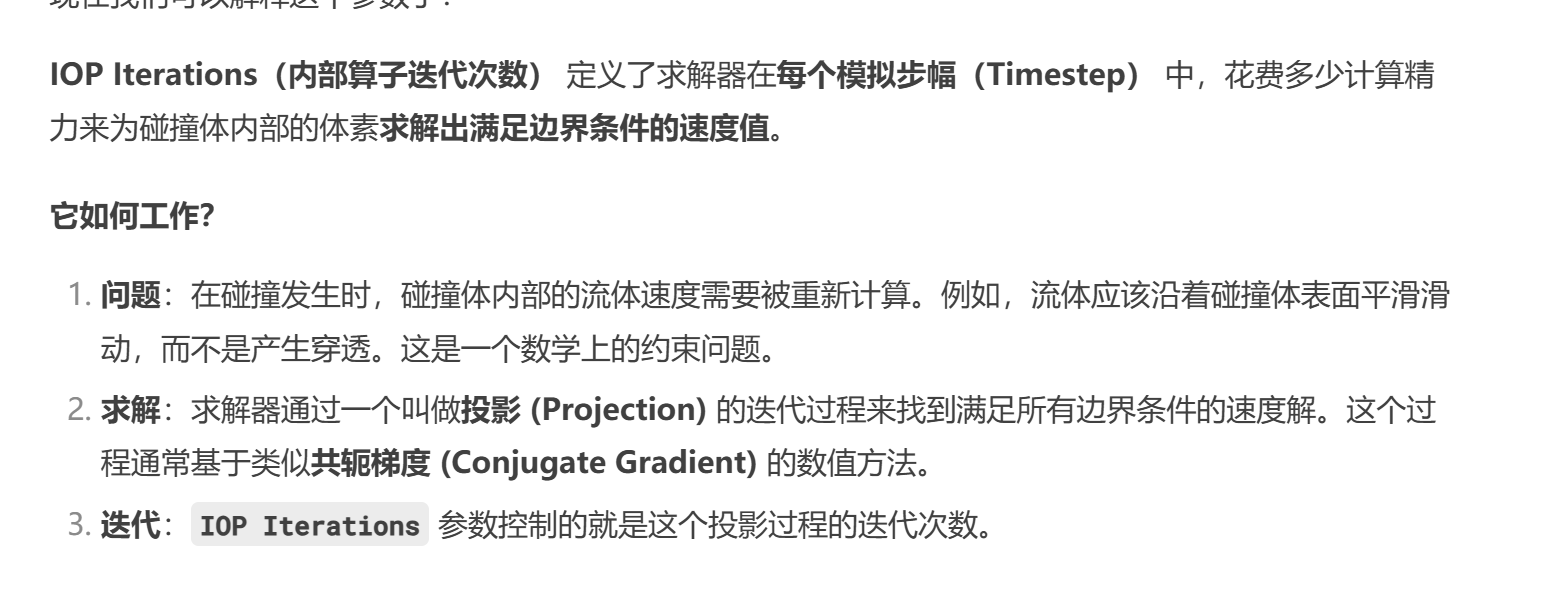
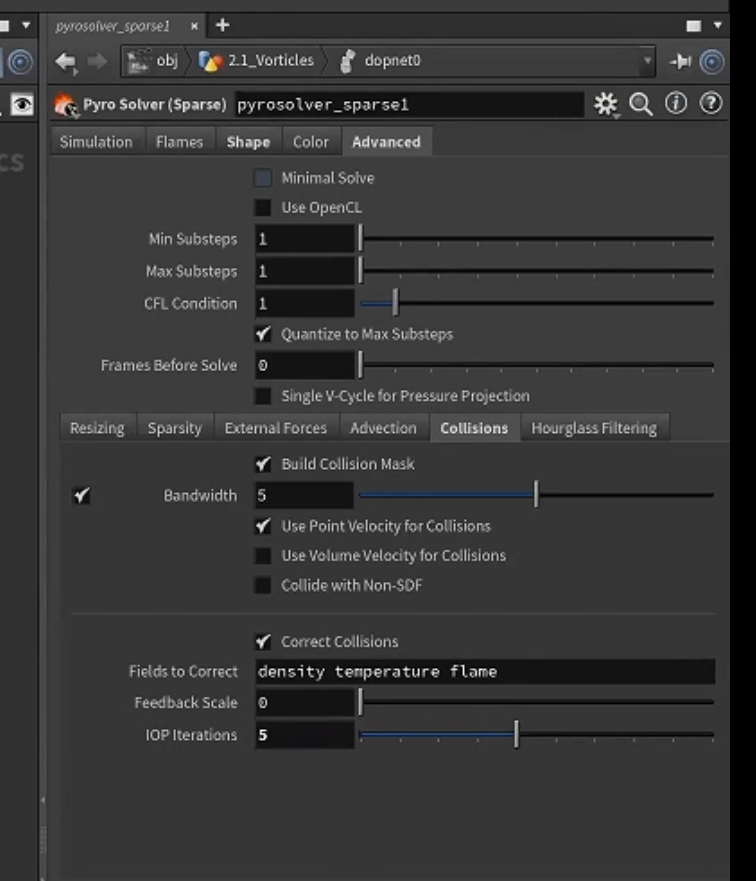
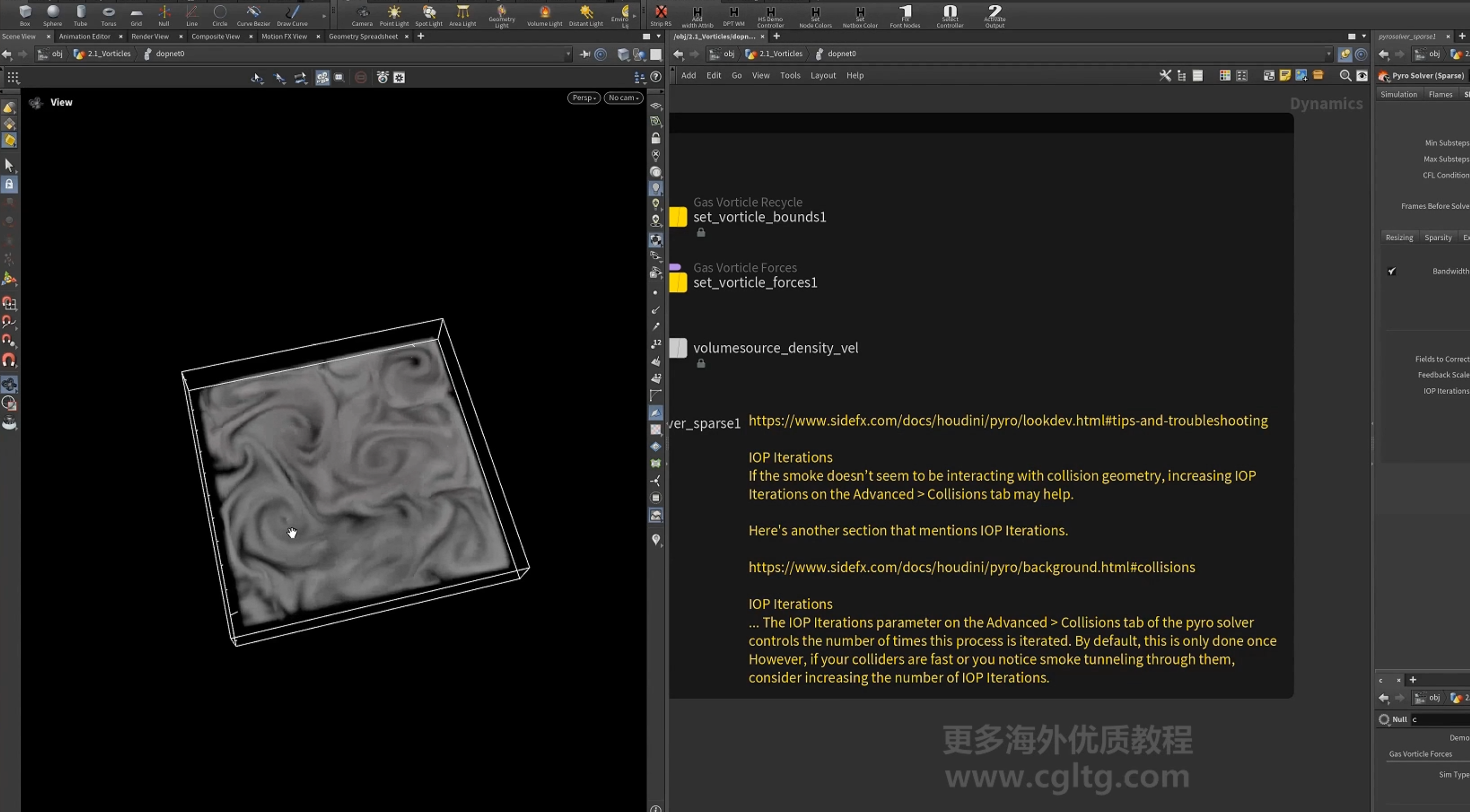
控制==IOP iteration(interior operator内部算子迭代)==,消除损失
这个参数影响着碰撞质量
设置
8.flip 的涡流模拟(使用涡流的微求解器)
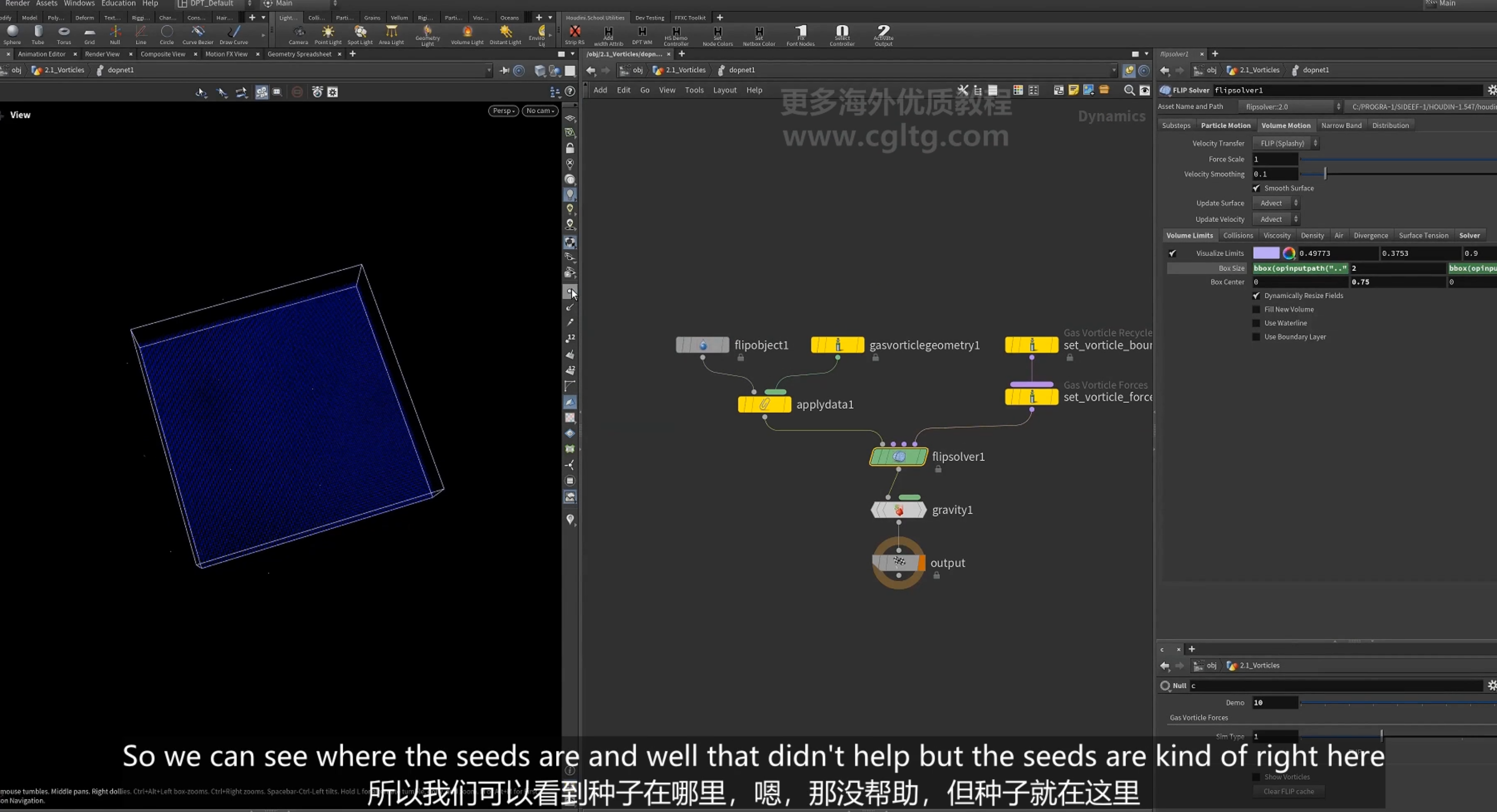
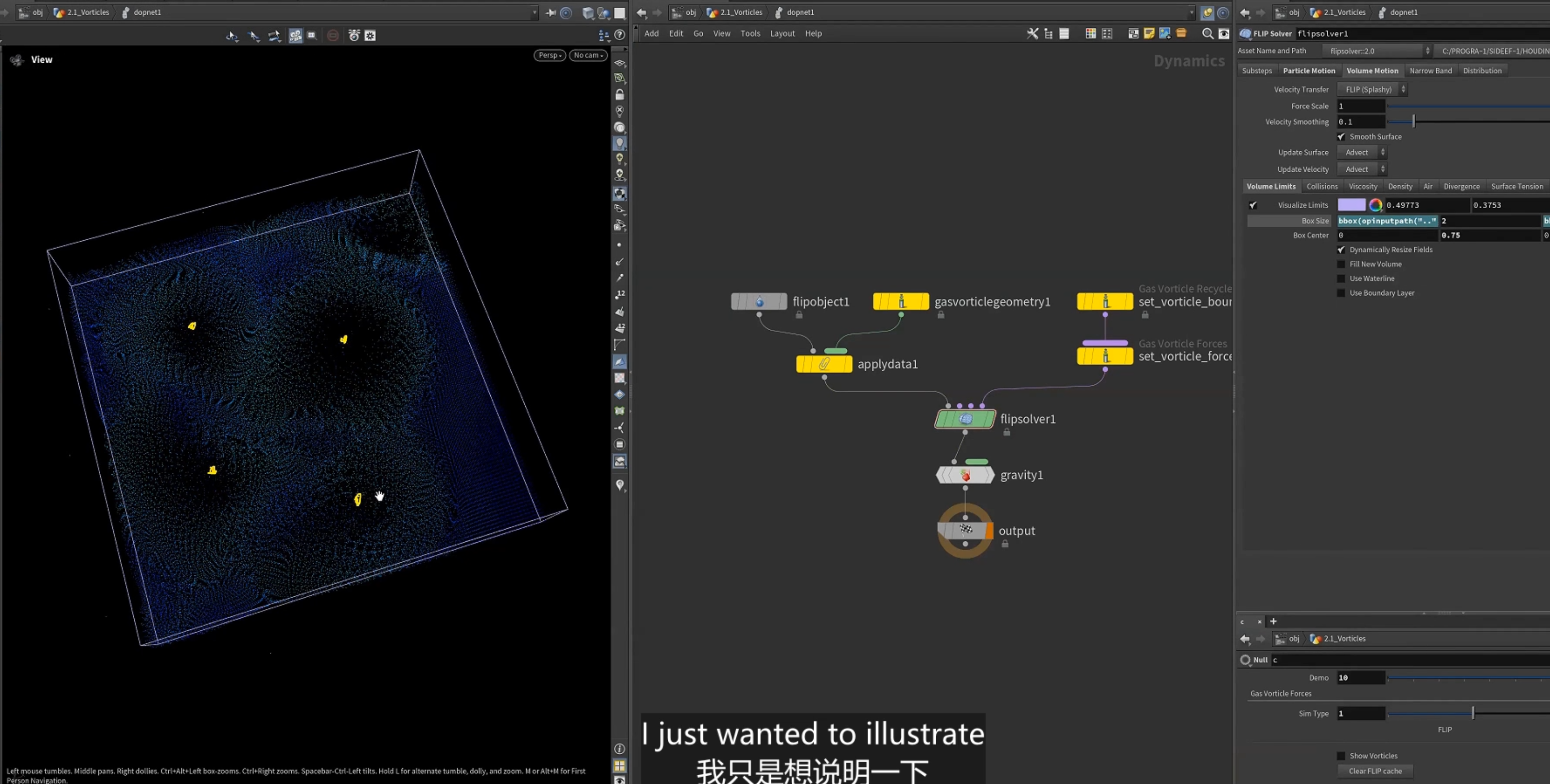
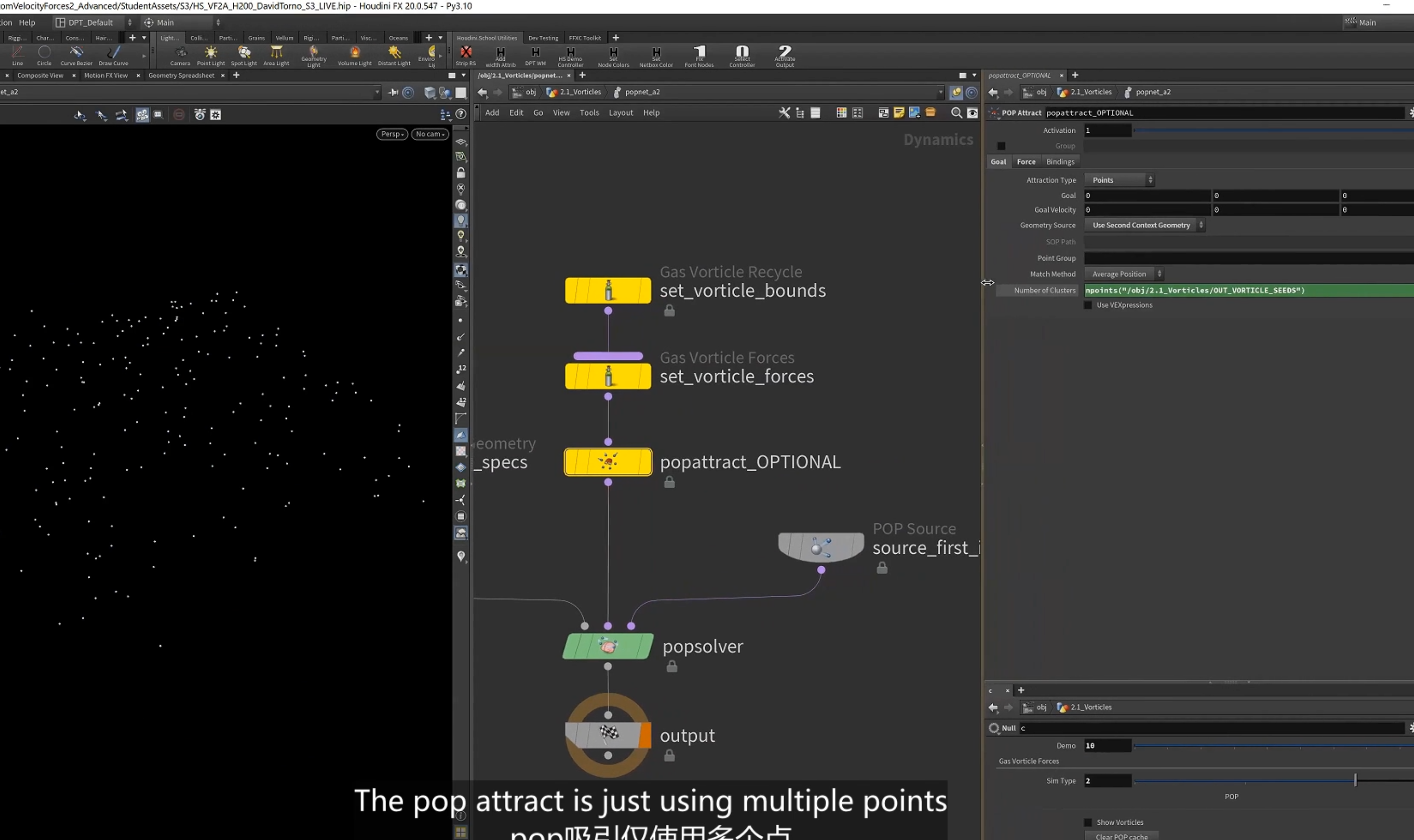
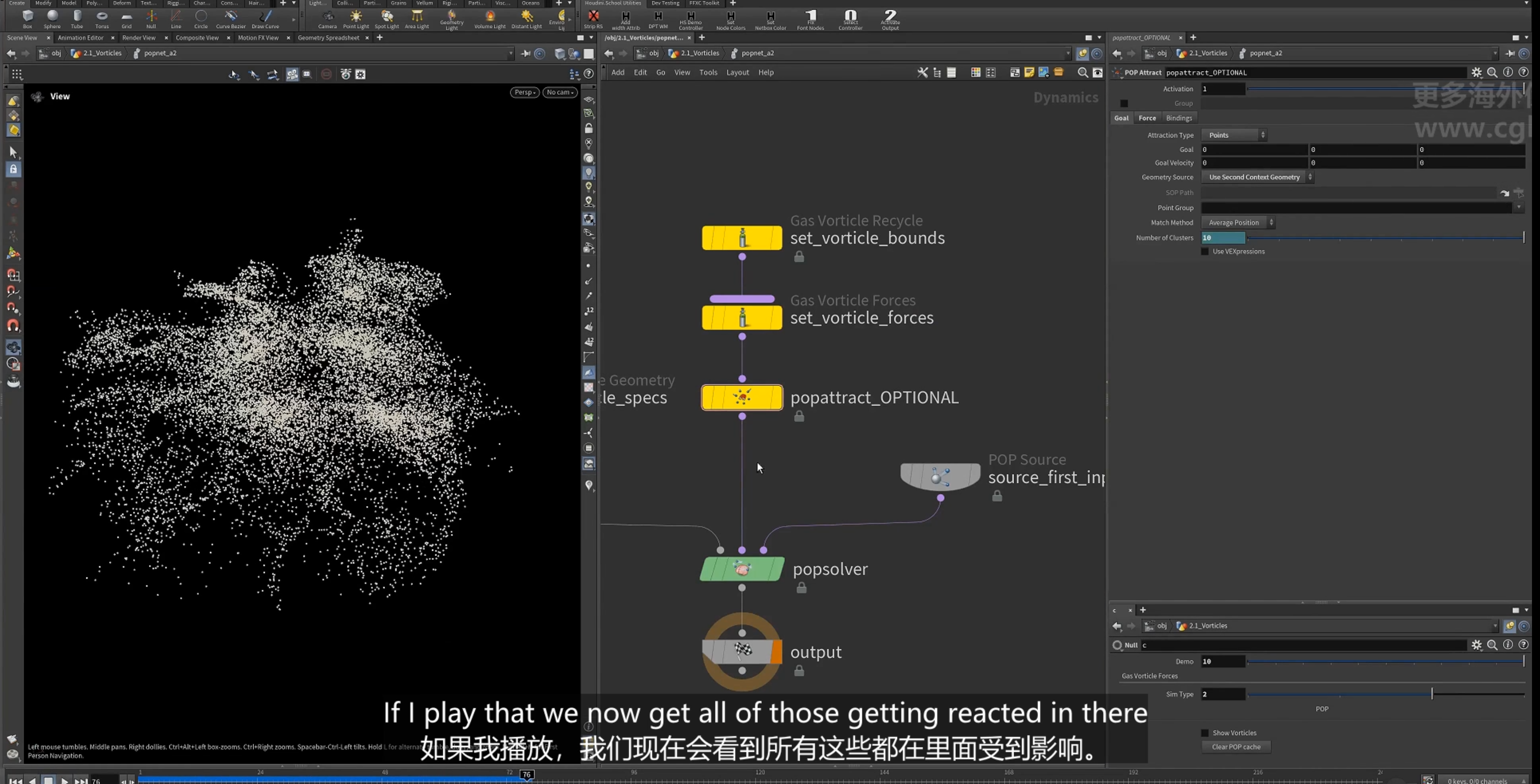
1.pop attract节点使用涡流seed点.
9.vellum 的涡流模拟(使用涡流的微求解器)
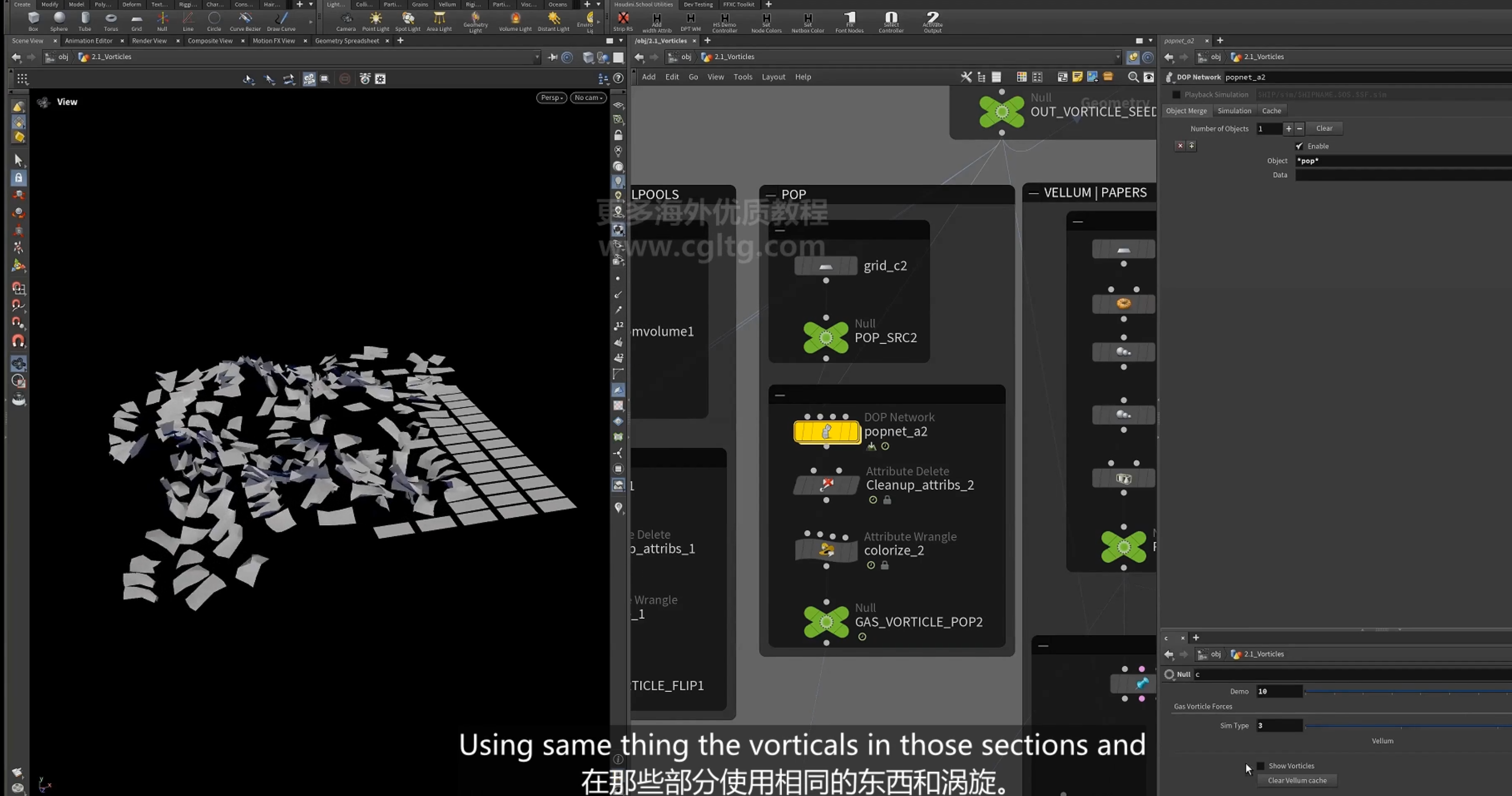
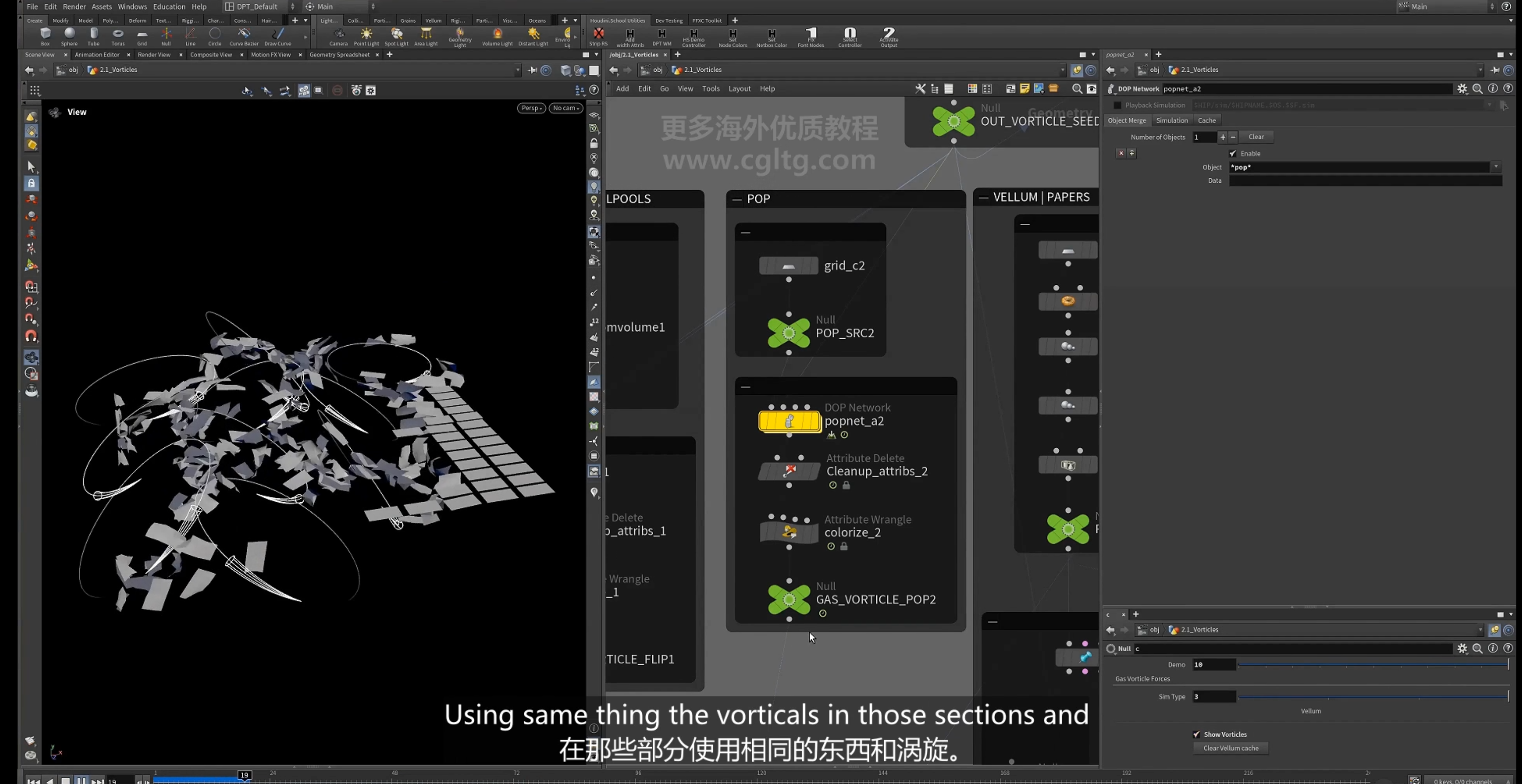
1.
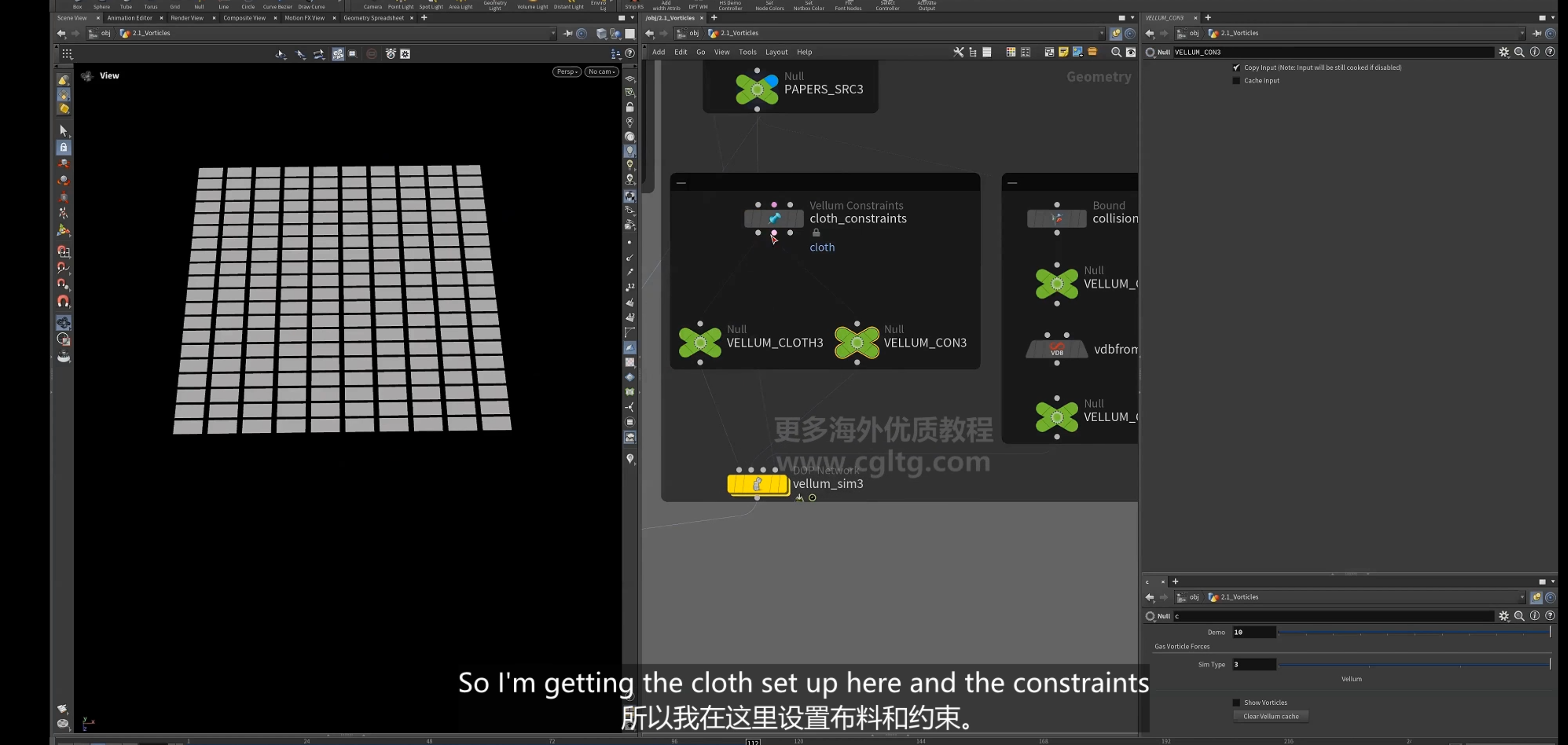
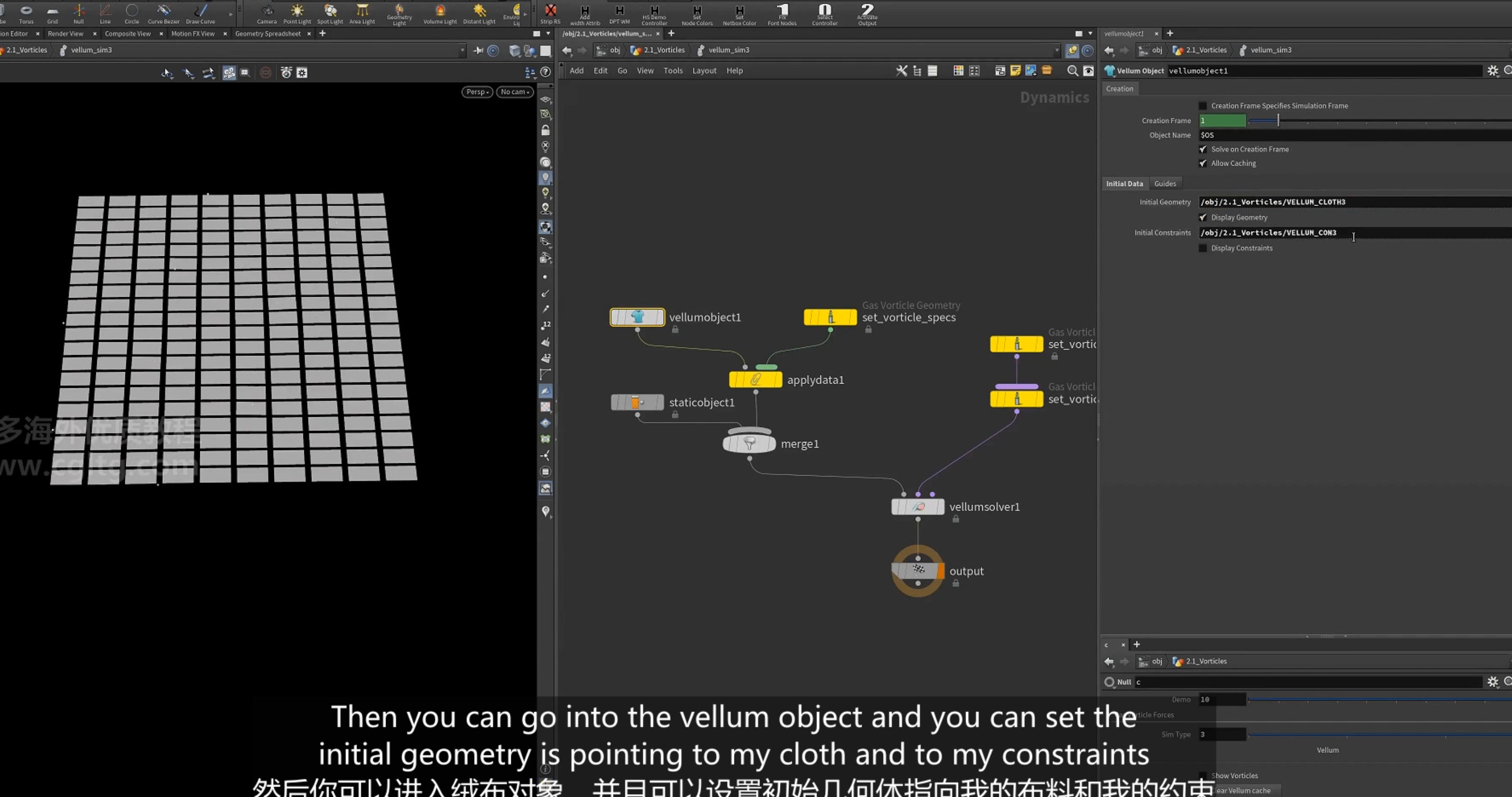
2.solver设置
6.optical flow 光流
1.optical flow 2D, pyro烟雾模拟
1.从cop开始
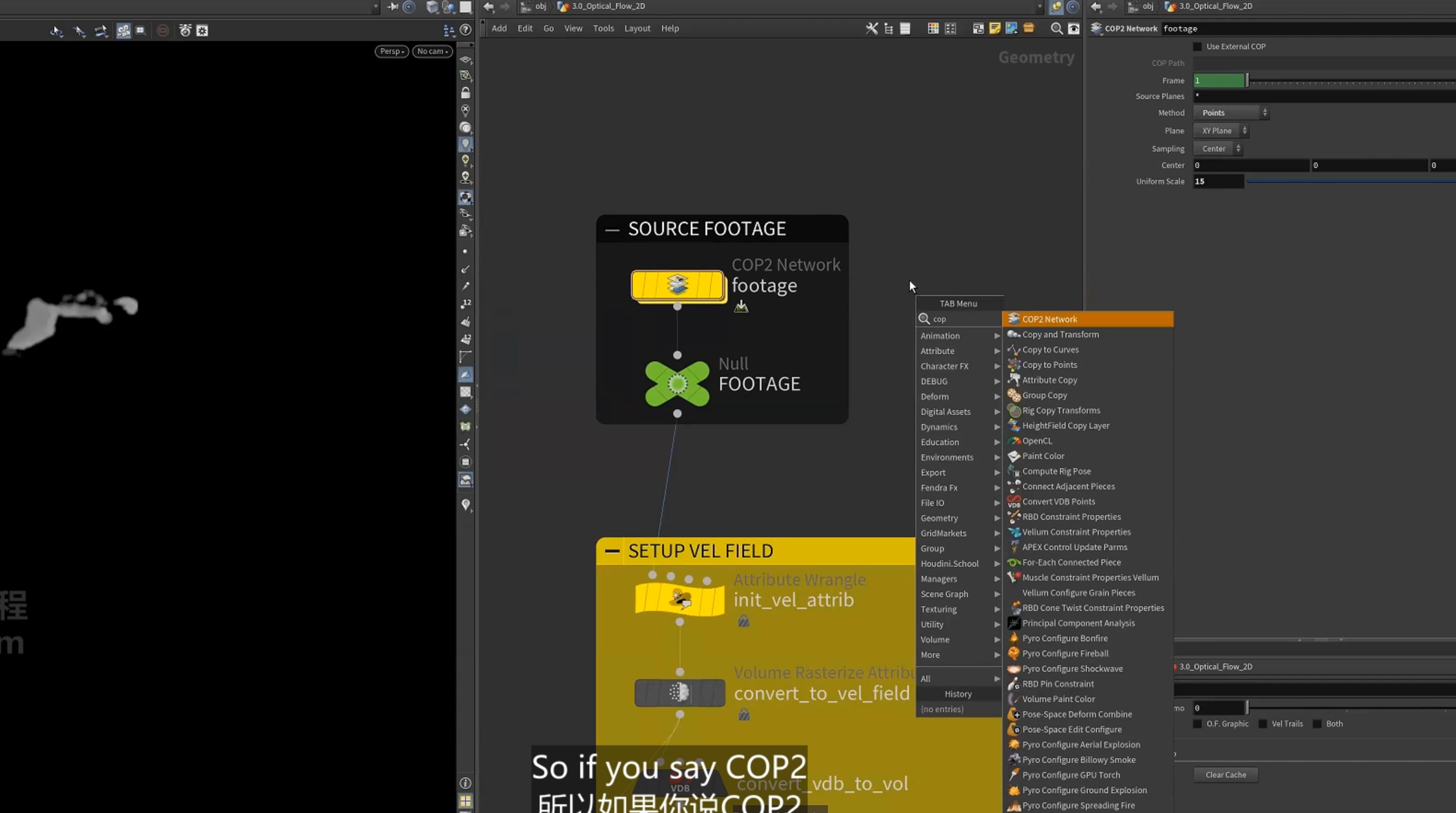
加载一个视频文件
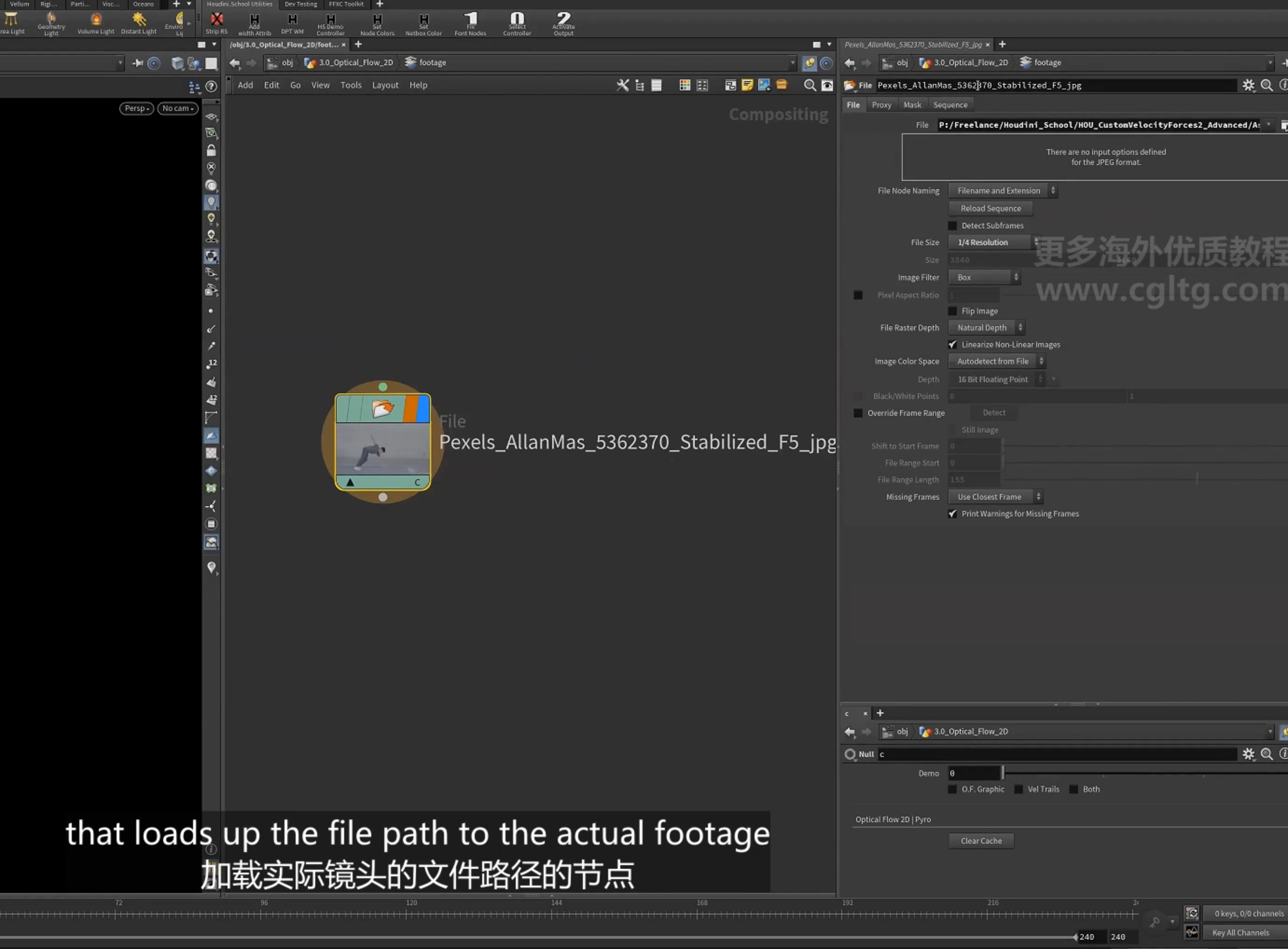
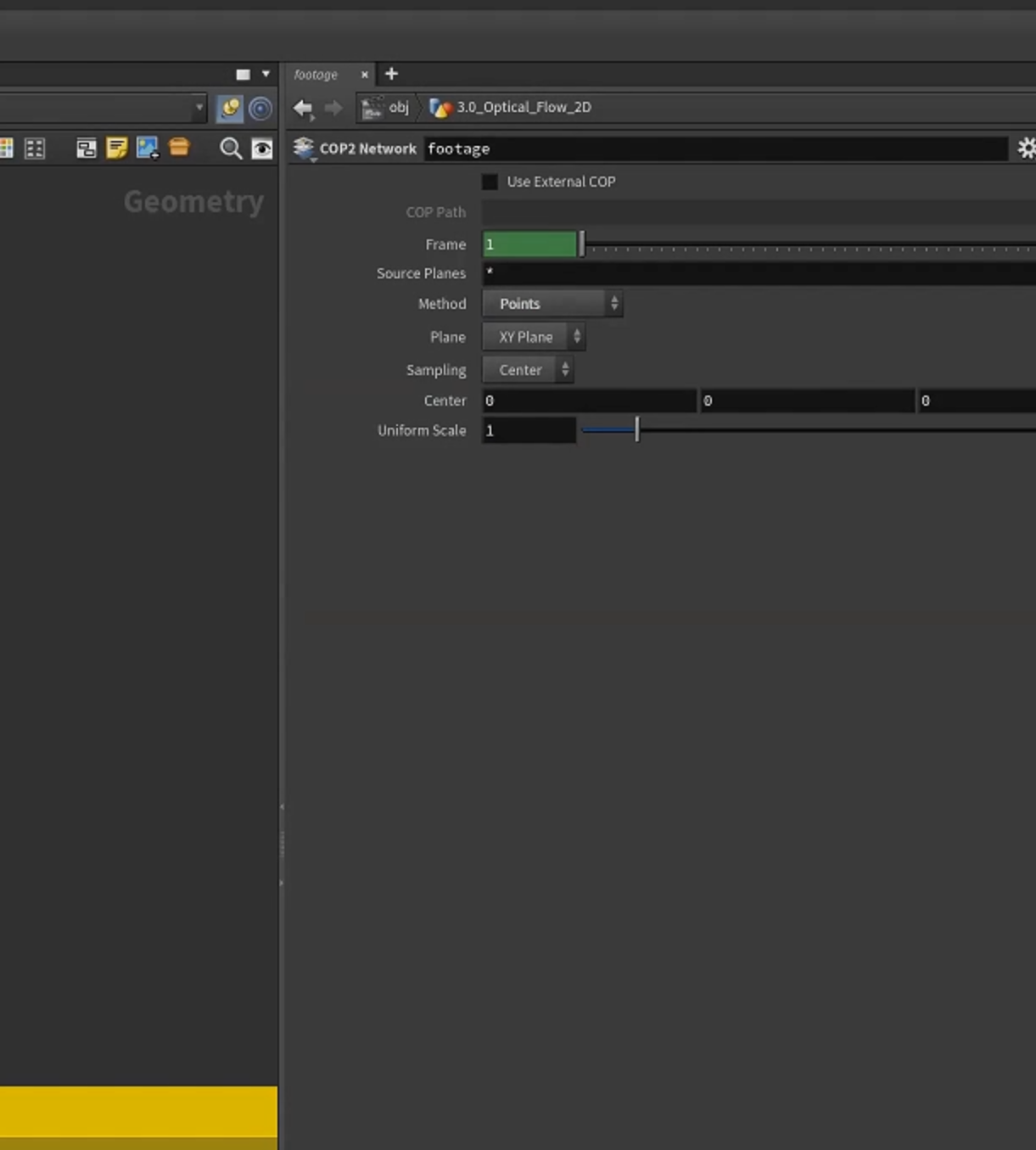
设置为point
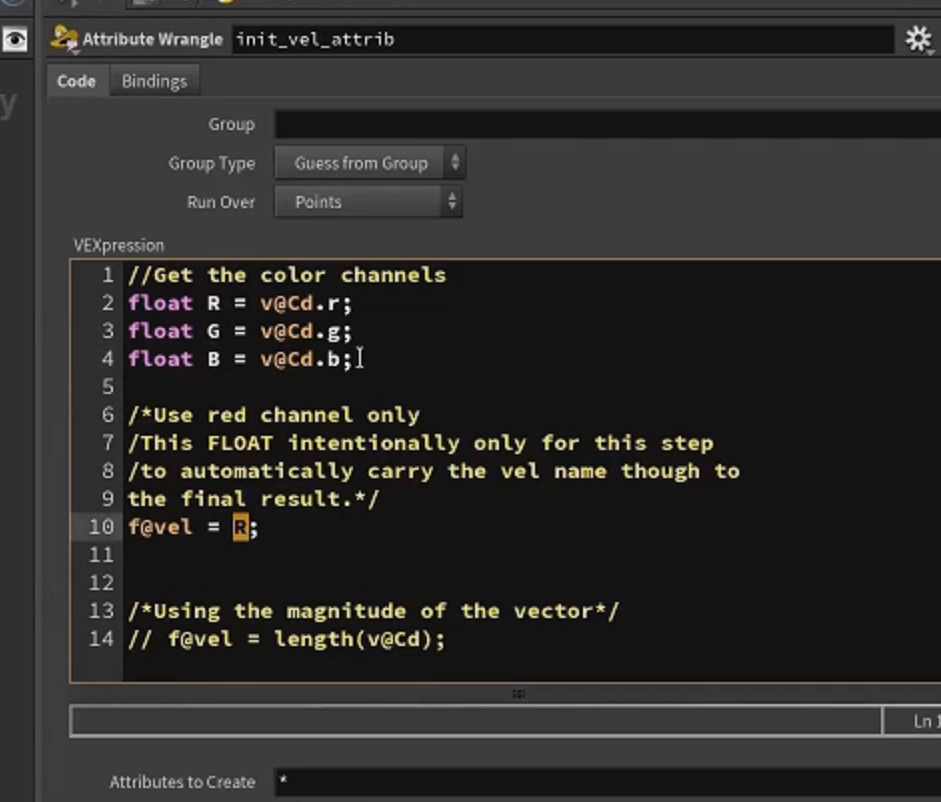
2.获取颜色,设置为vel属性(这里的vel是float)
3.将vel 栅格化rasterize 为volume(VDB),再转化为volume(standard)
([ volumeopticalflow() ]节点使用 volume(standard) )
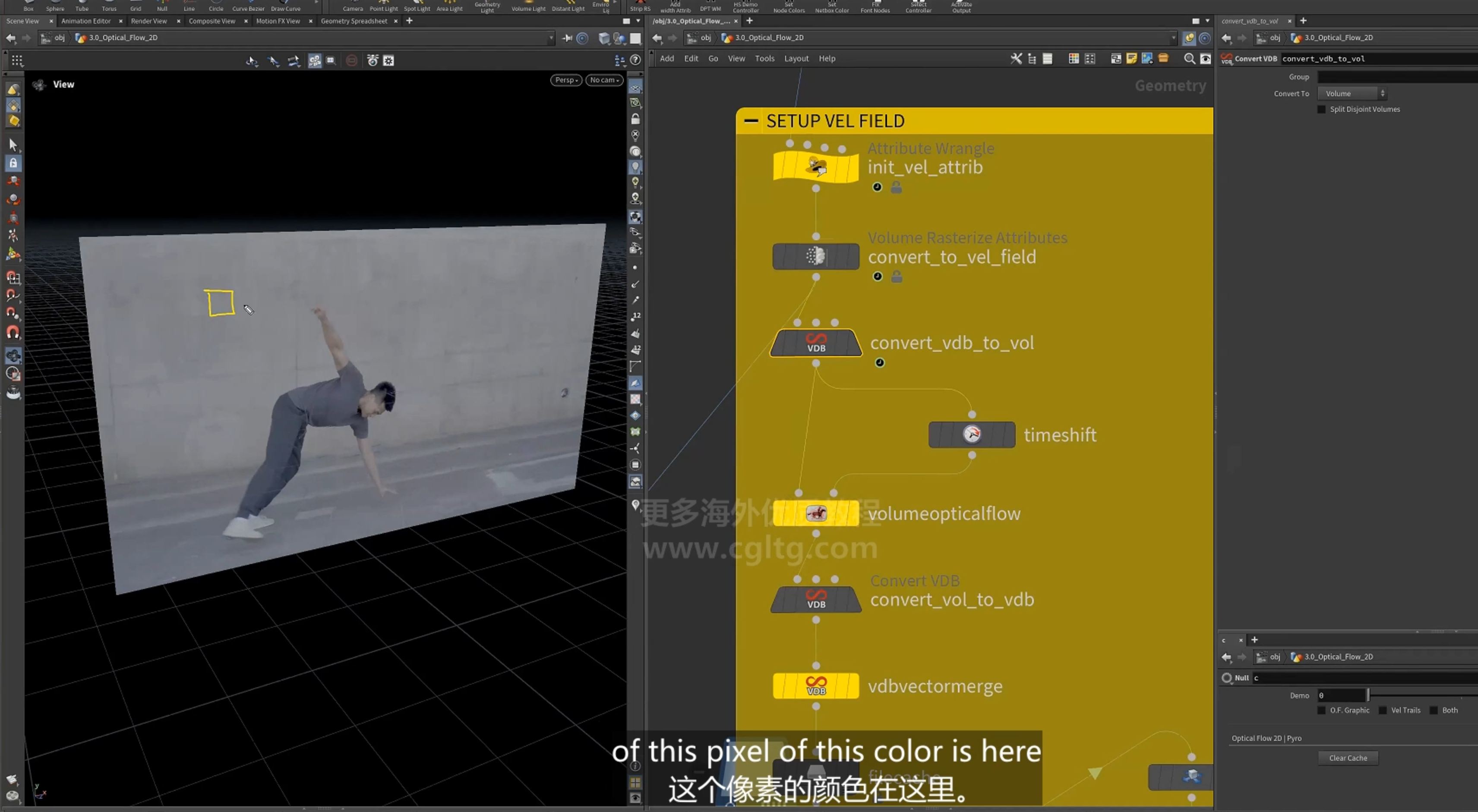
4.opticalflow 节点
参数
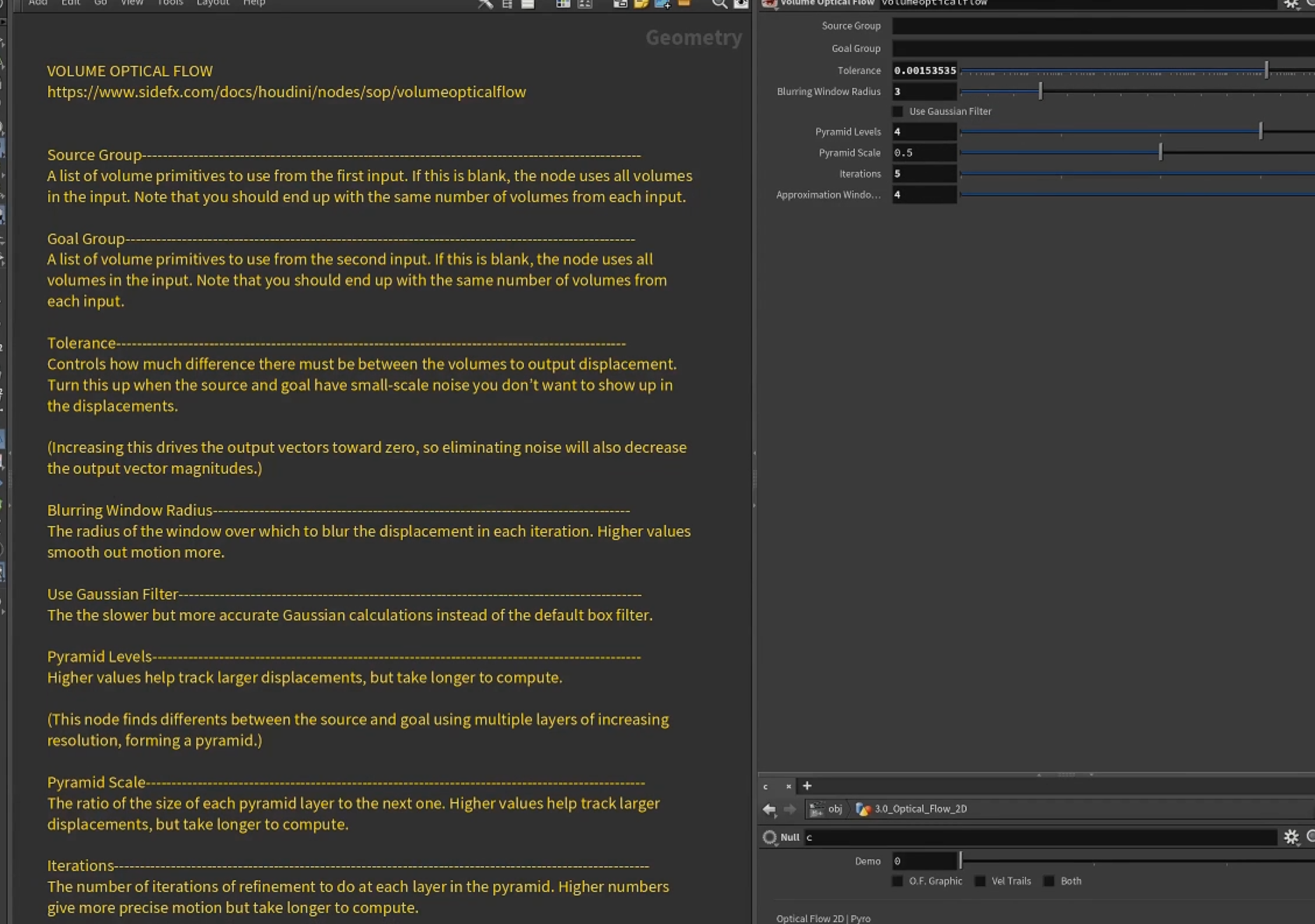
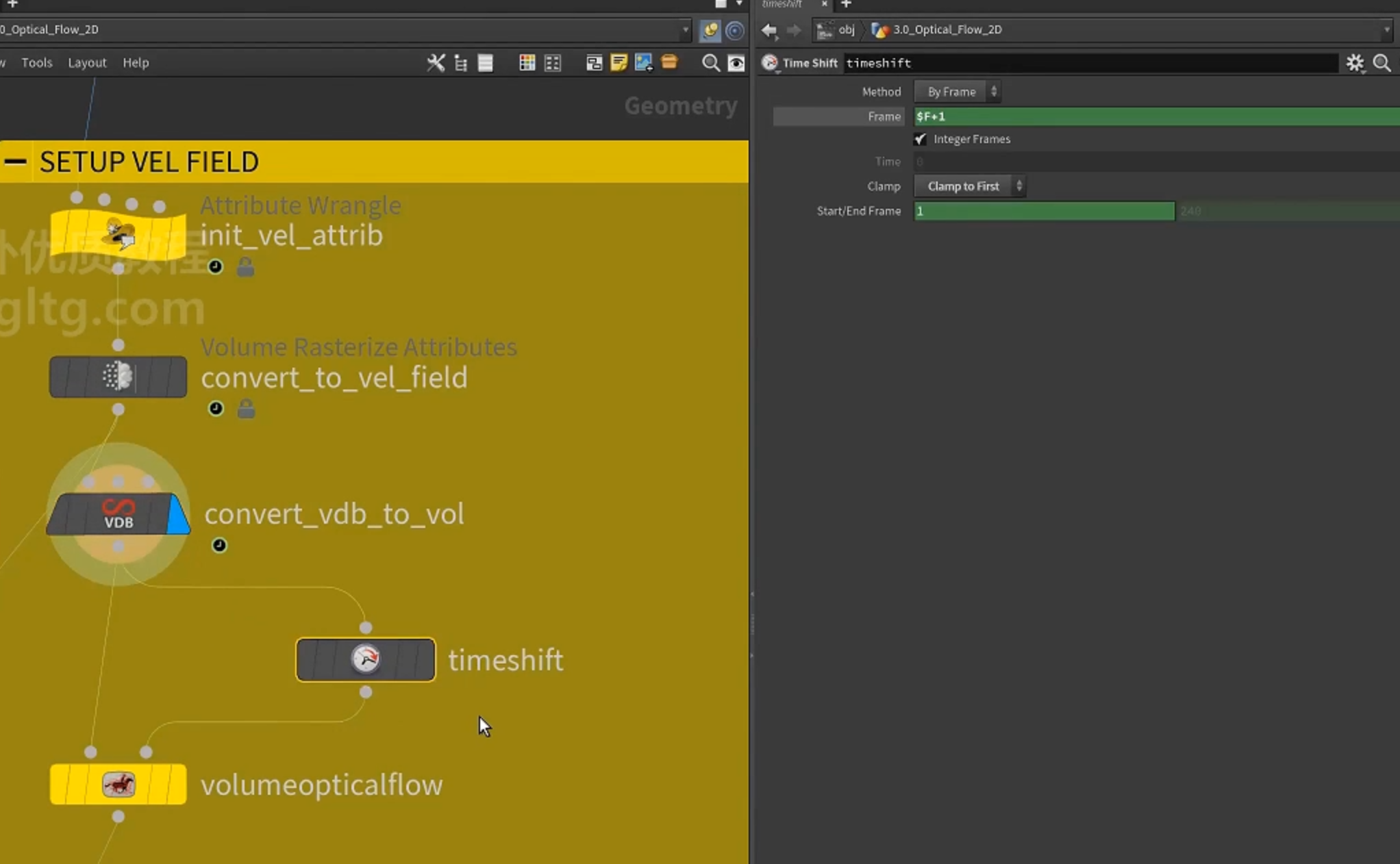
获取当前帧和下一帧作为optical 节点的输入
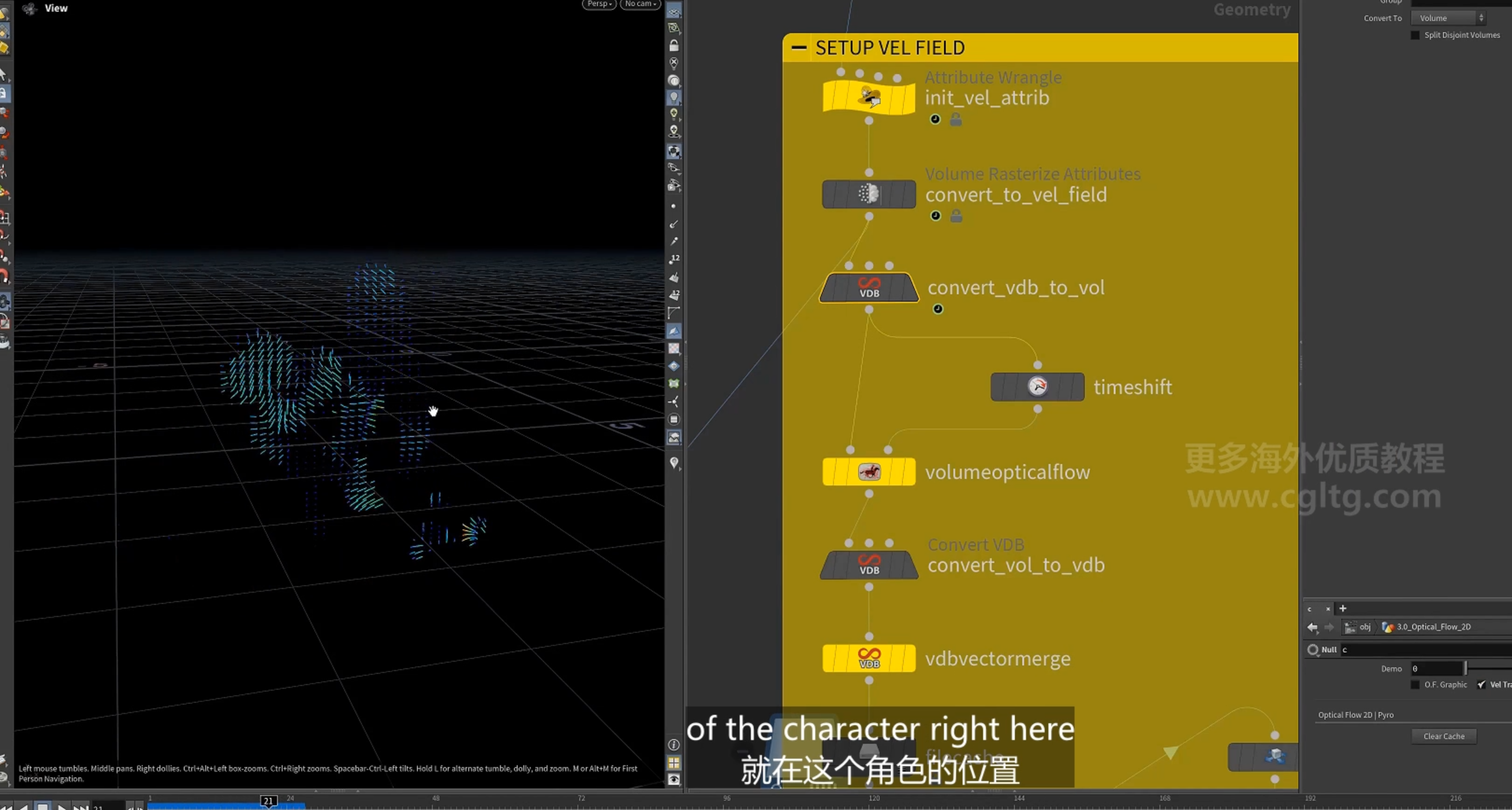
生成与角色运动相匹配的 矢量场
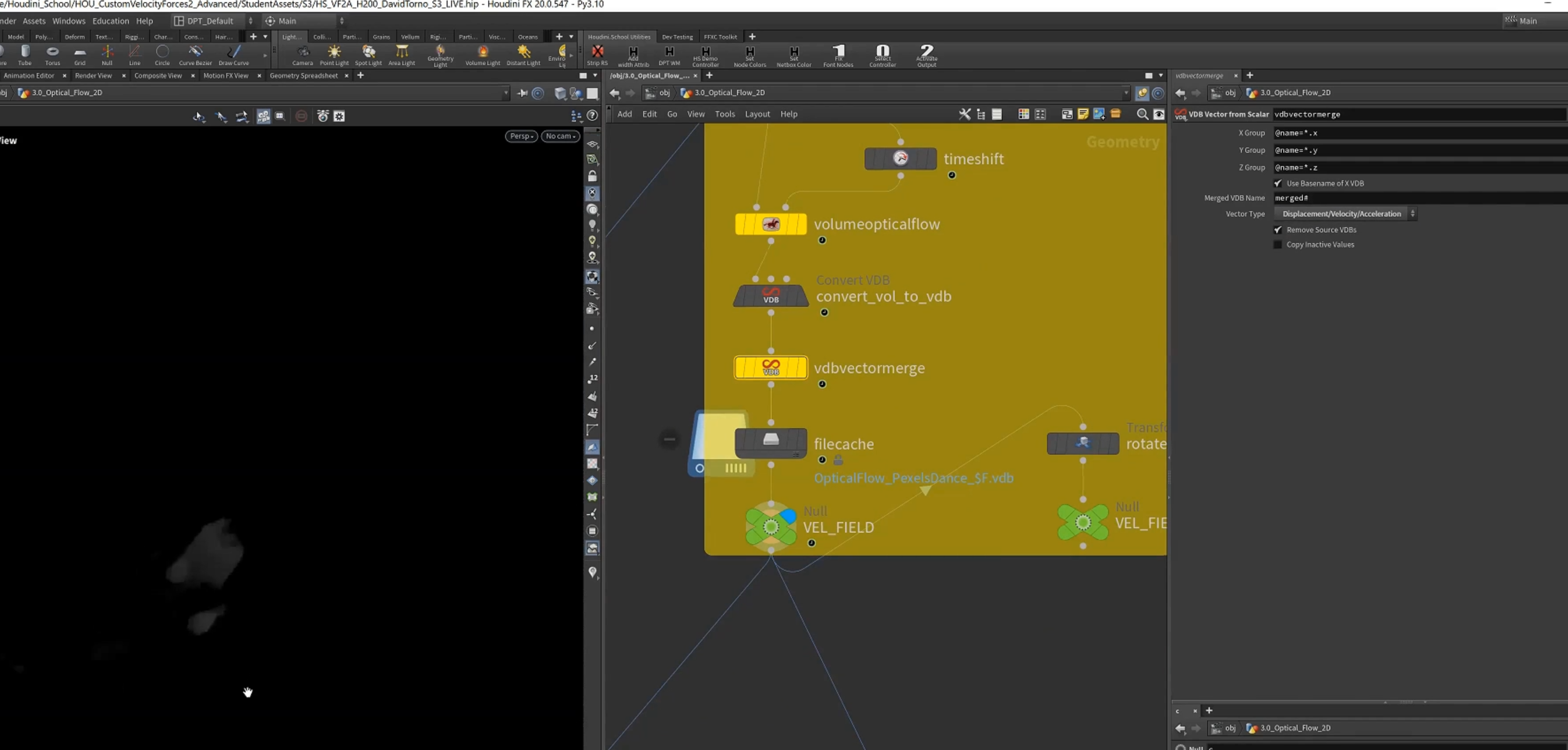
处理之后再转换回VDB(3 float),再转化vectorVDB
这里原本的vel为float, 处理之后的输出为vector
5.将栅格化的vel rename为density,作为pyro sim的source
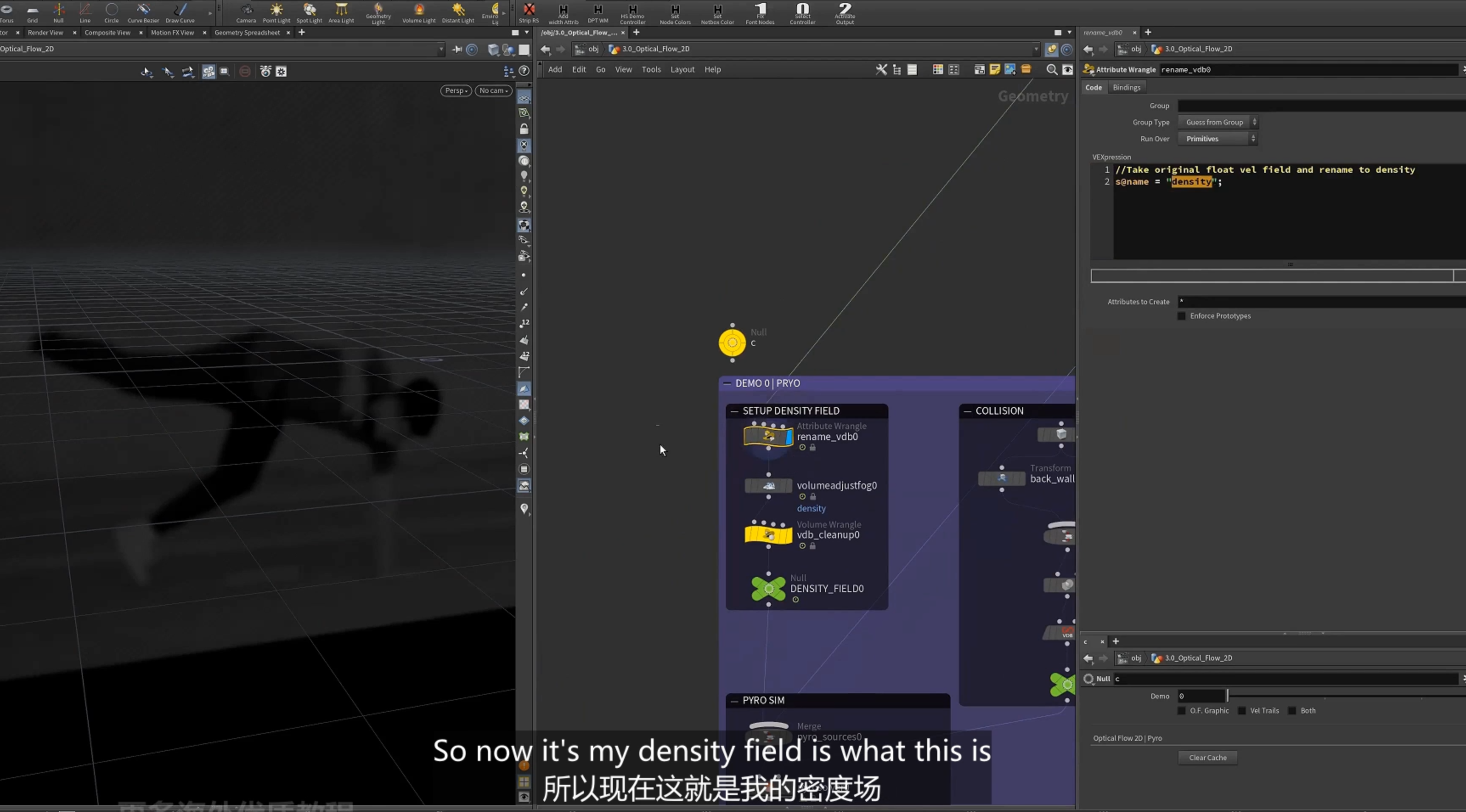
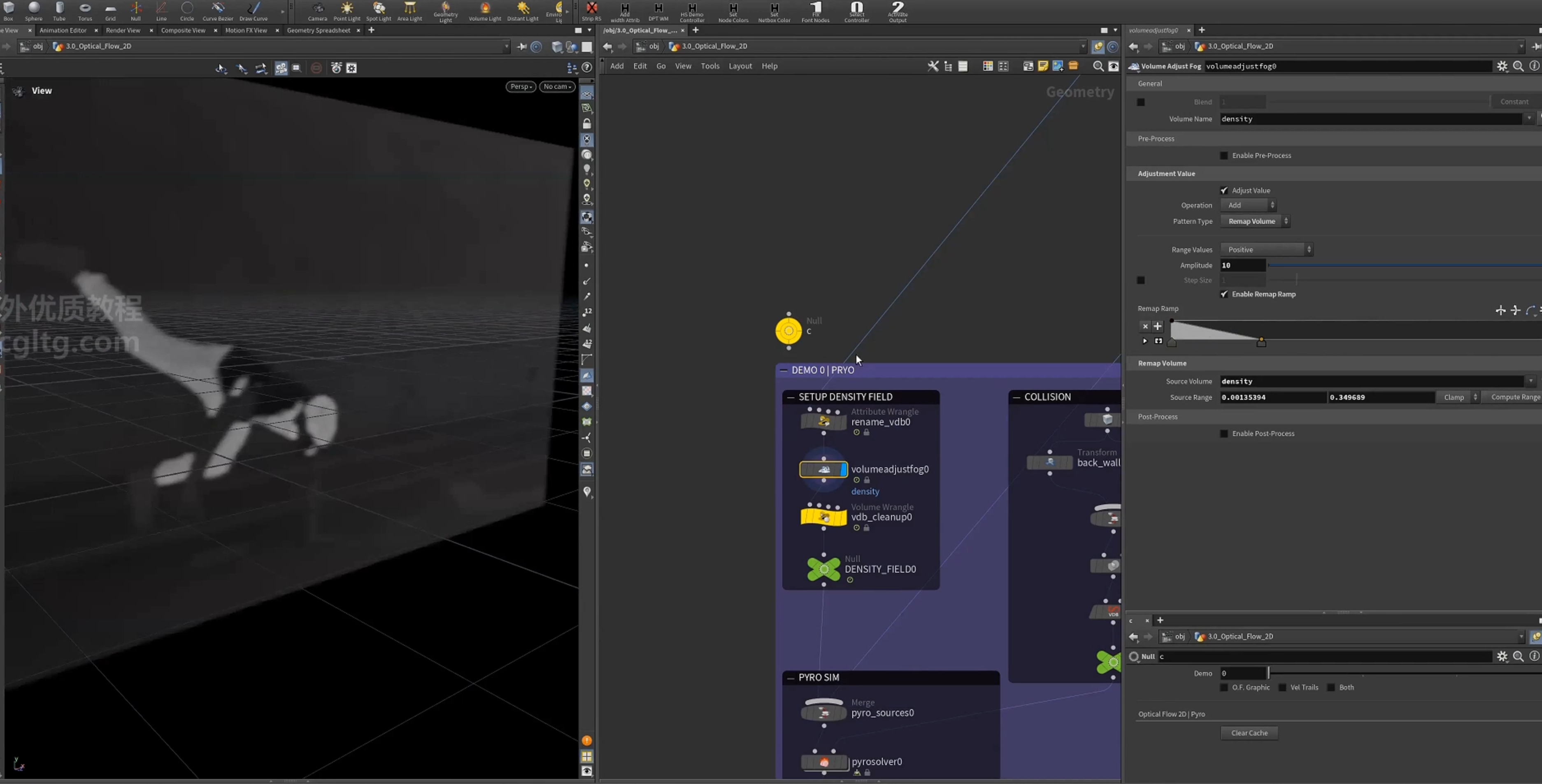
1.使用[ volumeadjustfog() ]节点调节fog volume
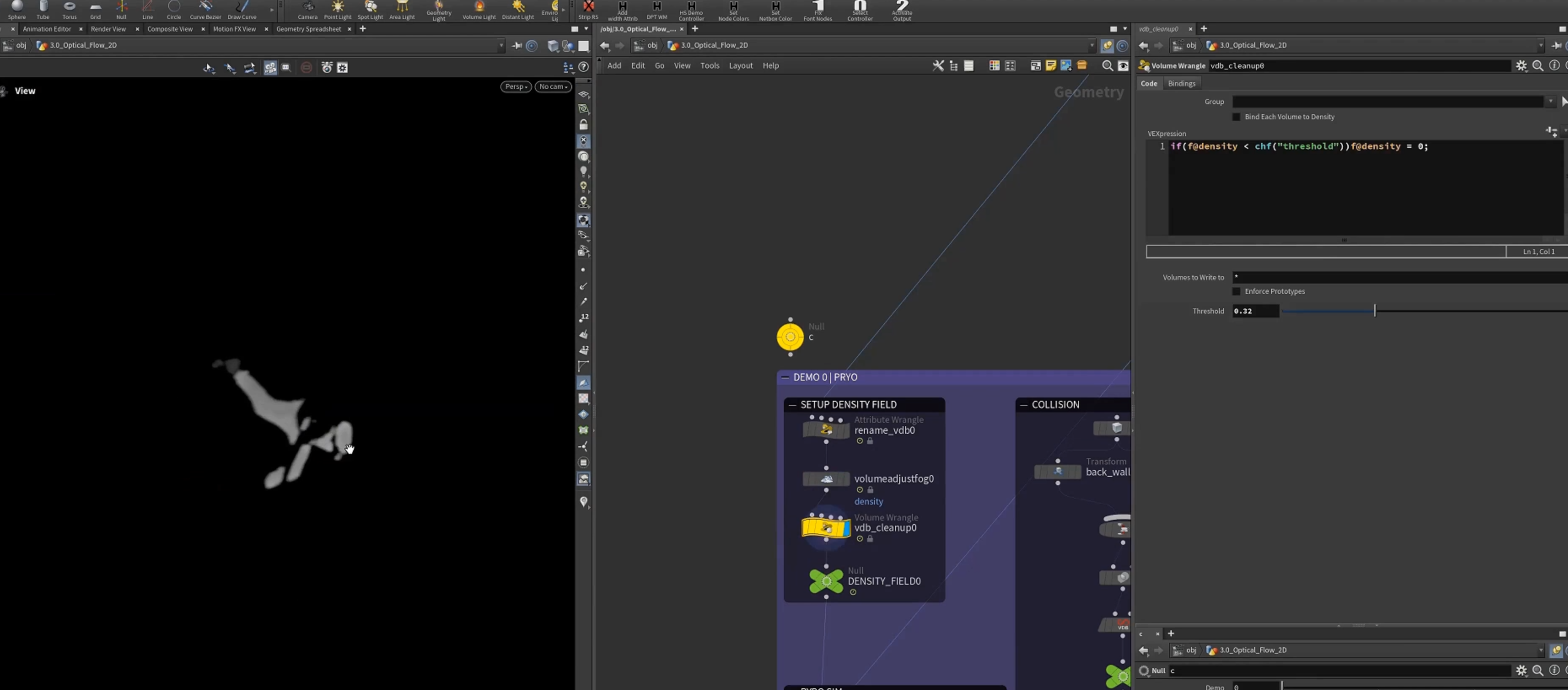
2.设置density小于一个threshold,则设置为0, 去掉多余的volume部分
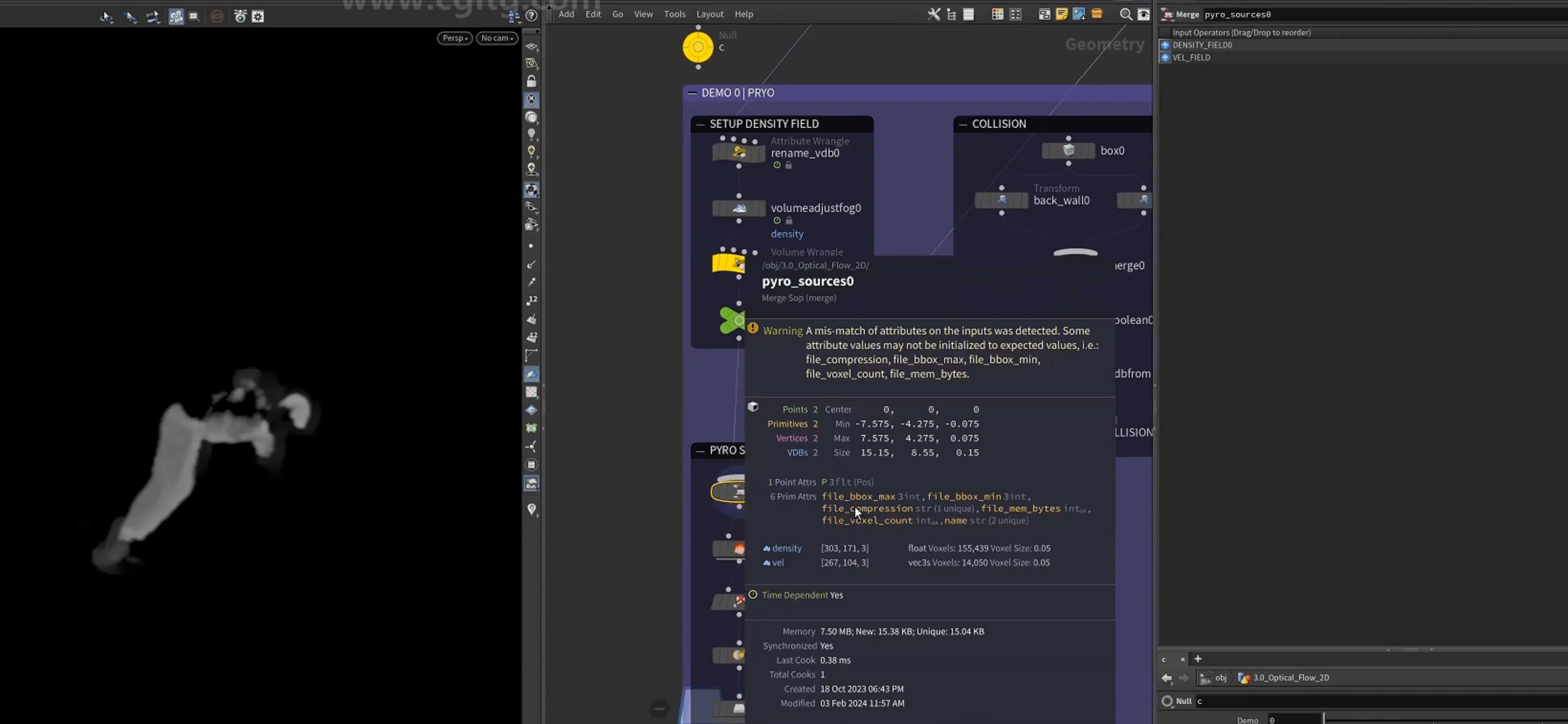
与vel合并
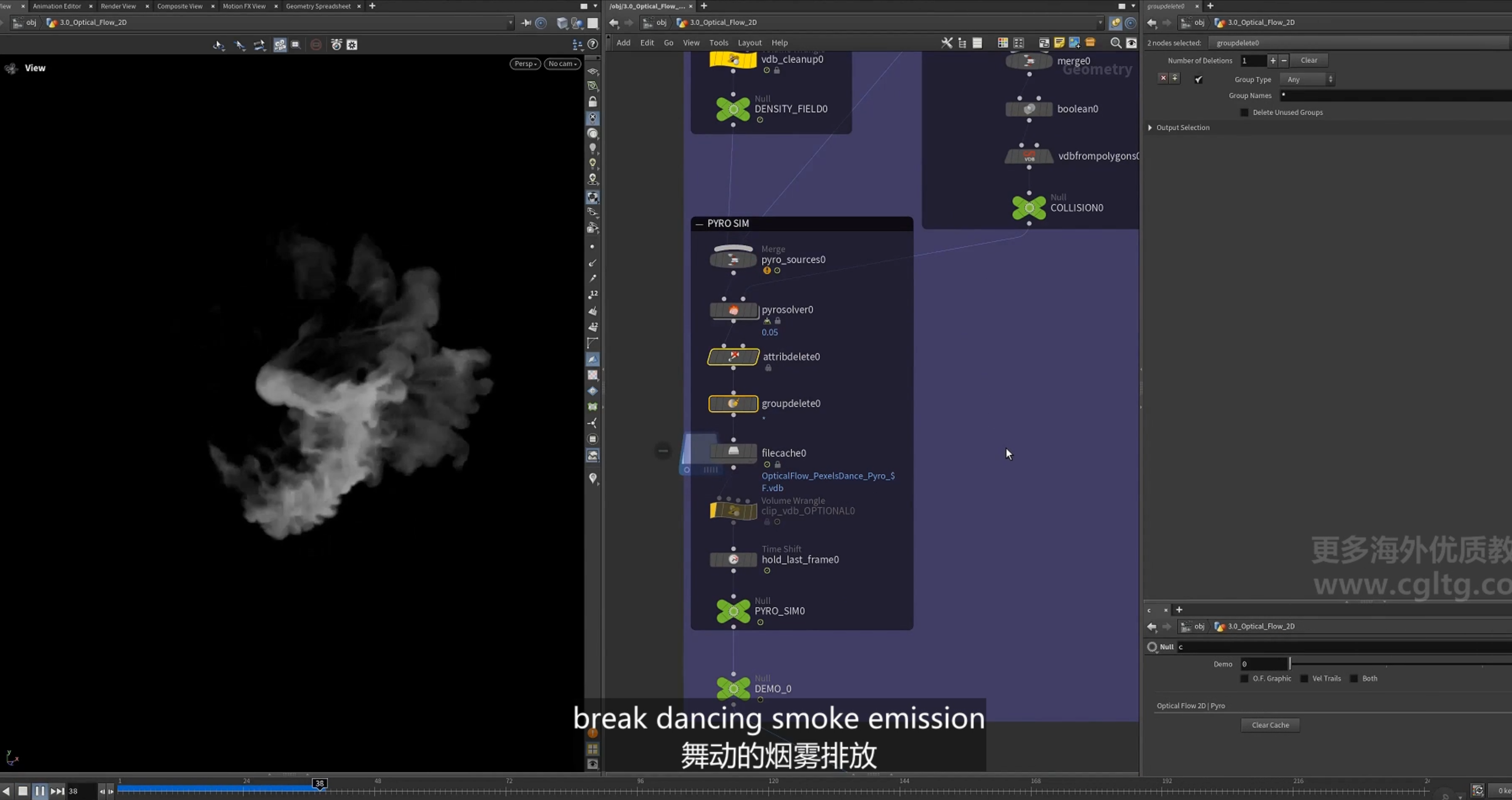
6.pyro sim
1.collision设置
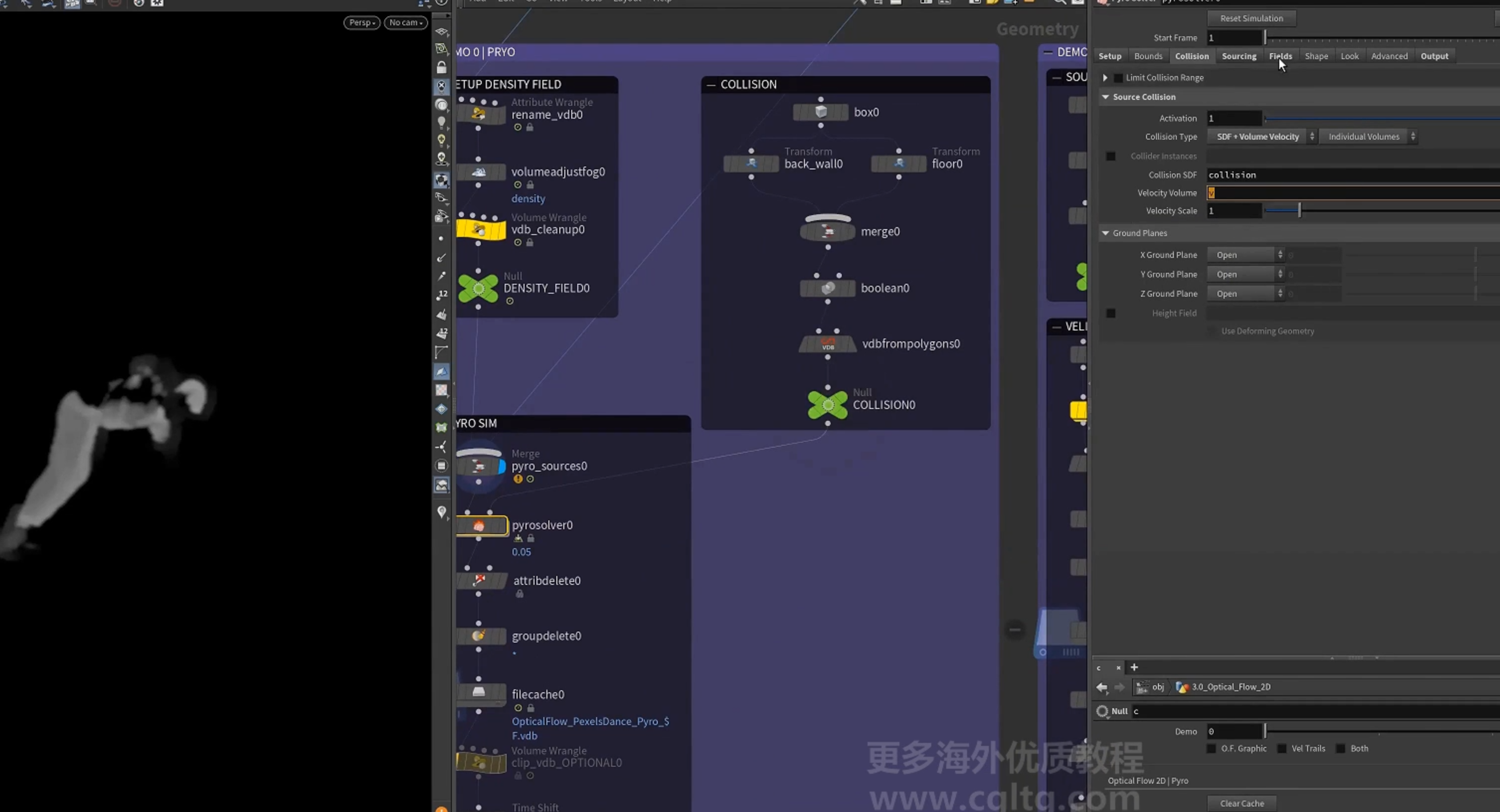
2.cache
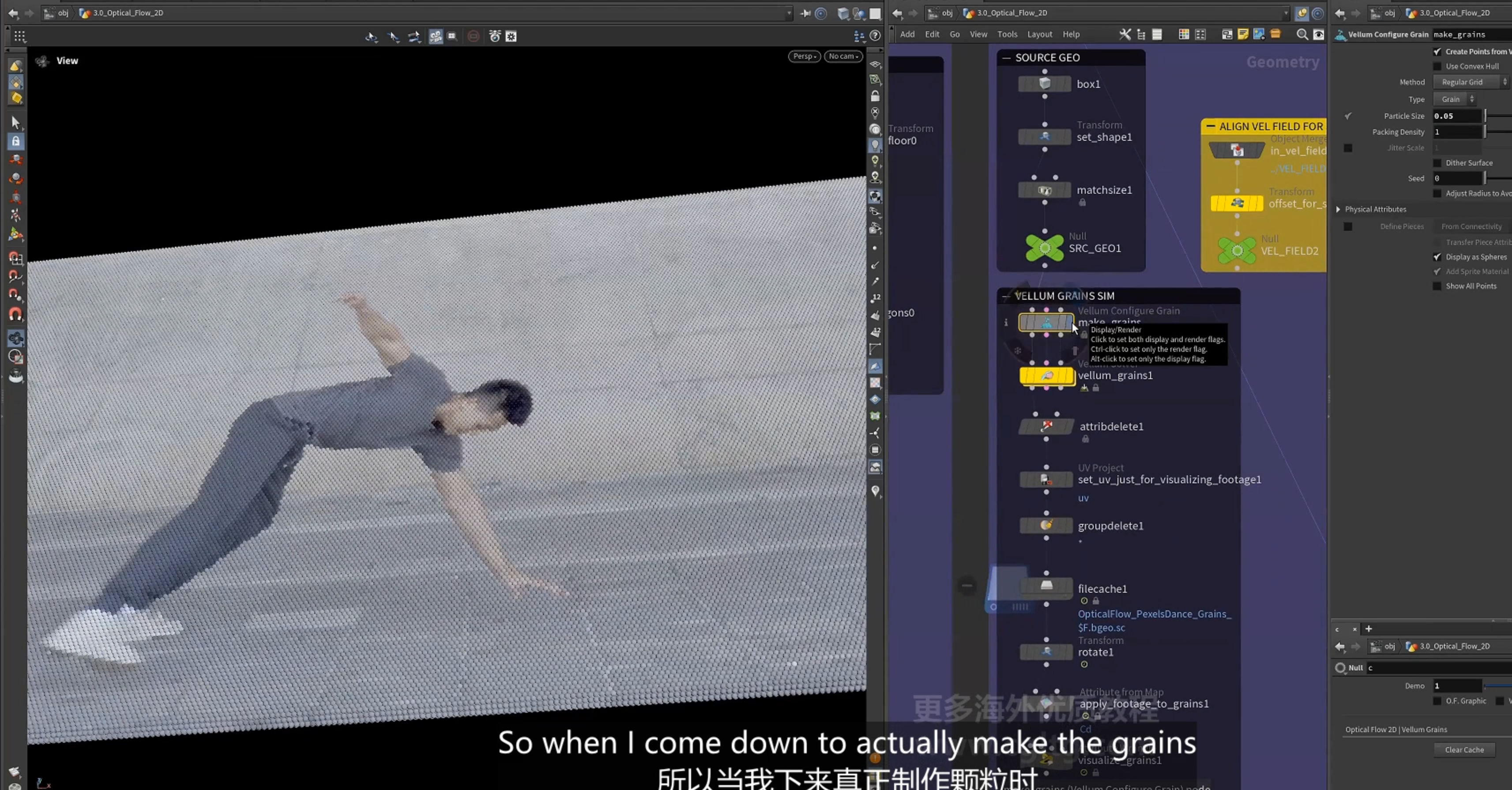
2.optical flow 2D, vellum grain模拟
1.vellum grain 模拟
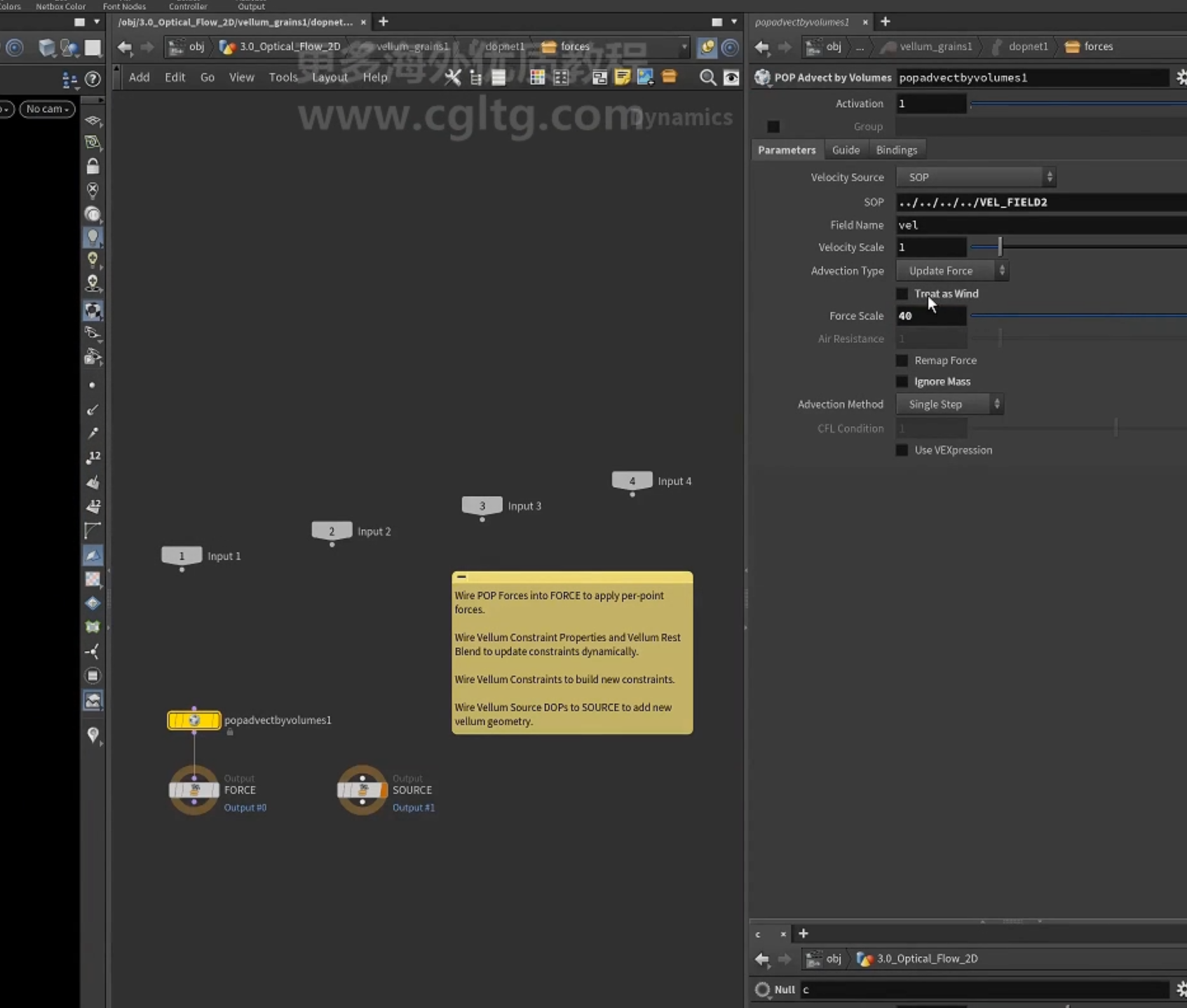
2.使用[pop advect by volume]节点
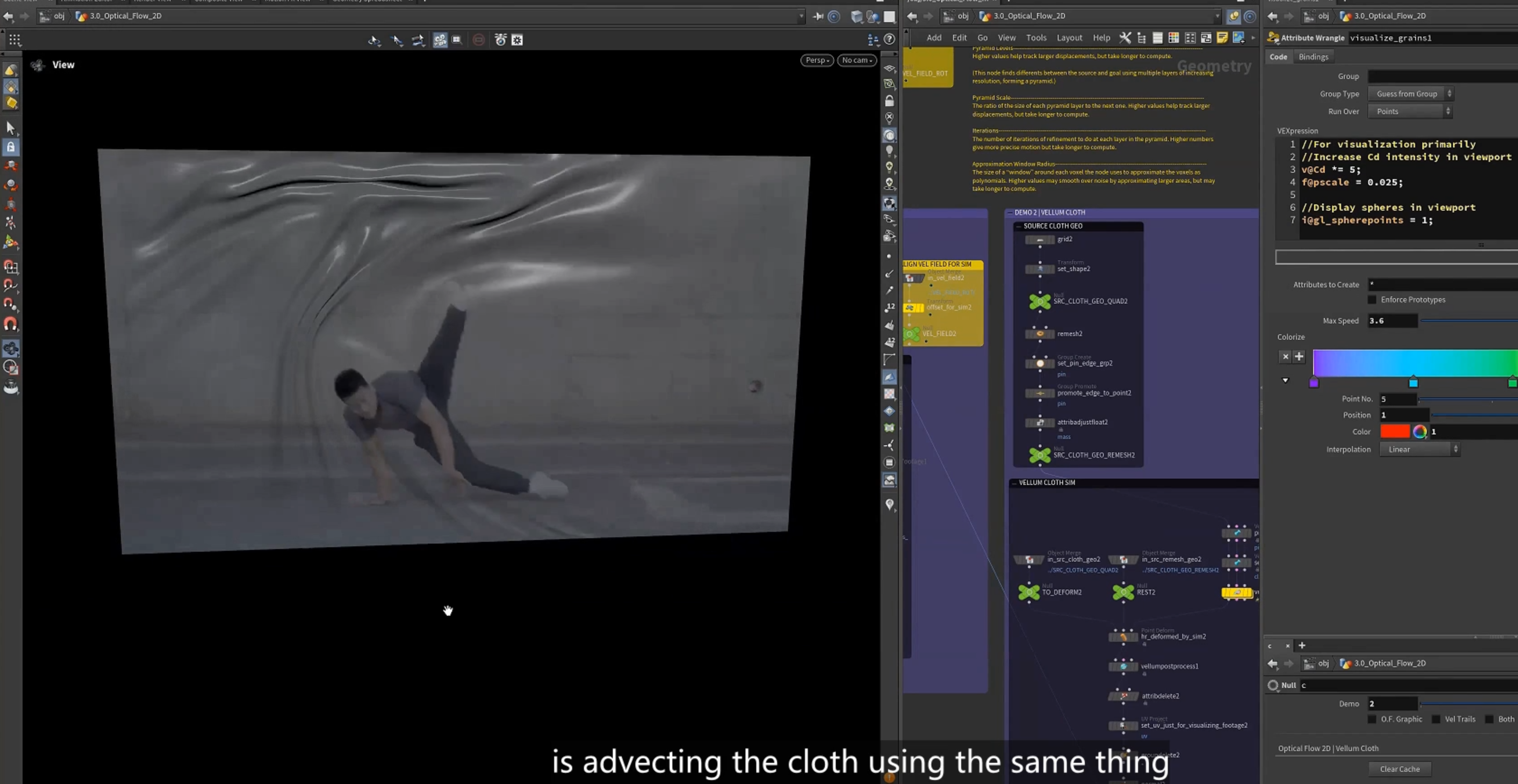
3.optical flow 2D, vellum cloth模拟
1.
4.optical flow 3D
1. 制作一个geo, 将CD投射到几何体上
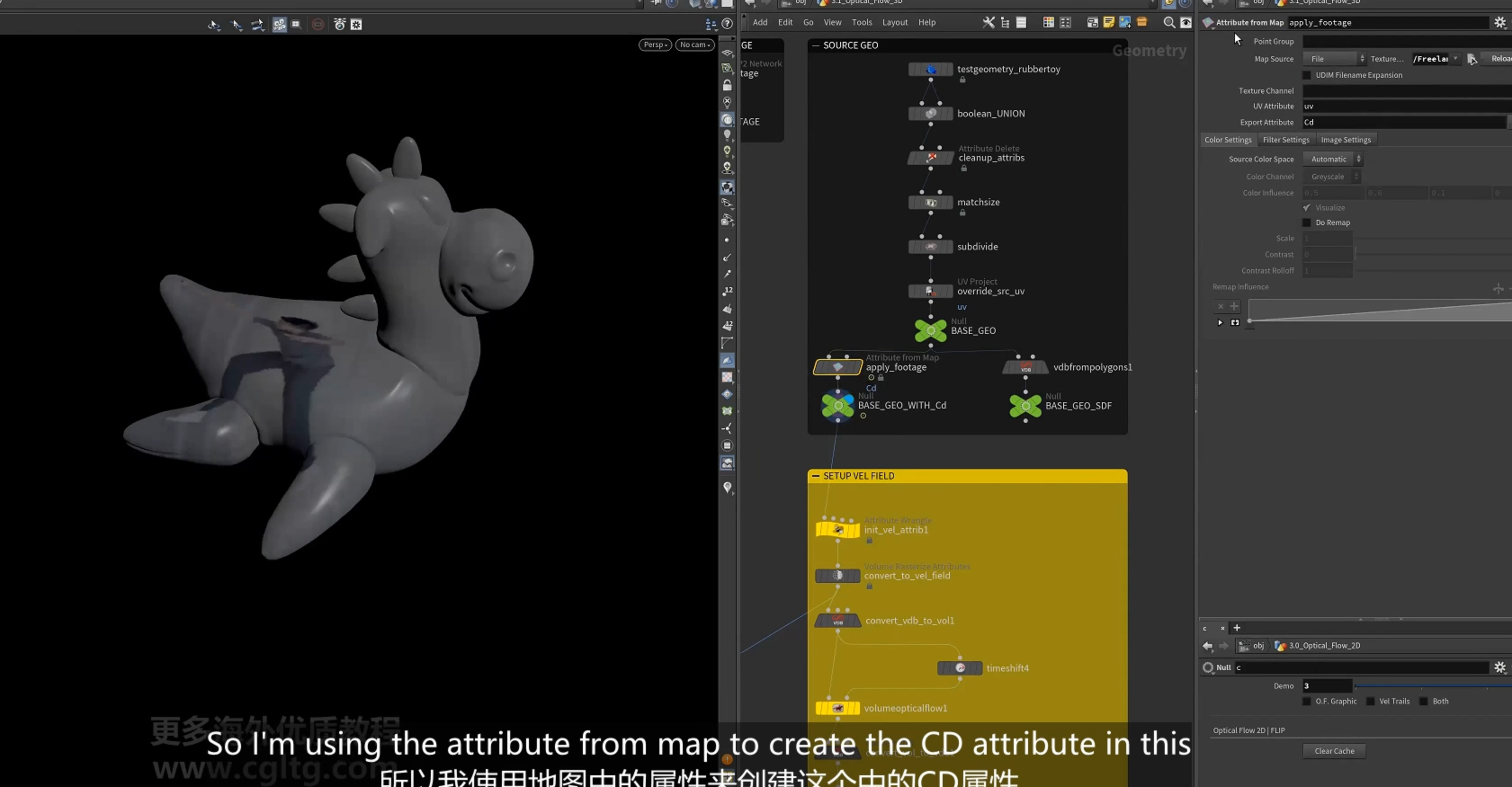
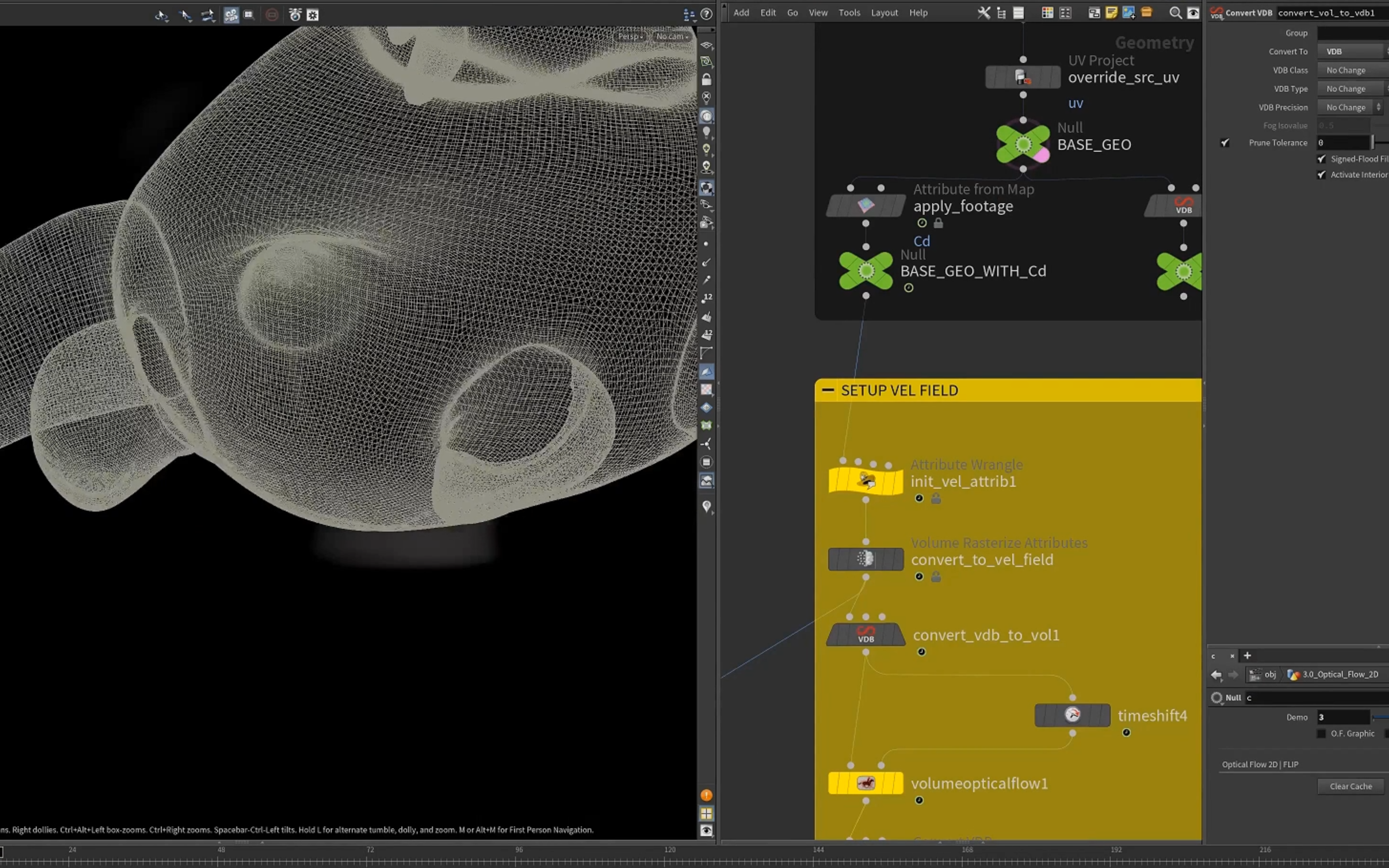
2.同样的设置获取vel
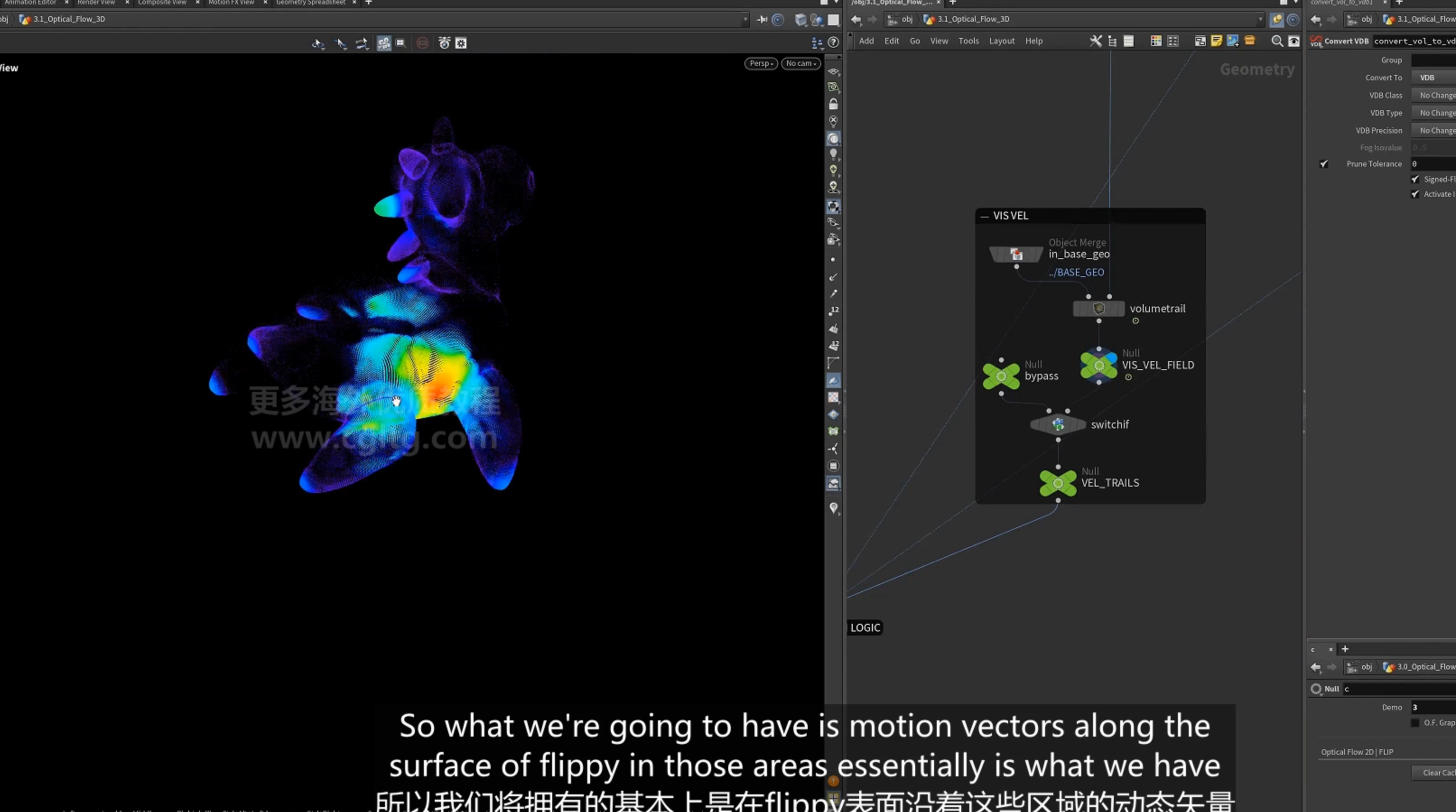
trails
3.对于vellum grain 模拟
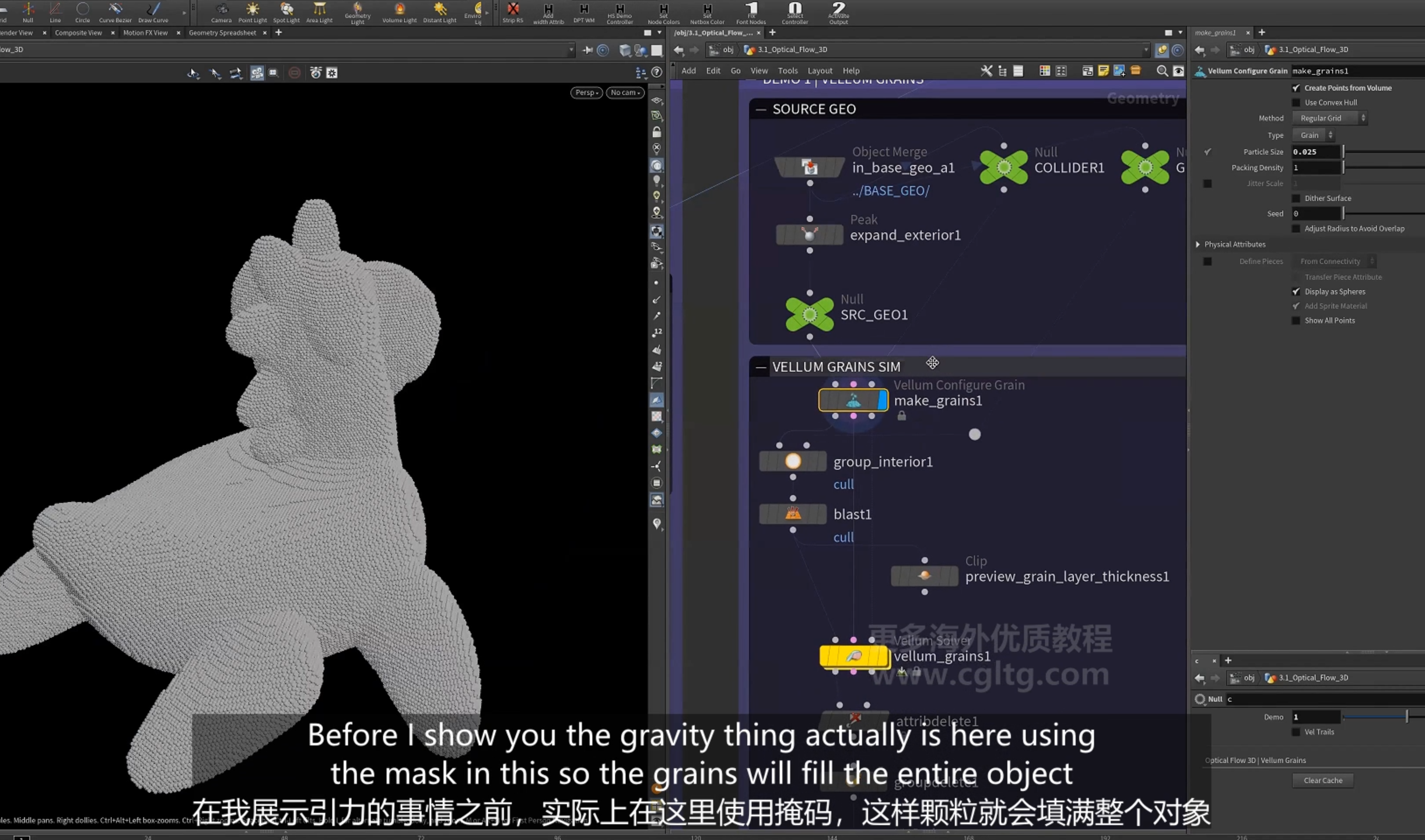
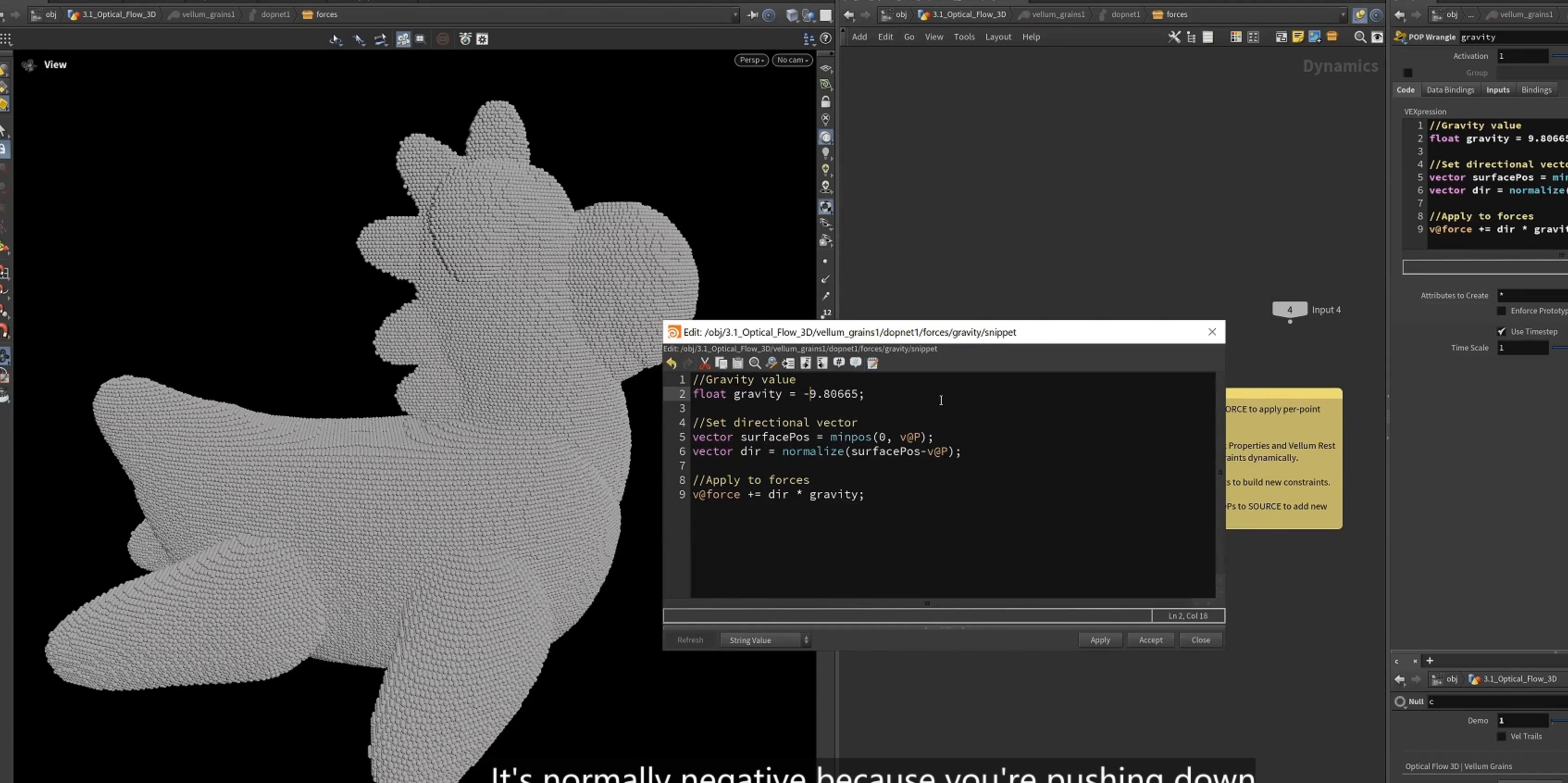
4.设置gravity,指向表面的力
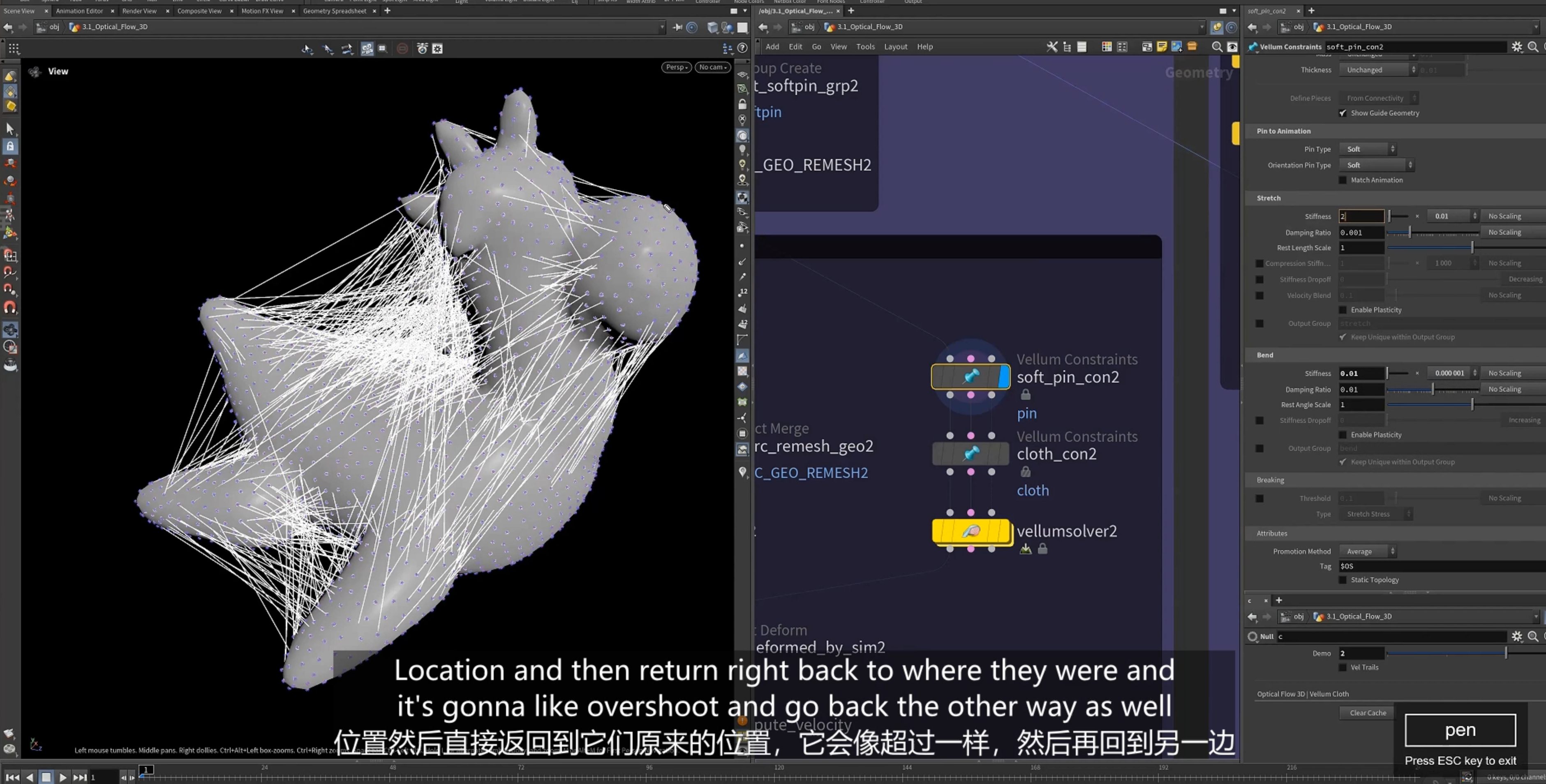
4.对于 vellum cloth 模拟
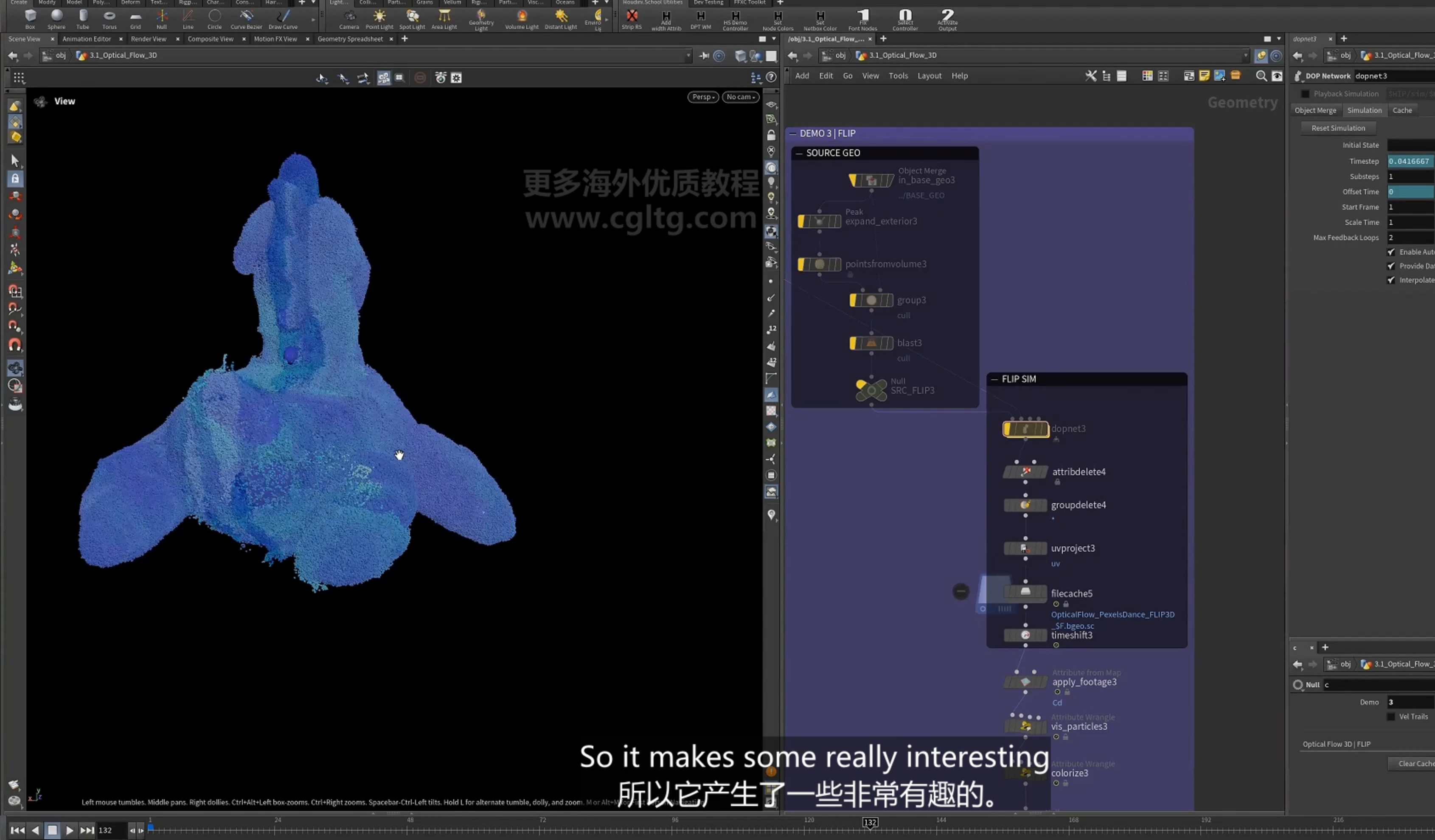
5.flip 模拟
7.surface flow
1.
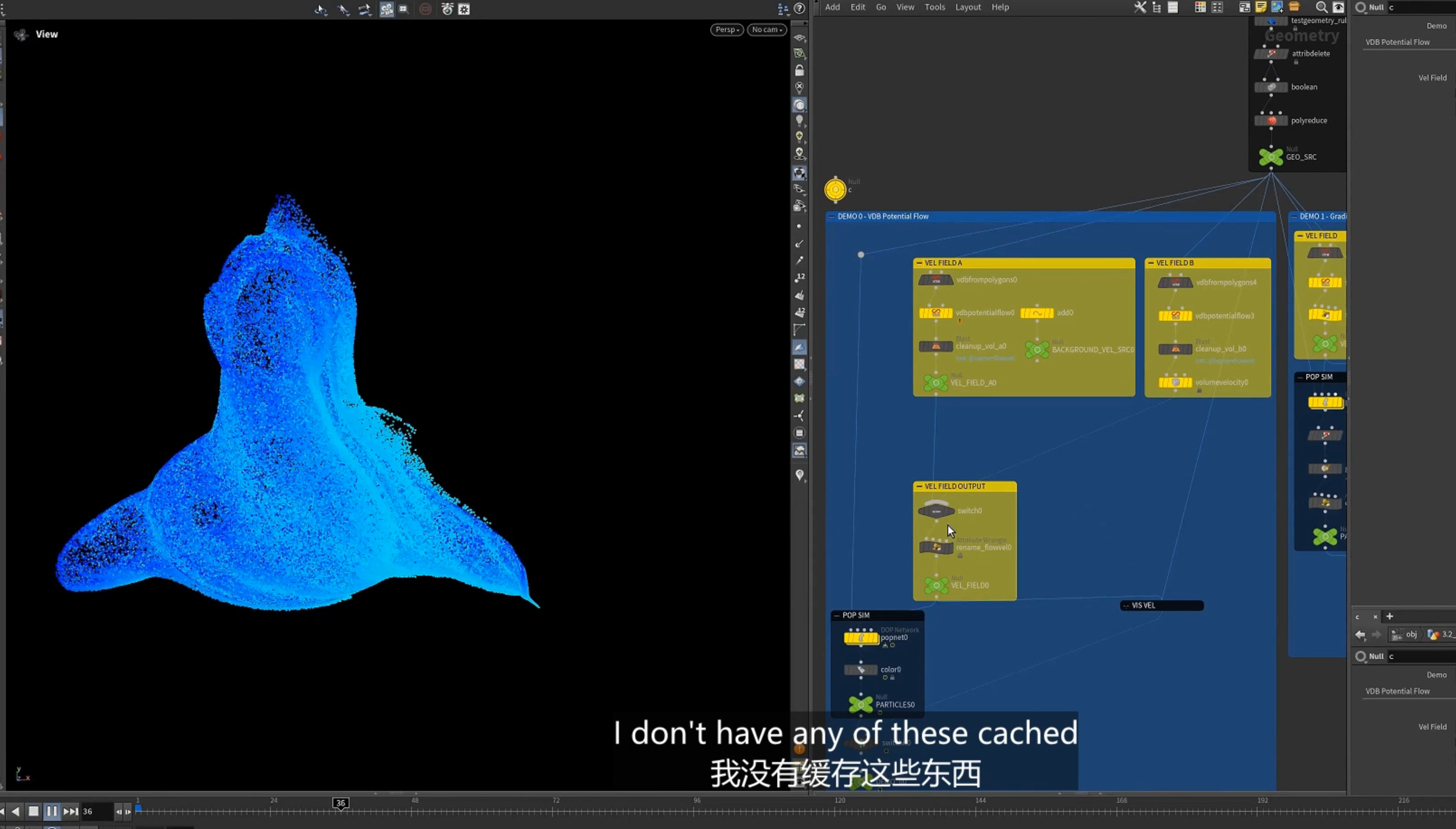
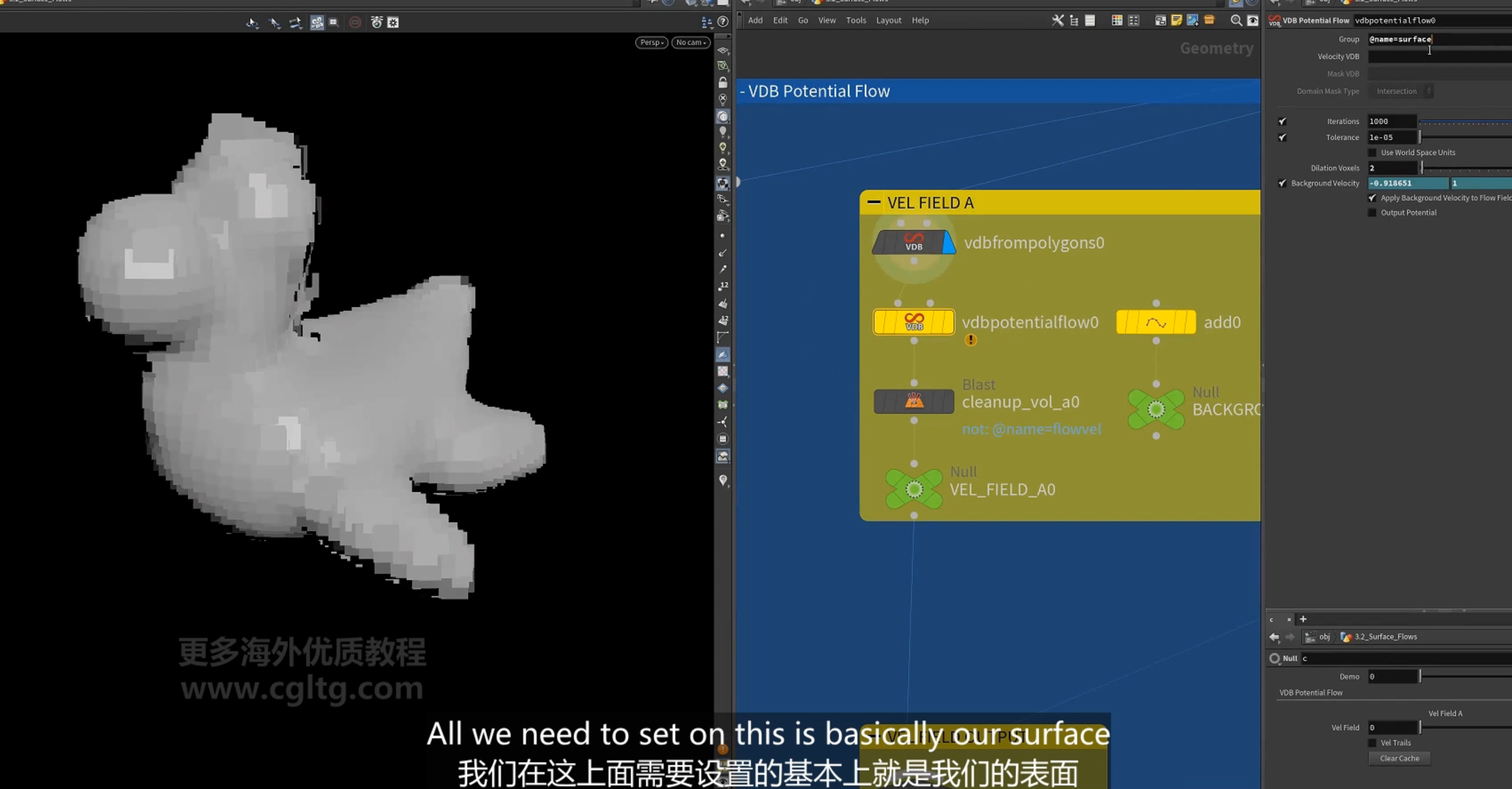
[VDB potential flow] 势流 节点
关于势流
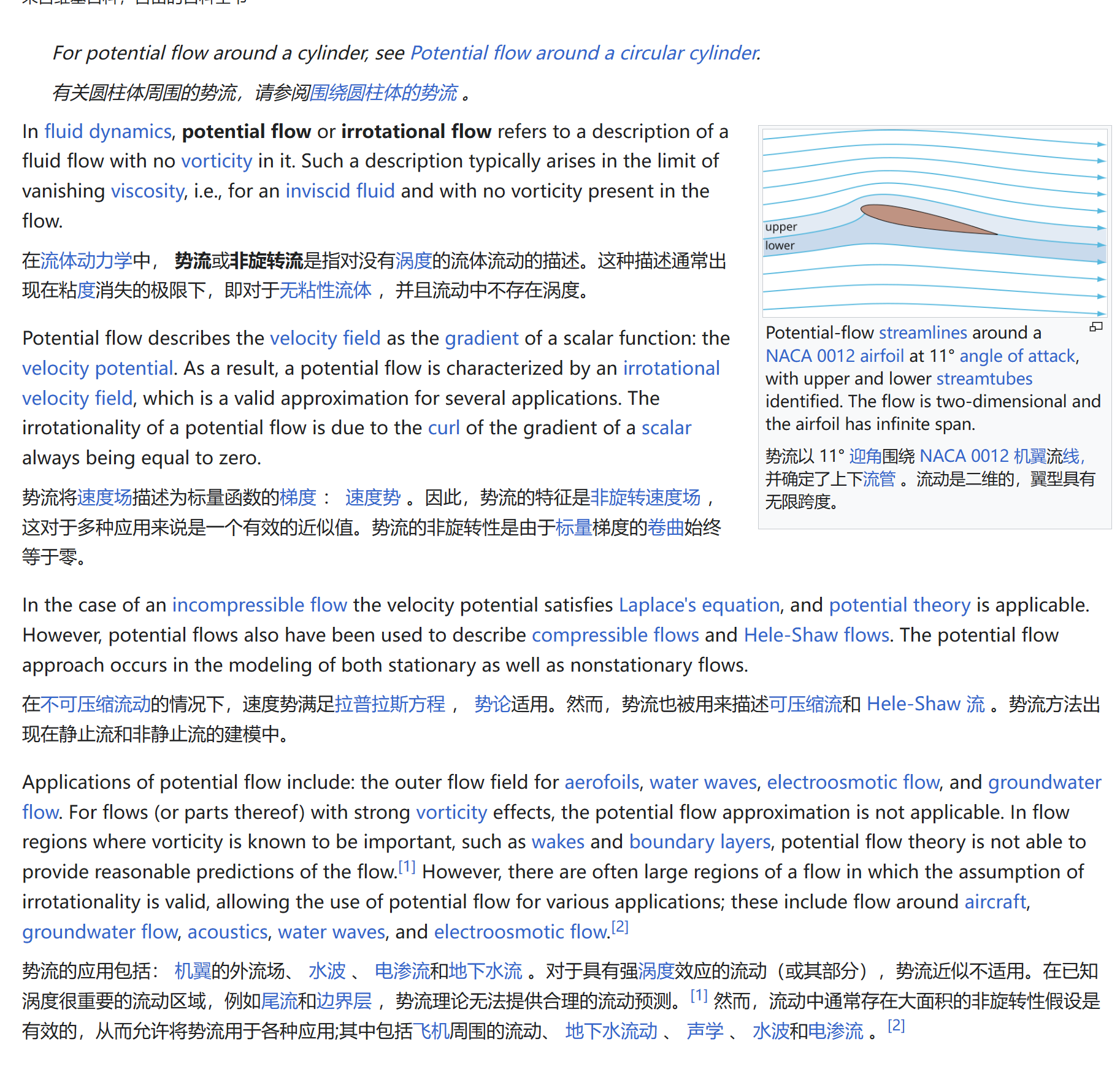
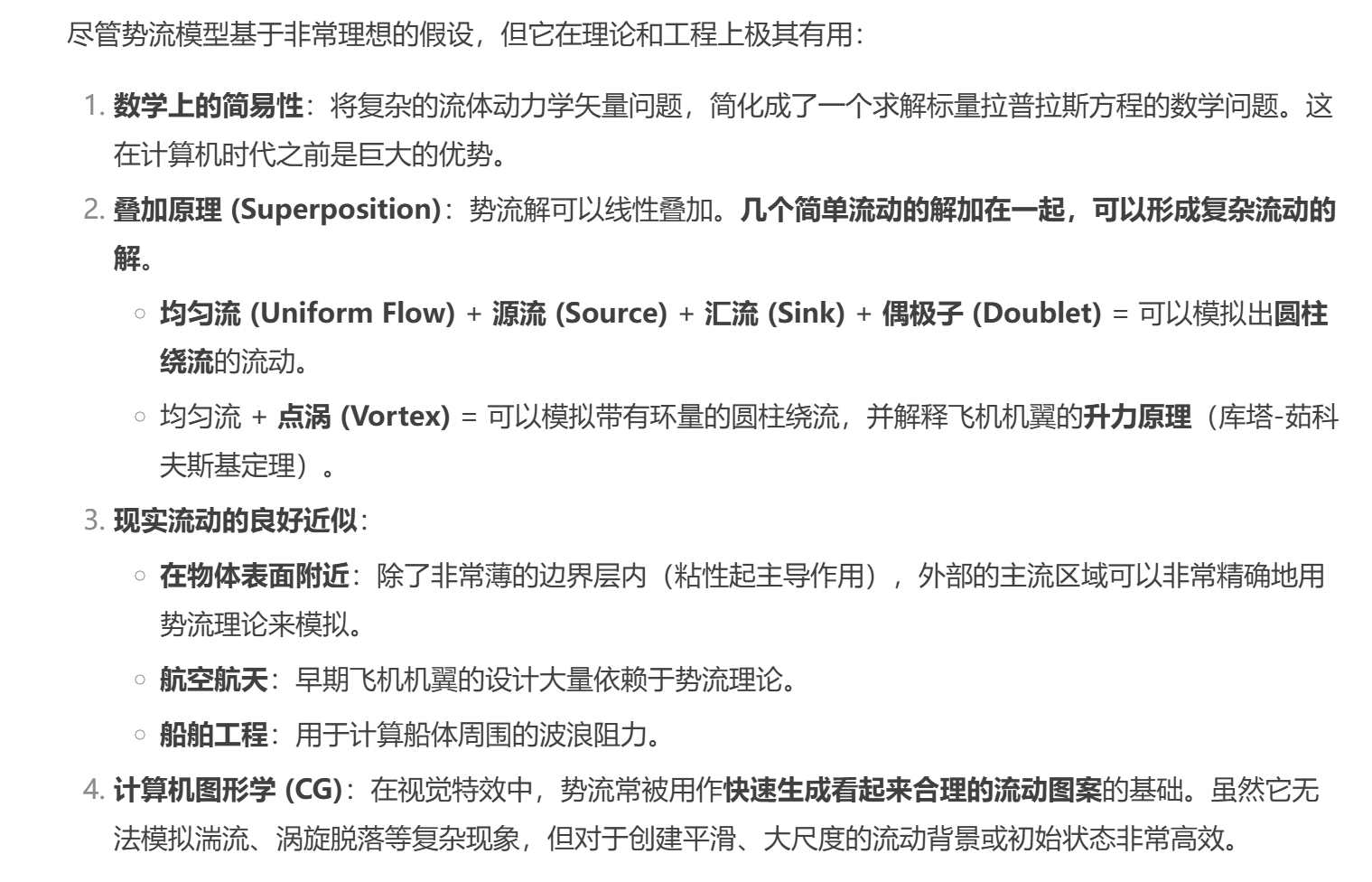
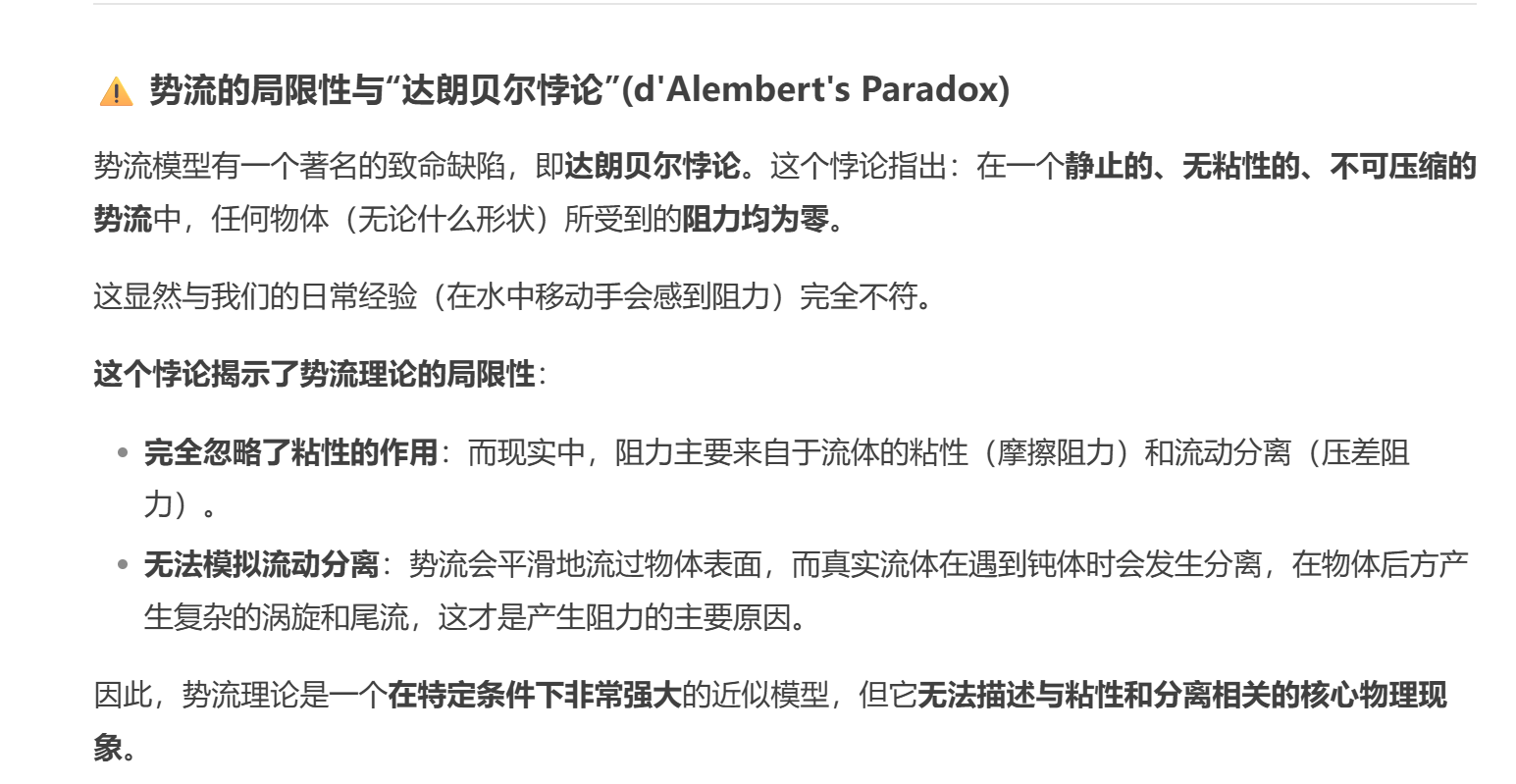
1.势流是理想的一种流体,无旋性(irrotational),不可压缩,没有粘性.
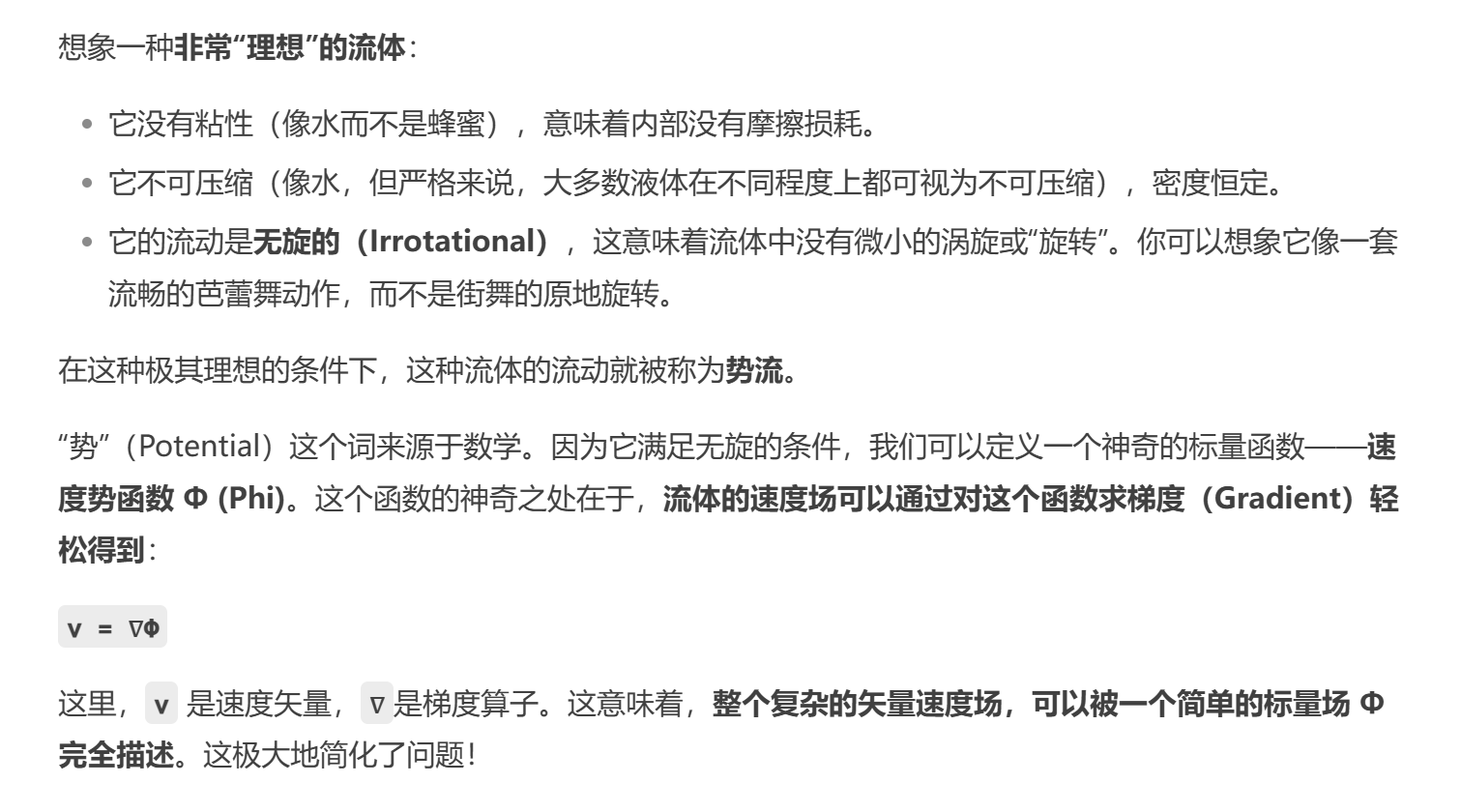
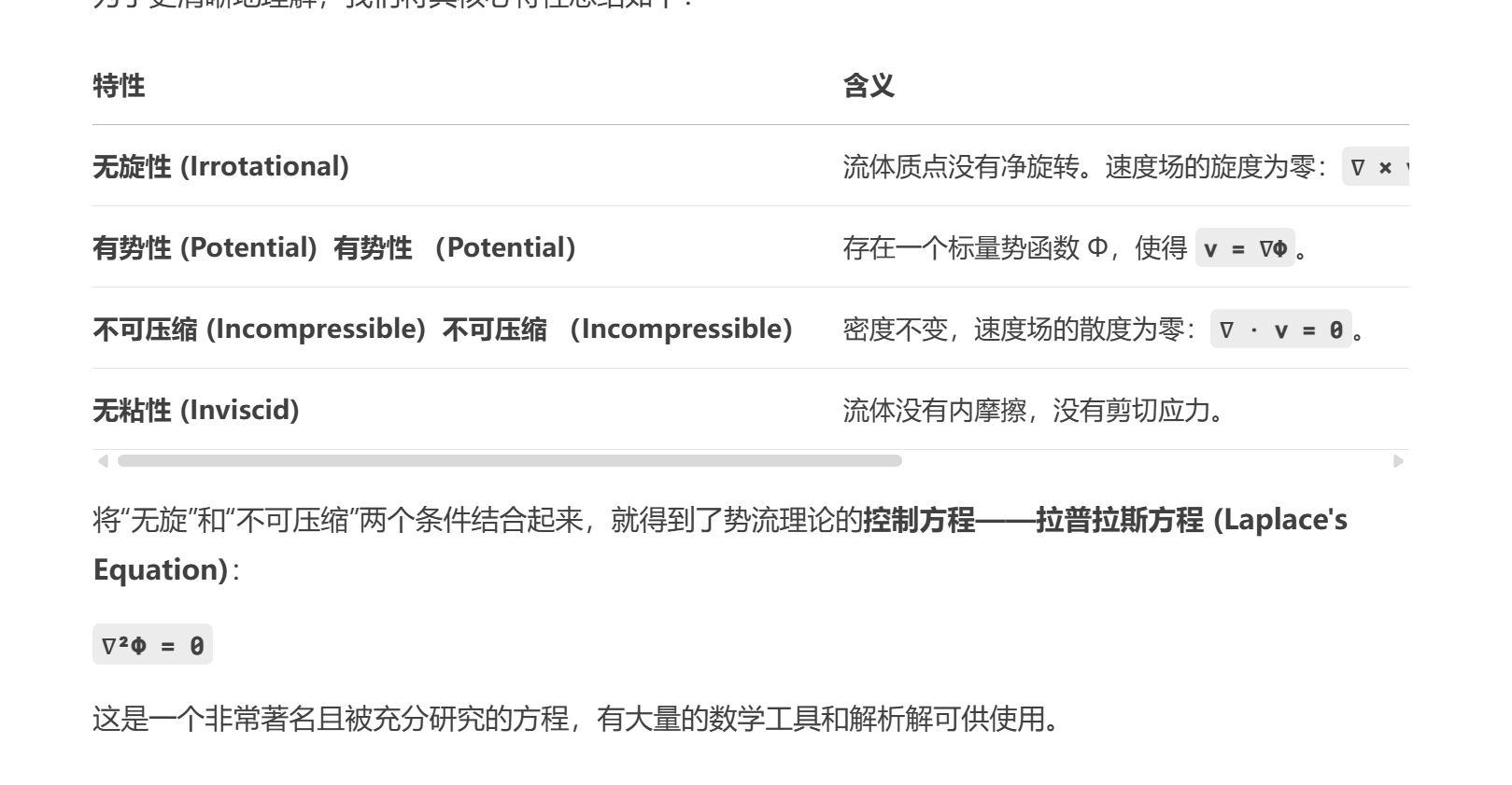
2.势流作用
3.局限性
使用SDF作为输入作为collision
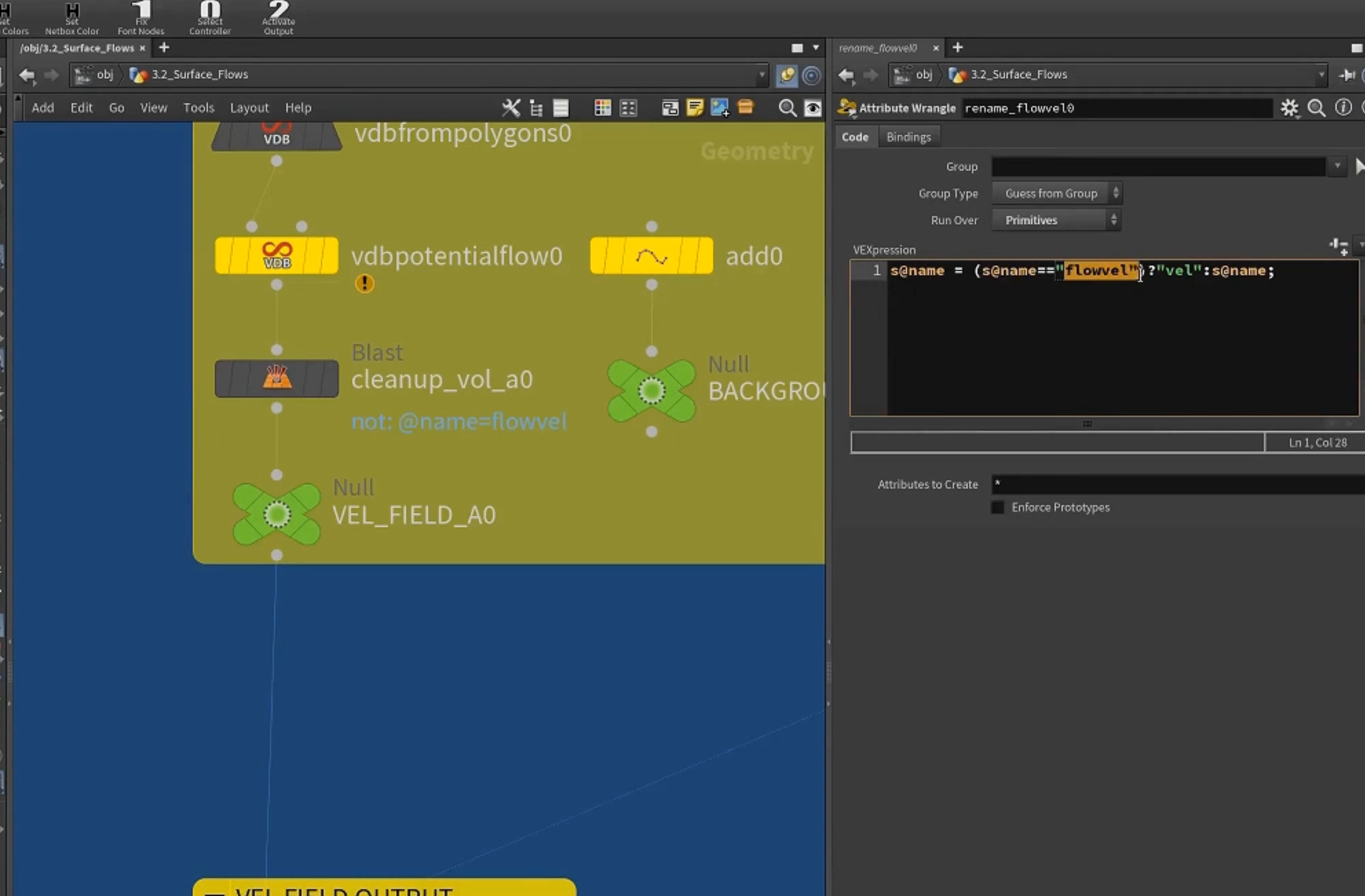
得到 flowvel,rename 为vel用于驱动粒子模拟
2.gradient flow 梯度流
1.使用SDF的gradient
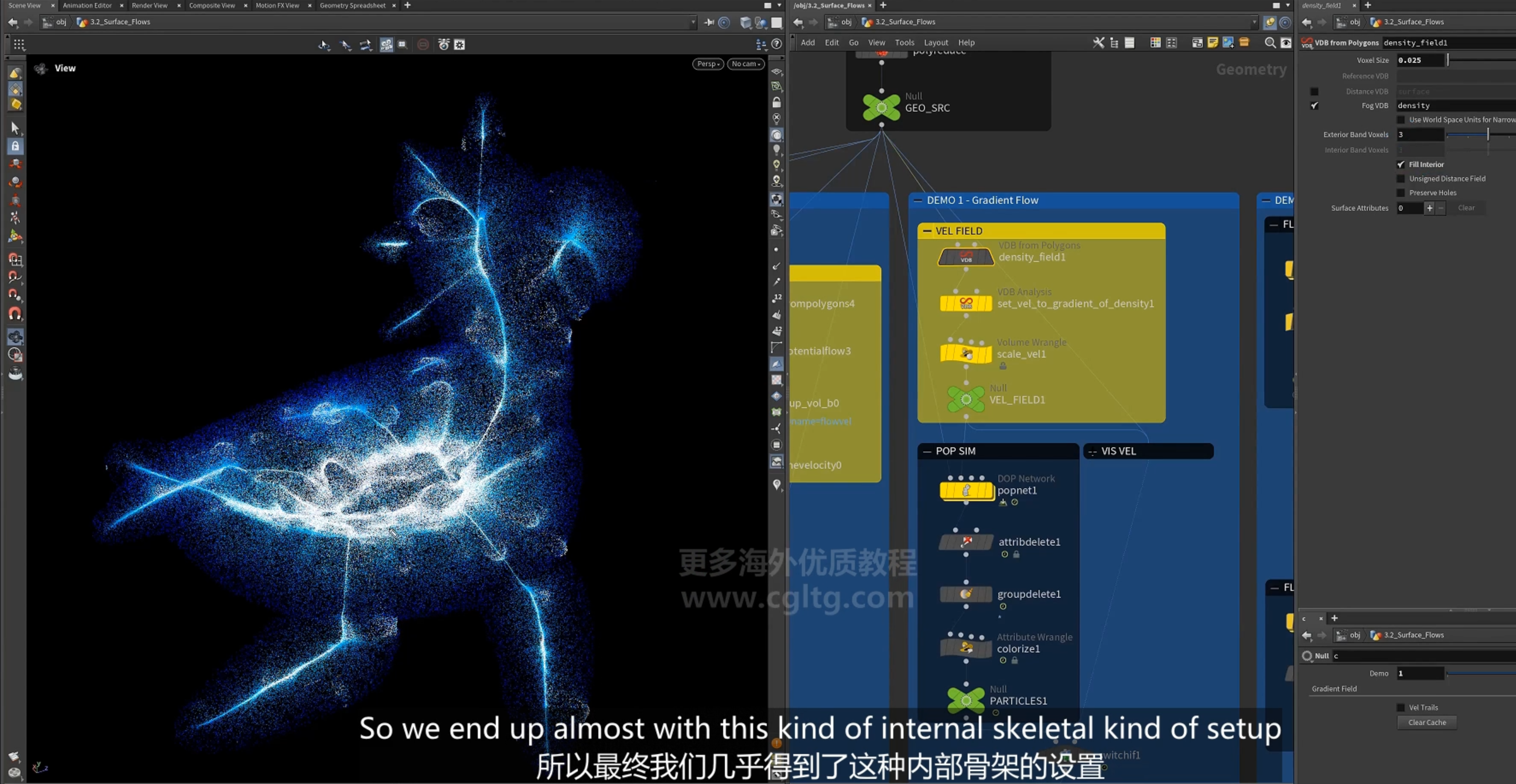
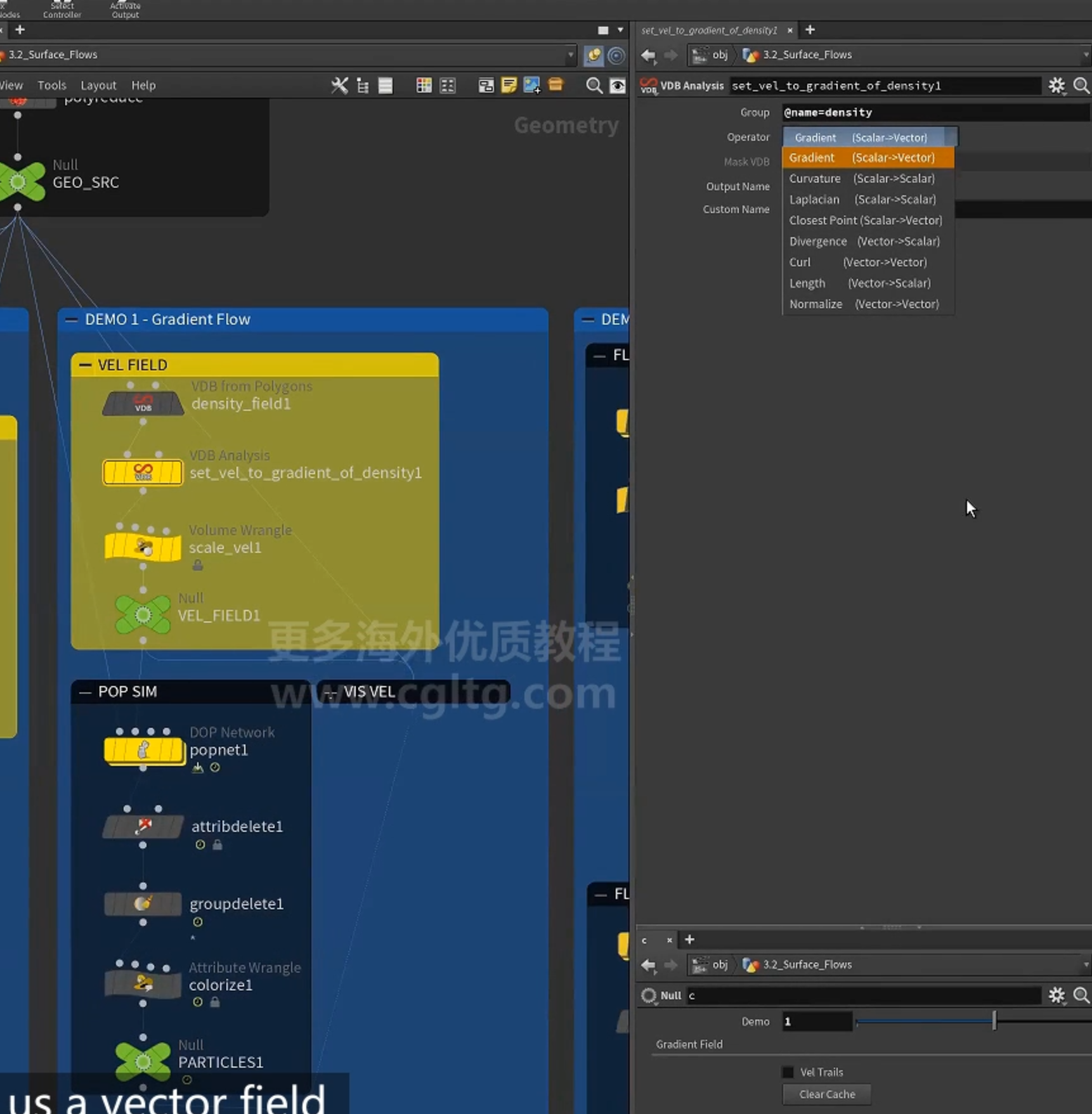
2.VDB analysis 计算梯度,命名为vel
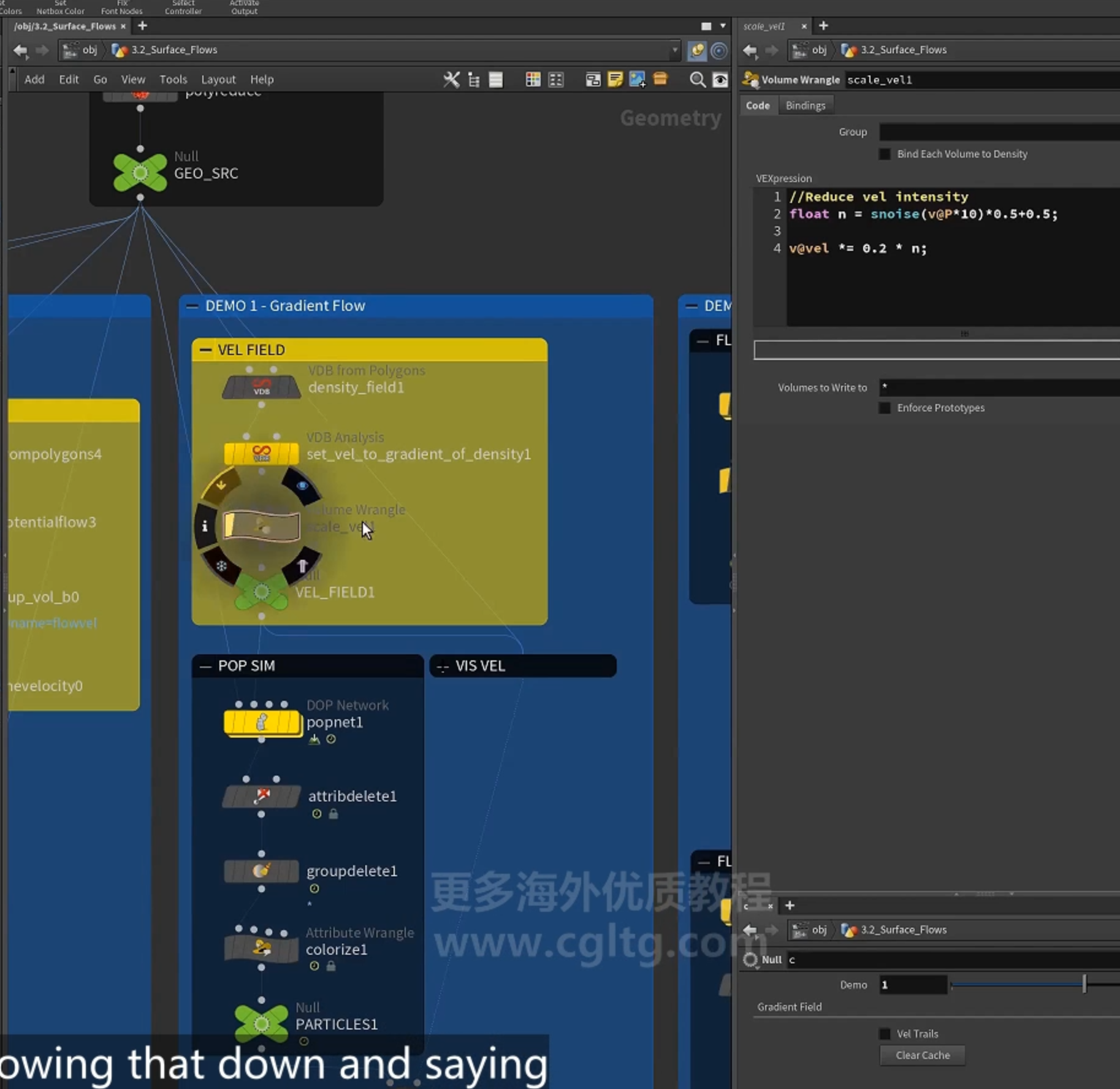
设置 noise
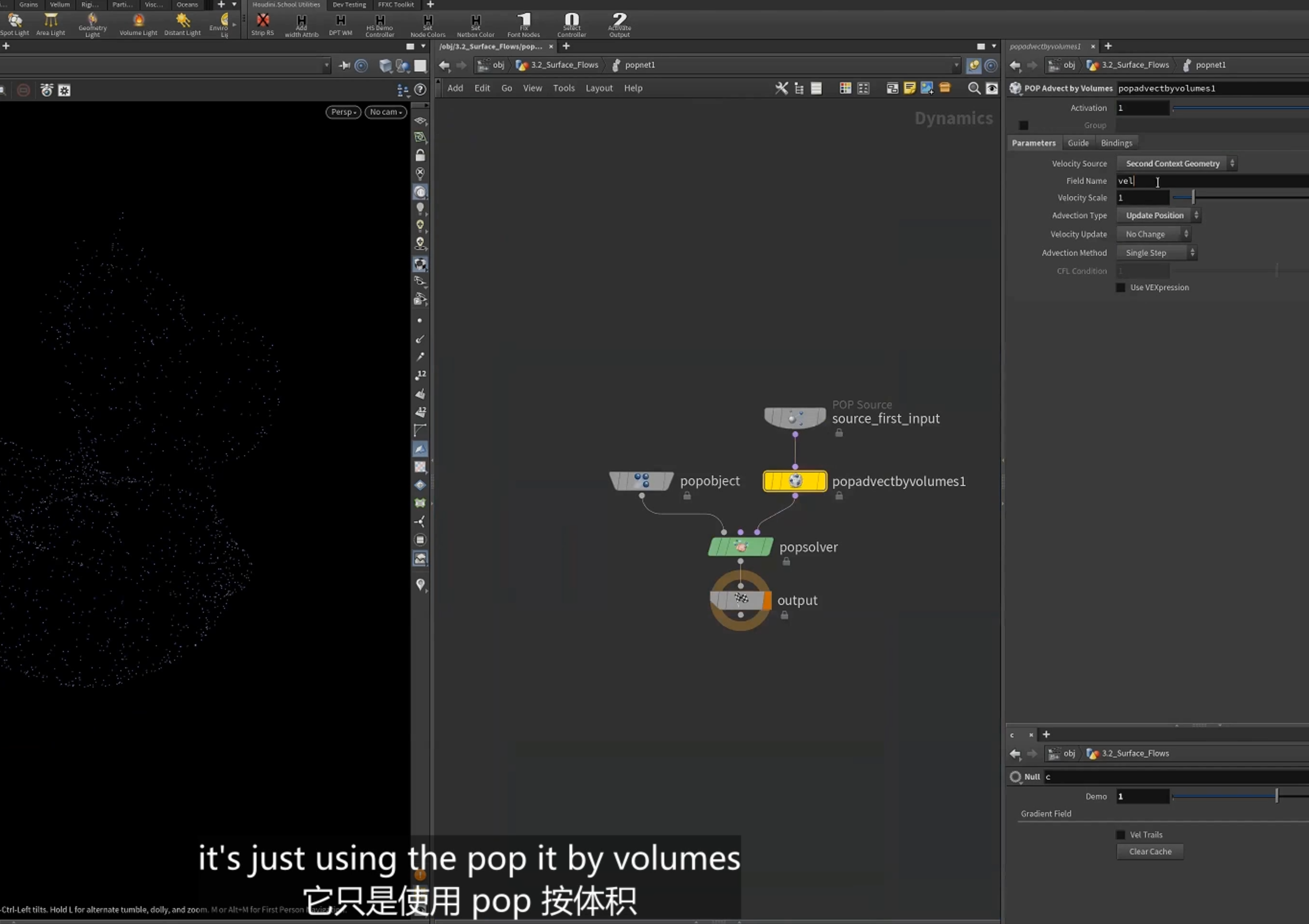
3.用于 popnet粒子模拟,[advect by volume]节点
3.cop
1.将Cd属性映射到vel
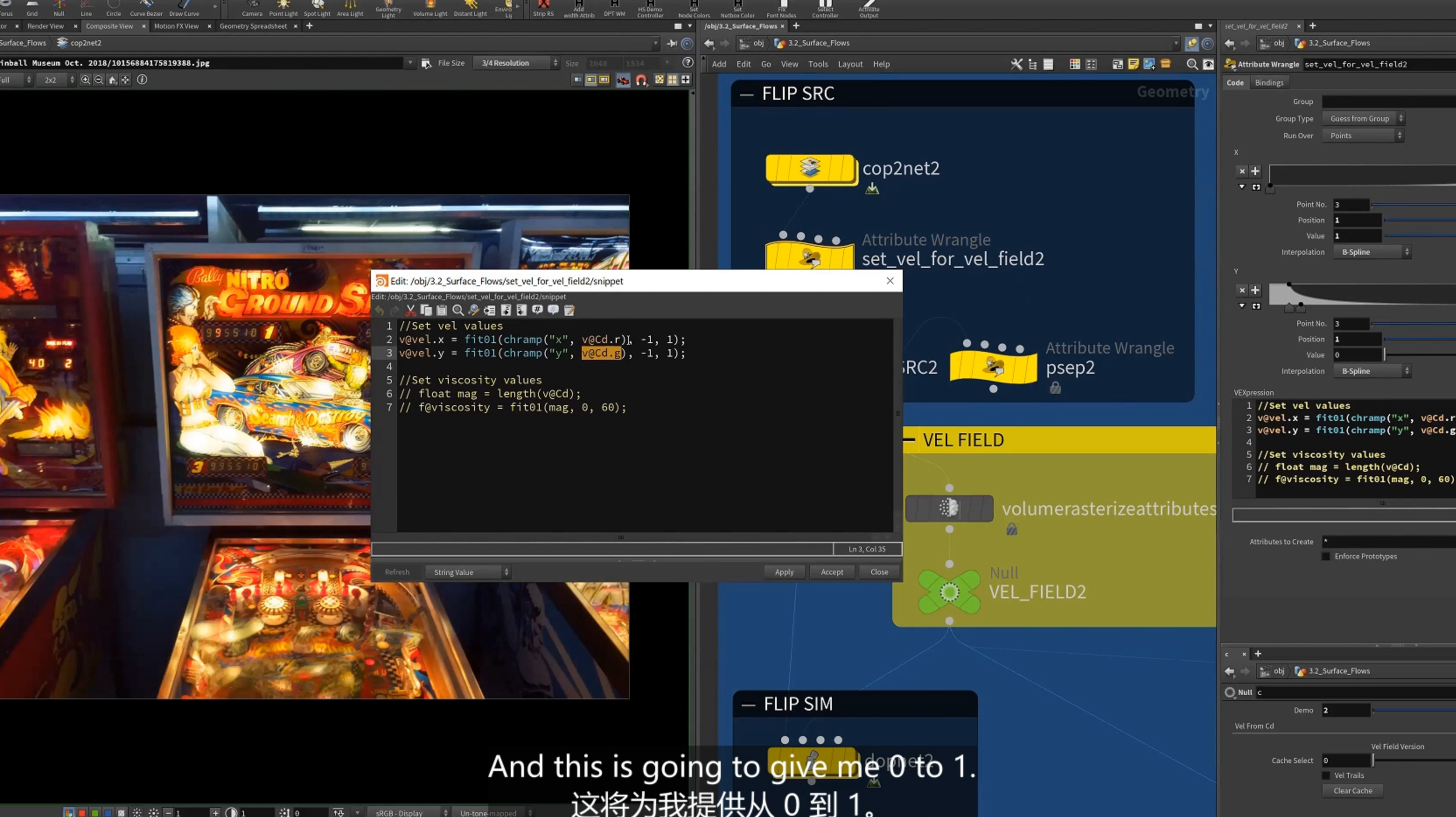
2.pop net
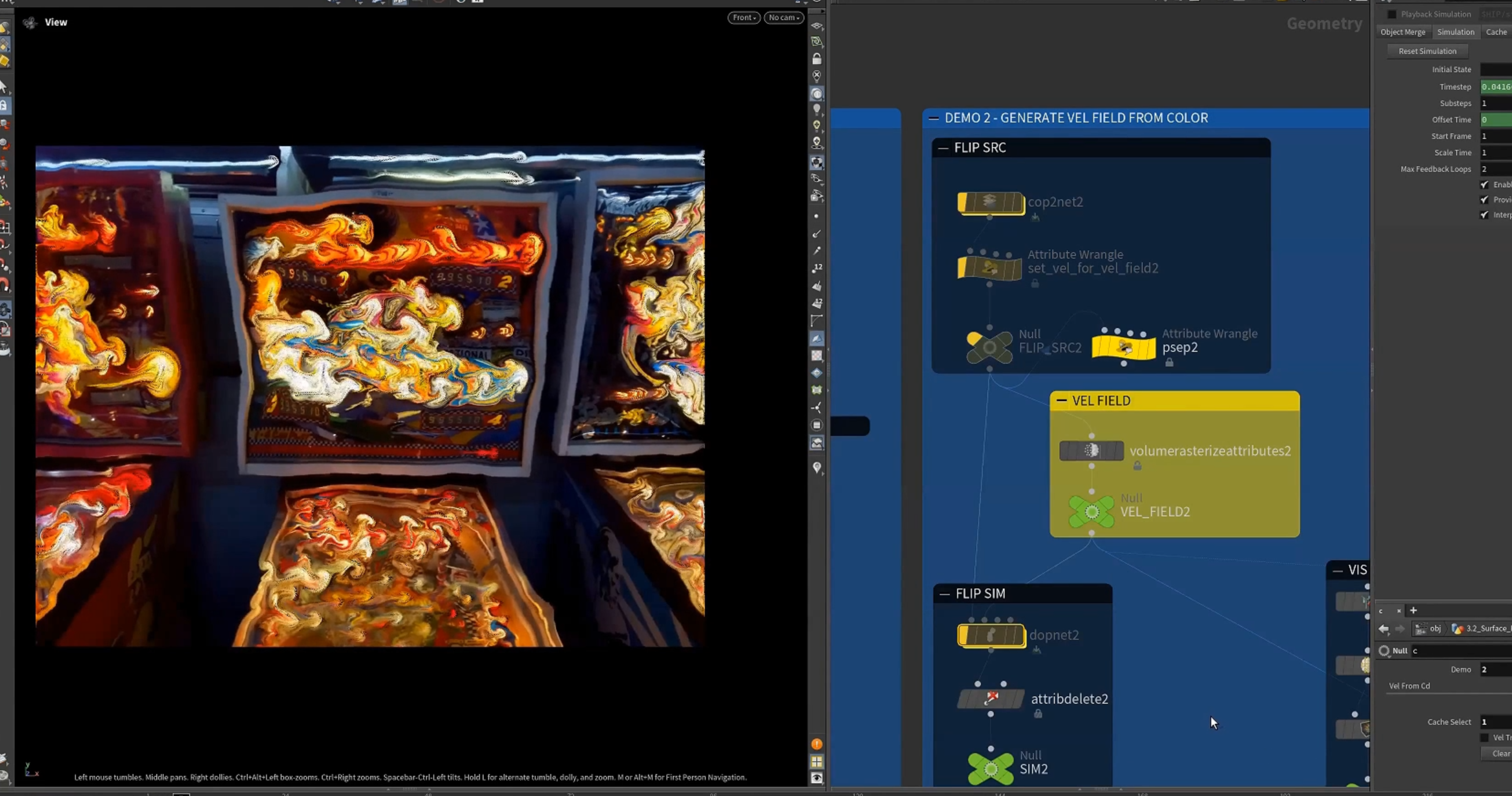
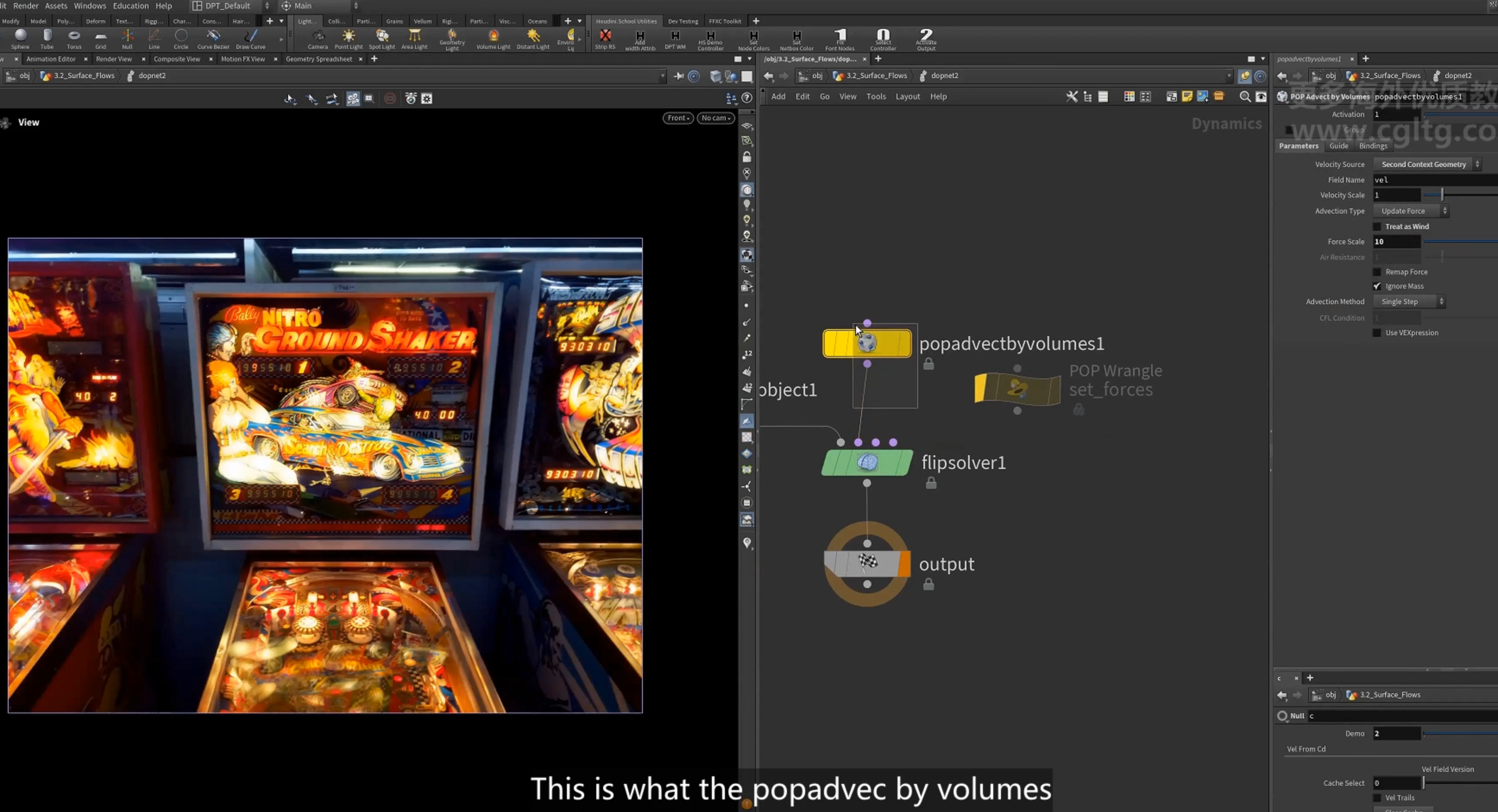
使用 advect by volume
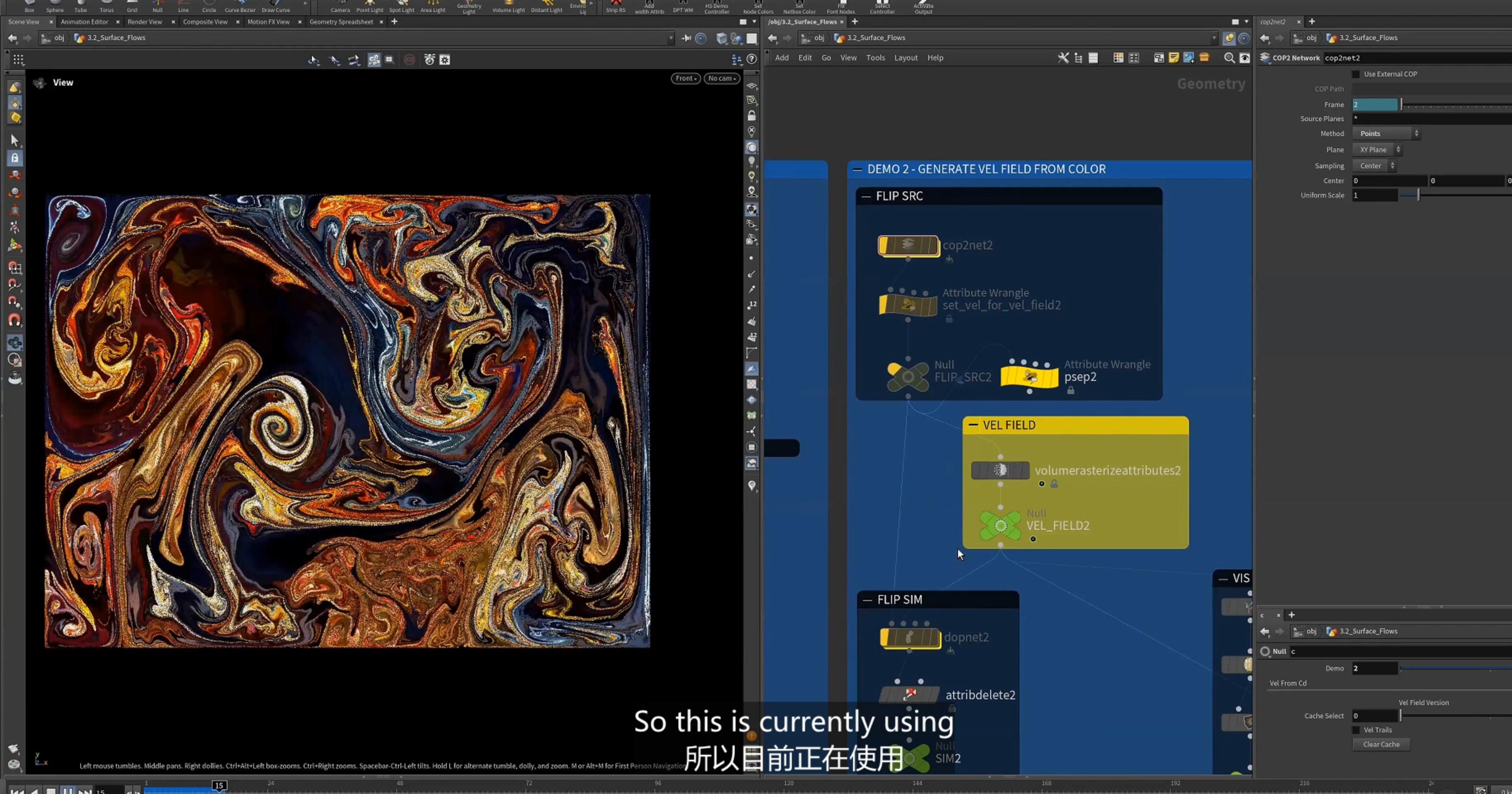
3.使用pop wrangle
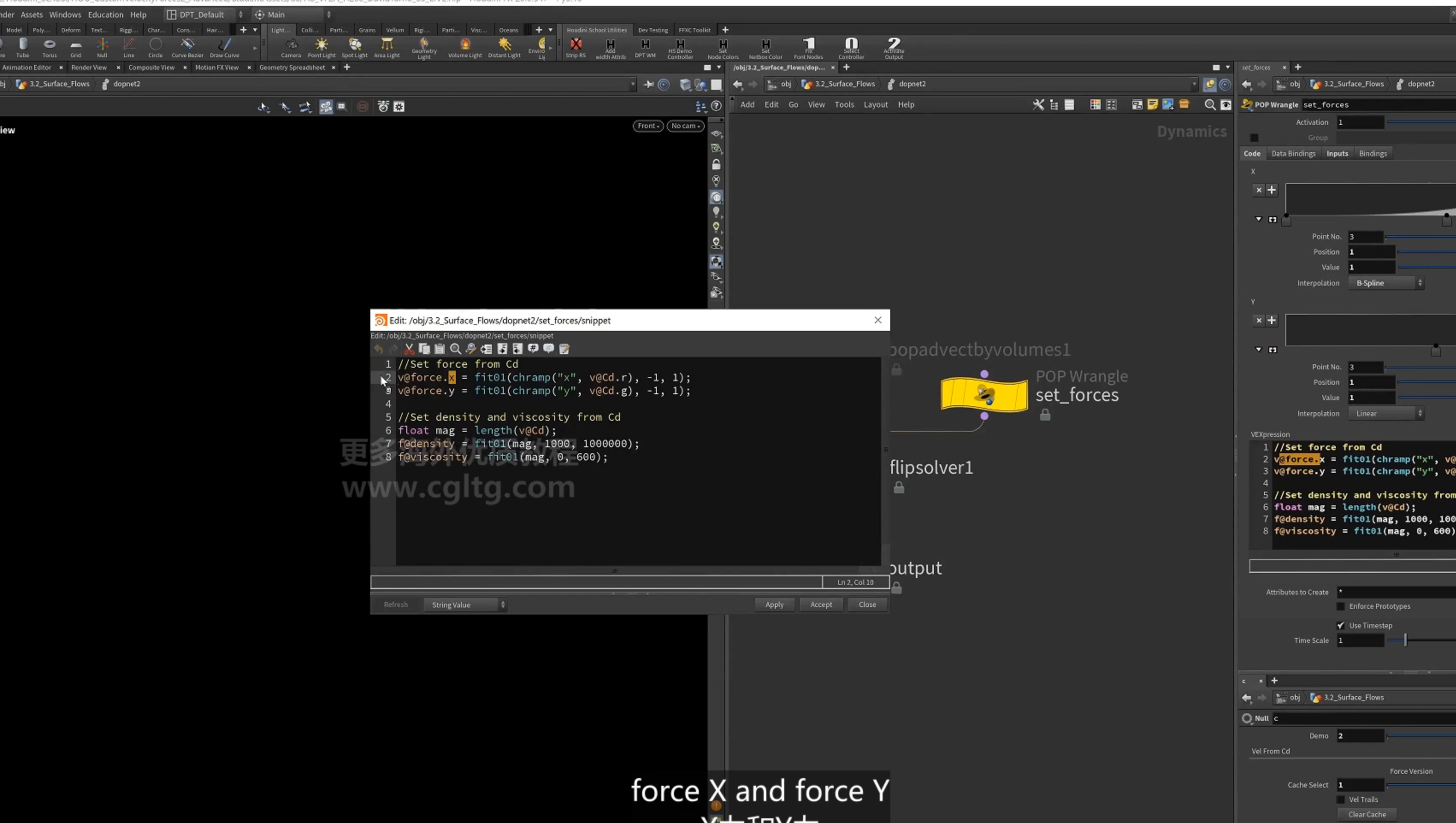
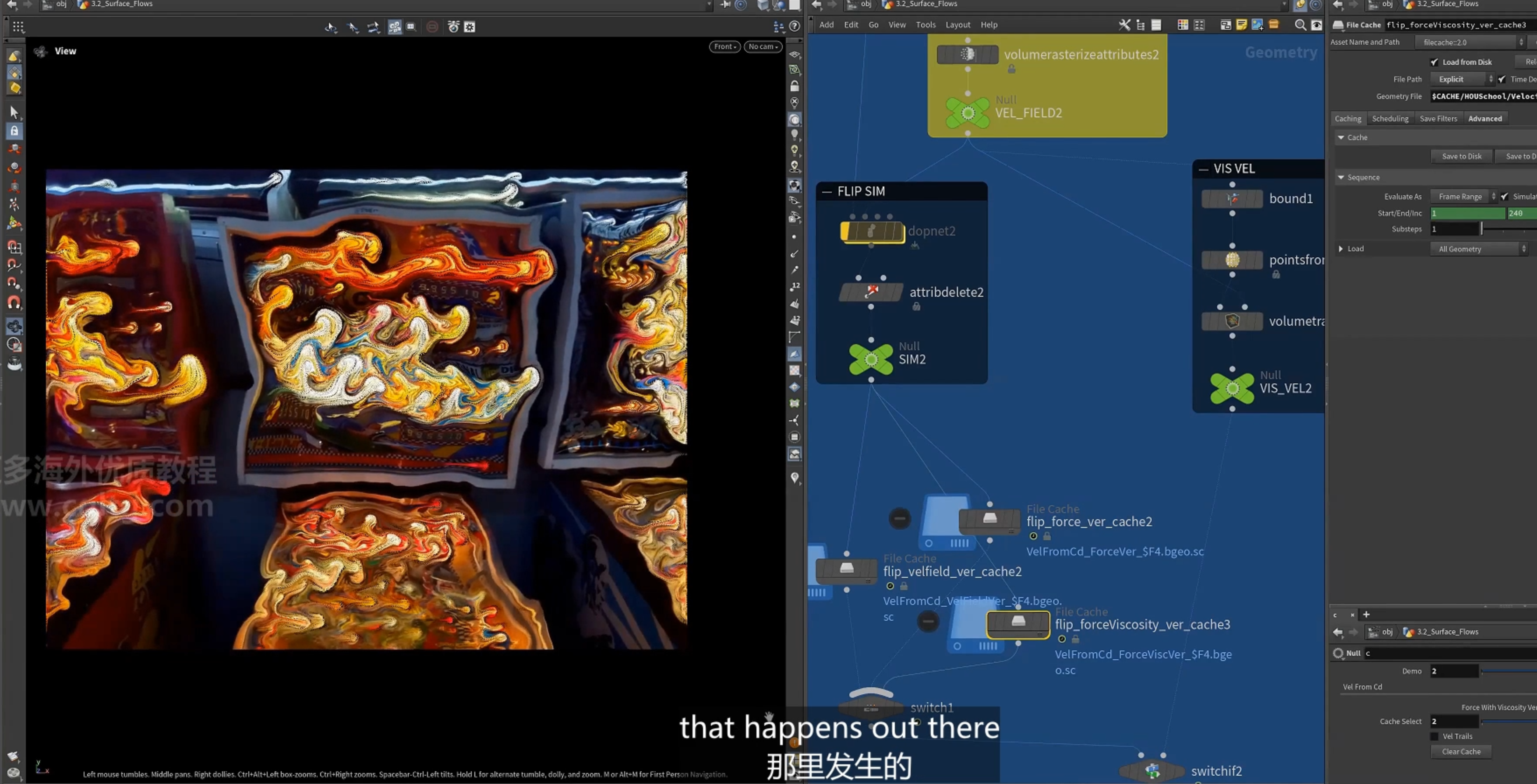
使用viscosity
8.post deformation(后期处理)
1.rigpose
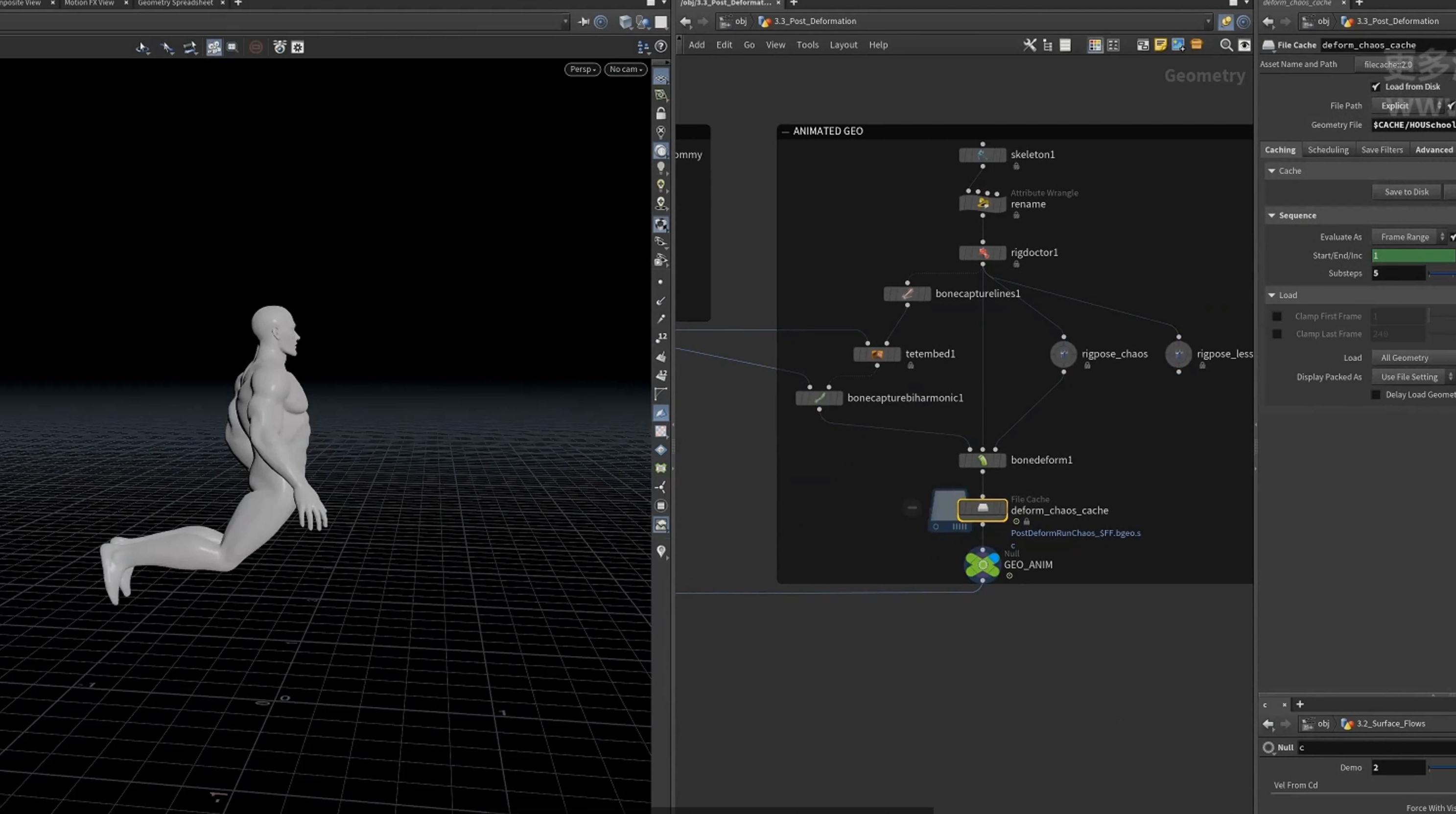
2.步幅太大(速度太快),这里缓存更多的substeps
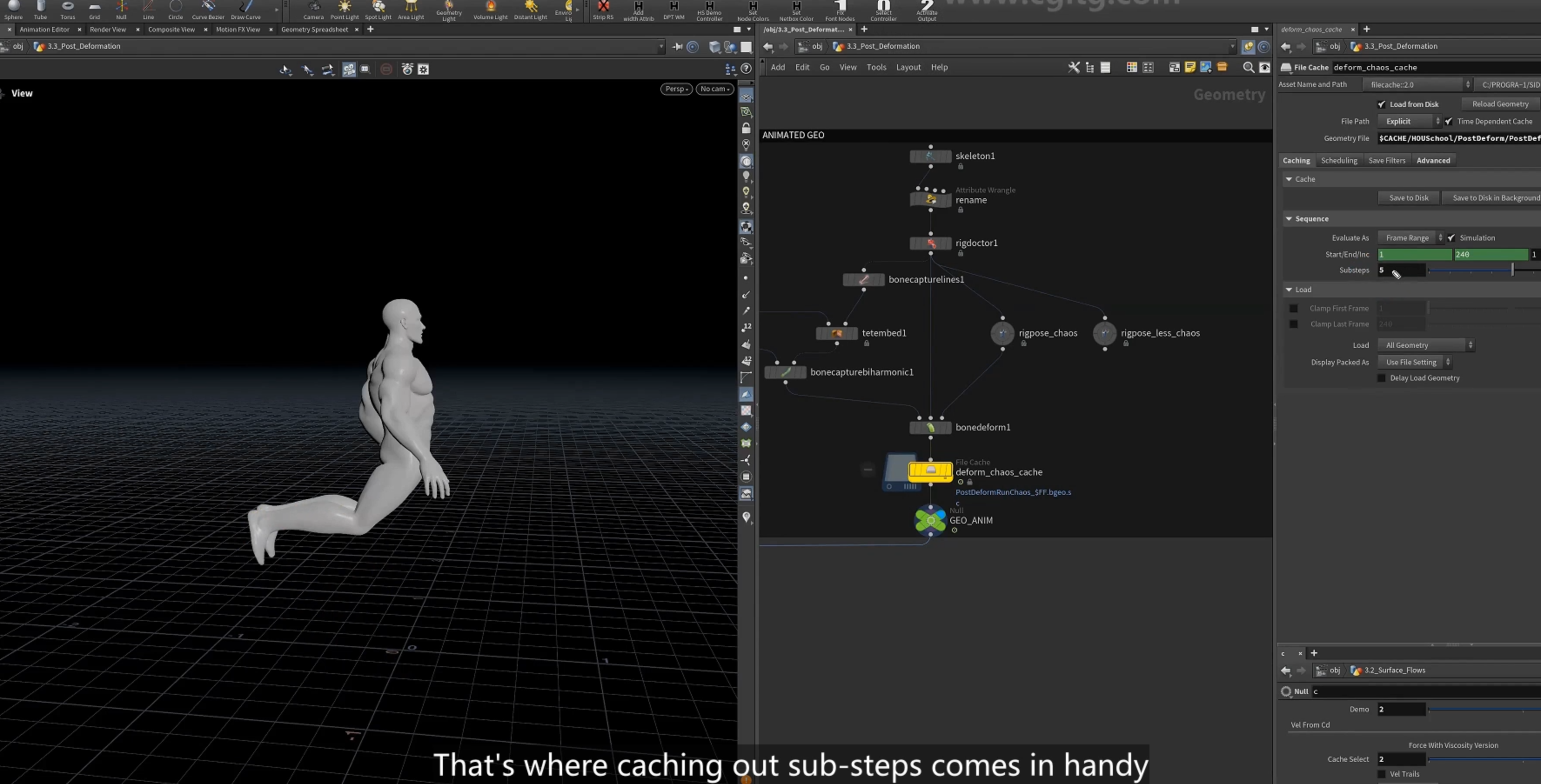
1除以substeps
3.创建volume source,density temperature
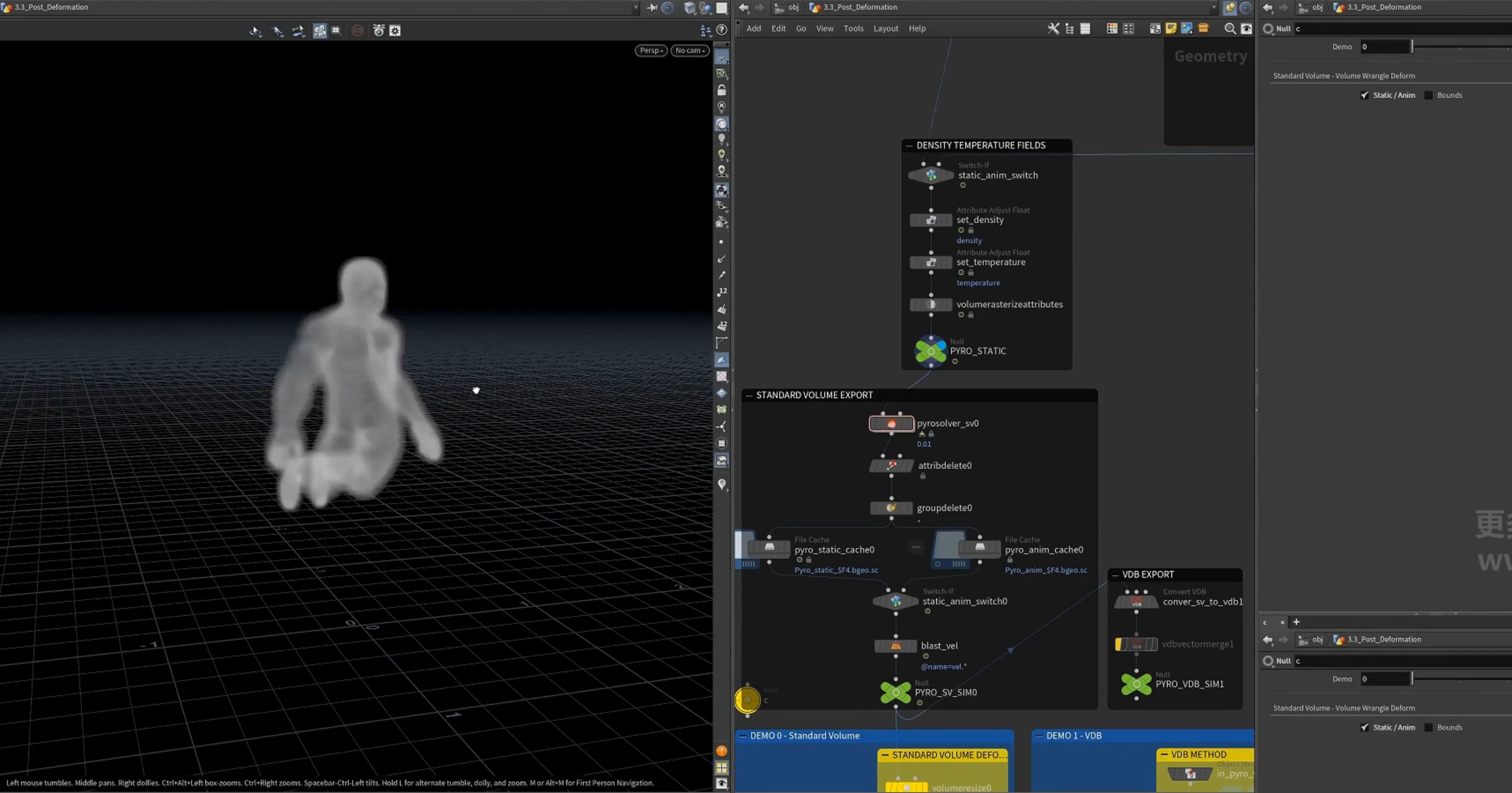
4.带有更多substeps的 pyro 模拟
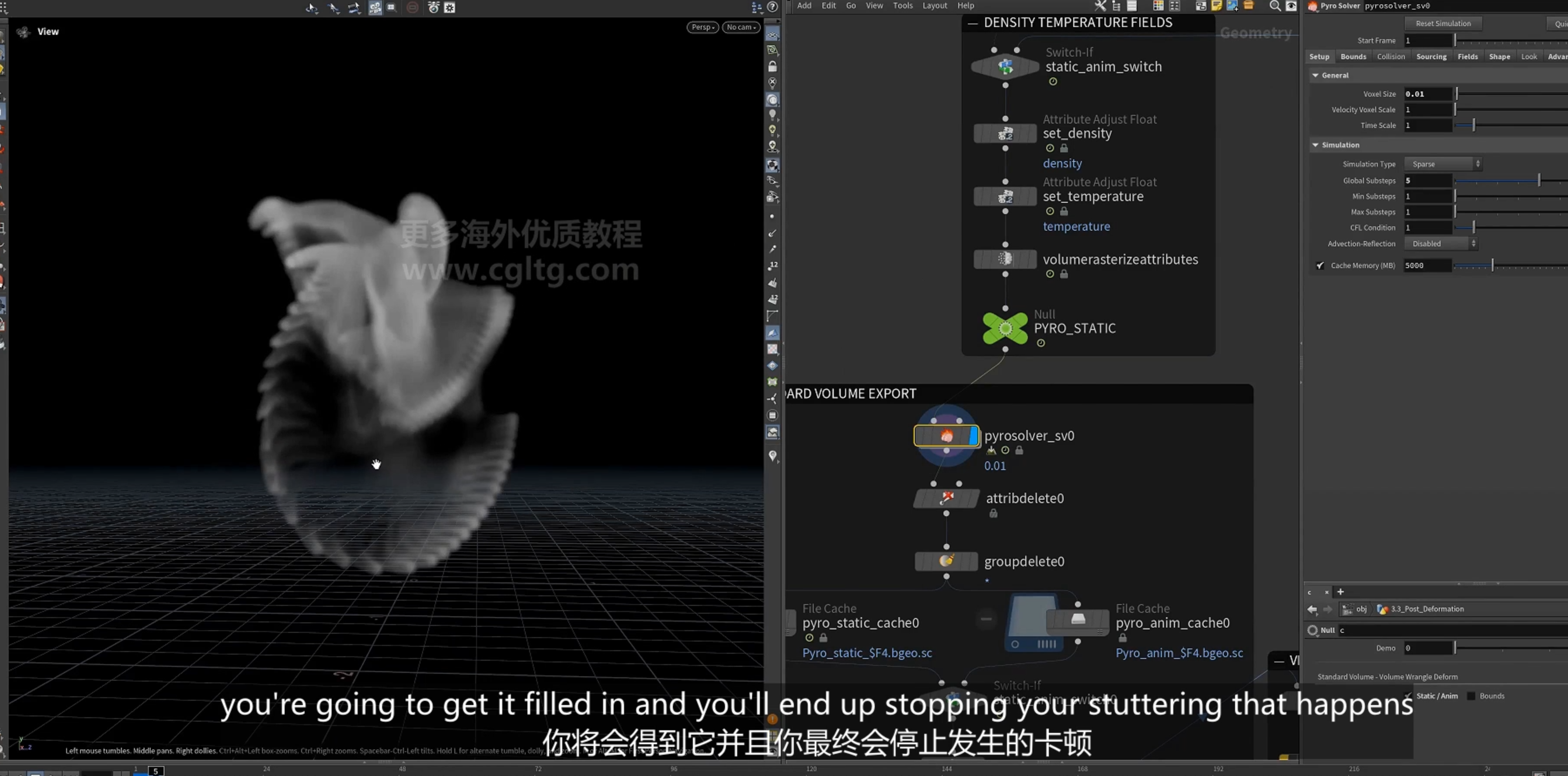
post(后期处理)
1.[volume resize]节点(standard volume)
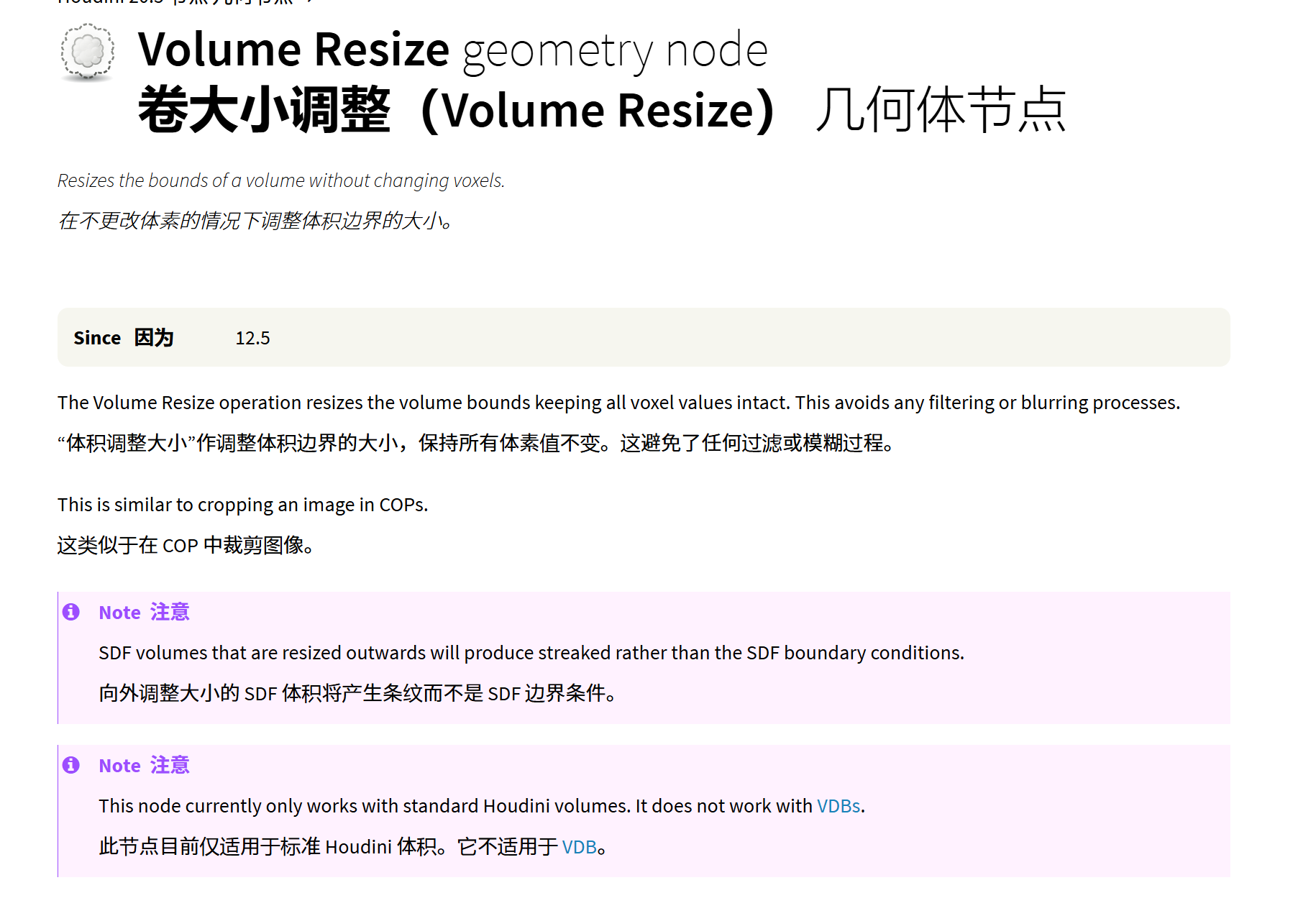
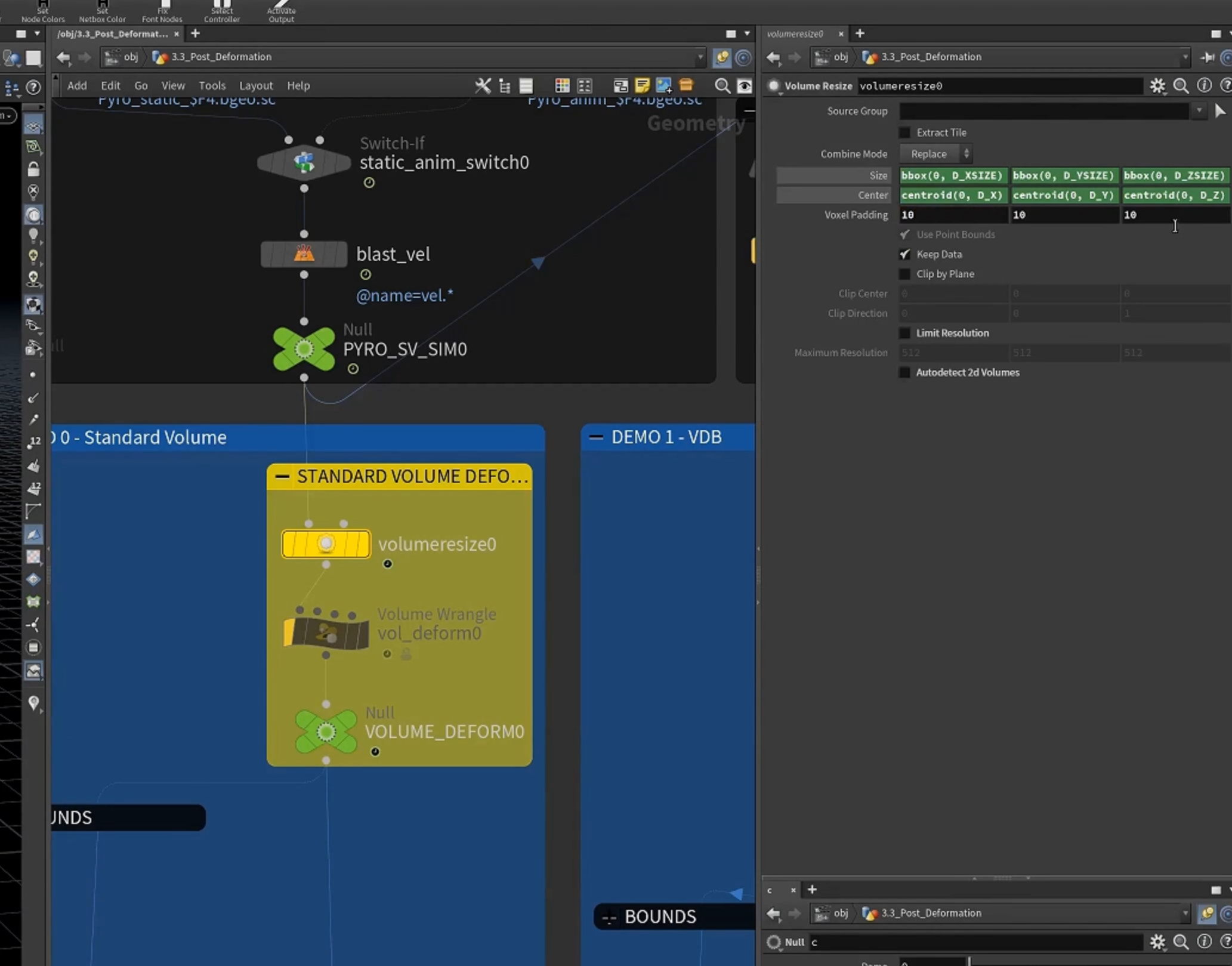
2.wrangle处理,扭曲volume(方法一)
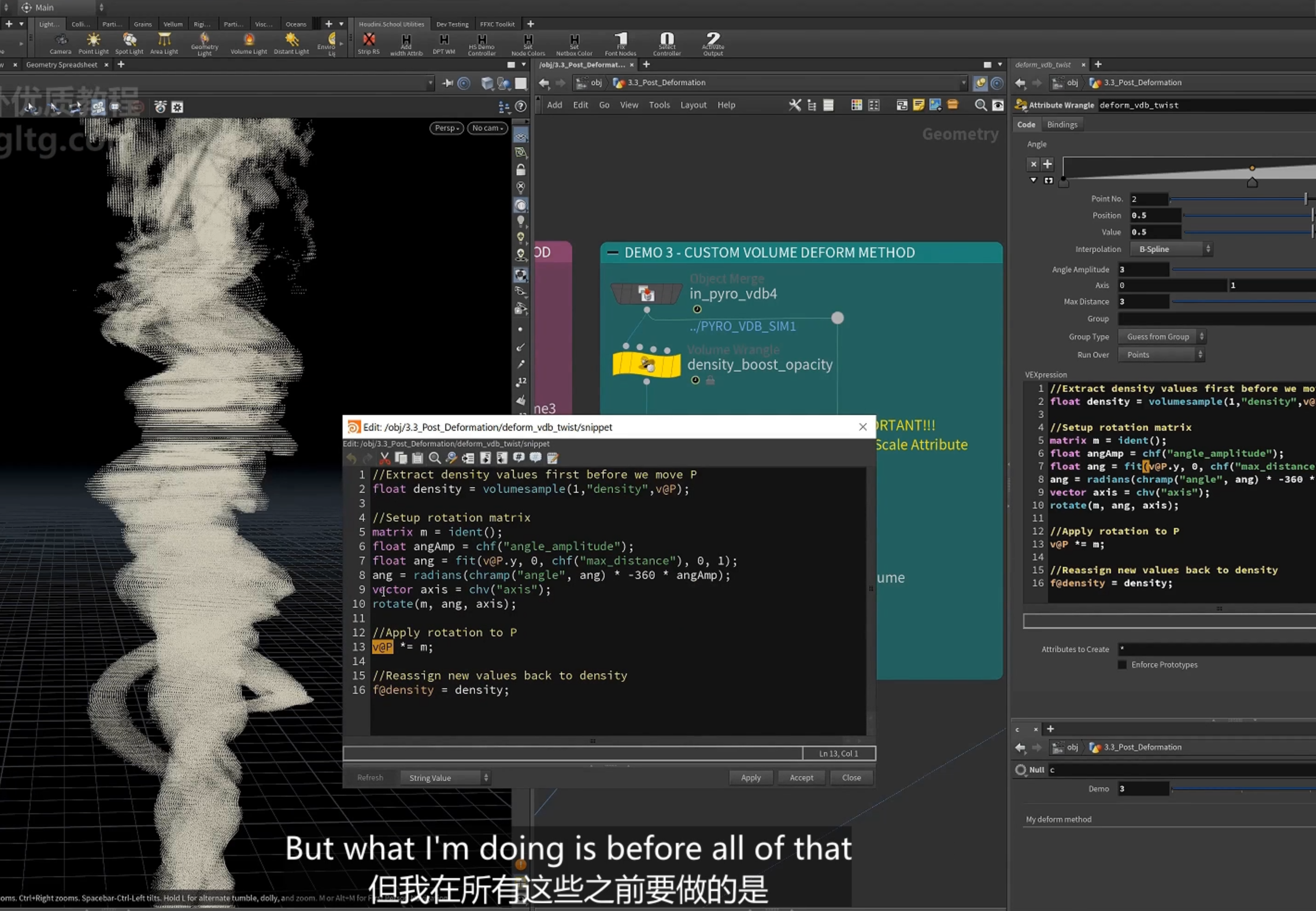
以高度(@P.y)旋转。
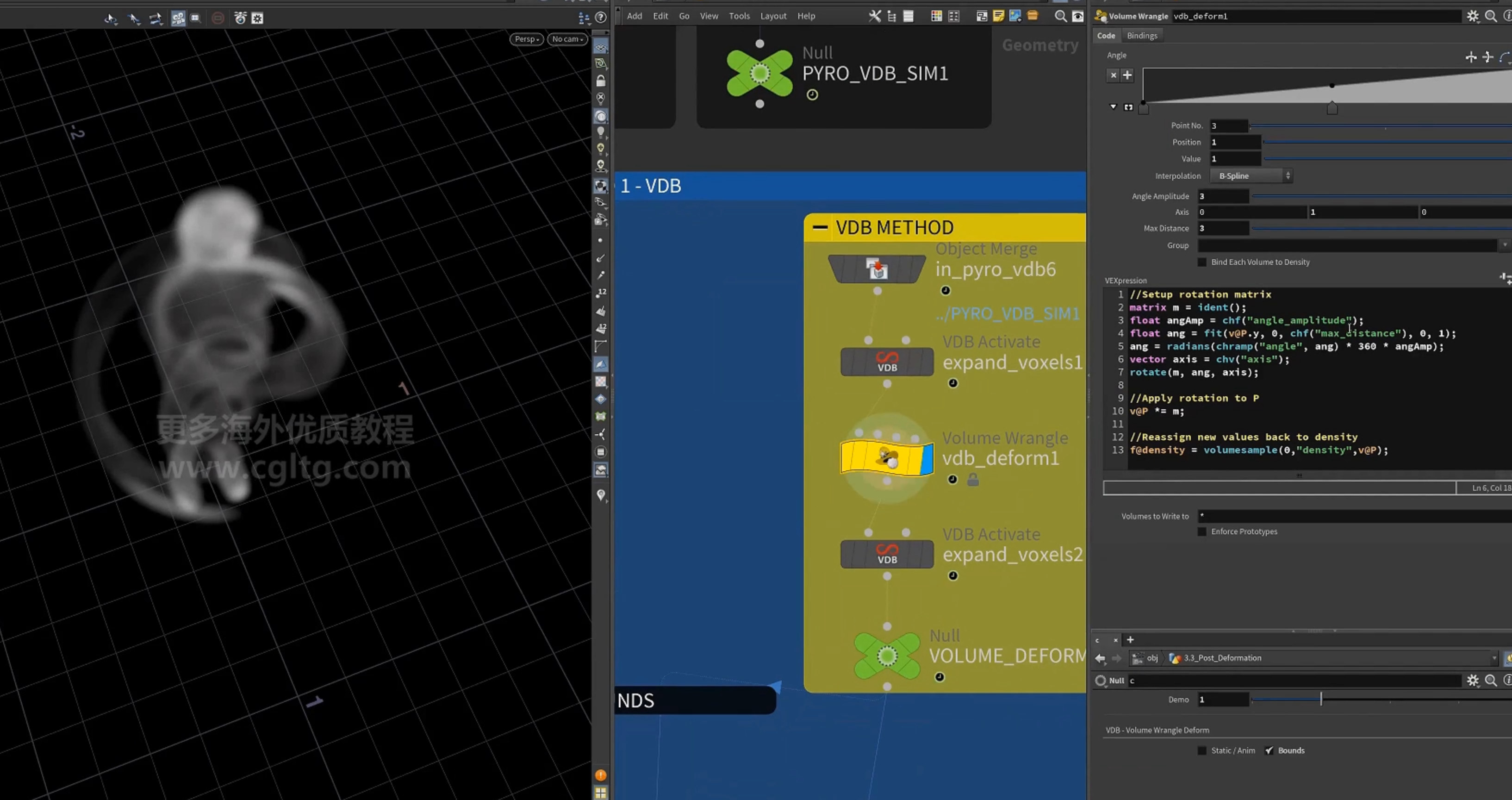
这里使用standard volume,用resize,若使用VDB需要激活更多的体素,使用VDBactivate
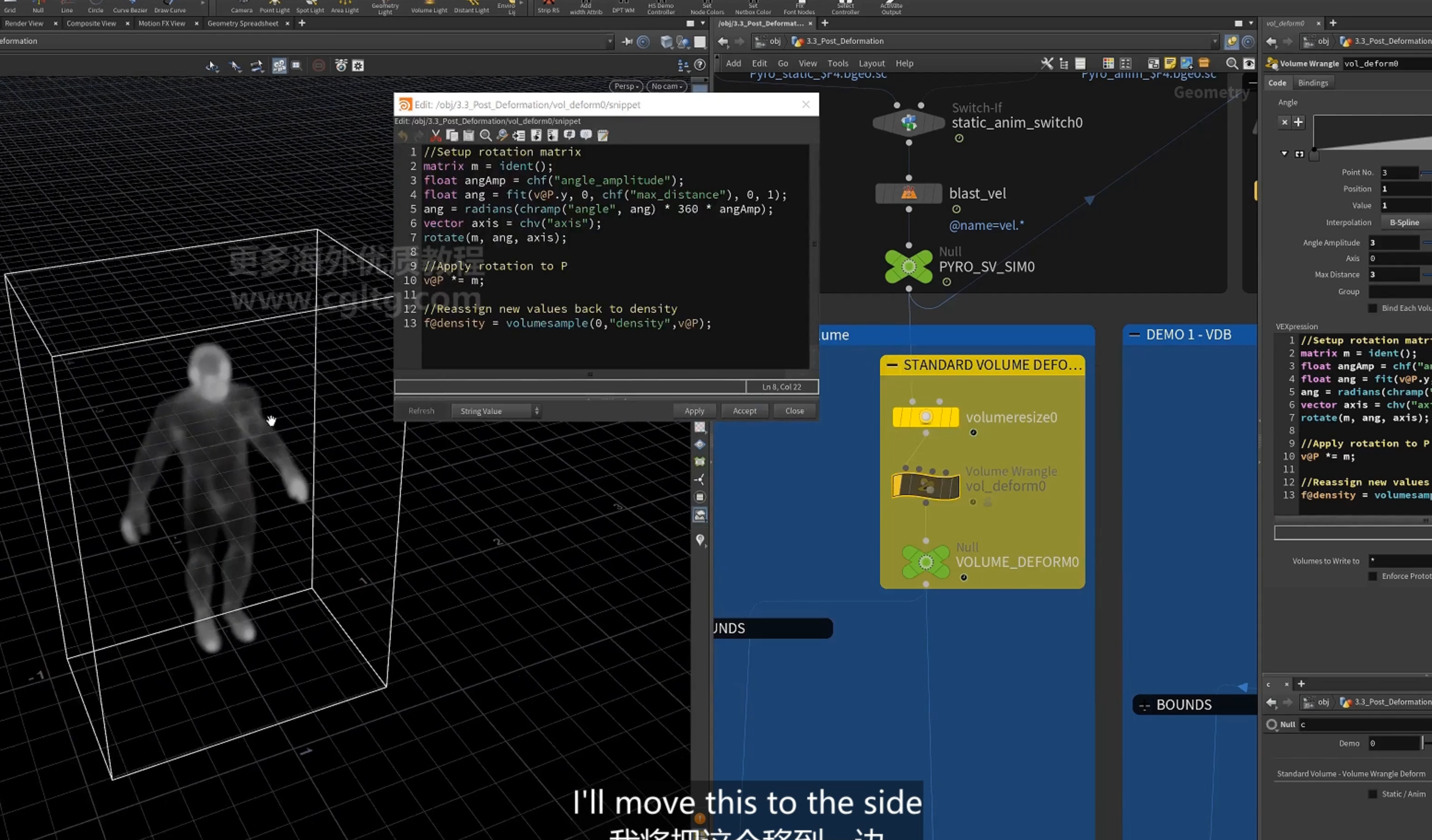
注意:==这里其实是一种反变换==
1.volume的结构是固定的,由索引位置确定,@P只是计算的属性(表示体素在世界中的坐标位置),修改@P并会不移动体素,只是修改了体素的属性。
2.volumesample函数只对传入的@P位置查询,这里的位置已经变为新位置。
3.所以这里将新位置的density放到当前体素
4.所以这是一种反向变化,将新位置的density放到当前位置。而不是将当前位置的density移动到新位置。
5.由观察也可以确定
使用同样的变换,对于geo(point)是逆时针扭曲,对于volume则是顺时针扭曲
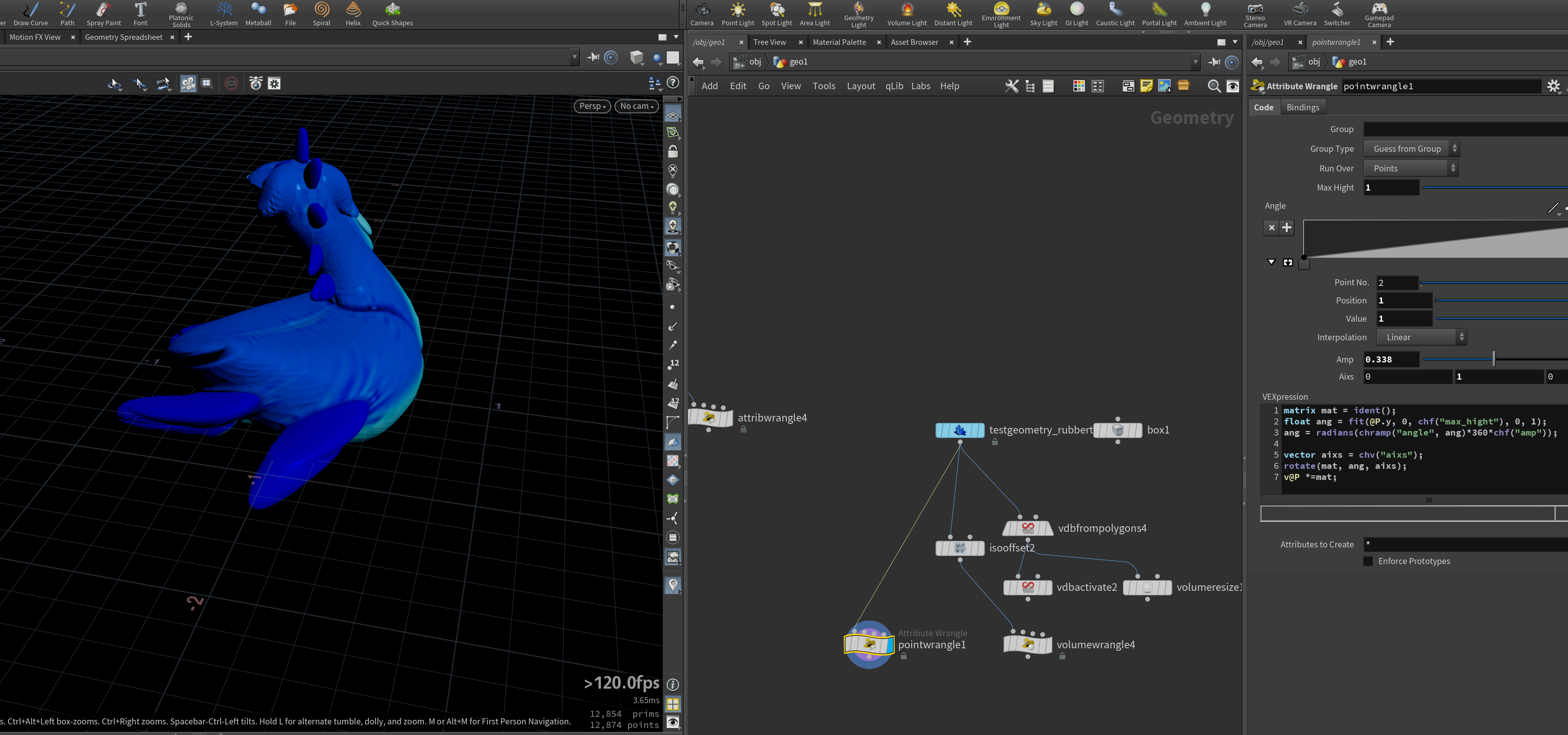
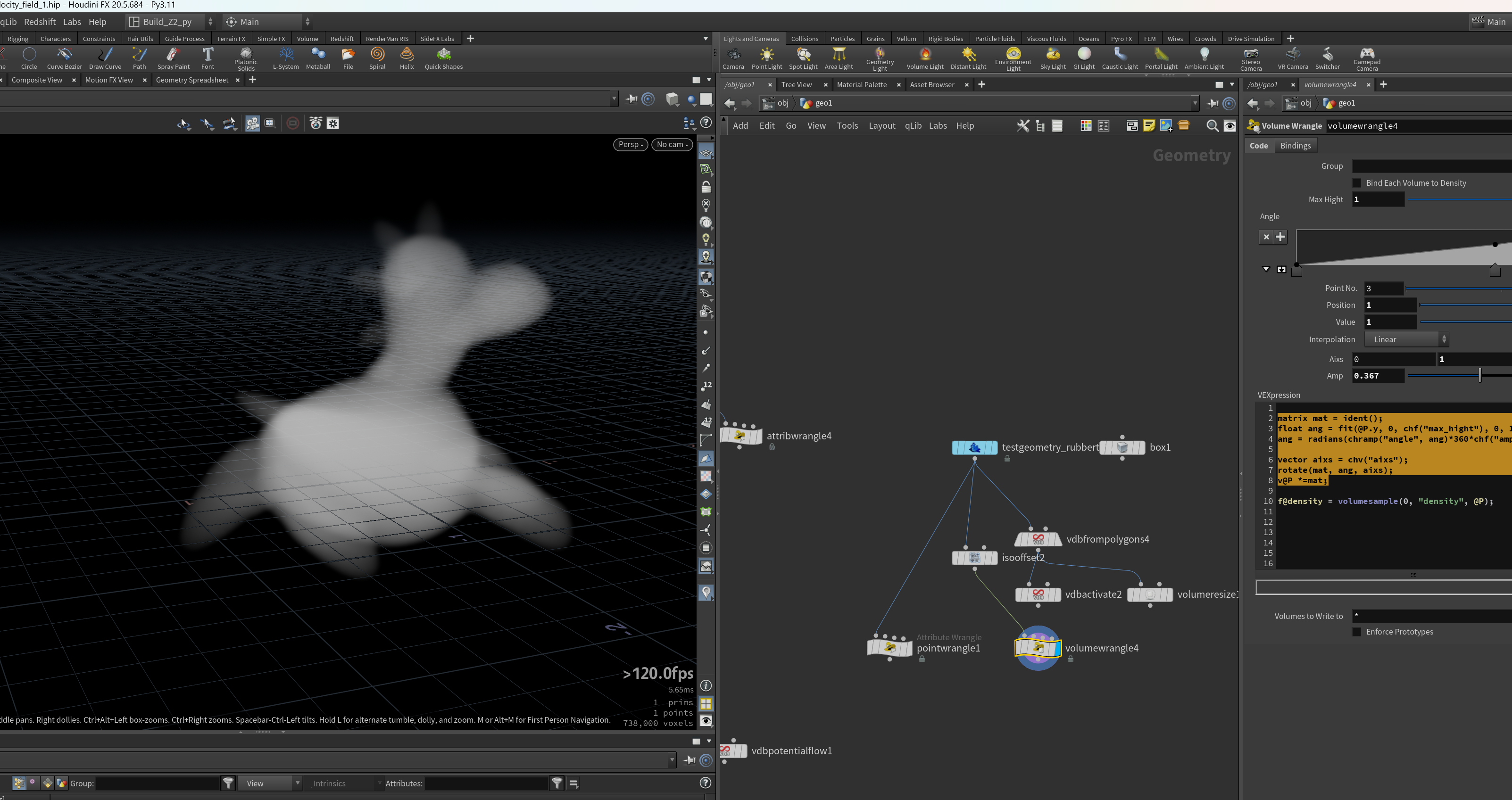
6.若是想实现正向变换,因该将当前体素的@P反向移动,即使用invert(m)。使用变换矩阵的逆变换。
3.VDB
4.使用[volume deform]节点 (方法二)
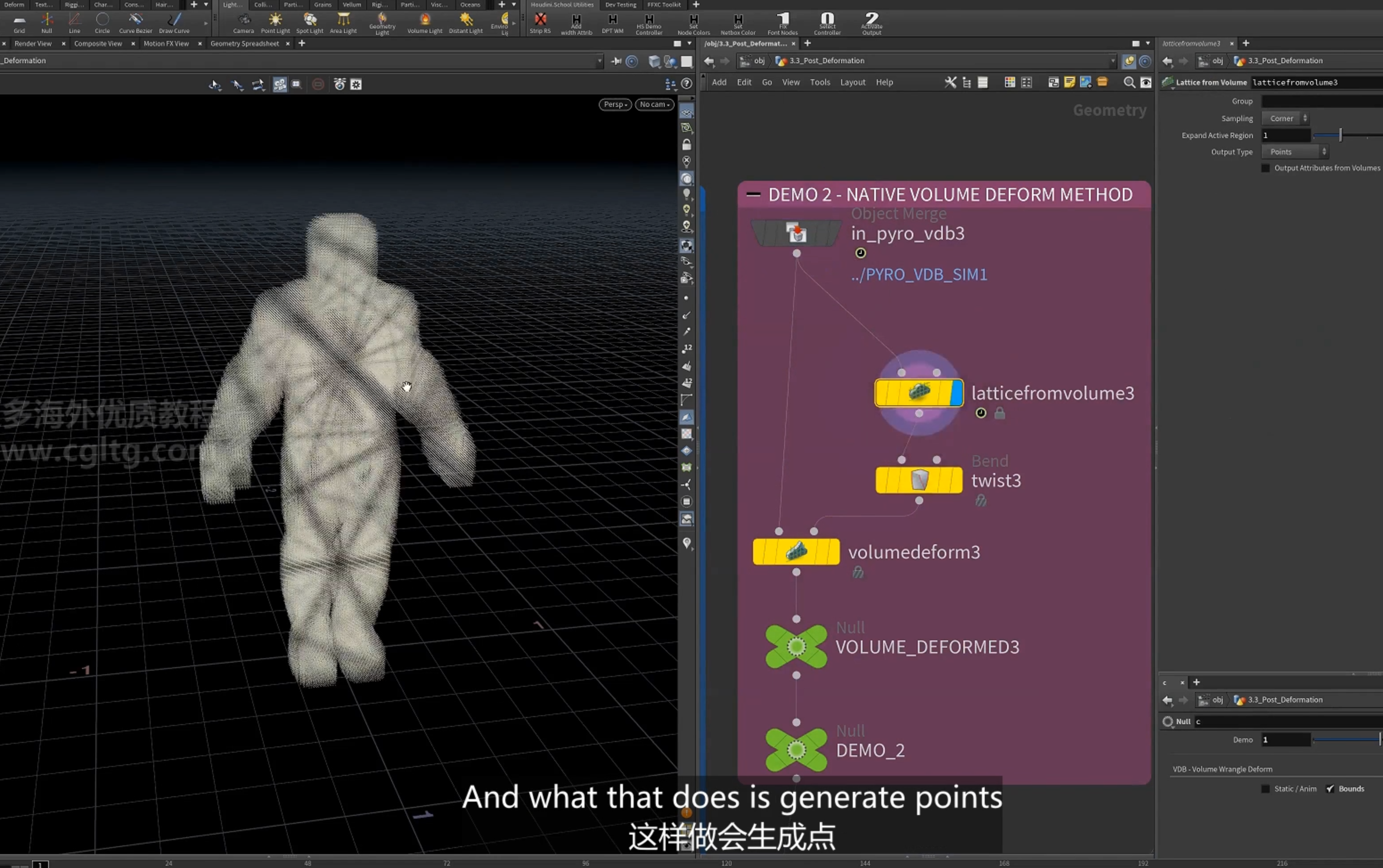
5.模拟[ volumedeform ]节点 (方法三)
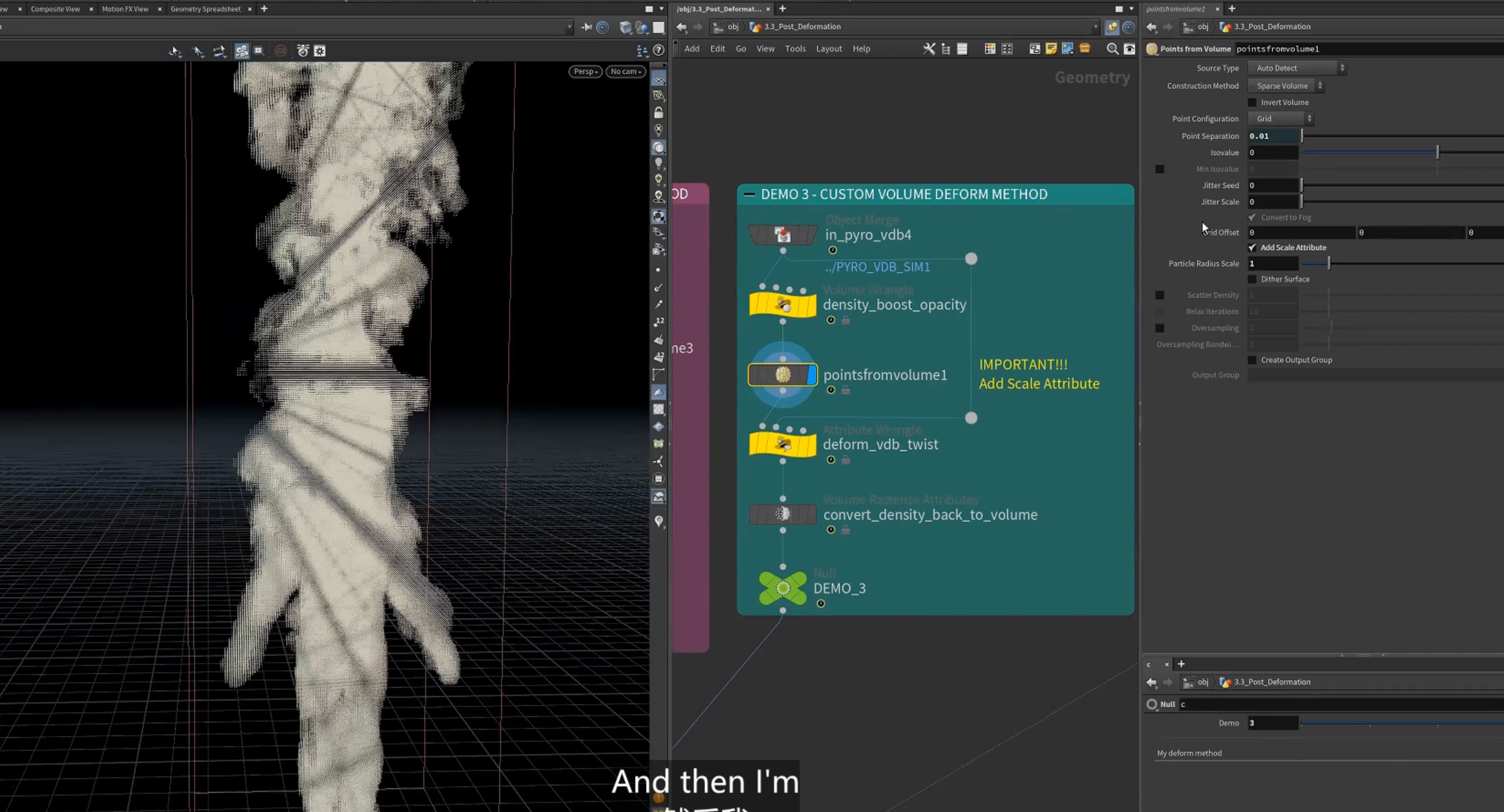
1.增加density
2.添加点
3.保存density,旋转点位置,再设置为原本的density
版权声明:
本站所有文章除特别声明外,均采用 CC BY-NC-SA 4.0 许可协议。转载请注明来自
彬的特效学习指南!
喜欢就支持一下吧

